




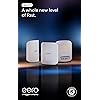
Amazon eero Max 7 mesh wifi system (newest model) - Supports internet plans up to 10 Gbps, Coverage up to 7,500 sq. ft., Connect 750+ devices, 3-pack
Condition: New



Buy Now, Pay Later
As low as
/ mo
Learn more
- – Up to 36-month term if approved
- – No impact on credit to apply
- – Instant approval decision
- – Secure and straightforward checkout
Ready to go? Add this product to your cart and select a plan during checkout.
Payment plans are offered through our trusted finance partners Klarna, Affirm, Afterpay, Zip, Apple Pay, and Google Pay. No-credit-needed leasing options through Acima may also be available at checkout.
Learn more about financing & leasing here.
Selected Option
Free shipping on this product
30-day returns
Learn more
FREE 30-day refund/replacement
To qualify for a full refund, items must be returned in their original, unused condition. If an item is returned in a used, damaged, or materially different state, you may be granted a partial refund.
To initiate a return, please visit our Returns Center.
View our full returns policy here.
Availability:
Only 10 left in stock, order soon!
Arrives
Wednesday, Sep 30
Recently Viewed


![The Sarah Jane Adventures: The Complete Collection Series 1-5 [DVD]](https://m.media-amazon.com/images/I/5151P9ZwshL._AC_US500_.jpg)
Configuration: without eero Plus
Size: 3-pack
Features
- THE SPEED OF EERO MAX 7 - With two 10 Gigabit Ethernet ports, you can enjoy wired speeds up to 9.4 Gbps, wireless speeds up to 4.3 Gbps, and multi-gigabit backhaul speedsmaking your network seriously fast.
- THE POWER OF WI-FI 7 TECHNOLOGY - Wi-Fi 7 technology can provide more than twice the speed of Wi-Fi 6, so you can enjoy greater capacity, less latency, and more efficiency on your network.
- OUR SOFTWARE MAKES ALL THE DIFFERENCE - Our patented TrueMesh software, combined with TrueRoam and TrueChannel, proactively keeps you connected to the optimal and most reliable wifi connection possible.
- LEVEL UP YOUR GAME - eero Max 7 helps deliver high performance gaming experiences, ideal for AR, VR, and cloud applications that require high throughput and low latency.
- ADVANCED DIGITAL SECURITY - An optional subscription to eero Plus protects your data, helping to keep your familys personal information, connected devices, and network protected from online threats.
- BUILT FOR SMART HOMES - eero Max 7 works as a smart home hub so you can connect Thread devices, as well as Matter and Zigbee devices (as a controller only).
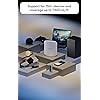
- MORE COVERAGE, MORE DEVICES - Provides up to 7,500 sq. ft. of mesh wifi coverage and connects 750+ devices.
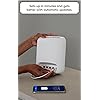
- SET UP IN MINUTES - The eero app guides you through setup and allows you to manage your network from anywhere.
- BUY WITH CONFIDENCE - New eero Wi-Fi 7 routers are backed by an industry-leading three-year warranty. Our highly trained support team is ready to help resolve any setup or wifi issues at or +.
Frequently asked questions
If you place your order now, the estimated arrival date for this product is:
Wednesday, Sep 30
Yes, absolutely! You may return this product for a full refund within 30 days of receiving it.
To initiate a return, please visit our Returns Center.
View our full returns policy here.
To initiate a return, please visit our Returns Center.
View our full returns policy here.
- Klarna Financing
- Affirm Pay in 4
- Affirm Financing
- Afterpay Financing
- Zip Pay in 4
- Financing through Apple Pay
- Financing through Google Pay
Learn more about financing & leasing here.
Similar Products




Top Amazon Reviews
Configuration: without eero Plus
Size: 2-pack
Since release I have had the 3 node Eero 6 Mesh system, so for about 4 years. During that time I have only had one incident and Eero support was fantastic. Since the mid 90s I have designed and built out multiple nationwide networks. From small ISPs, to Wireless providers getting into the Internet business to deploying mesh wireless system in corporate offices. I love it, it's great to tinker working to make things better and better. Because of that though I don't want to do that same thing at night or on the weekends unless it's work related. When I have some free time to do what I want, tweaking a network is one of the last things I want do. Yet I must have something that is fast, stable and secure. For years the Eero 6 functioned well however during that time we have added devices, increased our bandwidth and have more people working from home and/or gaming. It was time for an upgrade. Frankly reading the reviews I was concerned about purchasing this system. Yes, we all know that people who are unhappy are more likely to write a review than someone who is but this was definitely not ranked as high as my old system. Regardless I knew if needed I could troubleshoot with the support stand so I gave it a shot with the hope it wouldn't be an ongoing ordeal. I'm very happy to say the setup was one of the easiest if not the easiest ever. I unplugged my old system, plugged in the new primary devices and launched the app. It asked if I wanted to replace the old system, yes. It configured the new device using my same settings (network name, SSID etc...) and I was up and running in less than 10 min with a firmware/OS update. Adding the second device, they are both the same and both have the Ethernet ports, it set it up as the secondary in a couple of minutes. Then I removed the 2 old extension from the app and I was done. I did not have to do anything to all the devices on my previous network as everything stayed the same. That also saved me hours of extra work. While I only have a 1 gig connection we plan to upgrade to 2 in a couple of months and this will more than handle it. I went from getting about 40Mbps in our studio room over wireless to a full gig. The farthest room in the house had the second extension in that room previously just to get it covered. With only the two device system that room is now running 800 Mbps. As the extension is in our den I was able to plug our Apple TV directly in Ethernet and any occasional stutters watching in 4K simply vanished. We are on a cable modem system from our local provider. While I did help set it up in the 90s I haven't helped them in 20 years or so and thus there is nothing special about our connection, it's the same as everyone else in town. I am not using the paid version of the app, the free download has worked just fine for 4 years, worked great on our setup and I see no reason, again not looking to tweak anything, to pay for the extra services. I think most people will be just find using the standard app. At the beginning I noted I had the older 3 node system but got the 2 node Max 7. My house is a single story about 2600 sqft. The gateway is located in the office at the front far side of the house, I placed the extension in an are approximately the middle and I'm getting complete coverage throughout including a good usable signal out front or out back. While it notes 5000 sqft, I would suggest 3000 is probably more accurate from my experience. I definitely would not have needed three and if you can place the your device near the center of your house I believe a single unit would easily cover close to 2000 sqft with ease. Yes these aren't cheap but for us it was well worth the upgrade from a speed a quality of life standpoint and they are powerful enough I hope to get more than 4 years of service from them. Very pleased and highly recommend to anyone who needs more speed, especially if they have a lot of devices around the house. <Edit> I just wanted to add that after 3 months the system is still performing flawlessly, updates have been quick and stable.
...
show more
Reviewed in the United States on November 27, 2024 by J. Washum
Configuration: without eero Plus
Size: 1-pack

I couldn’t be happier with the eero Max 7. I use it as the main router in my mesh network, paired with several eero Pro 7 and eero 6+ units, and the entire system has been rock solid. Setup was straightforward, and everything integrated seamlessly. Since installing it, my Wi-Fi has been fast, reliable, and consistent throughout my home. On devices connected to the Max 7, my internet speeds regularly max out what my Speedtest can measure for my 5 gig Fiber internet plan. The app is easy to use, making it simple to manage the network and check device status. If you’re building or upgrading an eero mesh system and want top-tier performance, the Max 7 is an excellent choice. It’s been one of the best networking upgrades I’ve made.
...
show more
Reviewed in the United States on July 19, 2026 by Mama-Razzi
Configuration: without eero Plus
Size: 1-pack


I recently received the eero MAX 7 as a gift for my birthday, and it has been a game-changer. Earlier this year, I had purchased the eero pro 6e (2 units), which I was already quite happy with. However, I noticed that my mother needed one, so I gave her my eero pro 6e and got the eero MAX 7 for my apartment. Ever since I started using it, I have been blown away by its incredible performance. The download speed has increased from 981 MB to 1.3 Gig, and I no longer have to worry about my work video calls dropping like they did before. I used to think that the network service in my area was the problem, but it turned out that the many routers in the building and the interference from all the devices using the 2.4 GHz band were causing the issue. Now, I can work from home with great internet bandwidth without any interruption, and I couldn't be more satisfied. Although the eero MAX 7 is expensive, it's worth every penny in my opinion. You’ll see on the pics posted my download speed increased from 983 MB with eero pro 6e to 1.31 G with Euro MAX 7!!! Update: Dec 5, 2023 I recently purchased the new eero Max 7 mesh router, and I must say, it has exceeded my expectations. Not only am I experiencing faster speeds compared to my previous router, but the coverage it provides is simply outstanding. In fact, I was so impressed that I decided to get a second unit last week to ensure exceptional coverage throughout my entire living space. One of the standout features of the eero Max 7 is its ability to consistently deliver a reliable internet connection. Even in a building where numerous routers and devices cause interference, I haven't experienced any lags or connectivity issues. This is a game-changer for me, as I heavily rely on a stable internet connection for both work and leisure activities. Setting up the second eero Max 7 was a breeze, thanks to its intuitive and user-friendly interface and application. The mesh network seamlessly blankets my home, eliminating any dead spots and ensuring a consistent signal strength across all corners. I can now enjoy fast and uninterrupted internet access no matter where I am in the house. The eero Max 7 has truly transformed my internet experience. It's a high-performing mesh router that delivers on its promises of faster speeds and excellent coverage. If you're looking for a reliable and hassle-free solution to your connectivity needs, I highly recommend giving the eero Max 7 a try. You won't be disappointed.
...
show more
Reviewed in the United States on October 31, 2023 by R. Vicevich
Configuration: without eero Plus
Size: 1-pack


We recently upgraded to the Amazon eero Max 7 mesh WiFi router, and it has completely transformed our home network experience. This latest generation 2-pack system is worth every penny of its price. Unmatched Speed and Reliability: The speed of the eero Max 7 is phenomenal. With two 10 Gigabit Ethernet ports, we’re getting wired speeds up to 9.4 Gbps and wireless speeds up to 4.3 Gbps. The TrueMesh network intelligence ensures that our connection is always stable and fast, no matter where we are in our home. Perfect for Gaming and Smart Homes: My sons are avid gamers, so low latency and high throughput are crucial, and the eero Max 7 delivers beyond expectations. The AR and VR experiences are seamless, and cloud gaming is now a breeze for them. Additionally, it serves as a smart home hub, easily connecting Thread, Matter, and Zigbee devices, making our smart home setup more efficient than ever. Incredible Coverage: With coverage up to 5,000 sq. ft., our entire home, including the patio and backyard, is now a WiFi haven. It supports over 200 devices without any hiccups, which is perfect for our household. Easy Setup and Management: The eero app made setup a breeze, guiding me through each step in minutes. Managing the network remotely is incredibly convenient, allowing me to handle any network issues from anywhere. Advanced Security and Sustainability: The optional eero Plus subscription provides peace of mind with advanced digital security, protecting all our data and devices from online threats. Plus, I appreciate the eco-friendly design, made from 61% recycled materials. Works Seamlessly with Alexa: Integrating with Alexa adds another layer of convenience, allowing me to control my network with simple voice commands. Overall, the Amazon eero Max 7 mesh WiFi router is a game-changer. It combines speed, coverage, reliability, and security, making it the ultimate choice for anyone looking to upgrade their home network. Highly recommended!
...
show more
Reviewed in the United States on July 7, 2024 by Terbo
Configuration: without eero Plus
Size: 2-pack
Overall, I really wanted to like my Eeros. I got them on a great deal last black friday, and they really are easy to set up. The app is good, and it was pretty simple to replace my netgear router by plugging the eero into my verizon modem. In general, they worked well for most devices. Things like downloads, speed tests, etc are fast. I set up a wired ethernet backbone for each of the three endpoints in my home. I have a 2 story house, so 1 access point is in my office, 1 access point is in the basement directly above my wife's office, and the 3rd access point is on the other side of the basement in the crawl space. Unfortunately, I have experienced persistent issues with video chats on both teams and zoom. At first, we had some wifi issues on the far side of the house, which I was surprised by, since it was only ~15-20 feet from an access point in the crawl space below the room. Additionally, my wife is constantly complaining to me that she can't take video calls anymore, even in her office, where I see 5 bars of wifi strength. Even with my desktop plugged into ethernet upstairs, I seem to have some networking issues with lag and de-sync in online games. Overall, I am not sure what I am doing wrong. Our house is a SFH and at least 50-100 feet from our neighbors, so it doesn't appear to be caused by wifi interference. The eero app tells me I have 30 devices online, so it's not me pushing it to the limits as far as I know. I would say overall, if you are a casual user, and just want a good app with the ability to quickly block devices etc., then Eero is for you. But if you have high expectations for performance or have a job with a lot of video chats and screen sharing, I personally have been disappointed by my Eero units, especially given the price. Unfortunately, for my use case, bad video calls just won't work.
...
show more
Reviewed in the United States on October 3, 2025 by Lord of Meme
Configuration: without eero Plus
Size: 1-pack
Just installed this along with a EERO Pro 7 to use as a wired backhaul satellite, picked them up during Prime Days at a great price. The eero iphone app was very easy to use to set up, I used the same SSID and password as with my old Spectrum router and all my connected devices reconnected themselves automatically - I was very happy about that as one device is rather finicky to pair. Great data throughput, with the extra Pro 7 my house is really well covered for wifi now unlike before.
...
show more
Reviewed in the United States on July 22, 2026 by RAlsip
Configuration: without eero Plus
Size: 3-pack
Would be 5 stars except for the VPN issue. History: I cut the cord and got the Frontier 500 plan. They wanted to give me a basic EERO that only had 1 extra port. I needed 2 extra ports for a NAS and desktop PC. I wanted to avoid an ethernet switch. I don't have the ideal location for a router. It is in one corner of the house on the 2nd floor and the bedrooms and other equipment are on opposite sides. I also want good outdoor coverage. I currently have an old style Frontier and 2 old Netgear extenders. The most I could get was around 20-30 Mbps in most areas. I decided to replace all this with 3 EERO MAX 7s. Setup: It was incredibly easy to setup. Unplug power from Frontier ONT device. Plug ethernet cable from ONT into port 1, NAS into port 2 and PC into port 3. Power up ONT and wait about 10 minutes then plug in EERO. Then go to EERO app to finish setup. There is a simple way to reserve an address for NAS. It was easy to add the other 2 routers. The only issue is you have to assign a location and I didn't know which was which so I later had to switch location assignment in the app. Performance: I was astounded by the performance. I get 450+ Mbps download/upload all over the house using my phone and tablet. I'm really not sure how this is possible. I tested it on my PC that is on the other side of the house and I get 484Mbps down and 506Mbps up. I use the Speedtest app in the Windows store. You can't use the web app in a browser (SpeedTest.net). It caps out at 100Mbps since it runs in a web browser. I tested my Samsung Smart TVs using the builtin web browser and I get between 80-140Mbps down depending on the TV. If I use Netflix's Check Your Network I get between 80-200Mbps. Other: It looks great. My wife really likes the look. Issues: The only issue I had was with VPN. I have to use a VPN from time to time on my PC. It would not connect to the VPN. I found a post on Reddit about the issue and it says to use a guest network to get it to work. This is not an acceptable solution. There was a suggestion to use Bridge mode under DHCP and NAT settings. This completely crashed the router. I looked for a reset button on the router and there is none. I finally figured it out. You have to delete the network in the app to set it up again. I finally got Mozilla VPN to work. It somehow bypasses whatever issue EERO has with Windows and VPN. There are 100s of posts about this. Amazon needs to get this sorted.
...
show more
Reviewed in the United States on July 3, 2024 by mogulman
Configuration: without eero Plus
Size: 3-pack


I have AT&T Fiber 1000 and had been using their standard fiber gateway modem/wifi router. We have a single-story home a little bigger than average. The AT&T BGW320-500 did OK but our coverage struggled in some corners and just outside, even with it being almost in the center of the home and placed higher. We have a ton of IoT devices and several lights from Lifx and Mod Lighting. With the addition of new sconces outdoors around the house, the AT&T device didn't have the range so I looked at mesh systems. A couple other popular mesh systems were less expensive, but the Eero performance stood out in reviews here and on some YouTube reviews. I wish this was a little cheaper, but the performance really gave a lot of value. Setup couldn't have been easier. I downloaded the app and it found all the the devices pretty much instantly. Anyone who has set up a home network or tried to connect devices knows how big of a pain that is. Eero was flawless. It even tells you if the placement isn't ideal which was great. Our home had an addition built on the back so there are concrete cinder block walls that make wifi a challenge at times. Since Eero uses multiple bands, it will choose the best one to push through the walls. I renamed the Eero's network SSID to match the old AT&T, set the AT&T to passthrough, and almost all devices connected right away. I had to reset a few of the credentials on devices, but no biggie. The speed... Did I mention it's supa-fast? With my 1000 fiber line on wifi I ran two back-to-back tests as I wrote this and attached the pics. One with Fast by Netflix and the other with Ookla Speedtest. With the AT&T wifi, the best I could manage at my desktop was around 800mpbs on a good day. Generally, it was in a range of 500-700. With Eero, I almost always get 900+, and sometimes as you can see in the pic I'm getting over my plan's 1000 speed. 1225mpps on the download today! Connections seem more stable as well. I still have a couple of the outside sconce lights with lower signals but it has to shoot through multiple concrete walls on that side. At least now they're connecting, where the AT&T didn't even see them. I may add an outdoor Eero just to have full back yard coverage and ensure a stronger signal for those lights. We have near 60 IoT devices connected. Lights, appliances, doorbell camera, smoke detectors, Xbox, etc. Eero handles them all without issue and it doesn't seem to affect speed or cause interference that can disconnect them. I have the Xbox Series X hardwired via Cat6 to the main Eero and ping/speed are great with no lag or dropouts. I've also hardwired my Bluesound Vault 2i and Shield TV Pro. Each node has additional ethernet ports so if you want to limit the wifi traffic you could run ethernet to nearby devices. The app is designed well and is easy to navigate. You'll get notifications if a new device joins the network, and like many routers you can name them all so you know what they are. You have easy ability to block devices, or just pause them if needed. It will show all the individual nodes and each of those will show you what's connecting to them. Another nice thing is being able to adjust the status light on each of them to off or the brightness you prefer. The app also has a lot of nice features to show what devices are online or offline, and you can check data usage by day, week, or month for each of them. Total data usage metrics are also there. I'm sure there are plenty of advanced options but for the average user it has everything you need. For guests, you can create a separate guest network by flipping it on and sharing it pretty easy. It has a QR code option as well as a simple share link that can be sent via text, email, and other apps. So far this has been the best wifi and network device I've purchased since wifi became a thing. It's the only one I've used that has virtually no drop off in speed and has been this easy to set up. Coverage is almost perfect other than those concrete blocked devices but that can be resolved by better node placement or an additional node. The main thing about that coverage is the speeds stay pretty consistent throughout and your device will move to the best node as needed. I definitely recommend, but I'd say wait for a sale price or Prime Day and save some dough.
...
show more
Reviewed in the United States on July 9, 2026 by Sean Rooney, Realtor