Search  for anything...

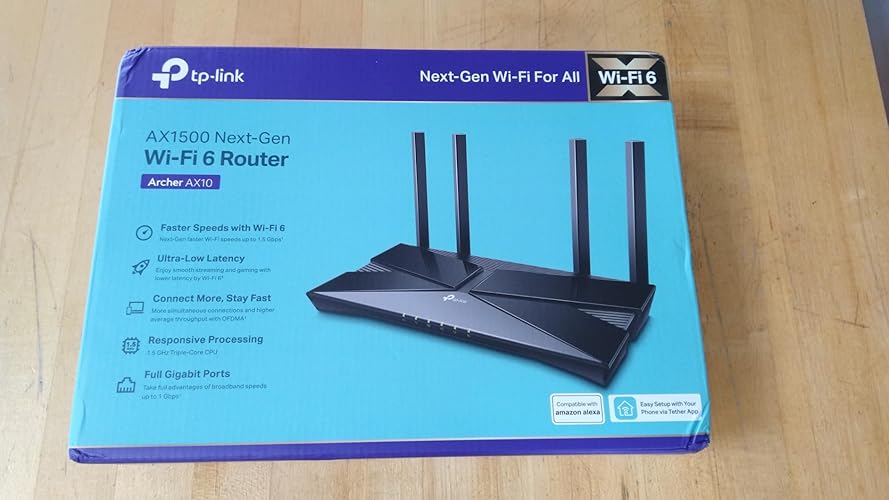
TP-Link Smart WiFi 6 Router (Archer AX10) – 4 Gigabit LAN Ports, Dual Band 802.11AX Router, Beamforming, OFDMA, MU-MIMO, Parental Controls, Dual-Core 900MHz Processor, Works with Alexa

  • Based on 9,682 reviews
Condition: New
Checking for the best price...
$49.96 Why this price?
Save $10.03 was $59.99

Buy Now, Pay Later


As low as $8.33 / mo
  • – 6-month term
  • – No impact on credit to apply
  • – Instant approval decision
  • – Secure and straightforward checkout

Ready to go? Add this product to your cart and select a plan during checkout.

Payment plans are offered through our trusted finance partners Klarna, Affirm, Afterpay, Zip, Apple Pay, and Google Pay. No-credit-needed leasing options through Acima may also be available at checkout.

Learn more about financing & leasing here.

Selected Option

Free shipping on this product

This item is eligible for return within 30 days of receipt

To qualify for a full refund, items must be returned in their original, unused condition. If an item is returned in a used, damaged, or materially different state, you may be granted a partial refund.

To initiate a return, please visit our Returns Center.

View our full returns policy here.


Availability: In Stock.
Fulfilled by Amazon

Arrives Friday, Aug 7
Order within 3 hours and 45 minutes
Available payment plans shown during checkout

Protection Plan Protect Your Purchase
Checking for protection plans...

Style: AX1500 router


Features

  • OneMesh Compatible Router - Form a seamless WiFi when work with TP-Link OneMesh WiFi Extenders
  • Next-Gen Wi-Fi 6 Technology The Archer AX10 leverages advanced Wi-Fi 6 features like OFDMA and 1024-QAM to deliver improved efficiency across your entire network. Perfect for high-bandwidth activities like streaming, gaming, and smart home connectivity.
  • Next-gen Dual Band router - 300 Mbps on 2. 4 GHz (802. 11n) plus 1201 Mbps on 5 GHz (802. 11ax)
  • Connect more devices than ever before - Wi-Fi 6 technology simultaneously communicates more data to more devices using OFDMA and MU-MIMO while reducing lag dramatically
  • Powerful Dual-Core 900MHz Processor Handles multiple data streams simultaneously for reliable performance across your devices. Ensures smooth streaming, online gaming, and video conferencing without buffering or lag.
  • More coverage with less interference - achieve the strongest most reliable Wi-Fi coverage with Archer AX10 as it focuses signal strength to your devices using Beamforming technology.
  • Backward compatible - Archer AX10 supports all previous 802. 11 standards and all Wi-Fi devices
  • Works with all internet service providers, such as AT&T, Verizon, Xfinity, Spectrum, RCN, Cox, CenturyLink, Frontier, etc.( a modem is required for most internet service providers)

Description

Wi-fi 6 router AX1500 Wi-Fi 6 delivers a huge boost in speed and total capacity. Get on the latest WiFi technology to wipe out all the annoying slowdown, and enjoy the future network that loads faster and connects more. The latest 1024-QAM and higher symbol rate work to boost speeds for newer devices to the Gigabit level. Connect to a 1 Gbps WiFi network with your phone or laptop, and enjoy speeds comparable to plugging in an Ethernet cable. Add more WiFi devices without dragging down performance. OFDMA allows multiple devices to use one band at the same time, enabling your WiFi to bear more devices compared to the same speed level Wi-Fi 5 router. Wi-Fi 6 increases the efficiency of transmits data, cutting the lag. Enjoy flawless video and audio chats, better gaming speeds, and instantaneous video loading on different devices—all at the same time. Beamforming technology and 4 high-gain antennas combine to generate strong, reliable Wi-Fi signal throughout your home, delivering smooth and stable connections for all your devices. The Gigabit Ethernet ports allow you to take full advantage of your broadband speed up to 1 Gbps. Plug your PCs, smart TVs, and game consoles into one of the four Gigabit Ethernet LAN ports for fast, reliable wired connections.

Brand: TP-Link


Model Name: Archer AX10


Special Feature: Alexa Compatible, Beamforming, Parental Control, Guest Mode, WPS, MU-MIMO, OFDMA, Access Point Mode, QoS See more


Frequency Band Class: Dual-Band


Wireless Communication Standard: 802.11ac, 802.11ax, 802.11b, 802.11g, 802.11n


Compatible Devices: Gaming Console, Personal Computer, Smartphone, Smart Television, Printer, Tablet, Security Camera, Smart Thermostat See more


Recommended Uses For Product: Gaming, Home


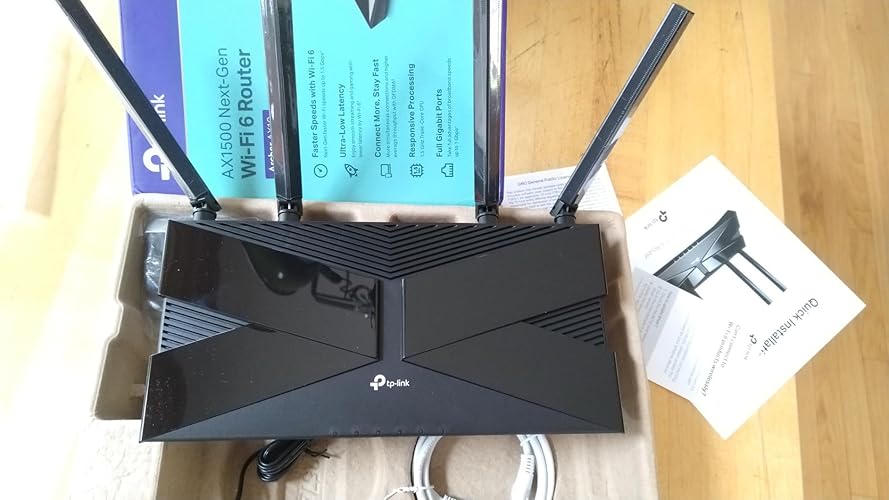
Included Components: Router, Power Supply, QIG


Connectivity Technology: Ethernet, Wi-Fi


Color: Black


Other Special Features of the Product: Alexa Compatible, Beamforming, Parental Control, Guest Mode, WPS, MU-MIMO, OFDMA, Access Point Mode, QoS


Frequency Band Class: Dual-Band


Wireless Compability: 802.11ac, 802.11ax, 802.11b, 802.11g, 802.11n


Compatible Devices: Gaming Console, Personal Computer, Smartphone, Smart Television, Printer, Tablet, Security Camera, Smart Thermostat


Antenna Location: Gaming, Home


Connectivity Technology: Ethernet, Wi-Fi


Antenna Type: Fixed


Operating System: Linux


Security Protocol: WPA-PSK, WPA2-, WPA3


Number of Ports: 5


Control Method: App


Data Transfer Rate: 1500 Megabits Per Second


LAN Port Bandwidth: 10/100/1000 Mbps


Voltage: 100240 Volts


Maximum Upstream Data Transfer Rate: 1500 Megabits Per Second


Number of Antennas: 4


Smart Home Compatibility: Smart Home Compatible


Wi-Fi Generation: Wi-Fi 6


Has Internet Connectivity: Yes


Router Network Type: hybrid


Is Modem Compatible: Yes


Connectivity Protocol: wi-fi


Coverage: Extensive home coverage


Frequency: 5 GHz


Brand: TP-Link


Model Name: Archer AX10


Built-In Media: Router, Power Supply, QIG


Model Number: Archer AX10


UPC: 840030700415


Global Trade Identification Number: 15


Manufacturer: TP-Link


Mfr Part Number: Archer AX10


Unit Count: 1.0 Count


Warranty Description: 2 year manufacturer


Item Weight: 380 Grams


Item Dimensions L x W x H: 10.24"L x 4.96"W x 1.3"H


Color: Black


Frequently asked questions

If you place your order now, the estimated arrival date for this product is: Friday, Aug 7

Yes, absolutely! You may return this product for a full refund within 30 days of receiving it.

To initiate a return, please visit our Returns Center.

View our full returns policy here.

  • Klarna Financing
  • Affirm Pay in 4
  • Affirm Financing
  • Afterpay Financing
  • Zip Pay in 4
  • Financing through Apple Pay
  • Financing through Google Pay
Leasing options through Acima may also be available during checkout.

Learn more about financing & leasing here.

Top Amazon Reviews


  • Reliable WiFi Router – Easy Setup and Works Flawlessly Reliable WiFi Router – Easy Setup and Works Flawlessly
Style: AX1500 router
This WiFi router worked out great for me. Setup was quick and straightforward, and I had everything connected and running in just a few minutes. No issues at all with connectivity—my devices connected instantly and the signal has been strong and stable throughout my home. Streaming, browsing, and even gaming have all been smooth with no lag or dropouts. It handles multiple devices with no problem, and I haven’t had to reset it or troubleshoot anything since setting it up. Overall, I’m really happy with this router. It does exactly what it’s supposed to do without any hassle. Great value and solid performance—definitely recommend! ... show more
Reviewed in the United States on June 17, 2025 Reviewed in the United States on June 17, 2025 by dave

  • The TP-Link Smart WiFi 6 Router (Archer AX10) – 802.11ax Router really rocks and is quite powerful
Style: AX1500 router
We live in a 1900 square foot home and in my situation, my modem and router (with computers) is located upstairs in a far off room. However, we have TV sets located both on the first and second floors. This presented complications when using various routers. I originally started off with a Spectrum cable router, which after time, just couldn't cut it and we often lost signal strength downstairs. Over a period of two years I wound up purchasing several additional routers (all to replace the Spectrum router that I was renting). Of those three, 2 were fairly expensive (over $150), and the 3rd one was this inexpensive TP-Link Smart WiFi 6 Router (Archer AX10) – 802.11ax Router. What pleasantly surprised me were the following: 1. It was very easy and quick to set up and get working (actually easier than the others). 2. It was quite powerful, sending a strong signal throughout the home - resulting in superb picture qualities on all of my 4K TV sets. More so is the fact that I'm experiencing no drop outs whatsoever, and the signal strength has been quite consistent. So color me impressed (and quite satisfied). I can heartily recommend this router to anybody - but as is always the case, your mileage may vary based on the layout and size of your home. 3. It does not run hot (some other routers I had, ran quite warm to the touch). ... show more
Reviewed in the United States on January 10, 2024 by Bernd W. Herrmann

  • Excellent router. Excellent router.
Style: AX1500 router
This is my first TP-Link device and I'm impressed (the photo is not where it will be located it's just temporary until I wall mount it). I had an aging Netgear N750 router that was finally giving up the ghost, ports going out, wi-fi range and speed were going downhill. So I decided to by with this TP-Link WIfi 6 AX1500 router. Upon my initial setup I ran into an issue trying to connect my phone back up to it using the Tether app, for some reason I could not log into the router nor connect to it wirelessly. Now to give a little info on how I have it hooked up, I have the internet coming from the Xfinity router via cat 6 to a hub and from the hub to my new TP router. With this configuration there is no way to access the router without being connected directly to it or using the Tether app. So I reconfigured it so I was connected from Xfinity to TP router, and to my desktop PC, from there I was able to log in and configure the router. The wifi issue was due to me somehow adding a space to the wifi password when I created it on my phone, also reset my router login password as it didn't want to work either. Saved all setting, updated the firmware on the router, powered it off and reconnected it to how I had it originally configured. It now works perfectly, although I did have to go back and tell my devices to forget the networks I previously created and re-enter passwords. This doesn't take away from the router it's more of an error on my part for how I have it set up. Some of the features I like about it is being able to set the router to restart, you can have it do this daily, weekly or monthly and pick a time when no one is using the internet; doesn't wipe your settings just clears the cache, similar to clearing your internet history or restarting your PC when it starts to slow down. You can also set it to turn off the LED's for a specific time, like if you have the router in a bedroom or a dorm room, you could set it to turn off the LED's from say 10pm to 6am. You can also change these settings through the Tether app. It does have a gloss black finish on the flat surfaces and fingerprints show up really well on it, so if you are a person who hates fingerprints this might annoy you. It's an excellent router and a definite step up from my previous router. I only have 1 device that supports the 802.11AC standard but all of my devices connect much faster and are more responsive when online. One piece of advice when using the Tether app on your smart device, make sure you verify your password when you create it for your wifi networks. For some reason mine added a space at the end. Not sure if this is a glitch or my smart device being dumb, just verify it to save yourself some stress ... show more
Reviewed in the United States on September 1, 2020 Reviewed in the United States on September 1, 2020 by David

  • Very solid for the price Very solid for the price
Style: AX1500 router
At the end of last year, I’d picked up my first dual-band router—WiFi5/AX1500 (not one of the top three brands, but a good one nonetheless). Whether I wanted them to or not, my provider (Spectrum) increased internet speeds and upgraded my modem, and that router wasn’t keeping up with things. I’d kept my eyes open for a quicker, more current router, and this one was on sale for about $55. I have used TP-Link routers before and find them very reliable. Since the modem is 1GB, I wanted something more compatible and, also, I pay for 4K on one of my premium streaming services, and my speed and bandwidth with the AX1500 wasn’t offering me that quality. Because I’ve used TP-Link (and was currently using a TP-Link extender), I already had the Tether app on my phone and tablet. That made it very easy to set up this router. Note that this Archer AX-10 dual-band router can either use Smart Connect to choose between 2.4 and 5 Ghz bands or you can set them up separately. I prefer separate, especially since I have something like six smart outlets and eight smart lightbulbs configured, and the outlets and bulbs were pretty finicky with my older router. I have to say that the range on this is very good. My home is about 2400 sf; 1800 upstairs and a large studio room downstairs. I’ve learned to keep my router high up on a piece of furniture, and so the signal makes it through the house pretty well. (Signal strength decreases in the farthest room. And, as you probably know, 2.4 travels farther than 5 Ghz.) But the range, speed, strength, and stability of this router exceeds my previous one. When watching certain streaming channels, they would lag or freeze using 2.4 in more distant rooms, but I haven’t found that to be the case with this. The signal is very solid. That said, I am a little disappointed in the speeds, but maybe this is what they’re supposed to be as the router is handling many devices. And I haven’t taken the time yet to call Spectrum to find out what the story is. This is at least twice as fast as my previous router. While the Tether app was very useful for the initial setup, more advanced settings are available on their website, which Tether leads you to. That, for instance, gave me the option to update the router’s firmware, which, on my setup, did increase speeds a bit. While my A1500 was giving me only 13 Mbps on my farthest 2.4 Ghz Roku, this has increased that to 31 Mbps but also given that stream much more stability. My 5 Ghz speeds went from 91 to ~220–240 Mbps on a Roku and my 4K Smart Fire TV, which are about six feet away from the router. (I learned that the Fire-TV's ethernet port is limited to about 100 Mbps.) Speed tests for my laptop and desktop Macs show about 450 download (more than four times AX1500 WiFi5 modem) and 22 Mbps upload (which, I assume, my provider is limiting). I had questions about the direct-connect speed with the smart tv, and posted a query in the manufacturer's user forum, and they answered and solved the problem within a few hours. I thought I was very clever naming both 5 and 2.4 bands the same as the previous modem with the same passwords, but yet, I had to relink everything—every smart bulb, every smart outlet, every device (the devices and computers needed me to enter passwords again). That took a while. I’ve read this is not the latest update of WiFi 6. It’s a little beyond my technical expertise but reviews say it doesn’t support 160MHz channel width or WPA3 encryption, and it lacks USB ports. I don’t need USB ports and the other “deficiencies” (such that they are) don’t bother me. For the price I purchased this at, it’s certainly improved my internet speeds and stability. I do need to call my provider and see exactly what speeds I should be expecting, but this router seems fast, reliable, and strong. ... show more
Reviewed in the United States on August 24, 2024 Reviewed in the United States on August 24, 2024 by SiskiyouScoj

  • Easy to install and good performance Easy to install and good performance
Style: AX1500 router
Got this router to use with my Starlink and it worked perfectly. The router is easy to install, you just need to plug it into the power source and follow the steps in the Theter app to configure the network. This came with a gigabit WLAN port that I used to connect an Ethernet cable to my Starlink(with the Ethernet adapter). This way I enabled internet without any extra configuration. Wifi coverage and quality improved a lot once I set the Archer AX10 and some of my devices started to take advantage of the WiFi, these devices that are not WiFi 6 compatible still work without issues. The 4 LAN ports are also gigabit, so my wired devices can take all the network capacity. The app and the browser UI allow you to monitor which devices are connected to the network and dive into advanced features. Both interfaces are intuitive and user friendly but some options are available only on the browser UI. This router is enough for a house, anyone can install it if internet connection comes from a Ethernet cable, and it has hardware/software features that allow you to build more complex networks ... show more
Reviewed in the United States on July 10, 2024 Reviewed in the United States on July 10, 2024 by Jorge

  • The Speed Of This Thing was already amazing ON TOP of being an outstanding value!
Style: AX1500 router
Before buying this I had a couple inexpensive TP-Link unmanaged switches that had worked well and this had really good reviews so I decided to go for it. The UI is simple to use, it is small and NEVER even gets warm to the touch, and has very good long range for both 2.4GHS and 5GHZ WiFi. Also the WiFi 6 speeds are outstanding on this unit. It supports WOL ("Wake-On-Lan") flawlessly. (If you use WOL, you will need a reliable DDNS service, which usually costs some $, but this router supports you setting up TP-lInk (for free!) as your DDNS service provider which I thought was terrific.) This will also act as a VPN SERVER for people that want to connect to this router's network through an encrypted VPN tunnel. Not sure how to phrase this as I want to leave an outstanding review... If you want to use a VPN Provider for your internet access for tighter internet security - you can still do that by using VPN software on your devices behind this router with no issue. However, if you want router itself to act as VPN CLIENT to connect to your VPN provider's servers for internet access so that everything on your internal network is already therefore on a VPN for internet access (which most people do not want to do these days due to the router setup complexity and hassle) - then that is the only use case where I can see this is not a good candidate as it does not support acting as VPN CLIENT (acting as VPN SERVER it works fine). That is outside the scope of this piece of equipment. After using this router for a while I decided to use a VPN provider and so got a wired TP-Link TL-ER7206 VPN router (please read my review for that), so did not any longer need this as my main router. Therefore, I now also have plenty of experience with this router being used simply a a wireless access point (WAP) in my network. I have done this before with other routers as I had replaced them in years past, but found that those other models did not support being a WAP very well and slowed down my speeds. Not so with this model - it is still just as fast for the WiFi access - still supplying WiFi 6 when operating in "Access Point" mode. Outstanding piece of hardware supporting most if not all of the most recent technologies. One more thing - many pieces of networking equipment, when you want to update the firmware, require you to go to the vendor's web site, find the correct firmware for your model, download it, then go to the configuration page for your piece of equipment and upload the file to do the firmware update. That is simply a pain. However, for this router, in full or access point mode, there is one button on the configuration page to check the TP-Link site for - install - an update if there is one. Easy-peasy - nice! (Please also check out my reviews for the TP-LInk EAP225 Access Point, TP-Link TL-ER7206 Wired VPN Router, and TP-Link OC300 Controller.) ... show more
Reviewed in the United States on August 15, 2021 by Kruse Ludington

  • Works very well
Style: AX1500 router
This is a fantastic router. It never jams up and requires a reboot. It just works.
Reviewed in the United States on April 21, 2026 by Tim Novak

  • Awful, awful, awful experience.
Style: AX1500 router
What happened to TP-Link? I've had good products from them before. This was terrible. My 4+ year old Netgear router is on it's last legs, doesn't want to download webpages though I have a strong ISP connection speed. This TP-Link AX1500 is supposed to be the best entry level AX wifi 6 router on the market at the moment and the reviews I've read were mostly stellar. Much has been made about how their Tether app is supposed to greatly simplify setup, so I was looking forward to that. It did not go well. The simplistic 2-page setup manual for the AX1500 made the process look so easy at first, I admit I fell for it and naively believed this was going to be a piece of cake. I scanned the QR code with my phone and downloaded the Tether app which was going to be a life changing moment. Then...the app says it is NOT COMPATIBLE with the AX1500. What?! Despite the marketing, and despite the setup manual saying to use it, the Tether app does not list the AX1500 as a supported device and would not detect the router during several scans. I abandoned the app and resorted to the old-fashioned web-based method, pulling up the router's settings via a browser window. What a confusing and muddled mess. I tried everything. Nothing worked.... Modem and AX1500 router and Windows 10 PC all were rebooted many, many times and cables checked and rechecked and disconnected and reconnected and replaced with other cables and nothing worked. This thing would not connect to the internet. When reconnecting the PC directly to the modem via ethernet cable, I got on the internet. But the AX1500 refused to cooperate. I called the customer service number provided by TP-Link's own router settings and they told me I called the wrong number (I did not) and transferred me elsewhere. Nothing got accomplished. Worth noting: the CSR said during our troubleshooting session that my computer's network settings were set to PRIVATE, but Windows 10's settings says that isn't so, it was set to PUBLIC. All I know is the TP-Link AX1500 never did what it was designed to do and what was supposed to be a painless experience turned out to be one of the worst computer hardware experiences of my life. I wasted 3 1/2 hours trying to get this &I*&(I&-ing POS to work. When I reconnected the old Netgear, everything immediately worked again. Literally every step of the process slammed into a dead end. The marketing is fraudulant. The setup manual doesn't explain anything. The app that's supposed to work doesn't work. The web-based settings was an unintuitive bog. The phone-based customer service support was poor (although the wait-time was shockingly short and I place no blame on the poor CSR who seemed to be doing their best). I'm seething right now. This has completely soured me on TP-Link. Going back to Netgear for new hardware. ... show more
Reviewed in the United States on November 30, 2019 by swinefuzz

Can't find a product?

Find it on Amazon first, then paste the link below.
Checking for best price...