Search  for anything...

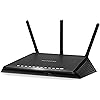
NETGEAR Nighthawk Smart Wi-Fi Router, R6700 - AC1750 Wireless Speed Up to 1750 Mbps | Up to 1500 Sq Ft Coverage & 25 Devices | 4 x 1G Ethernet and 1 x 3.0 USB Ports | Armor Security
  • Based on 46,169 reviews
Condition: New
Checking for the best price...
$115.00 Why this price?
Save $54.90 was $169.90

Buy Now, Pay Later


As low as $19.17 / mo
  • – 6-month term
  • – No impact on credit to apply
  • – Instant approval decision
  • – Secure and straightforward checkout

Ready to go? Add this product to your cart and select a plan during checkout.

Payment plans are offered through our trusted finance partners Klarna, Affirm, Afterpay, Zip, Apple Pay, and Google Pay. No-credit-needed leasing options through Acima may also be available at checkout.

Learn more about financing & leasing here.

Selected Option

Free shipping on this product

FREE 30-day refund/replacement

To qualify for a full refund, items must be returned in their original, unused condition. If an item is returned in a used, damaged, or materially different state, you may be granted a partial refund.

To initiate a return, please visit our Returns Center.

View our full returns policy here.


Availability: Only 1 left in stock, order soon!
Fulfilled by Amazon

Arrives Saturday, Jul 25
Order within 13 hours and 6 minutes
Available payment plans shown during checkout

Protection Plan Protect Your Purchase
Checking for protection plans...

Style: AC WiFi Router


Features

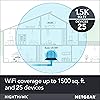
  • Maximum Range : 1500 Sq Ft
  • Recommended for up to 25 devices: Reliably stream videos, play games, surf the internet, and connect smart home devices
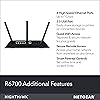
  • Wired Ethernet ports: Plug in computers, game consoles, streaming players, and other nearby wired devices with 4 x 1 gigabit Ethernet ports
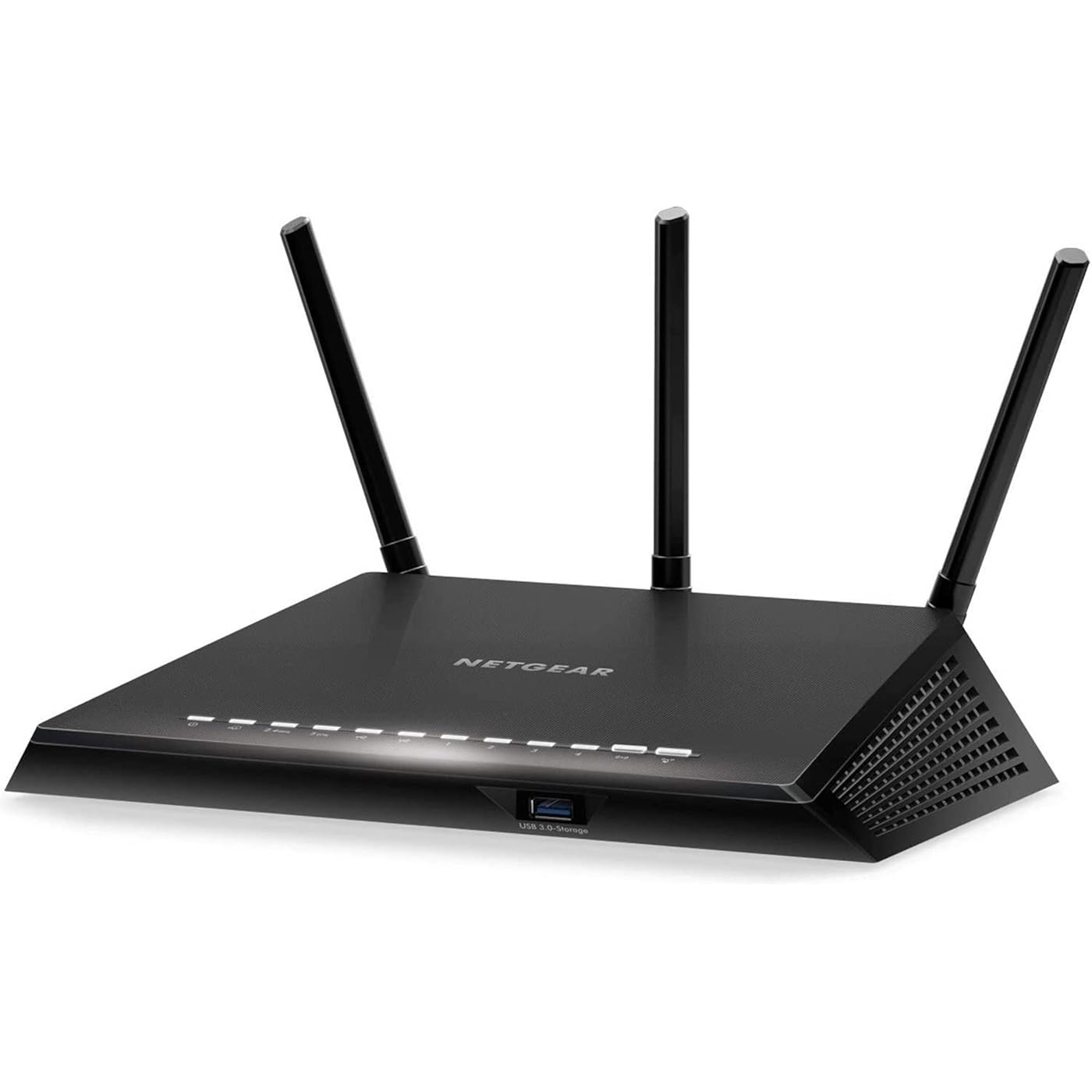
  • Loaded with advanced technology: Designed with a 1GHz dual core processor, 3 amplified antennas, Beamforming plus, Dynamic QoS, Smart Connect, and more
  • USB connections: Share a storage drive or printer with any connected device or create a personal cloud storage to access from anywhere, using the 1 x 3.0 USB port
  • Safe & secure: Supports WPA2 wireless security protocols. Includes Guest Wi-Fi access, DOS, Firewall, VPN, and more
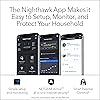
  • NETGEAR Armor protects your family's WiFi with an automatic shield of security across all your connected devices with a 30-day free trial
  • NETGEAR Smart Parental Controls promotes healthy Internet habits, fosters responsibility and builds trust with your kids (30-day free trial included)
  • Safe & secure: Supports WPA2 wireless security protocols. Includes Guest Wi-Fi access, DOS, Firewall, VPN, and more. System requirements: Microsoft Windows 7, 8, 10, Vista, XP, 2000, Mac OS, UNIX, or Linux. Microsoft Internet Explorer 5.0, Firefox 2.0, Safari 1.4, or Google Chrome 11.0 browsers or higher

Description

The NETGEAR Nighthawk AC1750 Smart Wi-Fi Router delivers extreme Wi-Fi speed for gaming up to 1750Mbps. The Dual Core 1GHz processor boosts wireless & wired performance. High-powered amplifiers and external antennas increase range for whole-home mobility, while Beamforming+ boosts speed for mobile devices, up to 100% faster.

Brand: NETGEAR


Model Name: R6700-100NAS


Special Feature: QoS, WPS


Frequency Band Class: Dual-Band


Wireless Communication Standard: 802.11ac


Compatible Devices: Phone, Mac, PC, Wireless Devices, Media Streaming Devices, Laptops, Computers, Tablets


Recommended Uses For Product: secure and shared storage access


Included Components: Nighthawk AC1750 Smart WiFi Router (R6700)^Three (3) detachable antennas^Ethernet cable^Quick install guide^Power adapter See more


Connectivity Technology: Ethernet, Wi-Fi


Color: Black


Other Special Features of the Product: QoS, WPS


Frequency Band Class: Dual-Band


Wireless Compability: 802.11ac


Compatible Devices: Phone, Mac, PC, Wireless Devices, Media Streaming Devices, Laptops, Computers, Tablets


Antenna Location: secure and shared storage access


Connectivity Technology: Ethernet, Wi-Fi


Antenna Type: Retractable


Operating System: Microsoft Windows 7, 8, 10, Vista, XP, 2000, Mac OS, UNIX, or Linux


Security Protocol: WPA-PSK, WPA2-PSK


Number of Ports: 3


Control Method: Voice


Data Transfer Rate: 1300 Megabits Per Second


LAN Port Bandwidth: 1000 Mbps


Voltage: 100120 Volts


Maximum Upstream Data Transfer Rate: 875 Megabits Per Second


Number of Antennas: 3


Smart Home Compatibility: Smart Home Compatible


Router Firewall Security Level: basic


Wi-Fi Generation: Wi-Fi 5


Has Internet Connectivity: Yes


Router Network Type: dual-band


Connectivity Range: 1500 Square Feet


Is Modem Compatible: No


Connectivity Protocol: ethernet, wi-fi


Coverage: 1500 square feet


Frequency: 5 GHz


Brand: NETGEAR


Model Name: R6700-100NAS


Built-In Media: Nighthawk AC1750 Smart WiFi Router (R6700)^Three (3) detachable antennas^Ethernet cable^Quick install guide^Power adapter


Model Number: R6700-100NAS


UPC: 606449106039


Global Trade Identification Number: 39


Manufacturer: NETGEAR


Mfr Part Number: R6700-100NAS


Warranty Description: 1 Year Warranty


Item Weight: 1.7 Pounds


Item Dimensions L x W x H: 11.22"L x 7.2"W x 2.44"H


Color: Black


Has Security Updates: Yes


Frequently asked questions

If you place your order now, the estimated arrival date for this product is: Saturday, Jul 25

Yes, absolutely! You may return this product for a full refund within 30 days of receiving it.

To initiate a return, please visit our Returns Center.

View our full returns policy here.

  • Klarna Financing
  • Affirm Pay in 4
  • Affirm Financing
  • Afterpay Financing
  • Zip Pay in 4
  • Financing through Apple Pay
  • Financing through Google Pay
Leasing options through Acima may also be available during checkout.

Learn more about financing & leasing here.

Top Amazon Reviews


  • Great router, but one minor problem. Read this if you have port forwarding issues
This is the first time I've bought my own router. I've always used the one supplied to me by my ISP and it's terrible which is why I decided to buy a new router. This review is a comparison between my old ISP router and the NETGEAR R6700 router. Below I'll state the issues I've had with my ISP router and how my new R6700 has resolved these issues. My ISP router has many issues. My dad owns a Roku and I couldn't for the life of me get the internet to work on it. This is the main reason why I upgraded to the R6700. I tried everything including whitelisting the Roku's MAC address and making sure the necessary ports were open. I pay for Netflix mainly for my dad and he couldn't use it or any of the apps on his Roku. This connectivity issue wasn't limited to just the Roku either. My sister also couldn't connect her PS4 to the wi-fi and most phones and devices couldn't connect either. I consider myself fairly knowledgeable when it comes to configuring a router and I believe I did everything I could to fix these issues. The router just seemed faulty and I don't think even my ISP would be able to get it to work. Now that you know why I bought the R6700, I'll explain what I think about it and how it resolved my issues. The router was pretty simple to set up. I just had to plug the cords in and connect the ethernet cable from the new router to the old one. I didn't want anyone connecting to the old router, so I went into the settings and disabled the wi-fi. I was able to get the new router set up using NETGEAR's android app. It was very simple and it didn't take long. Once I messed with the settings, I tested it to see if the Roku would connect. It successfully connected and my dad hasn't had any issues watching his Netflix since. All of our devices like phones and consoles have been able to connect to the new router as well and there hasn't been any issues. The internet speed is fast too and it's probably faster than my old router. The price is good and overall I would say that this is a great router. Especially for the price. Now the minor issues I mentioned in the title was getting port forwarding to work. It wasn't an issue with the R6700 itself, but rather my setup. I have the R6700 as well as my old router set up and linked together. I couldn't get some ports to open on the R6700. I did some searching and discovered that this is a pretty common issue if you're using two routers. What I had to do was go into the firewall settings of my old router and enable DMZ. I just needed to enable it and put in the IP address of my new router, so all connections would be forwarded from the old router to the new one. After doing this and making sure I had the right ports open on the R6700, my program was able to detect that the ports were open and finally worked. Before I end my review, I want to give some advice for people setting up a new router. ALWAYS change the default login password for your router. Leaving it set as the default password is a big security risk and can lead to your router getting hacked. Use a unique password that isn't associated with any other accounts and make sure the wi-fi password isn't the same as your login password. ... show more
Reviewed in the United States on January 18, 2019 by Nick

  • Easy to setup. Fast 1G backbone, Great Router and Access point, didnt see any 2.4G speed improvement
I installed 2 of these routers to upgrade my home network. 1st unit as a Router and the 2nd as an Access Point. My research said the R6700 was one of the best access points also. WIRED PERFORMANCE: -- Ive installed the R6700 router with 4ea D-Link unmanaged 1G switches to reach all the locations in my home and sometimes cascaded the switches and everything works great. (I mention cascading switches because in the past I have had issue when cascading switches but not issues with this setup) -- BETTER WIRED PERFORMANCE: I have a 8 wireless camera security system that uses its own wireless Network Video Recorder and some of the cameras have poor signal so now switched them over to the wired 1G backbone. A marked improvement in the video update and even the control on the Pan Tilt Zoom (PTZ) cameras is instantly responsive -- GREAT STATUS LIGHTS: The Ethernet port activity lights are great because they have different colors depending on the speed of the network connection. This is really handy when installed a mix of 100M and 1G links so you can tell if things are connected as you planned. WiFi PERFORMANCE: -- The Nighthawk replaced a 13 year old wireless router (D-Link 605L) using only a 2.4Ghz wireless network. -- SAME 2.4G PERFORMANCE: When comparing speeds from my normal laptop wireless location I have not noticed any real improvement in the signal strength nor the connection speed for the old router to the new R6700 at 2.4G. -- GREAT 5G Performance. When comparing 2.4G to 5G there was typically at 70% improvement in throughput speed from the same laptop. -- FLEXIBLE CONFIGURATION: Once can turn off the wireless totally or just the 2.4G or the 5G. This is just a nice feature to lower your wireless risk footprint say if you only use 2.4G. ROUTER CONFIGURATION: -- EASY SETUP: It was easy to setup the router. In my case I set up the R6700 to match the configuration of the D-link it replaced so I did not have any issues with all the other devices in the house connecting. -- It went fairly smoothly, but on my laptop I did have to delete the original connection and reconnect to get it to work. -- VERY SOPHISTICATED: It has some very sophisticated configuration possibilities all of which I will never use. -- There are 3 levels of configuration with each level allowing more and more complex and detailed setups. -- I was surprised that to turn off the 5G wireless I had to drill down to the 3rd level to find that config. Seems like that would be a very basic config setting. -- I really love the display that provides several indicators to give one an instant view of the health and operation of the unit. COULD BE BETTER: -- NEEDS MOUNTING TABS: I do wish it had some mechanical mounting capability to secure to a shelf or mount vertically on a wall but its simply a shelf item. With all the cables hanging off the back there is some weight there that wants to pull the Nighthawk off the shelf. -- STATUS LIGHT ORIENTATION: The status lights are best viewed when looking down on the R6700. When straight its difficult. It would have been better if the lights were mounting at a 45 degree so they could easily be viewed straight on as well. UPDATE: I purchased a 2nd R6700 and installed in the same network above as an access point. It was easy to set up using a fixed IP and the 5G performance was better than 2X the 2.4G network. And of course the 1G Ethernets are great as I have several security cameras running over the network. ... show more
Reviewed in the United States on November 14, 2018 by rkruz

  • Buy once, never worry again!!!
NETGEAR Nighthawk R6700-100NAS AC1750 Smart Dual Band Wi-Fi Gigabit Router 1.5 year update: It's been more than a year since I bought this product. As mentioned earlier, I am totally satisfied by it's reliability. No issues. 6 Month Update: It has been over 6 months since I bought and installed this amazing router. Here are my specs: 1. Number of times I had to restart the router: 0 2. Number of times the internet was dropped: 0 3. Number of times the speed was down: 0 This router has surprised me and keeps me extremely satisfied. 3 Month Update: It has been over 3 months since I bought and installed this amazing router. Here are my specs: 1. Number of times I had to restart the router: 4 times Reason: Twice because the modem had to get updated and once because the router firmware was updated. 2. Number of times the internet was dropped: 0 times 3. Number of times the speed was down: 0 times In conclusion, my purchase of this modem has been one of the wisest decision I have made. It is still going strong and I hope it continues that way. I plan on updating after another 3 months. I am from an electrical and computer engineering background. While I am certainly not an expert on networking, I am decent enough to get into the details such as advanced configuration of router. All these years, I was depending on various single band routers (TP-Link, Almond securfi etc). However, there was still these on going issues such as signal dropping, lack of coverage, decline in speed etc. Upon some research, I find that Netgear Nighthawk AC1750 router had among the highest reviews for dual band routers, in relative to other brands such as Asus or Linksys. So, I decided to give this a try and ensured that I buy an insurance from Square Trade, while ordering it over Amazon. Being a prime member, I got this product within a day. Hooking up the cables and setting up the SSID and passwords was a breeze. As several others have pointed out, simply follow the instructions that is given in the booklet that comes along with this product. While setting up the router, I recommend the following: 1. Use the CAT 5e cable that comes along with the router to connect it with your modem. 2. Hoping you have an android phone, use Wifi Analyzer to find out the channels that don't have much traffic and set that channel on your router. 3. Ensure your router is away from other electronic devices and is placed atleast couple of feet above the ground. Since I have set up the router, I have been getting close to 90 MBPS, whenever I do a speedtest. My comcast package allows me 75 MBPS. A note, I did purchase the latest Arris SB6190 surfboard modem, that allows 16 bonded channel downstream. I personally believe, the beamforming technology in this router simply makes it superior to other brands, in that, it concentrates on communicating with only connected devices, rather than worrying out emitting the signal throughout the place. The router is above average in size and looks awesome. It's been over 10 days since I purchased this router, and I have never faced any issues that I had with my previous routers. The speed is consistent even during the peak hours. I am hoping this would be the router that I have been waiting all along, which doesn't require me to spend time on restarting or reconfiguring. I intend to post updates every 3 months, moving forward. Happy streaming!!! ... show more
Reviewed in the United States on November 9, 2016 by Amazing Customer

  • R6700V3 -Great router so far
Upgrading my mom's router from an older Linksys Wireless n router to this R6700. So far, signal coverage and speeds are great, but only a months use so far. In that time no need for a single reboot and no dropped connections and portable devices re-connect with no issues. She pays Comcast for 100Mbps, and whether wired or wireless(ac) at the furthest point in her apartment, she is getting 120Mbps (her old wireless n was getting 30 Mbps wireless on a good day, usually 13-15Mbps). When on wireless n, it drops to 35-50Mbps (still better than her old one). Setup was ok, I just don't like apps to set up, I like doing it on a computer, and this tries to force you into using an app. I understand the simplistic approach, but getting to advanced settings is a little weird at first. I also like that it allows me to turn off all the lights (except the power) because this sits on a dresser in my mom's room, and would be very bright if they were all on (several bright white LED's on there, as well as a few amber). The single power LED is also a little bright, but not too bad. I may still put a piece of tape over it. I am still trying to figure out why they put the USB on the front of the unit instead of the back? Just weird to have a USB stick or cable run out of the front of it instead of the back with all the other cables. I guess if you insert and remove the USB a lot it makes sense, but for a USB drive that is always in, not so much. In my case I am not using the USB, so not a huge deal, but if I was, it would be more of an annoyance. At least they did put in a USB 3.0, seems some companies are still putting USB 2.0 on these fast routers for some reason. 1/2 star off for the front mounted USB. The big issue I have with this router is not being able to set both the 2.4 ghz and 5 ghz networks to the same SSID. Really? I have been doing this for years on multiple routers with no issues. It makes it so much simpler to setup networks. Why? This seems to be a common complaint on some Netgear routers, and if I had know beforehand it was an issue, I may not have purchased it. The Amazon description says this has Smart Connect, but do not see anywhere to enable it (apparently it is available on other models on description page, but not the 6700). I almost installed DD-WRT on it because of this limitation set by Netgear, but since it is at my mom's and I don't know the reliability of this yet, I passed (for now). I may still put DD-WRT on it in the long run just because of this though. 4 month update: Still working great. Have not restarted it once except for power outages. Unit has remote feature that I can check status and adjust settings from my home network to my mothers home, works great for that (does require an account with Netgear and their app though). The issue with naming 2.4 and 5ghz different is not as big a deal since once the home setup was done at her house (her phone, my phone, her tablet, her laptop, and a wireless extender), I have not had to mess with it. I set up her guest network only on 2.4, so she can share that with who she needs to, and the name and password are written down for her to give out. While still an annoyance, not a deal breaker and not enough for me to switch it to DD-WRT like I had contemplated. If at my house, I probably would, but that is because I like to mess with stuff like that. For my moms setup, not needed and just simpler as is. I added a star since it was not as big an issue as I first thought, so only 1/2 star off for that, and 1/2 star off for USB on front. ... show more
Reviewed in the United States on January 5, 2020 by Nalon1

  • 8 years later and still working - great OpenWRT router
When this was released it was considered a great router. Then a version 2 came out that could not be flashed by DD-WRT or Fresh Tomato due to the change from Broadcom to a weaker Mediatek CPU. It was severely maligned, with people even claiming the performance of it has dropped off because of the CPU change. At the time, I was bummed, but my ASUS router has died unexpectedly and this was the only router I could find on sale on Slickdeals at the time. I can say that without a doubt, this was well worth the money. It turns out that internet doomers like to complain and talk out of their rear end. Not only that but after several years, this actually got support with OpenWRT and I was able to flash it very easily and I'm still using it to this day, adding extra features like network segmentation and multiple SSIDs. I also don't have to worry about Netgear dropping support for this router years ago. I continue to get security updates with OpenWRT. Think about that. This was purchased in 2018 and I'm able to get security updates and enable business class features with this router. I will likely have to replace it in the coming years as this cannot provide the best speeds when you're a decent distance away from it. The range is decent in the sense you can pick up a signal almost anywhere in decently sized home, but speeds drop fast when you're even a few feet away. It does seem to have a good threshold of ~100 Mbps at far distance, so it works for my needs at the moment. ... show more
Reviewed in the United States on February 1, 2026 by JP

  • NETGEAR Will not Invest in You, thus Acknowledge your Own Worth & Do Not Invest in them
NETGEAR Nighthawk has greatly disappointed me… If you read nothing below, take my word for it, don’t invest in products this company sells. They’re not selling quality long-lasting, reliable electronics, nor do they provide good service to their customers... they’re selling poor functioning, quick to fail, seemingly manufactured with little to no attention to quality, nor consumer satisfaction priority. They're overcharging for crappy products, seemingly taking advantage of their customers financially & other ways.... profiting selfishly from un-integral business practices. I share this information after communicating with several other customers, family, friends, colleagues, all you share this terrible experience, some even worse than mine, which is why I feel compelled to share this with other potential buyers. Apple, unlike this company, provides extremely quality products that evolve & improve over time, that not only do the customers profit greatly due to the quality of their products & Customer Service, they profit as a company who'll continue thriving I’m sure many lifetimes beyond my feeble human imagination. In the past, I perceived they were ripping me off but time & time again I have felt, & thus can rely that I will feel this same way in the future, that I got something worth what I paid & sometimes more. ****First things first, I am not the account holder of this account, I purchased this router through this account administrator because she’s family. So, any bad juju anyone would like to share, or feedback/questions of any kind, is welcomed by me. I will not re-enter this account for responses of feedback, I am the account admin for Elena Mae Brown. I'm sure I'm easy to find if you would like to reach me. Lucky for any readers of this review, I have all the time in the world to write it because I have no internet to do the extensive work, I must take care of. Simply furthers my argument that this NETGEAR company fails to take care of their customers... BELOW IS A NOVEL WITH SEVERAL GRAMMATICAL ERRORS THAT I WILL NOT DEDICATE ANY MORE OF MY TIME TO FIXXING... I suppose I’m off to the library or a coffee shop since I have no internet thanks to good old NETGEAR… Today, I got to experience the ultimate joy of something we’ve all experienced as adults in the modern technological age. My Internet failed in & out all day long, on the phone with different companies & different individuals in different departments for hours on end, my valuable time was devalued extensively. & despite my time dedication, I got zero resolution of my problem. Since moving into our new apartment in January, we have only had her Internet go out two times & quickly called spectrum or promptly taken care of & our problem was resolved. Today I did the same, as always, they provided me with any & every possible service they make readily available to all customers throughout all times of day no matter how much time it takes to resolve any issues on their part. After calling Spectrum & them concluding that there was absolutely no problem on their end, they guided me to call NETGEAR to assist me with Resolving my router dysfunction. The cherry on top, oh what a lovely surprise It was, to be told by the service representative on the phone following being on hold for 30 minutes, that the router we purchased months ago (late July) is no longer under their responsibility as far as Technical Support? So, their Technical Support offering had an extremely short limited time warranty which I was not informed of a purchase I’m completely appalled by when I compare it to my experiences with other companies. {{Never in my entire life have I ever contacted a manufacture of an electronic device that I own [[even the ones that are 10+ years old ]], has any company ever failed to provide me with the ultimate time consuming technical service over the phone or via my giving them access to the device while remaining on the line with them during which I get to watch them move the mouse & make all these changes & technical coding entrances, & my issues are always resolved before the communication with said manufactures comes to an end — A few examples: Epson, Tyson, Microsoft, Apple, Xbox, automatic sensor receptive no touched rash can manufacture, & the list goes on} So, what does background information you could see that this experience would be very upsetting & disappointing in the company that I am vested financially & providing me with unnecessary expensive piece of technology. So, in attempt to summarize this review, I went ahead & called the phone number that Spectrum had so generously & promptly offered to give me, & after a long ridiculous time on hold, I was greeted by a woman on the phone, to whom I expressed my issue I need for a solution, & The manner in which she communicated with me was completely absurd, Constant interruption in the middle of myself talking, terrible attitude, seemed irritated & bothered by my call. From my experience & understanding of severely perfect customer service validating the customer is always right, I determined this exchange as 100% inappropriate Customer Service. Following her terrible communication practice, she stated that the only way she was able to troubleshoot the device was for me to pay immediately: $89 & then this payment I would receive three more months of them providing need technical service & support over the phone. What was the most odd about the woman trying to convince me of this deal, was that she repeated over & over & over, that not only will they service this piece of technology but all the technology pieces in my home for 3 whole months! At this point I promptly informed her that every company I’ve ever purchased any expensive piece of technology from has taken care of me throughout my entire ownership of varying companies products, always treating me as an extremely valued customer & ensuring that not only can I count on them as companies to purchase from in the future, but that their top priority was customer satisfaction simply provided through the electronics functioning at highest capacity thanks to their lifelong assistance (I listed over 8 companies who’ve provided this). Even after I explained this extensively, she repeated w/ my $80 payment, they would take care of all my technology? Having already proven themselves unwilling to care for the single device of theirs I own… unfortunately I repeated myself several times rapidly over & over & over because she kept interrupting, not my finest hour, that I didn’t need that because other companies take care of me endlessly following my purchasing any & every devices from them. All of a sudden after my repeating myself way too many times, out of the blue, suddenly she offered me a deal for $40 through which I would get all the same services. My mind @ this point is legitimately blown. I made it clear that I was unwilling to financially pay for services that any company I’ve ever worked with provides readily & happily to me as the customer. She put me on hold after telling me that she was going to go ask her boss if she could do anything. Cherry on top? Comes back on the line & says “OK so, I got permission from my boss to do this troubleshooting for you one time only for free & I’m going to do it right now” Finally, the grand finale! I called that disconnected, at the beginning of the call she confirmed the callback number for me if we got disconnected & unfortunately no longer to my surprise, she did not call back & has not followed up at all. I invested in this next year router because I had heard great things from those who use them & was willing to pay the extra money to get a quality product. Unfortunately (& fortunately I suppose...), I learned a lot through this exchange. I’ve taken for granted how impressive businesses & manufacturing companies etc., are with absolute 100% unignorable & so damn overwhelmingly delightful their upmost dedication to customer care, respect, readiness & willingness to help in a moment’s notice, & their clear priority of maximizing each buyers satisfaction with the product manufactured by them, made crystal clear by the sense of feeling taken care of that I have following any communication with them… this revelations have come to my attention as more important to me than anything from any company ’ll invest in for life. In conclusion, I find gratitude from this experience not only because I learned that this company is not one I will ever invest in nor recommend others investing, but additionally because it taught me how important it is to make sure anyone we provide service to as human beings feels taken care of especially in cases when they are taken care of us, for example financially & purchasing a service or product. Initially I was filled with rage & out of my mind, following this expression & honesty with other consumers out there, I feel like peace & hope that either customers will go another direction as far as the company they choose for their Internet router, or, which I Believe possible 100%, that this company can alter their practices starting with me by following through on commitment that was made to call me back… & overtime treat their customers with other respect & expression of how much we are valued because without us, any company fails. I’m surprised if any single human being read this entire review but I hope it has some sort of positive impact on any individuals reading or on the company… Call back won’t fix this for me, & without any greater action on their part as a company I will never again purchased from them & will give my honest opinion to every single person who asks me about them as a company. I’m an advocate for creating a world in which every single human enjoys & loves waking up every day to a life filled with love, connection, & the internal understanding & deep rooted knowing of the reality that there’s nothing more valuable then each individual alone (we each are equally as valuable as any other human on this planet). Stand up, speak up, express your vulnerabilities & your strengths openly with as many people as you possibly can because this will have a profound impact. Splashed in a small bite of my philosophy. So much time with my cellular data to write a review, but zero Internet connection to do my work… NETGEAR, do better, not for the selfish gain of your profits, but for the human beings such as yourself Who like you, valuable & deserve to be taken care of & feel taken care of by those that they trust. I’m sure you’re a massive corporation… Or owned by some other national business conglomerate… The number of you is absolutely not important, what is important is the each of you dedicate your hearts & your lives to treating others as your heart aches for people to treat you. Signing off, I hope you reach out NETGEAR make it up to me as well as any other customer whose experienced such a terrible experience of customer service. I understand fees & charges overtime, I do not except fees & charges I am not informed of at the beginning of my initial purchase being imposed on me when I simply need assistance... To all of you individuals out there, just like myself & just like every other person but you crossed paths with each & every day, but I know how important you are & how were the you are of everything beautiful in the world & a heart overflowing with joy & fulfillment. Things won’t change unless each one of us changes. My mini revolution comes in product reviews & through other interesting mediums, but I pray that the planet will be better when I leave & when I got here. ... show more
Reviewed in the United States on November 9, 2019 by Teri Kurzen

  • Works great for MacBook Air on WOW High Speed Internet. I received Version 3.
I am sure my review is going to get lost in the (currently) over 17,000 reviews for this product, but if someone is searching for MacBook Air or WOW internet, here is my review. I purchased this in July 2019. I know there has been some discussion back and forth about Version 1 vs. Version 2, but my box was clearly labeled Version 3. My husband and I set this up in no time. Because MacBook Air's do not have an Ethernet port, my husband ended up using the Nighthawk app. But, if you are like me and hate phone apps, you can also set up the router via wireless. (Once you get the router powered on and connected, your computer will pick up the Nighthawk router signal and direct you to the set up page.) Our speeds are excellent. I kept blaming WOW for our crappy internet speed because we have a lot of WOW problems and frequent outages in our area. But the Nighthawk has increased our speeds and the coverage of wireless in our house, which is about 2200 square feet. Before, we had dead spots in the house, but not with the Nighthawk. (Of course, when the internet outage is WOW's fault, no router can correct that). My only complaint is the the router is on the large side and that makes is a little conspicuous. Our last router was smaller, but of course it sucked. I will take the bigger router for better speeds. We are really happy with this router at a reasonable price. ... show more
Reviewed in the United States on July 12, 2019 by MARMich

  • Powerful and easy to set up
Our house is a bit of challenge for Wifi. It's a ranch that has been added onto a number of times, so it sprawls a bit and has some internal walls that used to be external stucco walls. The short of it is that I don't try to cover it with one router, but have opted for two routers (one on each end) that are wired together. I used to buy cheap routers, but, even with two, have never been happy with the coverage/signal strength. A couple of years ago one of my cheap routers died and I decided to pay more for my replacement and get something more powerful. I purchased an earlier version of this router and was so happy with the upgrade. The signal was strong enough for me to get music streaming over most of our yard, which is decent sized (150x240). The setup wasn't exactly easy, but everything worked reasonably well when I was finished. The exception was on the other end of the house, where my remaining cheap router was, and parts of the yard closest to that router. As a result of working from home and the need to use one of our bedrooms (where signal strength was very poor) as an office, I decided to go ahead and replace the cheap router with another one of these. It was a very good choice. I can now get 5GHz anywhere in the house and 2.4GHz anywhere in the yard. The iPhone setup app made configuration much easier than the connect-the-laptop-to-the-router-and-configure option that I've used in the past. It wasn't flawless, but it was so much improved. What has taken me a couple of hours in the past took about an hour (which included upgrading the firmware in the previously purchased unit). I need to learn to just pay more (although this was very reasonable) in the future, and save myself the hassles of trying to work around the cheaper solution. ... show more
Reviewed in the United States on May 5, 2020 by T. Artrip

Can't find a product?

Find it on Amazon first, then paste the link below.
Checking for best price...