Search  for anything...

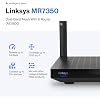
Linksys Mesh Wifi 6 Router, Dual-Band, 1,700 Sq. ft Coverage, 25+ Devices, Speeds up to (AX1800) 1.8Gbps - MR7350

  • Based on 908 reviews
Condition: Used - Like New
Checking for the best price...
$50.49 Why this price?
Save $129.50 was $179.99

Buy Now, Pay Later


As low as $8.42 / mo
  • – 6-month term
  • – No impact on credit to apply
  • – Instant approval decision
  • – Secure and straightforward checkout

Ready to go? Add this product to your cart and select a plan during checkout.

Payment plans are offered through our trusted finance partners Klarna, Affirm, Afterpay, Zip, Apple Pay, and Google Pay. No-credit-needed leasing options through Acima may also be available at checkout.

Learn more about financing & leasing here.

Selected Option

Free shipping on this product

This item is eligible for return within 30 days of receipt

To qualify for a full refund, items must be returned in their original, unused condition. If an item is returned in a used, damaged, or materially different state, you may be granted a partial refund.

To initiate a return, please visit our Returns Center.

View our full returns policy here.


Availability: Only 5 left in stock, order soon!
Fulfilled by Best Products Prime

Arrives Monday, Oct 26
Order within 6 hours and 11 minutes
Available payment plans shown during checkout

Protection Plan Protect Your Purchase
Checking for protection plans...

Size: WIFI 6


Style: 1700 ft, 25+ Devices, 1.8 Gbps


Features

  • STREAM NONSTOP: Linksys Max-Stream MR7350 WiFi router uses Intelligent Mesh to deliver the speed of WiFi 6. With access to higher bandwidth limits you can stream content, game with friends, and video chat with family like never before
  • THE POWER AND RELIABILITY OF WIFI 6: Experience rock solid connectivity with this dual-band WiFi 6 wireless router. An advanced Qualcomm chipset delivers the ultimate mesh WiFi 6 experience for stable streaming, and wire-like low latency
  • MORE WIFI FOR MORE DEVICES: Supporting 25+ devices, and up to 1,700 sq ft, this WiFi 6 router sends and receives multiple streams of data simultaneously, providing up to 4x the WiFi capacity so it can handle more gaming and smart home devices
  • EASY SETUP & CONTROL: Wireless routers set up in minutes with the free Linksys App, allowing seamless management of your WiFi mesh network system. You can view or prioritize which connected devices are using the most WiFi from anywhere.
  • POWERED BY INTELLIGENT MESH TECHNOLOGY: Eliminate dead zones and dynamically maximize speed with Linksys WiFi mesh networks. Expand the range of your WiFi network by adding nodes to keep your connection going strong

Description

Experience Mesh Wi-Fi that lets you stream, game and binge nonstop with the Linksys MR7350 Dual-Band Wi-Fi 6 Router. The MR7350 covers up to 1500 square feet and handles up to 20+ devices at speeds up to 1.5 Gbps. Powered by Intelligent Mesh Technology that was built from the ground up, your devices will always be on the fastest path to the internet. If your needs change and you want to grow your network, this future-ready router expands by adding any Linksys Mesh compatible products. Setup is easy using the Linksys App and you’ll be streaming and ready to binge in minutes.With Alexa, you can easily manage Wi-Fi access for devices and individuals in the home, taking focus away from screens and back to what’s important. Say commands like “Alexa, turn off Timmy’s Wi-Fi”, when it’s time for dinner or “Alexa, enable guest Wi-Fi” when you have people over.

Brand: Linksys


Model Name: WIFI 6


Special Feature: Guest Mode, WPS


Frequency Band Class: Dual-Band


Wireless Communication Standard: 802.11ac, 802.11ax, 802.11n


Compatible Devices: Personal Computer


Recommended Uses For Product: Home


Included Components: Linksys Dual-Band Mesh WiFi 6 Router (MR7350), Quick Start Guide, Ethernet Cable, Power Adapter, Warranty and Regulatory Documentation See more


Connectivity Technology: Ethernet, Wi-Fi


Color: White


Other Special Features of the Product: Guest Mode, WPS


Frequency Band Class: Dual-Band


Wireless Compability: 802.11ac, 802.11ax, 802.11n


Compatible Devices: Personal Computer


Antenna Location: Home


Connectivity Technology: Ethernet, Wi-Fi


Antenna Type: Retractable


Operating System: RouterOS


Security Protocol: WPA2-PSK


Number of Ports: 5


Control Method: App


Data Transfer Rate: 1.8 gigabits_per_second


LAN Port Bandwidth: 1 Gbps


Maximum Upstream Data Transfer Rate: 900 megabits_per_second


Number of Antennas: 2


Wi-Fi Generation: WiFi 6


Router Network Type: hybrid


Connectivity Range: 1500 square_feet


Connectivity Protocol: wi-fi


Controller Type: App Control


Coverage: Up to 1500 square feet


Frequency: 5 GHz


Brand: Linksys


Model Name: WIFI 6


Built-In Media: Linksys Dual-Band Mesh WiFi 6 Router (MR7350), Quick Start Guide, Ethernet Cable, Power Adapter, Warranty and Regulatory Documentation


Model Number: MR7350-AMZ


Unit Count: 1 Count


UPC: 745883843640 745883784714


Number of Items: 1


Manufacturer: Linksys


Mfr Part Number: MR7350


Warranty Description: 18 Month Warranty


Item Weight: 2 pounds


Item Dimensions L x W x H: 5.9"L x 8.07"W x 5.4"H


Color: White


Frequently asked questions

If you place your order now, the estimated arrival date for this product is: Monday, Oct 26

Yes, absolutely! You may return this product for a full refund within 30 days of receiving it.

To initiate a return, please visit our Returns Center.

View our full returns policy here.

  • Klarna Financing
  • Affirm Pay in 4
  • Affirm Financing
  • Afterpay Financing
  • Zip Pay in 4
  • Financing through Apple Pay
  • Financing through Google Pay
Leasing options through Acima may also be available during checkout.

Learn more about financing & leasing here.

Top Amazon Reviews


  • Solved my WIFI issues
Size: WIFI 6 Style: 3000 ft, 40+ Devices, AX6000
I bought this after many frustrating months with my old router (purchased probably 10 years ago). The Linksys was pretty easy to get up and running and my days of resetting my router 5 times a day are over. I currently run 6-8 devices off of it and so far there are no issues.
Reviewed in the United States 🇺🇸 on October 31, 2022 by Bob B.

  • A great value at half-price; at full price I'm not so sure
Size: WIFI 6 Style: 3000 ft, 40+ Devices, 6.0 Gbps
I bought the MR9600 (aka AX6000) before Christmas while it was at 1/2 off the list price. Although there has been a steep learning curve at times, for that price I'm happy with it. Full price, though? I couldn't see paying that at this point. It's a first generation WiFi6 router that, imo, still has some kinks left to work out. What I like: - Better range than my old AC1750 router. In our 2 story house of about 3000sf, we have the router downstairs on one corner of the house with the master bedroom in the upstairs on the opposite corner of the house. The old router couldn't even push the 5GHz network up there, and the 2.4GHz network would usually only get about 20-30 Mbps speed. This AX6000, on the other hand, can pull 150 Mbps on 5GHz in the same location scenario. One of my motives in buying the AX6000 was in it's mesh capability, thinking that I might want to put in some nodes eventually to extend coverage, but with the new router it really just isn't necessary. - I wanted to like the 5GHz/2.4GHz integration (i.e. as configured out of the box you only see one network being broadcast). The router automatically evaluates the connection and switches to the better band (5GHz for best speed, if you are closer, but drops to 2.4GHz for better range if you are too far away). However see the negatives list below for the downside of this feature. What I don't like: - The first big issue I had was routine dropping of older devices from the network. The main culprits being a number of home automation wall plugs and a wifi printer. They would all see the network just fine and set up and operate initially, but within a few hours of first setting up they would drop from the network and not re-connect with anything short of a full setup from scratch again. As noted in many other reviews of this unit that issue was solved by separating out the two bands, which negates the integrated band functionality I previously mentioned I wanted to like. If your wifi needs consist only of newer, higher end devices such as phones and computers then this probably won't be necessary. I, at least, had a hard time figuring out how to split the networks since the router setup app doesn't have a button or anything obvious to automate that. I felt a little dumb when I realized all you have to do is enter a different name for one of the two bands in the router setup and hit save. After that all my devices that wouldn't stay connected previously have now been running fine for many weeks on the dedicated 2.4GHz network, including through many cycles of router's power. - Device prioritization and the routers internal speed test app: This one got pretty wonky for me. The router has an internal speed test app that can be accessed from the routers Admin menu. I had understood that this was the "trunk speed", i.e. that it measured the full bandwidth available to the router, which would then be apportioned to the myriad of devices connected to the router. Each device then would have a speed test result of something less than the router's speed test. However after upgrading my internet service to 1Gbps down/35Mbps up, I kept still seeing 11Mbps up speeds, unchanged from my previous plan's speed test result. (Download speeds were within expectations.) I tried everything I could think of, and finally called the ISP. They claimed my service had been upgraded and it must be my equipment's fault. Finally I got a technician visit. On his specialty equipment he showed full speeds from my modem, but wildly different results when connected to the router. One speed test site would report 40Mbps upload while 3 others would report 1Mbps upload, or sometimes 11Mbps. To his credit, after he left our house the tech came back about 15 minutes later. He'd been searching forum reviews on his phone apparently and found someone who mentioned Device Prioritization as a source of a similar issue for this router. Sure enough, one click of the off button for Device Prioritization and my router's speed test app was reporting full plan upload speeds. Weirdly, though, after turning Device Prioritization back on, the router continued to report full speeds. What's more, speed tests run from our cell phones (which are not on the Prioritized list) ALSO now reported full plan upload speeds. - One other hitch to mention: Older 802.11AC wifi cards might not be able to see this router network at all if they don't have up to date drivers. My work laptop was one such case, but once I got my IT dept to finally update the 3 year old wifi driver they now work together just fine. I have had no other cases of any device having a problem connecting to the AX6000. ... show more
Reviewed in the United States 🇺🇸 on January 29, 2021 by J. Riehl

  • Solid Router but not a good choice for apartments with concrete walls.
Size: WIFI 5 Style: 2000 ft, 20+ Devices, 2.2 Gbps
Before you read the review below, I wanted to briefly detail my small internet/network setup struggles. We moved into a new apartment which has solid concrete walls. It is a 1600 sq ft home with two levels. The modem connection is up stairs in the living room. Our two bedrooms are on the lower level. My main issue has been trying to get a strong and decent signal on the lower level. I tried multiple set ups (large router, mesh router, wifi extenders/repeater, and powerline), but I ultimately ran a wire from the upper level to lower. The main reason for running a wire was that I was only getting a fraction (at the most 200-300Mbps on the download) of my 1gb speed on the lower level. My current setup (update): 1. TP-Link Wifi 6 AX6000 (main router on upper level). 2. TP-Link Wifi 6 AX6000 (lower level router as access point. Cat7 wire from main router). My second AC4000 5G signals became very unstable. I did not have this issue with my first AC4000. I could not get a AC4000 replacement so I upgraded the lower level router to an AX6000. 3. I am still getting download speeds in the 900-950Mbps wired, 500-600Mbps 5G, 40-60 2G. The devices I tried include: 1. Linksys Tri-Band Mesh Wifi Router for Home (Max-Stream AC2200 MU-Mimo Wireless Mesh Router, Fast Wireless Router) 2. NETGEAR Orbi Ultra-Performance Whole Home Mesh WiFi System - WiFi router and single satellite extender with speeds up to 3Gbps over 5,000 sq. feet, AC 3. TP-Link AC4000 Smart WiFi Router - Tri Band Router, MU-MIMO, VPN Server, Advanced Security by Homecare, 1.8GHz CPU, Gigabit, Beamforming, Link Aggrega 4. TP-Link WiFi 6 AX6000 8-Stream Smart WiFi Router - Next-Gen 802.11ax, 2.5G WAN Port, 8 Gigabit LAN Ports, MU-MIMO, 1.8GHz Quad-Core CPU, USB 3.0 Ports 5. ASUS ROG Rapture GT-AX11000 AX11000 Tri-Band 10 Gigabit WiFi Router, Aiprotection Lifetime Security by Trend Micro, Aimesh Compatible for Mesh WIFI System, Next-Gen Wifi 6, Wireless 802.11Ax, 8 X Giga (Purchased at Best Buy) 6. TP-Link Powerline Adapter AV2000 Mbps - Gigabit Port, Ethernet Over Power, Plug&Play, Power Saving, MU-MIMO, Noise Filtering(TL-PA9020P KIT) 7. WiFi Range Extender - 1200Mbps WiFi Repeater Wireless Signal Booster, 2.4 & 5GHz Dual Band WiFi Extender with Gigabit Ethernet Port, Simple Setup Linksys Tri-Band Mesh Wifi Router for Home (in a two story apartment with solid concrete walls) Setup The setup was very quick and simple. It took no more than 15 minutes. I decided to broadcast the Wifi signals separately, so I can dictate myself what device connects to which Wifi band. However, the Linksys Smart Wifi does work very well.There were no issues accessing the router from the app or the webpage. More detail settings and configuration are achieved from the webpage access. One thing to note that with this router, you need a node to access the second 5G band. Range and Speed I have Xfinity 1gb internet connect. The router was placed on the upper level. The wired speed from the modem averaged low 900s Mbps. On the same level the Wifi range and strength was phenomenal. I got strong 2G and 5G signals anywhere on the upper level. Max download speed on my iphone XR Max and laptop was 600Mbps for 5G and 20-30Mbps on 2G. I had no issues with random disconnects or slow downs. However, on the lower, the signal strength was very poor. For the 5G band I was getting on more than 10Mbps, even when I was located under the router. The 2G signal faired a little better at 20-30Mbps. I also used this router with a powerline and it work great. I used powerline and moved this router to the lower level. Modem to powerline (upper level), then powerline (lower level) to router. Through the powerline, my speed 200Mbps (wired). After connecting the powerline to the router, my wired speed was 170-180Mbps, 5G 120-130Mbps, and 2G 20-30Mbps. However, moving the router to the lower level meant I was sacrificing the Wifi signal on the upper level. Why did I return it -Need to have a node to access the second 5G band. -Wifi could not penetrate to the lower level. However, this is more of an issue with the concrete walls. Would I recommend this router? I would definitely recommend this router based on the following: -Reasonably priced. -Simple and quick setup. -Consistent range and speed (if you have a single level home without concrete walls). ... show more
Reviewed in the United States 🇺🇸 on August 7, 2019 by Andrew S

  • Like it.
Size: WIFI 6 Style: 1700 ft, 25+ Devices, 1.5 Gbps
Have been using my new router for just a few days, but so far so good. My old computer seemed to be having issues connecting with it, but my terrific tech guy adjusted a couple things. A guest in an upstairs apartment is using my wifi "guest" option with no issues so far.
Reviewed in the United States 🇺🇸 on October 25, 2022 by Amazon Customer

  • So far so good
Size: WIFI 5 Style: 2000 ft, 20+ Devices, 2.2 Gbps
I had to contact tech support for a small issue. It was rectified in a very professional manner.
Reviewed in the United States 🇺🇸 on November 9, 2022 by Presley

  • excellent wifi performance
Size: WIFI 6 Style: 3000 ft, 40+ Devices, AX6000
The wifi performance is great. Over 300 Mbps on Wifi 5 (ac). Admin User Interface is easy to use, but does not expose all configuration options. For example, I could not change the channel of the wifi signal.
Reviewed in the United States 🇺🇸 on October 9, 2022 by STEVE

  • The router had last customers settings still on the router and took Linksys engineer 3 hours to fix
Size: WIFI 6 Style: 1700 ft, 25+ Devices, 1.5 Gbps
I paid for a new router and received a refurbished one where Linksys engineer John M. Earny had to fix. The troubleshooting took 3 hours to fix the router and make it operational. I should be compensated for receiving what should have been a new router and not a previously used one
Reviewed in the United States 🇺🇸 on September 21, 2022 by Michael Worthylake

  • The good strong signal I needed
Size: WIFI 6 Style: 1700 ft, 25+ Devices, 1.5 Gbps
Exactly what I wanted. However, out-of-the-box setup instructions are only one line directing to download the setup app. So it's easy if you have some familiarity, very clear once you get to instructions. Other customers will need help.
Reviewed in the United States 🇺🇸 on September 18, 2022 by Virginia

Can't find a product?

Find it on Amazon first, then paste the link below.
Checking for best price...