Search  for anything...

INAIR Pod (Fan Version)| Supports Xreal, Viture, Rayneo AR Glasses and 3D projectors |6-Screen Expansion | PC Streaming | 3DoF Spatial Hovering Technology| Portable Spatial Station

  • Based on 0 reviews
Condition: New
Checking for the best price...
$459.99 Why this price?

Buy Now, Pay Later


As low as / mo
  • – Up to 36-month term if approved
  • – No impact on credit to apply
  • – Instant approval decision
  • – Secure and straightforward checkout

Ready to go? Add this product to your cart and select a plan during checkout.

Payment plans are offered through our trusted finance partners Klarna, Affirm, Afterpay, Apple Pay, and PayTomorrow. No-credit-needed leasing options through Acima may also be available at checkout.

Learn more about financing & leasing here.

Free shipping on this product

FREE 30-day refund/replacement

To qualify for a full refund, items must be returned in their original, unused condition. If an item is returned in a used, damaged, or materially different state, you may be granted a partial refund.

To initiate a return, please visit our Returns Center.

View our full returns policy here.


Availability: In Stock.
Fulfilled by Amazon

Arrives Thursday, Apr 23
Order within 28 minutes
Available payment plans shown during checkout

Protection Plan Protect Your Purchase
Checking for protection plans...

Features

  • Fan version: INAIR Pod has launched a fan-equipped version. This iteration includes hardware upgrades to a certain extent, effectively addressing the heat dissipation issues encountered by INAIR Pod when performing multiple tasks simultaneously.
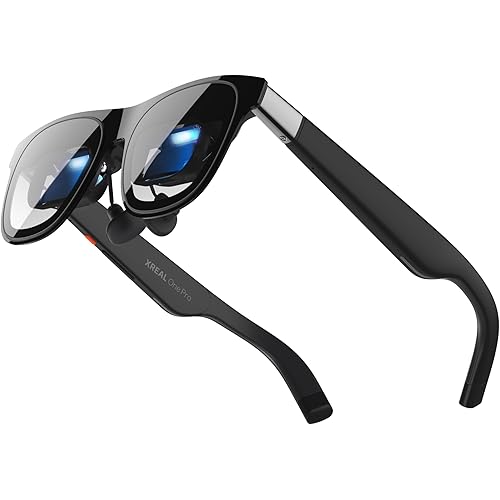
  • Broad AR Glasses Compatibility: Fully compatible with mainstream AR glasses including Rokid, VITURE, XREAL, and RayNeo. Revive your AR gear and effortlessly enjoy 3D TikTok videos, YouTube shorts, and immersive content in stunning augmented reality.
  • Unlock dual-mode connectivity with this all-in-one adapter: experience an immersive 3D home theater via HDMI with DLP-Link support, or enjoy seamless plug-and-play USB-C integration for instant presentations and media viewing with real-time file syncing.
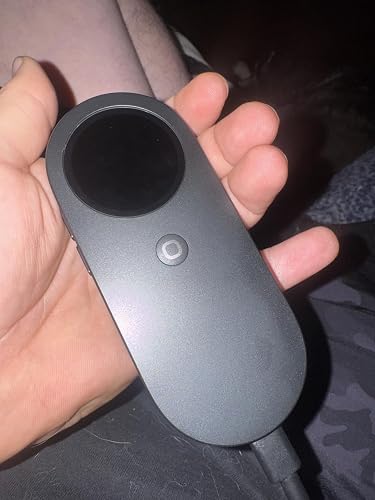
  • Power and Portability Converge in AR Glasses: INAIR Pod is a space-computing hub purpose-built for AR glasses. Despite being no larger than a computer mouse, it integrates processing power, a native spatial operating system, and self-contained power. Users can perform multi-screen entertainment tasks in virtual environments with one hand.
  • Multi-Screen Control, AI Integration, and Wireless Use: INAIR Pod supports multiple apps running simultaneously on the INAIR 2 Pro spatial display. It allows wireless PC streaming to expand entertainment options and integrates advanced AI models for simple, intelligent interaction.
  • Android Entertainment with Multi-Screen Capability: Users can download and install a wide range of Android apps and display them in a cinema-style, multi-screen layout through AR glasses. This enables simultaneous access to movies, games, and social media.
  • Cross-Platform Streaming and Mobile Integration: INAIR Pod features dual wireless technology to stream games and videos from a Windows or Mac PC to a large AR display. At the same time, it provides wireless access to smartphone apps, files, and media, all viewable through the INAIR 2 Pro display.
  • [Note]: Due to limitations from different regional carrier environments, remote cross-network streaming may not be supported on certain carrier networks in specific areas. If you encounter the same issue, you can try switching to another carrier network. Our R&D team is also working on adapting to networks in different regions, and remote streaming will become more widely supported in the future.
  • Native 3D Spatial Operating System: The built-in 3D spatial OS supports two display modes: 3DoF Hover Mode keeps windows fixed in space for stationary viewing. 0DoF Follow Mode lets windows move naturally with the user. Up to six floating windows can be resized, repositioned, or rotated between portrait and landscape views.
  • Compact Design with Comprehensive Features: Within its compact body, INAIR Pod integrates a touch surface, haptic feedback motors, beam-forming microphones, and fingerprint recognition. It is powered by a Qualcomm 7-series octa-core processor, 8 GB RAM, and 128 GB storage. The 5,000 mAh battery supports up to one month of standby time, enabling extended use at home or on the go.

Brand: INAIR


Connectivity Technology: Bluetooth, Displayport, USB, Wi-Fi


Connector Type: HDMI, USB


Special Feature: 3d-Ready, Built-In Cooling System, Lightweight, Wi-Fi Ready


Resolution: 4k


Color: Black


Model Name: INAIR Pod


Item Weight: 158 Grams


Ram Memory Installed Size: 8 GB


Connectivity Technology: Bluetooth, Displayport, USB, Wi-Fi


Connector Type: HDMI, USB


Other Special Features of the Product: 3d-Ready, Built-In Cooling System, Lightweight, Wi-Fi Ready


Resolution: 4k


RAM Memory Installed: 8 GB


Compatible Devices: Personal Computer, Smartphone, Laptop, Tablet


Memory Storage Capacity: 128 GB


Video Output Resolution: 3840 Pixels


Video Codec: H.264, H.265/HEVC, VP9, AV1


Smart Home Compatibility: Not Smart Home Compatible


Item Weight: 158 Grams


Brand: INAIR


Model Name: INAIR Pod


Manufacturer: INAIR


Unit Count: 1.0 Count


Warranty Description: 1 Year Warranty


Color: Black


Frequently asked questions

If you place your order now, the estimated arrival date for this product is: Thursday, Apr 23

Yes, absolutely! You may return this product for a full refund within 30 days of receiving it.

To initiate a return, please visit our Returns Center.

View our full returns policy here.

  • Klarna Financing
  • Affirm Pay in 4
  • Affirm Financing
  • Afterpay Financing
  • PayTomorrow Financing
  • Financing through Apple Pay
Leasing options through Acima may also be available during checkout.

Learn more about financing & leasing here.

Top Amazon Reviews


  • Perfect After Customer Service Fixed Problem
I must say that INAIR has one of the best customer service representatives I have interacted with in a long time. When I first purchased the INAIR Pod (Fan Version), I bought it to pair with my Viture Luma Ultra as advertised. To my surprise, the glasses would not connect to the device. I had tried troubleshooting it for several hours. It was difficult to find solutions as several times when I tried to look it up, Google AI thought I misspelled Airpods. To my dismay, it did not work because a version I had purchased needed to be upgraded to the version that supports Viture which could not be done without INAIR glasses. I was so irritated that I initially left a one star review. Before trying to return it, I decided to contact INAIR directly. The following morning I received contact from a representative saying that it was their mistake and would be sending me a pair of glasses so I could update the device. I provided my information. I thought I was going to have to wait weeks to obtain it, causing the return window to close. I then was contacted by a higher up in the company deeply apologizing for the inconvenience. They were able to expedite ship me the INAIR Pro 2 in one day. Now, I can finally give my honest review of the INAIR Pod (Fan Version) by itself and with both glasses. INAIR Pod: When watching YouTube reviews, I heard that not having a fan causes it to overheat and slowdown. It seemed to be even worse when enabling the 3D mode. With the fan, I had no issue with either glasses. It did seem to get hot, but nothing too uncomfortable. I love that it is Android based so I can install the same apps on my phone to it. The design is sleek and is intuitive. I definitely need more training on how to use the pod's motion as well as how to adjust screens. The 3D is awesome, especially when watching anime. It gets a little buggy when watching movies not made for 3D, but it's actually my favorite feature. The AI assistant is sadly horrible. It doesn't understand anything I say (and I am a fluent American). It will take forever to answer your question. Google Gemini is possible and I highly recommend it. Please advise it takes over 10 minutes to upgrade the device. For the Pod itself, I am giving it a 4 out of 5. INAIR Pro 2: Wow, it's like I am floating in space. How everything pieces together to make multiple screens is great. Sadly, the field of view is small for the INAIR Pro 2, which makes it lose my immersion. The 3D works great with it, but when you do, it darkens the screens. The 3Dof is cool, but it makes me want more. With INAIR Pro 2, I'm giving it a 3 out of 5. Viture Luma Ultra Pro Do I dare say that this is better than the Neckband Pro? Yes, it is. Honestly, I wish I could return my neckband now with seeing what INAIR has done. The Ultras have been out since September and the neckband still only has two AR apps. With the INAIR Pod, it finally does what Viture advertised, but could not do; productivity, AR, and 6Dof. I finally jumped for joy as I finally was able to use my Luma Ultras for their full potential. The actual 6Dof with AR is breathtaking. It makes watching 6 screens in a virtual space possible whereas the neckband only allows 3. You can adjust the size of each one or organize them to your liking. Want to watch YouTube and TikTok at the same time? Yes, you can while working on your PowerPoint project. I'm a huge 3D nerd and have been so disappointed being unable to use the Neckband Pro to watch all my favorite content in 3D. With the neckband, turning content into 3D is such a pain because it needs to be recognized first by "Immersive 3D," and when it does, it lags or turns off. The 3D AI assistant on the pod has made me believe again. Watching anime or 2D content is great. It could use a lot of adjustment with live action or CGI movies, so I hope they improve it. There is still a lot I need to try such as recording with them while being productive. There are some options that are not available such as changing how the field of view is displayed like how the INAIR Pro 2 has it. Sometimes apps display content vertically rather than horizontally. I am hoping they will adjust these features. With Viture Luma Ultra, I'm giving it a 5 out of 5. Now if I was just going based on the INAIR Pod (fan version), it would be four stars. With how INAIR treated me, I definitely am giving it a 5 Star Review. I am a bit disappointed that there is now a $40 off coupon for it, but I was able to get a complementary pair of glasses due to INAIR's error. Thank you INAIR for making me love AR and I am looking forward to what future products they develop! ... show more
Reviewed in the United States on February 5, 2026 by Daniel P. Feierman

  • This is what's missing!!!!! from AR glasses.
I have been using the inair pod for a couple of weeks now. The inair pod is a great companion and necessity to the xreal 1s glasses that I have now or any AR glasses. I also have the original beam and beam pro that I used with the original nreal glasses. I really like the form factor of the inair pod vs phone style. The inair UI is very well thought out and easy to use. I mainly bought the inair for its 3d capabilities with other devices. I have 2 3d tvs and wanted to use the inair pod with the tvs also. Unfortunately, I have yet to try it on my tvs because I am still loving just using this device with my 1s glasses. What I really like is that if you have the eye (which I have) and you use the inair 3d you can also turn on 6dof in the 1s glasses and move around the screen while its playing the video in 3d! Incredible. This is what's missing from these AR glasses. Good software!! Now, the inair 3d is not perfect. I tried playing some games with the 3d on like sports games not really there yet with sport games. But with other style games like Uncharted or Tomb Raider looks pretty good. The inair pod fans do get loud but there is also an adjustment in settings to turn it down or completely off. I keep it on the default setting (the loudest) because it keeps the device relatively cool. I usually don't hear it because I have headphones on. Another issue is that when you are trying to use the 6 windows you still can't just turn your head to see them. You have to move the screens with the pod in order to see all of the 6 windows, but you do get them. I'm loving where this tech is going. To be able to walk around the house or lay in bed with a screen playing a 3d video is absolutely astonishing! I know, the inair pod is expensive, but like I said I have the beam and beam pro both of those together cost about the same as this device. But the inair can do more than what those 2 devices can do. It is definitely another costly investment but I feel its worth it for me because I plan to use it with other devices. Hopefully, inair will continue to improve the software to work with other glasses. This is a game changer for the future of this type of technology. So, if better glasses come out at least you will have a capable device to help you get the best experience possible. ... show more
Reviewed in the United States on February 24, 2026 by NicksterS

  • Short sited lack of ports for productivity...
Wanted to give it 5 stars, but when I tried to connect it to my laptop without using the inair screen server, found it falls very short on usability. I have the xreal beam 1 (first generation) thing is pretty good as a bridge to my laptop, I got two USBC ports and blue tooth display capability Inair pod is an overpriced Chromecast at this point. No daisy chain to get laptop screen. Can't find the Bluetooth setting for Bluetooth display. Is and inair pod navigation is not very intuitive and unlike xreal beam does not have any tutorials. At this point darn hard to justify the price when it fails 2 out of three business use cases. ... show more
Reviewed in the United States on April 6, 2026 by OSXN

Can't find a product?

Find it on Amazon first, then paste the link below.
Checking for best price...