Search  for anything...
HP

HP Envy Inspire 7955e Wireless Color Inkjet Printer, Print, scan, copy, Easy setup, Mobile printing, Best-for-home, 3 month Instant Ink trial included, AI-enabled (1W2Y8A)

  • Based on 3,953 reviews
Condition: New
Checking for the best price...
$249.89 Why this price?

Buy Now, Pay Later


As low as $41.65 / mo
  • – 6-month term
  • – No impact on credit to apply
  • – Instant approval decision
  • – Secure and straightforward checkout

Ready to go? Add this product to your cart and select a plan during checkout.

Payment plans are offered through our trusted finance partners Klarna, Affirm, Afterpay, Zip, Apple Pay, and Google Pay. No-credit-needed leasing options through Acima may also be available at checkout.

Learn more about financing & leasing here.

Selected Option

Free shipping on this product

This item is eligible for return within 30 days of receipt

To qualify for a full refund, items must be returned in their original, unused condition. If an item is returned in a used, damaged, or materially different state, you may be granted a partial refund.

To initiate a return, please visit our Returns Center.

View our full returns policy here.


Availability: In Stock.
Fulfilled by State Toner

Arrives Oct 24 – Oct 27
Order within 8 hours and 40 minutes
Available payment plans shown during checkout

Protection Plan Protect Your Purchase
Checking for protection plans...

Style: Old Version


Features

  • The HP Envy Inspire 7955e is perfect for home printing including documents, quality borderless photos in multiple sizes, creative projects and more. Print speeds up to 10 ppm color, 15 ppm black
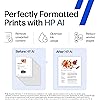
  • PERFECTLY FORMATTED PRINTS WITH HP AI Print web pages and emails with precisionno wasted pages or awkward layouts; HP AI easily removes unwanted content, so your prints are just the way you want
  • KEY FEATURES Print, copy, scan, automatic 2-sided printing, advanced photo features, separate photo tray, auto document feeder, mobile and wireless printing
  • EASY TO GET IT ALL DONE Easy wireless setup, customizable touchscreen shortcuts, self-healing Wi-Fi, auto document feeder
  • VIBRANT PHOTOS Photos that look as vibrant as they do on your screen with true-to-phone quality prints, plus custom photo features in the HP app. HP 5x5" square and 4x12" panoramic photo paper sizes are optimized for the HP Envy Inspire series
  • HP APP Print, scan, copy, or fax right from your smartphone, PC, or tablet with the easiest-to-use print app
  • 3 MONTHS OF PROMPT INK WITH HP+ ACTIVATION Subscribe to Instant Ink delivery service to get ink delivered directly to your door before you run out. After 3 months, monthly fee applies unless cancelled
  • HP'S MOST SUSTAINABLE DESIGN Made with over 45% recycled plastic content
  • This printer is intended to work only with cartridges with HP chips or circuitry and will block cartridges using non-HP chips or circuitry. Periodic firmware updates will maintain the effectiveness of these measures

Description

The HP Envy Inspire 7955e is a premium multi-purpose home printer with everything families need to learn, work, and create. Loaded with features to print quality photos, homework, office docs and everything else. It's also AI- enabled to intuitively adapt to your workflow, with wireless and security features that keep your multifunction printer up to date and secure.

Brand: HP


Connectivity Technology: wired, wireless


Printing Technology: Inkjet


Special Feature: 2.7" Touch Screen, Auto Document Feeder, Auto-Duplex, Dedicated photo tray for seamless printing, True-to-phone color quality prints See more


Color: White


Model Name: ENVY Inspire 7955e


Printer Output: Color


Maximum Print Speed (Color): 10


Max Printspeed Monochrome: 15


Item Weight: 16.6 pounds


Printer Type: Inkjet


Other Special Features of the Product: 2.7" Touch Screen, Auto Document Feeder, Auto-Duplex, Dedicated photo tray for seamless printing, True-to-phone color quality prints


Printer Output Type: Color


Item Weight: 16.6 pounds


Item Dimensions D x W x H: 15.08"D x 18.11"W x 9.21"H


Print media: Card stock, Envelopes, Glossy photo paper, Labels, Paper (plain)


Scanner Type: Flatbed with ADF


Maximum Copy Speed Black and White: 13 pages_per_minute


Compatible Devices: Laptops, PC, Smartphones, Tablets


Warranty Type: Extended Warranty


Maximum Copies Per Run: 50


Ink Color: Black, Cyan, Magenta, Yellow


Additional Printer Functions: Copy, Scan


Control Method: App, Touch


Number of Trays: 2


Display Type: Capacitive Touchscreen


Resolution: 4800 x 1200


Maximum Media Size: 8.5 x 14 inch


Maximum Sheet Capacity: 60


Paper Size: 3.85 x 8.5 to 8.5 x 14 inches


Output sheet capacity: 60


Printer Connectivity Type: wired, wireless


Hardware Interface: USB


Total Usb Ports: 1


Duplex: Automatic


Brand: HP


Model Name: ENVY Inspire 7955e


Model Number: 1W2Y8A#B1H


Built-In Media: HP ENVY Inspire 7955e All-in-one Printer; HP Setup Black Ink Cartridge; HP Setup Tri-Color Ink Cartridge; Power cord; Ink Caution Flyer; User guide; Setup poster; Legal Flyer


Model Series: 7950


Specific Uses For Product: Home


UPC: 195697738739


Unit Count: 1 Count


Item Type Name: Inkjet Printer


Manufacturer: HP


Warranty Description: One-year limited hardware warranty with option to extend to 2 years with HP+ Offer.


Color Pages per Minute: 10


B&W Pages per Minute: 15


Initial Page Print Time: 16 seconds


Color: White


Color Depth: 24 bits


Maximum print Resolution Color: 4800 x 1200 dots_per_inch


Maximum Print Resolution Black and White: 1200 x 1200 dots_per_inch


Wattage: 1.02 watts


Maximum Copy Resolution Color: 600 dpi


Maximum Copy Resolution Black and White: 600 dpi


Frequently asked questions

If you place your order now, the estimated arrival date for this product is: Oct 24 – Oct 27

Yes, absolutely! You may return this product for a full refund within 30 days of receiving it.

To initiate a return, please visit our Returns Center.

View our full returns policy here.

  • Klarna Financing
  • Affirm Pay in 4
  • Affirm Financing
  • Afterpay Financing
  • Zip Pay in 4
  • Financing through Apple Pay
  • Financing through Google Pay
Leasing options through Acima may also be available during checkout.

Learn more about financing & leasing here.

Top Amazon Reviews


  • Nice machine
I love my HP printer machine. The only problem is that really the ink is so high in order to really print. You have to be a member of the HP printers club which I feel is a rip off. I was a member for years and I was paying each month and wasn’t using it so unless you’re going to invest in monthly Inc. that’s just not to buy an HP buy something else that you don’t have to belong to a club. ... show more
Reviewed in the United States on May 25, 2026 by Vanessajones

  • Sharp, clear prints; easy setup
So far, so good! This printer was easy to set up. It doesn’t seem as solid as the 10-year-old HP all-in-one deskjet it’s replacing, but since I don’t intend for it to leave the table it sits on, I don’t think that will be an issue. Printed colors are sharp, clear and bright. Duplex printing has an annoying pause between sides. Initially I didn’t click in one of the ink cartridges properly, which caused a paper jam error, but it was easily resolved. It was also easy to add this printer to my InstantInk account. I have a love-hate relationship with InstantInk, which made me look seriously at other printer manufacturers, but I kept coming back to HP for features like color printing, automatic duplex printing, photo image quality and price. I also figure that if the HP printer I’m replacing lasted almost 10 years, like the one before it, HP is a pretty good bet. ... show more
Reviewed in the United States on July 2, 2025 by 38pets

  • One of the worst printers I have ever come across in 40 years of computers
HP has gone from a leader in printers to junk dealer from the physical printer itself, to the install, to the tech support, to the entire spectrum of what they could do wrong. If I had simply ignored all their instructions and help, especially the "HP SMART" software, I would have likely had this setup and working within 30 minutes. However, the setup guide said "install the REQUIRED HP Smart software" (it was in bold in the instructions). It was a confusing, complicated, install that was mostly a hard hard sell for instant ink and kept requiring me to give info. It never gave me any opportunity to give my own name to the printer, my own IP address, turn off feature such as Wi-Fi direct. When I called the HP support it went from an automated voice insisting I give my serial number and not finding it thus dropping me. Going online and entering my just activated serial number from a package I received today to something that has already lost two months of warranty? WTF? And now I supposed to provide evidence that I just got it? Doesnt the fact the serial number was just activated prove that. I was dropped not once but twice after calling tech support. After going thru at least 4 separate phone calls, I finally got a tech who said I didnt need to install the allegedly required HP SMART and could have set it up from the screen, download he few drivers, used the embedded web service, and did it all easily. So after cleaning it all off, reconfiguring to my needs, and thinking I am all done, the HP Support goes down so now I cant even download drivers. I have an HP Laserjet 4 built in 1995 (yes 1995) that still works fine. I had a Office Jet Pro that lasted 10 years (which you couldnt even get a repair manual for). I then bought another Office Jet Pro that worked fine for 5 years and then the printhead died and they dont make the part for it. Now I have this one which I cant even get to work. All HP wants to do is sell cheap printers and expensive ink. I will never purchase another HP product PS: Even after an additional half dozen phone calls, my hardware warranty was put to the proper place but inexplicably is now set back to original incorrect date. I have returned the product and am now using an old canon printer ... show more
Reviewed in the United States on July 22, 2022 by none

  • It’s just okay. Also expensive ink to use.
The printer is okay but I have trouble with it sometimes.
Reviewed in the United States on September 11, 2025 by mary e.

  • Easy set up
I was worried about this printer because there were so many bad reviews but I had no problems what so ever setting it up. I scanned the QR that came up after I powered on the printer and I already had the app on my phone from my old printer so that was easy. It found my internet and connected the printer quickly. The printer did have an update so that took a couple of minutes but after that I was able to add the printer to my computer, again through the HP Smart app and it printed my documents beautifully. It’s a bit loud but no louder than any other home printer I’ve had. The color is perfect and it printed quickly. I choose not to do the instant ink trial after reading the reviews on that but it let me decline with no problems. So far I would recommend but it’s only my first day. Will try to come back with an update later on. Update: 8 months later and still think it was a great purchase! ... show more
Reviewed in the United States on October 10, 2024 by Jessica Coonce

  • good product
Arrived on time
Reviewed in the United States on October 4, 2026 by Rex M. Richmond Jr.

  • Its amazing!
I have had this printer for over a year now. It has been wonderful. I use it quite often. The photos are great quality. If youre low on ink, dont bother printing photos until you replace ink since it will make the photos look horrible. Thats my only advice. Its still going strong a year later.
Reviewed in the United States on July 23, 2026 by Shaylee Tuck

  • Beware of this instant ink thing, it's a trap. Decent printer though.
First off, it's quite an attractive printer(better than the pictures show imo). I haven't been doing any photo printing so I can't speak to that, but there are things to know. First, the wifi range is excellent for a printer, picks up upstairs through concrete walls, looks well made and setup initially seems simple but documentation is inadequate. For best results, install the HP Smart app on your phone/ tablet or laptop First and turn on Bluetooth, location and nearby share before you power up the printer initially, otherwise the setup process may neglect to ask you for your printer PIN (on a sticker on the inside) (which isn't mentioned in the docs that I remember)which will make the install wonky and not direct you to instant ink enrollment (which is likely one of the reasons you chose this printer)... fail to do so and you will likely spend quite a long time with a helpful but befuddled CS agent trying to sort it out. Be also aware that enrollment will require your CC info as they don't accept PayPal (which was a deal killer for me, I just use PayPal for everything but Amazon). Everything goes through the Smart App which is fun but annoying sometimes,it only prints PDF files, so you can't just open Word and print intuitively unless there's a plugin somewhere that they haven't mentioned. But there is a plugin that you will be directed to for something else. If you can't print a file on your device directly, open the Smart app and browse for it from there and it'll work. But I must admit, printing docs from my cellphone while I'm downstairs is plenty cool. Oh, and my 7955e will accommodate legal paper but you have to adjust the tray, but not all models do, and the scanner bed will fall short of scanning full legal. I STILL RECOMMEND THE PRINTER SO FAR THOUGH. UPDATE I've gotten more comfortable with this printer. Yes, it does act more like a traditional printer the way we're used to. When you're in an external program like Word and hit print on (any kind of) a file, the printer shows up in the "send print to" drop down menu. Be aware that these days it may default to send it to the cloud or Adobe acrobat PDF or something else, but it should be there. When plugging out the printer (from the wall) you should normally turn the printer off first. Reasong being, plugging it out while on results in a factory reset of sorts (keeping downloaded updates I think). It's a feature of sorts, not a quirk. It's good for fixing a wonky install. You may also add the printer by IP address which is displayed on the printer screen in settings/ options. Lastly, turn off your VPN on the computer (assuming you use one) before printing attempts, otherwise the printer won't be able to find it (and vice versa). Basically, I wish the printer had come with a nice fay user manual. I still feel good about recommending the printer. Another Update (much later) I rarely use the printer, so rarely get the opportunity to find fault. But I just tried doing a print from the HP Smart app on my phone, it became convinced that no paper was loaded. I exhausted all the checks I could imagine (including the useless AI based help button in the app. It turns out that this was imaginary, I know this because hitting "clean printer cartridges " worked just fine (it found the paper easily). Somewhere along the way I'd gotten a a HP services printer plug-in (I don't remember how). So I just opened the document itself from my gallery and selected another (seemingly identical) identifier of my printer model and it worked just fine. So it was the HP Smart app, and yes, it was up to date. It was a pain in the butt and I may have to do this again, but it's still better than being an actual hardware problem. And no, resetting the printer didn't help me. I still don't regret the purchase though. UPDATE This is a good printer, and I've found it reliable, many printers clog when not used for long periods but I've had 0 issues with this. But I paid too much for mine, I wish I'd gotten it for $150 and even then, I can't say that I'd buy it again unless I was prepared to just refill the ink cartridges myself and do without photo prints. The replacement ink is just too expensive and that free ink policy isn't for everyone. And cyan, magenta and yellow inks alone just doesn't do it for me in 2023 with so many great offerings from Epson with the Ecotank system.... I literally found myself having never printed a photo because I was thinking about the ink costs, I ordered an Epson and my HP just sits there. I also dislike sone tactics from HP, I just couldn't find any "Eco" settings on that app... I should've just used my PCs host printing program but slouched for convenience, so yes, the inks go faster... maybe its a great option for $150 if you will refill the inks (heck, mine is reliable and HP printers do well in third world countries because of it) but, I would have done things differently personally. Update I will admit, I consider this to be a well functioning machine, I never expected it to be a great photo printer, it shouldn't be, this is an office machine for text and graphics and the occasional okay picture print. But this printer is a poor choice in 2023. Luckily I never signed up for instant ink as above stated. I understand the situation more now, here's the deal. This agreement between you and HP says that you agree to not use 3rd party ink solutions... ie refilling these worthless overpriced cartridges... which is your legal right as prescribed by US case law... I'm no lawyer, but I suspect that you've agreed to waive this right by accepting this agreement. If you open a brand new cartridge, it will shock you, it's not filled with ink, it has a small sponge that has had a small amount of ink trickled in, sometimes it doesn't remove all the white parts of the sponge... check the price of these inks... Be also aware, that X pages per month is no comfort to you... 3 lines of text on the back of your paper is one page, a printer alignment test is likely one page. One day, you will run out of magenta and have to toss your color cartridge which still has cyan and yellow in there. This is not a good deal... also be aware that I still can't find any section of that app that allows me to print in Economy mode if I choose, tge aim is for you to deplete your ink and when you get fed up and refill these cartridges, I suspect that they have the right to brick your printer for using non-genuine ink, because it counts your pages and knows that their cartridge can't give you 200 pages, just say no, get an eco tank printer of some brand that allows you to fill up individually with bottles. ... show more
Reviewed in the United States on June 12, 2022 by Sean Tomlinson

Can't find a product?

Find it on Amazon first, then paste the link below.
Checking for best price...