Search  for anything...

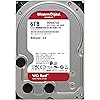
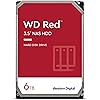
Western Digital 6TB WD Red NAS Internal Hard Drive HDD - 5400 RPM, SATA 6 Gb/s, SMR, 256MB Cache, 3.5" - WD60EFAX

  • Based on 1,092 reviews
Condition: New
Checking for the best price...
$379.90 Why this price?

Buy Now, Pay Later


As low as / mo
  • – Up to 36-month term if approved
  • – No impact on credit to apply
  • – Instant approval decision
  • – Secure and straightforward checkout

Ready to go? Add this product to your cart and select a plan during checkout.

Payment plans are offered through our trusted finance partners Klarna, Affirm, Afterpay, Apple Pay, and PayTomorrow. No-credit-needed leasing options through Acima may also be available at checkout.

Learn more about financing & leasing here.

Selected Option

Free shipping on this product

30-day refund/replacement

To qualify for a full refund, items must be returned in their original, unused condition. If an item is returned in a used, damaged, or materially different state, you may be granted a partial refund.

To initiate a return, please visit our Returns Center.

View our full returns policy here.


Availability: 14 left in stock
Fulfilled by Nationwide Tech Biz

Arrives Jul 19 – Jul 25
Order within 6 hours and 53 minutes
Available payment plans shown during checkout

Protection Plan Protect Your Purchase
Checking for protection plans...

Capacity: 6TB


Style: Red


Pattern: Hard Drive


Features

  • Available in capacities ranging from 2-6TB with support for up to 8 bays
  • 5400RPM performance class
  • NASware firmware for compatibility
  • NAS systems with daily workloads associated with personal and home office environments and idle time available to perform necessary background operations
  • Supports up to 180 TB/yr Workload Rate* | * Workload Rate is defined as the amount of user data transferred to or from the hard drive. Workload Rate is annualized (TB transferred (8760 / recorded power-on hours))
  • 3-year limited warranty

Description

There’s a leading edge WD Red drive for every compatible NAS system to store your precious data. With drives up to 6TB, WD Red offers a wide array of storage for customers looking to build a NAS solution. Built and tested for personal and home NAS systems with up to 8-bays, these drives pack all the punch you need in one powerhouse unit for storing, archiving, and sharing. With WD RedTM, you’re ready for what’s next.

Digital Storage Capacity: 6 TB


Hard Disk Interface: Serial ATA


Connectivity Technology: SATA


Brand: Western Digital


Special Feature: Data Recovery Service


Hard Disk Form Factor: 3.5 Inches


Hard Disk Description: Mechanical Hard Disk


Compatible Devices: Television


Installation Type: Internal Hard Drive


Color: Red


Digital Storage Capacity: 6 TB


Hard Disk Interface: Serial ATA


Connectivity Technology: SATA


Additional Features: Data Recovery Service


Hard Disk Form Factor: 3.5 Inches


Compatible Devices: Television


Hard Disk Rotational Speed: 5400 RPM


Specific Uses For Product: business, personal


Read Speed: 180 Megabytes Per Second


Cache Memory Installed Size: 256


Data Transfer Rate: 180 Megabits Per Second


Form Factor: 3.5-inch


Hardware Connectivity: SATA 6.0 Gb/s


Hardware Platform: Mac, PC


Hard-Drive Size: 6 TB


Item Weight: 580 Grams


Item Dimensions L x W x Thickness: 5.79"L x 4"W x 1.03"Th


Number of Items: 1


Unit Count: 1.0 Count


Brand: Western Digital


Model Number: WD60EFAX


Hard Disk Description: Mechanical Hard Disk


Built-In Media: Internal Hard Drive


Model Name: WD Red NAS Internal Hard Drive


Manufacturer: Western Digital


Global Trade Identification Number: 47


UPC: 718037860947


Mfr Part Number: WD60EFAX


Item Type Name: Internal Hard Drive


Warranty Description: 3-year manufacturer's limited warranty


Installation Type: Internal Hard Drive


Color: Red


Enclosure Material: Information Not Available


Frequently asked questions

If you place your order now, the estimated arrival date for this product is: Jul 19 – Jul 25

Yes, absolutely! You may return this product for a full refund within 30 days of receiving it.

To initiate a return, please visit our Returns Center.

View our full returns policy here.

  • Klarna Financing
  • Affirm Pay in 4
  • Affirm Financing
  • Afterpay Financing
  • PayTomorrow Financing
  • Financing through Apple Pay
Leasing options through Acima may also be available during checkout.

Learn more about financing & leasing here.

Top Amazon Reviews


  • Used to Easily Replace Failed Drive in Tivo Roamio
Capacity: 2TB Style: Red Pattern: Hard Drive
I considered throwing away my six year old Roamio, model 846500, when it failed. The Tivo wouldn't get past the "Welcome" screen. I fixed the failure in less than an hour with only this WD20EFAX drive, and now have four times the storage as a bonus. The internet knowledge base (and the Weaknees company that's probably the best third party support company for Tivo) says that this failure mode is almost always caused by a failed hard drive. They also recommend this particular model replacement drive. Replacing the drive in Tivo Roamio is extremely easy. It's easy both both physically and because this Tivo will automatically format a new drive (as long as the drive size is 3TB or less) and automatically load all the required Tivo software during boot up. You will, unfortunately, lose any recordings and such drive-kept data as channel lists, scheduled recordings and One-Passes, and so on that were on the old failed drive. There are plenty of decent videos on the internet to show how to do this, but here is a quick procedure to give you an idea of how easy it is: Remove two torx head screws in the back of the unit and use a thin blade such as a common dinner knife to carefully pry up the top of the box. Remove three torx screws that attach the drive's adapter rails to the box and disconnect the drive's data/power cable by pulling the connector away from the drive. Remove the drive mounting rails from each side of the drive, noting their original position, by removing the two torx screws connecting each rail to the drive. Using the new drive, put everything back together. Reconnect the Tivo to your TV system, plugging in the power cable last. Plug in the Tivo's power and let the system boot up. Be patient because it will take some time for the Tivo to automatically format the drive and load all the software needed. Follow the screen guide to set up the Tivo as for a new unit. Your current account with Tivo and any monthly or All-In programming are still in place because the account is based on the box'es ID number which is stored on Tivo's motherboard rather than its hard drive. Voila...You just saved yourself the cost of a new Tivo and upgraded your video storage capacity, as I did! ... show more
Reviewed in the United States on November 20, 2019 by RWT

  • Western Digital NAS Hard Drive
Capacity: 2TB Style: Red Pattern: Hard Drive
This is not your average Western Digital desktop hard drive. The WD Reds are made for heavy duty, high duty cycle use. They are made for use in Network Attached Storage devices. The NAS environment can really torture a hard drive. Especially when it has to support a lot of users and devices. This hard drive is made to be able to function in such an environment. I have a Terramaster NAS in my home network. That system has two Seagate Ironwolf hard drives. It has been flawless in operation. I attached an external hard drive enclosure to the Terramaster to have a backup of all the data. The hard drive enclosure does not come with its own hard drive. You get to choose, depending on your needs. I bought this WD Red hard drive to use as the backup for the Terramaster. I backup the data from the NAS on this hard drive and then store the drive in a safe location. The WD Red has been flawless. It is easily the equivalent of the Seagate Ironwolf. The operation is silent and reliable. I have not had any issues with these NAS hard drives. Yes you can use a regular desktop hard drive for this purpose. A WD Blue caviar hard drive will also work. However, the WD Red is a more robust hard drive. It is more expensive than a regular desktop hard drive. But the reliability and peace of mind are worth it. NAS hard drives will also work on your desktop computer. You can swap out your WD Blue hard drive for this one. You will get added durability and dependability. But it will only be worth the extra cost if your computer is regularly stressed. A one-user desktop PC that gets used for 5 hours per day is not under stress. However, if you have a PC that is used for security monitoring purposes or as a home server, then yes, invest in a more robust hard drive. I love solid state hard drives for their performance and lighter weight when used on a laptop. However, for storage purposes, I still prefer a mechanical hard drive. If I were building my own desktop PC, yes, I would use a NAS hard drive such as the WD Red. But I would not throw out a working WD Blue that comes with a new PC. Evaluate your needs carefully. A data storage system used in a business setting should have robust hard drives. If you are a content creator on Youtube, get at least a four bay NAS storage device and fill those drive bays with WD Reds or Seagate Ironwolves. If you surf the internet, shop online, and basically only consume social media, then a regular PC with a traditional desktop hard drive will be good enough. Highly recommended for NAS Storage systems and heavy-duty desktop use. ... show more
Reviewed in the United States on August 30, 2020 by citan-uzuki

  • 6TB Hard Drive Worked Great!
Capacity: 6TB Style: Red Pattern: Hard Drive
Buying anything off Amazon related to computer equipment can be a risk. Great experience from this seller and would buy 4 more hard drives if I had the money. Received it, bench tested and ran with no errors. Formatted and spun right up on my NAS. Great customer service and very responsive! Saving for future purchases 5 Star! ... show more
Reviewed in the United States on November 20, 2025 by T. Rivera

  • Excelente disco para NAS
Capacity: 6TB Style: Red Pattern: Hard Drive
Hasta el día de hoy siguen funcionando y ya van cerca de 3 años
Reviewed in the United States on May 17, 2026 by Patricio

  • Decent drive, there are issues with Synergy usage & Possibility of getting non-red hardware
Capacity: 4TB Style: Red Pattern: Hard Drive
WD has introduced a proprietary S.M.A.R.T. alternative that you can use in Synergy that is supposed to track the health of the drive in a more intelligent way. Unfortunately, it's been done in a very stupid way. After 3 years of runtime hours, a warning will pop up telling you to replace the drive. This would be fine, if it was dismissible, and if it did not override any other warnings and prevent you from seeing other warnings. 3 years of runtime hours on a NAS drive is nothing, and drives should be expected to run for at least 5 years. So you can see how this is an issue. It's a money grab from WD. Another issue is that WD has been sending out different drives under the Red branding, that are not actually reds, but instead are something else (i unfortunately cannot remember right now, a simple google will give you the info). I will probably keep buying WDs for my personal home server where I don't use Synergy since it's not a RAID (yet), but for any production environments please be aware of the issues. ... show more
Reviewed in the United States on August 2, 2023 by Andrew

  • Todo como tiene que ser.
Capacity: 6TB Style: Red Pattern: Hard Drive
Todo como tiene que ser.
Reviewed in the United States on February 28, 2026 by juan carlos berardone

  • Old reliable
Capacity: 4TB Style: Red Pattern: Hard Drive
WD Red is a workhorse for NAS devices. I bought a PR2100 NAS device five years ago preloaded with WD Red 2 TB drives. Only now has one of the drives started to report errors, but still hasn't failed. This is running the drives 24x7 for five years. I bought these 4 TB units to replace the older drives, the procedure was painless, and now I have double the space for five more years. I may repurpose the error-free drive in a desktop computer and see just how long it can last. This is not a gaming drive, there's no high-performance aspects to these drives. They're made to keep working for extended periods of time with no rest. And they do it well. ... show more
Reviewed in the United States on August 25, 2022 by NorbyTheGeek

  • Not appropriate for NAS usage
Capacity: 6TB Style: Red Pattern: Hard Drive
I've been a long time fan of using WD Red drives in my servers and they've served me well... until now. These drives are SMR, which renders them useless for NAS. They'll work great, I've got no complaints about performance, and the four I own are all working fine 2.5 years later without a single reallocated sector. However, when you resilver to replace a failed drive, the SMR technology completely falls apart and turns it into literally a 2 - 3 week long process (VS under 24 hours for a standard CMR drive). If you're at one drive of redundancy then you'd better hope you don't get a second drive failure that month... and you're NAS performance is going to be terrible during the process as well. Thus these drives are not significantly better than any cheap drive, for a significant price premium. What's worse, when I bought my drives there was zero indication that they'd switched from CMR to SMR drives in the WD Red product line, and even today they don't explain why that matters. As such, I'd be extremely nervous about buying a WD drive in the future, as who knows what new cost-saving technology they'll silently implement. Aside from performance and reliability, the next most important aspect of a NAS drive is the warranty. Harddrives fail, regardless of the company or price point, so if you're running a NAS with several drives then you're inevitably going to get some that die prematurely. I've had to send a couple drives in for replacement, and the process is typically doing an RMA on the manufacturer's website and they'll ship a replacement to you for free. WD now charges to replace defective drives. They want you to mail your drive to them, at your own expense, then once they receive it and process it in a couple weeks they'll mail you a refurbished replacement with you paying for shipping ($8 for it to arrive in ten days, upwards of $50 for faster shipping). If you want them to ship immediately you need to pay $25 (non-refundable) plus the cost of the replacement drive (refundable after they receive and process your old drive). Yes, that's right, if they send you a dead drive then you'll need to pay another $50+ and wait for weeks for a replacement. Oh, and the replacement will probably have thousands of hours of use so you can look forward to repeating the process in another year or two. ... show more
Reviewed in the United States on May 19, 2021 by Izomiac

Can't find a product?

Find it on Amazon first, then paste the link below.
Checking for best price...