Search  for anything...

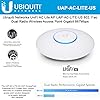
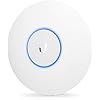
Ubiquiti UAP-AC-LITE UniFi AP AC LITE 802.11ac Gigabit Dual-Radio PoE

  • Based on 2,300 reviews
Condition: Used - Very Good
Checking for the best price...
$63.00 Why this price?
Save $7.98 was $70.98

Buy Now, Pay Later


As low as $10.50 / mo
  • – 6-month term
  • – No impact on credit to apply
  • – Instant approval decision
  • – Secure and straightforward checkout

Ready to go? Add this product to your cart and select a plan during checkout.

Payment plans are offered through our trusted finance partners Klarna, Affirm, Afterpay, Zip, Apple Pay, and Google Pay. No-credit-needed leasing options through Acima may also be available at checkout.

Learn more about financing & leasing here.

Free shipping on this product

This item is eligible for return within 30 days of receipt

To qualify for a full refund, items must be returned in their original, unused condition. If an item is returned in a used, damaged, or materially different state, you may be granted a partial refund.

To initiate a return, please visit our Returns Center.

View our full returns policy here.


Availability: Only 1 left in stock, order soon!
Fulfilled by OGS Store (SERIAL NO RECORDED)

Arrives Oct 6 – Oct 12
Order within 13 hours and 20 minutes
Available payment plans shown during checkout

Protection Plan Protect Your Purchase
Checking for protection plans...

Features

  • Ubiquiti UAP-AC-LITE UniFi AP AC LITE 802.11ac Gigabit Dual-Radio PoE OPEN BOX

Description

Ubiquiti UAP-AC-LITE UniFi AP AC LITE 802.11ac Gigabit Dual-Radio PoE

Brand: Ubiquiti Networks


Model Name: Ubiquiti UAP-AC-LITE


Special Feature: WPS


Frequency Band Class: Dual-Band


Wireless Communication Standard: 802.11ac


Compatible Devices: UNIVERSAL


Recommended Uses For Product: Business, Home


Included Components: not available


Connectivity Technology: Wi-Fi


Color: White


Other Special Features of the Product: WPS


Frequency Band Class: Dual-Band


Wireless Compability: 802.11ac


Compatible Devices: UNIVERSAL


Antenna Location: Business, Home


Connectivity Technology: Wi-Fi


Antenna Type: Fixed


Operating System: UniFi


Security Protocol: WPA2-PSK


Number of Ports: 1


Control Method: App


Data Transfer Rate: 867 megabits_per_second


LAN Port Bandwidth: 1Gbps


Voltage: 240 volts


Maximum Upstream Data Transfer Rate: 867 megabits_per_second


Number of Antennas: 2


Wi-Fi Generation: Wi-Fi 5


Router Network Type: Business Wireless Router


Connectivity Protocol: Wi-Fi


Controller Type: UniFi Controller Software


Coverage: small to medium-sized areas


Frequency: 2.4 GHz


Brand: Ubiquiti Networks


Model Name: Ubiquiti UAP-AC-LITE


Built-In Media: not available


Model Number: UAP-AC-LITE


Unit Count: 1 Count


UPC: 810354025327 636676644806


Number of Items: 1


Manufacturer: Ubiquiti Networks


Mfr Part Number: UAP-AC-LITE


Warranty Description: manufacturer


Item Weight: 6 ounces


Item Dimensions L x W x H: 2.48"L x 0.49"W x 2.48"H


Color: White


Frequently asked questions

If you place your order now, the estimated arrival date for this product is: Oct 6 – Oct 12

Yes, absolutely! You may return this product for a full refund within 30 days of receiving it.

To initiate a return, please visit our Returns Center.

View our full returns policy here.

  • Klarna Financing
  • Affirm Pay in 4
  • Affirm Financing
  • Afterpay Financing
  • Zip Pay in 4
  • Financing through Apple Pay
  • Financing through Google Pay
Leasing options through Acima may also be available during checkout.

Learn more about financing & leasing here.

Top Amazon Reviews


  • Good kit and good results
Installed as a WAP in a townhouse to assist with coverage of upper floors. Fortunately the building was pre-wired with ethernet cable. I jumped one lead out from the router and ran it to the PoE (which is included, happily). Then I connected the PoE to the house wiring cat 6. I'm served by Cox panoramic wifi with a wireless hub. PoE sends 24V over approximately 55 feet of cat 6 cable. That powers the system fine. Mounted on the ceiling of the 4th floor signal is still adequate at the ground floor, although not needed because the ISP router and hub are on the ground. I got over 35 Mbps download and about 12 Mbps upload with that configuration and distance in the room with the AP. I used the recommended app to set it up and install. There are a few videos out there to walk through. It went very smoothly. Allow it to update and restart a few times. You should be fine. Otherwise you can use a PC to program it. What I didn't know for sure and I'm confirming now for you is that the kit includes a PoE with AC cord. And, the AP works on dual bands which give you 2.4 GHz and 5 GHz bands. They can be separated by SSID and passwords if you wanted to do so in the admin utilities. I'll post an update or negative review if this thing doesn't keep up the good work. But I am very happy with the quality, ease of use, and performance right now. This should cover all my needs, but if I needed to add another, I would get another Ubiquiti AP. Updated to say that in a day things got better. Dell Inspirion 15 was getting 150 Mbps download, iPhone was getting 250+ Mbps, and Android phone clocking around 120. Your results will be individual. But after mapping itself, the AP does great. Signal broadcast strength is less than the base Cox WiFi router (to be expected) but the AP hit all the hard to reach areas that I planned. Still considering adding a spot for the middle floors 😀 ... show more
Reviewed in the United States on September 8, 2024 by Poster Child

  • Great device hampered by odd software decisions
The sort of out of box experience for this AP is seeing the note on the cardboard to download the controller app from the App Store or Play Store with a pang of, "Oh, no." At least for the experience with Android, attempting to set it up with the app was a no-go. My particular Android device could not manage to connect to the AP for initial setup for the most part and when it did, I didn't manage to complete setup because I appear to have lost the connection halfway through. The good news is I was intending on air gapping the AP until SSID and password is set up and it appears it doesn't start actually broadcasting until after initial configuration, so I connected it to my MikroTik wired router's PoE port and connected to it this way through a Windows 11 computer. Setup with Windows is easy (though I did shudder by the Java requirement...Java desktop application? What year is this?) and got the AP going in no time after this. Unfortunately, it appears that the AP is super, super lite because you need the controller software running all the time to collect network statistics. I just decided to set it up and forget about the controller aspects. Thankfully, it doesn't seem to need the controller running for the AP to continue to work. But be warned! If your setup is like mine with a standard account for every day use and a separate admin account, the controller software installs itself to the Ubiquiti Unifi folder on the admin account's Users folder. I tried logging in later and couldn't figure out how to get it going again until finally finding it installed itself here. You have to run the start batch file underneath bin to get the controller interface going again. Outside of software, the AP is a great piece of hardware. I've not run into any significant issues. It's hard for me to comment on the range because I live in an apartment community with a lot of overlap in terms of wireless signals, but it has worked for my purposes. ... show more
Reviewed in the United States on April 26, 2022 by Zachary Drew

  • Best Money Spent
I've dealt with poor wifi signal in my Florida home since Spectrum installed the router in the garage. For 4 years we've tried several extenders and used a TP Link wireline one that was probably a 2 out of 5 but let it be. Now working from home this needed to be fixed ASAP. I saw raving reviews on Google whole home and went into a rabbit hole of reviews on wifi systems but could NOT justify $200 instead of just getting a better router. I found this system and began reading more about it and said this may be a viable professional fix for less than $100. Got it and set it up with the mobile app in under 30 min. I changed channels and copied my existing router SSID/PW. Everything at home is working great! 2 vpns working from home, outdoor IP cameras, 6 streaming devices, 5 smartphones, 2 tablets, 2 Chromebooks and 2 smart TVs all with excellent signal and 4x times faster than my other connection. This is great and I have been recommending it to everyone! Only thing you need is cat5 cables for patching and make sure it's long enough to where you need to install it. Highly recommended! ... show more
Reviewed in the United States on April 15, 2020 by Alejo

  • Excellent For Lighter WiFI Use, Easy Setup, Easy Management
I'm a Ubiquii fan. Easy to setup, easy to manage and they just work great. I got a bunch of AC-Pro access points to cover a couple of building with WiFi. BUT, one part of the building is set off and didn't get a good signal. Only a couple of people there.with modest bandwidth needs and the AC-Lite made a good solution. Of course it's PoE (power over Ethernet) so only one cable needed. Saves time and money. Because it was the only Prime in stock I got one form Amazon Warehouse model, but that one came DoA. No bad on Uniquiti. I just rolled the dice and lost this time. Kudos to Amazon for an easy return. This is the only failure I've had with dozen's of Ubiquiti AP's and switches. A new one I got worked perfectly if later than planned. I use a cloud key to manage the network.and the management interface is excellent. You'll either need a cloud key for use the pure ubnt cloud option. If you don't need 3X3 Mimo or the higher speeds of the AC-Pro the lite is a good option. Couple that with the consistently excellent management and easy setup of all the Unifi components and it's a 5 star winner for me. ... show more
Reviewed in the United States on November 24, 2017 by Stephanie Sullivan

  • Works great, but....
I bought new hearing aids recently that get streaming audio from my iPhone, which is truly great. However, after I got them I noticed that streaming videos from our Roku, Apple TV, and my iPad were buffering horribly, making watching them unbearable. After some experimentation I realized that my hearing aids were the culprit - YIKES! When I turned off the hearing aids, streaming was great; when I turned them on buffering started soon after. It turns out that they communicate over the 2.4 mHz band, the same as my old On-q 802.11g access point that I've had for years. So - time to get a new access point that had dual bands. Enter the Ubiquiti UAP-AC-LITE. It had good reviews so I decided to try it. Before mounting it in the ceiling I wanted to try it first, so I just hooked it up in the laundry room - where my On-q cabinet is. I took down my On-q access point since I wanted to use the same SSID and port on my router for it. It was easy to connect and started with no problems using the POE power injector it came with. The instructions then said to download the UniFi Controller software from the Ubiquiti web site to configure it and there is where my problems started. The download was easy and it installed on my Windows computer with no issues. I have plenty of memory and disk space and a fast processor so it shouldn't have had any problems running, but it did. When I tried to run it, it stuck on Starting UniFy Controller and stayed on it for as long as I was willing to run it - 30 minutes, 2 hours, ... it never would start! I even tried uninstalling and reinstalling to no avail. Fortunately, Ubiquiti has an IOS app (UniFi Network) that you can use to configure the access point. Since I have another access point covering the front of my house, I was able to use it to connect to the Internet. I downloaded the app on my phone, ran it, and got the access point configured and running within just a few minutes, including a firmware update. The app is very easy to use and found the new access point on my network with no problems. I configured the new access point to only use the 5g radio since the interference was with the 2g band and it completely solved the hearing aid interference with streaming from my ipad and phone. However, my Roku devices and Nest thermostats wouldn't connect to it. Obviously these devices only have a 2g radio, so I configured another SSID with the 2g radio on the access point but wondered how that would affect streaming. Once I did that the other devices would connect. Then I tried streaming videos with my hearing aids on - and it worked even with the devices using the 2g band. Problem solved! Obviously the UniFi access point does a great job of separating traffic and runs fast enough that there was no more interference with streaming. So I'm very happy. My data speeds have improved dramatically as well. This access point is very fast. The coverage is very good as well - reaching to the front of my house so I don't need another access point anymore. I installed it permanently in the same spot my On-q access point was, which was a little interesting. The On-q AP installs in an outlet box above the ceiling and the UniFi installs on the ceiling. I wound up screwing a piece of wood into the outlet box so it was level with the ceiling and then screwed the mounting plate onto it. That worked fine although we'll have to do a little spackling to hide the edges of the ceiling hole cut for the outlet box. So - this UnifI access point is very good indeed and completely solves my hearing aid interference problem. However, I'm disappointed I can't run the UniFi Controller software since it has more features than the IOS app and gives access to the more advanced options on the access point. There are similar reports from folks on Ubiquiti forums of difficulties running the Controller software. ... show more
Reviewed in the United States on June 17, 2019 by Rich M

  • Excellent Signal, Easy to Use
The company I work for uses Unifi APs for their offices so when my home router died I decided to give one of these a try, and I can definitely see why they switched all their offices to Unifi. I installed the controller software on my desktop and had everything up and running in under 30 minutes, and it's been over two years now and it still is running strong without me ever needing to check on it or reset it. I was a little worried about the coverage I would get with the Lite but it covers my entire two bedroom apartment and even reaches out into the parking lot so I can still use my WiFi from my car all on 1 AP. It does come with a PoE injector to provide power to it but I also bought their 8 Port PoE Switch so I can easily add more APs in the future if I need to. It does come with a mounting plate that you can screw into the wall or ceiling to hang it, but I didn't want to damage my apartment so I just put some double sided mounting tape on the AP's mount plate and stuck it to the wall and it's held fine. ... show more
Reviewed in the United States on May 12, 2020 by Brandon ONeil

  • Wow! Finally a robust Wi-Fi system
This is a game changer. I have historically done some interesting Wi-Fi setups to try and resolve dead zones in my home but this system takes the cake. I have never had such reliable connectivity in my home! I have three of these units installed in my home now and have not had a single hiccup in the few weeks of use and tinkering. The controller setup is great once you get the swing of things and these are very attractive little units, especially compared with the usual competition. I like that you can turn off the LED as we have one in our bedroom and it isn't noticeable. It would be nice if they made a residential wall plate cover mount so you could hide the Ethernet cable, too. Otherwise, I just have a small wire track on the units and they look great - even for someone who hates exposed wiring anywhere in the home. I had really considered the Pro unit but these are still giving me 200Mbps on most devices throughout my house. My worst dead zone still has decent speeds and doesn't warrant a fourth unit installed to address. 5 stars and an enthusiastic thumbs up. Do it! ... show more
Reviewed in the United States on August 9, 2020 by hw_engineer

  • Best performance I ever had be sure to use the mobile app to set it up
I tried a few other travel routers which powered themselves off usb or POE. This thing blows them all out of the water. My speeds and performance are identical to a wired connection!!! I am on solar, so I need to conserve power. What is did is use this adapter https://www.amazon.com/gp/product/B00ENNUWO4/ref=ppx_yo_dt_b_asin_title_o01_s00?ie=UTF8&psc=1 with a 24v power source, you can also use this https://www.amazon.com/24V-Boost-Converter-Regulator-Waterproof-Transformer/dp/B07XBWHR56/ref=pd_bxgy_3/132-2764768-1643629?_encoding=UTF8&pd_rd_i=B07XBWHR56&pd_rd_r=ec44c413-df2a-4811-858f-a7103942c6d0&pd_rd_w=NTSv5&pd_rd_wg=DQfiJ&pf_rd_p=f325d01c-4658-4593-be83-3e12ca663f0e&pf_rd_r=XKXSEY3MW380C8GM478P&psc=1&refRID=XKXSEY3MW380C8GM478P to convert your 12v power source to 24 v, then to the POE adapter above. The ubiquity requires 24v. Anyhow, I just downloaded the ubiquity ios app designed specifically for this AP, it didn't find it so I selected 'manual ap connection' then pointed my iphone at the qr code on the back of the AP. It found it and set it up properly. (I had it connected to an ethernet internet connection provided by my ISP- there was a router built into the ethernet connection my ISP provided already, which is why I wanted an access point, not a second router- having a 'double NAT' situation isn't good even though lots of people do it.). It works perfectly as I said, and is as good as if I connect to my ISP connection using an ethernet cord. Can't ask for anything better than that! Seems power efficient as well. I could even run a long ethernet cord to locations on the property to easily make internet reach there as well. Its so perfect. ... show more
Reviewed in the United States on April 3, 2021 by D.Z

Can't find a product?

Find it on Amazon first, then paste the link below.
Checking for best price...