Search  for anything...

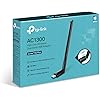
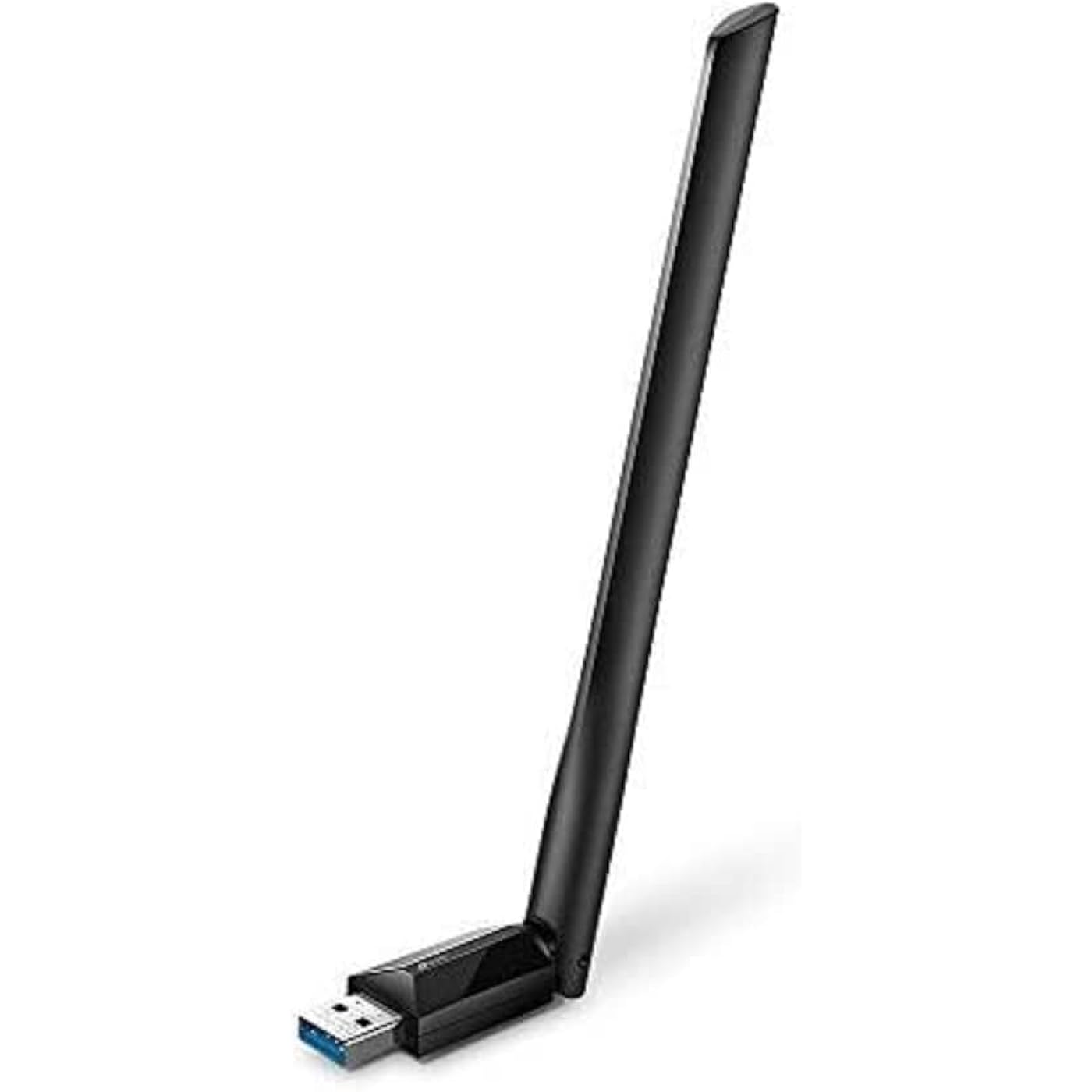
TP-Link USB WiFi Adapter for Desktop PC, AC1300 USB 3.0 Wireless Dual Band Network Adapter with High Gain Antenna(Archer T3U Plus), MU-MIMO, Windows 11/10/8.1/8/7/XP, Mac OS 10.9-10.15
  • Based on 25,838 reviews
Condition: New
Checking for the best price...
$16.98 Why this price?
Save $6.01 was $22.99

Buy Now, Pay Later


As low as $4 / mo
  • – 4-month term
  • – No impact on credit to apply
  • – Instant approval decision
  • – Secure and straightforward checkout

Ready to go? Add this product to your cart and select a plan during checkout.

Payment plans are offered through our trusted finance partners Klarna, Affirm, Afterpay, Apple Pay, and PayTomorrow. No-credit-needed leasing options through Acima may also be available at checkout.

Learn more about financing & leasing here.

Selected Option

Free shipping on this product

FREE 30-day refund/replacement

To qualify for a full refund, items must be returned in their original, unused condition. If an item is returned in a used, damaged, or materially different state, you may be granted a partial refund.

To initiate a return, please visit our Returns Center.

View our full returns policy here.


Availability: In Stock.
Fulfilled by Amazon

Arrives Sunday, Jul 19
Order within 7 hours and 20 minutes
Available payment plans shown during checkout

Protection Plan Protect Your Purchase
Checking for protection plans...

Style: AC1300


Features

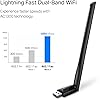
  • Lightning-Fast WiFi Adapter for Desktop PC: AC1300 dual-band WiFi ensures your device will run at full speed (867 Mbps on the 5 GHz band or 400 Mbps on the 2.4 GHz band)
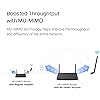
  • MU-MIMO Technology: Improves the throughput and efficiency of the whole network with MU-MIMO technology.
  • Dual-Band Wireless: The 2.4 GHz and 5 GHz bands provide flexible connectivity, giving your devices access to the latest dual-band WiFi router for faster speed and extended range.
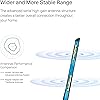
  • 5 dBi High-Gain Antennas: Advanced external high-gain antennas greatly enhance the reception and transmission signal strength of the USB adapter.
  • Adjustable, Multi-Directional Antenna: Rotate the multi-directional antenna to face your router to improve your experience and performance
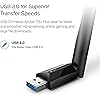
  • Supports the Latest Operating Systems: This WiFi adapter for PC is fully compatible with Windows 11/10/8.1/8/7/XP and macOS 10.9-10.15
  • Easy Setup - This WiFi Adapter is equipped with a friendly user interface to ensure smooth and simple installation

Description

1. AC1300 Dual Band WiFi Adapter: The Archer T3U Plus receives WiFi signals on two separate bands for all your online needs. Choose the 2.4 GHz band for up to 400 Mbps of surfing, emailing and social media, or switch to 5 GHz for up to 867 Mbps of gaming, HD streaming and large file downloads. 2. Boosted Throughput with MU-MIMO: MU-MIMO technology can provide two simultaneous data streams, improving the throughput and efficiency of the entire network when working with a compatible MU-MIMO router. 3. High Gain Antenna for Broader Coverage A high gain antenna reaches your router from farther with more precise directional range, sustaining faster and more stable wireless connections. 4. Adjustable Multi-Directional Antenna: Rotate and adjust the antenna in the multi-direction to improve using experience in different environments.Wireless Standards:IEEE 802.11b/g/n 2.4 GHz, IEEE 802.11a/n/ac 5 GHz.

Brand: TP-Link


Hardware Interface: USB


Color: Black


Compatible Devices: Desktop


Product Dimensions: 2.28"L x 0.71"W x 6.83"H


Data Link Protocol: USB


Data Transfer Rate: 867 Megabits Per Second


Item Weight: 18.14 g


Unit Count: 1.0 Count


UPC:


Hardware Interface: USB


Compatible Devices: Desktop


Data Link Protocol: USB


Data Transfer Rate: 867 Megabits Per Second


Compatible Operating System Family: Windows


Minimum Required Operating System Version: Windows XP


Item Dimensions L x W x H: 2.28"L x 0.71"W x 6.83"H


Item Weight: 18.14 g


Color: Black


Brand: TP-Link


UPC: 840030701047


Manufacturer: TP-Link


Mfr Part Number: Archer T3U Plus


Model Number: Archer T3U Plus


Unit Count: 1.0 Count


Warranty Description: 2 year manufacturer


Built-In Media: 1 x AC1300 High Gain Wireless Dual Band USB Adapter1 x Quick Installation Guide1 x Resource CD


Frequently asked questions

If you place your order now, the estimated arrival date for this product is: Sunday, Jul 19

Yes, absolutely! You may return this product for a full refund within 30 days of receiving it.

To initiate a return, please visit our Returns Center.

View our full returns policy here.

  • Klarna Financing
  • Affirm Pay in 4
  • Affirm Financing
  • Afterpay Financing
  • PayTomorrow Financing
  • Financing through Apple Pay
Leasing options through Acima may also be available during checkout.

Learn more about financing & leasing here.

Top Amazon Reviews


  • Fast and Stable Connection
Style: AX1800 WiFi 6, Dual Band
Super easy to install and worked right away on my PC. The WiFi signal is much stronger now and the connection speed feels faster and more stable, especially for gaming and streaming. The antennas also help with range. Definitely a great upgrade for desktop computers without built-in WiFi.
Reviewed in the United States on May 16, 2026 by Danielding

  • Made huge difference in our download speed
Style: AX1800 WiFi 6, Dual Band
With this adapter, our WiFi download speeds have increased up to 10 times what we usually got before, sometimes even exceeding the limits of our Internet plan (500 mbps). I just ran an Ookla speedtest, and the download speed was 517.97 mbps. It was easy to install (and I'm not that techie). Very happy with its performance and the purchase. ... show more
Reviewed in the United States on June 4, 2026 by bobkat

  • Very good but takes a minute to connect
Style: AX1800 WiFi 6, Dual Band
It performs well, sustaining a 350 Mbps+ connection with a stock AT&T router 30ft away and 2 walls in the way. The built-in memory with the driver on it is very nice to have. It makes installation and setup very easy. The main issue I have had is that it can take 2min+ to establish a connection, and sometimes it needs to be unplugged and plugged back in to fix it. It also takes a while to connect to the 5GHZ band. It starts off at around 80 Mbps on the 2.4 GHz band and, after a few minutes, jumps up to the 5 GHz speed. It may be related to my distance from the router, but I haven't tested that. ... show more
Reviewed in the United States on May 5, 2026 by BadFeeling

  • Very Cost-Effective but Reliable Dual-Band WiFi Adapter
Style: AC1300
This WiFi adapter is an effective but cost-effective way to add dual-band WiFi to a PC. I've found that it reliably maintains WiFi connections and has decent throughput. Additionally, the antenna is large and very adjustable which gives this adapter a big leg up on those adapters that have small and/or internal antennas. I am now using two of these on a regular basis. ... show more
Reviewed in the United States on May 9, 2026 by Michael J. Linden

  • FINALLY - Life in the Wifi-6 fast lane thanks to TP-Link's TX20U!!! FINALLY - Life in the Wifi-6 fast lane thanks to TP-Link's TX20U!!!
Style: AX1800 WiFi 6, Dual Band
200mbps ceiling no more! At our new home I had tried getting our xFinity wifi speeds to get anywhere near the wired speeds (routinely 600 - 800mbps with the ethernet cables strong from the router 50 feet to my office) and no matter what I did the wifi speed never went above 200 - 220mbps. What was weird is that a cheap $200 buck Lexmark Chromebook would get wifi speeds of 450 - 600 no problem (so, at least that saved me from contacting xFinity "support" since clearly that showed the router was working just fine.) I ordered a couple other USB wifi adapters (primarily based on reviews mentioning the sorts of speeds I was hoping, nothing else) with no luck. I finally asked Claude.ai what could be happening and it indicated I needed a 2mimo Wifi-6 compatible adapter and specifically recommended this one. I tried it on an older HP G1 desktop, first, with no increase in speed. I thought this wasn't go to work either but thought I would give it a try on a much newer PC. Lo' and behold, it worked PERFECTLY and the first Fast.com speed report was 580mbps. Since then the speeds have average 650 - 800mbps! (BTW, the reason the old PC's speed didn't increase is not only is it Windows 10, but according to Claude.ai the chipset of that machine isn't capable of supporting today's Wifi-6 demands.) The design is great and it took only a few minutes to install after downloading the latest driver. Not only was it a great price it the performance and the range saved from what I was preparing to do the following day, call the handyman to wire the house for wired ethernet (which would have easily cost $500 - $1000 bucks for all of the rooms I was resigning myself to needing ethernet drops!) Thank you, TP-Link! So glad Claude recommended your TX20U! ... show more
Reviewed in the United States on January 14, 2026 Reviewed in the United States on January 14, 2026 by Duane from Orlando (ish)

  • Disconnects are too frequent, requiring driver reinstall to fix the issue Disconnects are too frequent, requiring driver reinstall to fix the issue
Style: AX1800 WiFi 6, Dual Band
Bought this adapter since moving to my new house. My previous house was wired pretty heavily so I didn't have to rely on wifi. I got this adapter in hopes that I wouldn't have to cable much, since wifi works for all other devices in the house. At first everything seemed fine. I've used this adapter for my PC for ~4 months now, but over the last week, the disconnects started happening. When first connecting the device to my PC, it connects as a USB drive, and the install app for the driver is on the unit. This is actually pretty brilliant, since having to download a driver on a PC that doesn't have a network card can be challenging, if not impossible, unless you have another PC handy. The install goes really quick and installs v2.0.2.0 of the driver. The PC that I installed this on is ~8 feet from the wifi router. Signal is good between the unit and the router...when it's connected. The challenge I've had is that recently, the unit frequently just disappears from my devices. Occasionally, just unplugging and replugging the device gets it to show up and reconnect, but more often, I have to completely uninstall the driver, reboot my PC, reinstall the driver, then reconnect the adapter to my wifi. I've tried changing some adapter settings related to power management and that doesn't seem to make any difference. I tried different driver versions from the TP-Link support site, and I get the same behavior. I was having an even odder issue where when i tried to do any kind of high-bandwidth usage, like transferring files, or using a remote desktop tool (TightVNC), that would cause the adapter to just disappear again. That seems to have stopped after multiple reinstalls, but the disconnects continue. I've read a number of posts in forums about having to change a number of different settings on my wifi router, but to be honest, I shouldn't have to do that. I've got ~40 devices connected in my house, from smarthubs, to Amazon FireTV devices, to laptops and PCs, and a couple of Raspberry Pi units, and NONE of them required any changes on the router side. I've also seen some people compliment the "speed" of this device, but I'm not impressed. I have gigabit fiber internet, so I am not limited by bandwidth. Using other wireless devices in the house, I average ~400+Mbps download and ~330Mbps upload. The attached screenshot shows what I get when I run this with the TP-Link adapter. I ran the test several times just to make sure it wasn't an issue with any single test and the results average right around this 231Mbps mark download. The upload speed is on par with the other devices, but the download speed is just horrible, by comparison. This is really secondary to the disconnect issue though. 230Mbps isn't bad, in general, for most tasks, including streaming, so it's just by comparison to other devices that the lack of throughput shows. Lesson learned and money wasted. Still haven't decided whether to purchase another wireless adapter or to go ahead and just run the cable, but I wanted to make sure to warn others about the frequent disconnects. That has been a major pain in the butt. It's quite possible that I just got a flaky unit, but just know that this is an issue. ... show more
Reviewed in the United States on August 12, 2024 Reviewed in the United States on August 12, 2024 by E

  • Long term review
Style: AC1300
I've been using this thing for over 2 years with no issues at all with 300mbps speed. I got bumped up to 600mbps and it still works great for gaming (albeit some high ping) but while downloading games it's over heats every 2 minutes and disconnects. So just something to think about. I will leave it at 5 stars bc it gave me zero issues for over 2 years. But I am upgrading to the Archer Tx55e AX3000. ... show more
Reviewed in the United States on April 10, 2026 by Angela Hall

  • Finicky USB3 interface - Careful with Beta device driver
Style: AX1800 WiFi 6, Dual Band
I had another TP-Link PCIe card in the computer that had to be removed to upgrade the video card. That PCIe adapter worked flawlessly. This USB3 is giving me 300Mbps+ (I have 1 Gbps Internet). BE VERY CAREFUL UPDATING DEVICE DRIVERS. The latest available Beta driver completely killed the device. The hardware is not turning on at all. I could not uninstall the Beta driver or roll it back to the previous driver in Device Manager, not even with the TP Tech Support. I just paid $17 to ship it to CA after wasting 2 hours of troubleshooting with Tech Support. Very disappointing. While troubleshooting on my own with AI, I learned that the inability to uninstall or roll back the driver is a known issue with this device. TP Link will take 3-5 business days to ship me a replacement, so this is a 3-week process. Use a powered USB3 Hub to connect this adapter to the PC. USB3 hard drives tend to disappear in W11. It is a question of power drawn from the WiFi adapter and bandwidth. Use a 10 Gbps USB3 port, if you have one. APRIL UPDATE - The factory-repaired unit worked. HOWEVER (1) The box states the driver is preinstalled; it was NOT, I had to download it from the TP-Link site. I also DID NOT use the Beta driver that killed the original unit. Once I installed the driver, the unit came back to life. Beware of that Beta driver! ... show more
Reviewed in the United States on January 9, 2026 by Eduardo Fernandez

Can't find a product?

Find it on Amazon first, then paste the link below.
Checking for best price...