Search  for anything...
TCL

TCL D1 Wi-Fi Smart Lock, Fingerprint Door Lock, Keyless Entry Keypad Deadbolt Lock for Front Door, Built-in WiFi, Auto Lock, Voice Control, Easy Installation, 8 Months Battery (Black)

  • Based on 51 reviews
Condition: New
Checking for the best price...
$89.99 Why this price?
4th of July Sale · 47% off was $169.99

Buy Now, Pay Later


As low as $15.00 / mo
  • – 6-month term
  • – No impact on credit to apply
  • – Instant approval decision
  • – Secure and straightforward checkout

Ready to go? Add this product to your cart and select a plan during checkout.

Payment plans are offered through our trusted finance partners Klarna, Affirm, Afterpay, Apple Pay, and PayTomorrow. No-credit-needed leasing options through Acima may also be available at checkout.

Learn more about financing & leasing here.

Selected Option

Free shipping on this product

FREE 30-day refund/replacement

To qualify for a full refund, items must be returned in their original, unused condition. If an item is returned in a used, damaged, or materially different state, you may be granted a partial refund.

To initiate a return, please visit our Returns Center.

View our full returns policy here.


Availability: Only 10 left in stock, order soon!
Fulfilled by Amazon

Arrives Saturday, Jul 4
Order within 4 hours and 54 minutes
Available payment plans shown during checkout

Protection Plan Protect Your Purchase
Checking for protection plans...

Color: D1-Fingerprint


Features

  • 0.3s Fingerprint Door Lock for Fast & Secure Keyless Entry : Unlock your fingerprint door lock in just 0.3 seconds with a high-precision FPC sensor, delivering faster and more accurate recognition, so you can enjoy instant, secure keyless entry for your front door. Works reliably with wet or dry fingers thanks to AI self-learning technology.
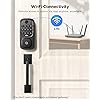
  • WiFi Smart Lock with Remote Control, No Hub Required : This WiFi smart lock features built-in WiFi connectivity, eliminating the need for an extra hub, so you can lock and unlock your door remotely anytime, anywhere. Manage users, create temporary passcodes, and receive real-time alerts through the app.es, apartments, and Airbnb rentals
  • Smart Lock with Real-Time Alerts & Access History : Track every unlock with this smart lock using real-time activity monitoring, giving you full visibility of who accessed your door and when, so you can keep your home secure at all times. Ideal for families and rental property management with detailed access records.
  • Keyless Entry Door Lock for Front Door, Apartment & Airbnb : Unlock using fingerprint, passcode, app, or key with this keyless entry door lock, offering flexible access options for different users, so everyone can enter in the most convenient way. Perfect for homes, apartments, and Airbnb rentals needing secure and easy access control.
  • Alexa Compatible Smart Lock with Easy Installation & Long Battery Life : This smart lock for front door works with Alexa and Google Assistant, enabling hands-free voice control, so you can manage your lock more conveniently in daily life. Powered by 8 AA batteries for up to 8 months and installs in minutes with a screwdriverno drilling required.
  • Easy Installation & Reliable Support : Compatible with most standard US & CA doors. Install in just 15 minutes with a screwdriverno drilling required. If you need help, TCL support is available to assist you. Enjoy 12-month product support backed by responsive customer service.

Brand: TCL


Special Feature: Anti-Peeping Password, Fingerprint, One-Touch Lock, Passcode Unlock, Real‑time Notifications, Easy Installation, Weather Resistant See more


Lock Type: Deadbolt


Item dimensions L x W x H: 9 x 5 x 4 inches


Material: Metal


Brand Name: TCL


Recommended Uses For Product: Front and Back Doors, Home Security, Hotel & Vacation Rentals, Office & Business, Smart Home Integration, Vacation Homes & Rentals


Number of Pieces: 5


Included Components: 1. Exterior Assembly × 1; 2. Interior Assembly × 1; 3. Latch × 1; 4. Key × 2; 5. Screw Accessories Package × 2; 6. Hole Opening Diagram × 1; 7. Video Guide Card × 1; 8. Operating Manual × 1


Model Number: D1


UPC: 860013038526


Model Name: Fingerprint Smart Lock


Manufacturer Warranty Description: Enjoy 12-month product protection and responsive customer support.


Manufacturer: TCL


Unit Count: 1.0 Count


Manufacturer Part Number: D1


Additional Features: Anti-Peeping Password, Fingerprint, One-Touch Lock, Passcode Unlock, Real‑time Notifications, Easy Installation, Weather Resistant


Lock Type: Deadbolt


Control Method: App, Remote, Touch, Voice


Connectivity Protocol: 2.4 GHz Wi-Fi (Not 5G)


Smart Home Compatibility: Smart Home Compatible


Style Name: Modern Minimalist Style (Ideal for Modern, Scandinavian, or minimalist interiors, apartments, offices.)


Color: D1-Fingerprint


Shape: Rectangular


Material Type: Metal


Finish Types: Painted


Item Dimensions: 9 x 5 x 4 inches


Item Weight: 2.6 Pounds


Frequently asked questions

If you place your order now, the estimated arrival date for this product is: Saturday, Jul 4

Yes, absolutely! You may return this product for a full refund within 30 days of receiving it.

To initiate a return, please visit our Returns Center.

View our full returns policy here.

  • Klarna Financing
  • Affirm Pay in 4
  • Affirm Financing
  • Afterpay Financing
  • PayTomorrow Financing
  • Financing through Apple Pay
Leasing options through Acima may also be available during checkout.

Learn more about financing & leasing here.

Top Amazon Reviews


  • Great Lock for a Reasonable Price!
Color: D1-Fingerprint
This is a great lock. For the price you can't beat it. It allows you to open it a number of ways including with your phone from anywhere. It was easy to install. Setup up the app took a couple tries, but once I got it to work, it is a nice feature.
Reviewed in the United States on April 14, 2026 by K14559

  • TCL D1 - Press "set" (setup button) TWICE to enter into SETUP State!!!
Color: D1-Fingerprint
Installed TCL D1 "wifi" SmartLock 5 days ago. So far everything is working extremely well. TWO issues with installation of the Deadbolt shaft. It DIDN'T slip straight into my standard size door bolt slot. ISSUE 1)There's a "slight" bulge around the collar on the TCL D1 Deadbolt that was JUST ABOUT too big to push it through just by inserting it. So a few taps with a hammer and it went straight in and was no longer an issue. The installation manual has as 4 "useful" QR Codes that will display a video on your phone, "or" once you have the website on the phone, I sent the "address link" to my email and just watch the video on my laptop so I could see every thing better! ISSUE 2) THE VIDEO SAYS TO PRESS THE "SET" BUTTON TO START THE "SETUP" PORTION OF THE DEVICE! THIS WAS "NOT TRUE" ON MY UNIT. Supposedly, you press the "set" (setup button) and the voice software "should" then instruction you on the other portions to setup the device! NO!!! I have to ALWAYS press the "set" (setup button) "TWICE" to enter into the "setup" portion of the device! Press "set" once then immediately again and the setup voice prompts starts and will lead you the rest of the way. Even their OWN video on shows ONE press of the "set" button .... not TWO consecutive pressing of the "set" button. I was just about to get very frustrated and as I was getting mad, my finger "accidentally" press the "set" button again and I hear the voice prompt! So, I repeated the operation again to see if it was me or THEIR instructions....it was THEIR instructions. Pressing the "set" button once does NOT start the voice "setup" instructions. Only pressing it "twice" starts the setup voice prompts. After that it was a breeze. Also, by default the TCL D1 goes into a "dormant" mode between 10pm and 7am. During that time, the device does not respond to the app's "wifi" controls. I "believe" all other Smart Locks "wifi" devices behave similarly. This is to save battery power during "low usage" hours. You can easily "enter new dormant" hours or turn of the dormant feature altogether if you choose...but know battery life will be reduced. This unit takes 8 AA batteries! Seen some others that take 4 AA batteries, but you will have to change them more frequently especially if your turn off "dormant" sleep. Although you can't "immediately" communicate with the TCL D1 in the "dormant" state, JUST BY PRESSING "ANY" BUTTON ON THE FACEPLATE WILL ACTIVATE THE "WIFI" CAPABILITIES of the TCL D1 for about 30secs to 1minute where you can control the APP REMOTE "LOCK AND UNLOCK" via your phone's app...THEN after no buttons are pressed in 20secs-to-30secs THE UNIT RETURNS TO THE "DORMANT" STATE! Do Not Be Alarmed by the "dormant" state as ALL OTHER FEATURES CONTINUE TO WORK...ie....the "finger print sensor" still works fine.....ANY ACCESS PASS CODES also continues to work JUST FINE on the unit. Only, the "immediate" remote APP can't control the device right away. But if someone is at the key pad...and they call you and say "I'm pressing a button right know on the keypad", ON YOUR PHONE's "APP" YOU WILL SEE THE DEVICE "WAKE-UP" AND YOU WILL HAVE "Remote ACCESS" TO THE DEVICE... TO THEN "REMOTELY" LOCK OR UNLOCK THE DOOR USING THE PHONE APP...for about 20sec to 30secs...before the TCL D1 goes back into the "dormant" state. Again, remember you can change the hours at anytime during setup or even remotely...AND you can even "turn off" the "dormant" feature all together...but battery life will suffer. At any rate, the "codes" work and the "finger" sensor works AT ALL TIMES, so really, it doesn't matter that much over all. Also, if the unit attempts to lock or unlock the door and the mechanism "fails" for any reason...like the door isn't closed properly, or something falls in the way of the deadbolt, the DEVICE and the APP will state "failed to LOCK" for you KNOW the door has an issue and your need to check it. So far a great unit! Will UPDATE in a week or so to note any issues or say hopefully how well the unit continues to work. Hoping it's the latter. A FEW WEEKS LATER --- U P D A T E --- Device still functions very nicely! Not once lost or had to redo the Fingerprint feature...works just fine! Access codes 1st entered still works perfectly! Don't know what others are saying that THEIR fingerprints wasn't be accepted...not once hat the problem with mine at any time...even in the Dormant state...all codes and fingerprints work just fine! DID NOTICE ONE BIG ISSUE REGARDING WHAT SOME LOCKS REMOTE LOCKS CALLED "RECURRING" CODES for a nanny, house cleaners and other repeated or recurring users. In the TCL D1 it works (documentation is nonexistent) as "Temp Password" then using "custom" you can "input" the "recurring" (temp password) using 6-8 digits...then TRICKY part...the "effective time"...is the START DATE and TIME (Year, Month, Day, Time) and then the "Invalid Time" (the END Year, Month, Day, TIME) that THE "CODE" WILL "STOP" WORKING...and here you assign a Password Name (the user of the code...you can see how wording is so strange...just call it USER NAME....not Password Name...but once you know, you know! IMPORTANT...AT THIS POINT THE CODE WILL WORK 24/7 EVERY DAY NO RESTRICTIONS OF DAYS OR HOURS!!! Not good if cleaning person is only to come on say, Mondays and Thursdays! So, here's the thing that took me 10 days to learn...you get it for free!!! BELOW THE "PASSWORD NAME"...there's a "REPEAT" option...you turn that on and THERE YOU CAN SET THE "START TIME" AND THE "END TIME" (the time range for the code for nanny, cleaning crew, whatever) and DAYS that the CODE will ALLOW them access! BUT IT DOESN'T WORK AS EASILY AS YOU THINK...AGAIN! Here you can choose the "DAYS" (say Monday and Thursday) you HIGHLIGHT those days...MONDAY and THURSDAYS (they turn BLUE)...and you set the START TIME...say "10:15am" so the code will work Mondays and Thursdays starting at 10:15am (actually about 20 seconds later after 10:15am...no big deal)... BUT...THE BIG, BIG BUT.....THE "END TIME" (AGAIN NO DOCUMENTATIONS) will allow you to set the time say, to 10:30am....NOPE...CODE WILL STILL WORK AT 10:45AM, 11AM...EXPERIMENTING AND GOING CRAZY, HAVE DETERMINED that the "end time"....ALWAYS, ALWAYS WORK FOR "ONE HOUR" LONGER THAN YOU SET THE "END TIME "TO! Code STARTS and the RIGHT TIME but ALWAYS GOES "ONE HOUR" PAST THE "END TIME"...so you have to compensate for that yourself when entering the End Time! If you want the End Time to STOP at "1700" hrs...put in "1600" hours and it will...at least 20 seconds after "1600" hours it will stop...until the "next" START TIME...here in this example would be at "10:15am Thursday! And since you can set the Year, Month and Day...this is the "recurring"....TEMP PASSWORD feature. Again, NO DOCUMENTATIONS....JUST FRUSTRATION AT TRYING TO FIGURE OUT HOW THE DEVICE WORKS. Since I had a month to return the "darn thing" I though I would PLAY with it to see how crappy it really is. Then once I discovered how it really works via trial and error, I like it now and keeping it! Even ordered 2 more! Many time when coming in from shopping, hands full, need to get the restroom, the fingerprint feature works QUICKLY, got into the house just in time! Same with codes usage, works dependably and quickly. Turned Out To Be A Good Device After All...ONCE I UNDERSTOOD THE TIMING ISSUES OF THE CODES...which I really needed to work...to allow access to washers and dryers on certain days and with time restrictions of 7:30am to 10:30pm only on Monday and Thursdays. Set the DATE for Mon and Thurs and the TIME to 07:30 to 21:30 (compensating for the hour lag on "ending" time). Ai googling and reading other ppl CRAP said it could be the "time zone" the device is set to causing the delay END TIME! That doesn't make sense, since the START TIME uses the SAME "time zone" and it STARTS properly! Take things with a grain of salt on the internet...there's NOT a separate "time zone" for the END TIME! Just the way the device is...but now that YOU know how to compensate for it...just compensate! The device is dependable, reliable and I have bought two more TCL D1 units! Hope this help others! ... show more
Reviewed in the United States on April 21, 2026 by Amazon Customer

  • Happy purchase
Color: D1-Fingerprint
I’m pretty happy with this purchase. The lock looks sturdy, was easy to install, and the app works well. I like that I can access it from anywhere when I’m outside the house, which is very convenient. My only complaint is that the app seems to have somewhat limited features. It works fine for basic use, but it would be nice if there were more options or settings available. No alert whenever door opened, you can still see history on log tho. I was surprised by how many batteries it needs—it takes 8. But don’t panic; I only put in 5 and it still works. ... show more
Reviewed in the United States on March 16, 2026 by Julieet

  • Great lock
Color: D1-Fingerprint
This is a great alternative lock to the pricier ones. Setting up the codes is a little different but once they are on the app, it works great! The only issue I have is you can’t set up a 4 digit passcode, it has to be 5. But the lock unlocks extremely quick, easy to install and has QR codes to help you. I’d recommend ... show more
Reviewed in the United States on April 19, 2026 by Don't Trip Chocolate Chip!

  • worked great
Color: D1-Fingerprint
easy to install on the door.And worked great.but took a act of god to setup.
Reviewed in the United States on April 8, 2026 by rick green

  • Don't buy this it's garbage.
Color: D1-Fingerprint
Garbage. Kills 8 batteries every 2 weeks. Socfar!I spent 100$ worth of batteries in 1 month
Reviewed in the United States on February 22, 2026 by tariq issa

  • Lock
Color: D1-Fingerprint
Works well and so does the app. They look really nice and it was definitely a good value being that I got them on a deal. The battery life has been good for me I've been using them over a month and still have 85% battery. It does take a lot of batteries but it powered on with half of them in there so that is kind of interesting. The connectivity is nice with wifi and works pretty fast, getting the settings right was the only thing that took some work. ... show more
Reviewed in the United States on January 4, 2026 by Emiley Lamphier

  • Great Quality, Easy to install and use.
Color: D1-Fingerprint
Great quality, easy to install and use. App is user friendly and used by other smart devices. Only thing I wish it did is to share the Pin Codes and Fingerprints across locks. I bought 4 and put one on every door. Works with Alexa with ease! Battery life so far has been great will update the review once I have had them a few months. I used these to replace the SimpliSafe doors locks I had. Much happier with these. ... show more
Reviewed in the United States on July 21, 2025 by DJ Crazy J

Can't find a product?

Find it on Amazon first, then paste the link below.
Checking for best price...