


Search  for anything...

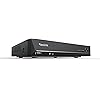
REOLINK 8CH Network Video Recorder for Home Security Camera System, Only Work with 16MP/12MP/4K/8MP/5MP/4MP REOLINK PoE IP Camera, 24/7 Recording to Pre-Installed 2TB Hard Drive, RLN8-410

  • Based on 1,957 reviews
Condition: New
Checking for the best price...
$299.99 Why this price?
Save $59.99 was $359.98

Buy Now, Pay Later


As low as $50.00 / mo
  • – 6-month term
  • – No impact on credit to apply
  • – Instant approval decision
  • – Secure and straightforward checkout

Ready to go? Add this product to your cart and select a plan during checkout.

Payment plans are offered through our trusted finance partners Klarna, Affirm, Afterpay, Apple Pay, and PayTomorrow. No-credit-needed leasing options through Acima may also be available at checkout.

Learn more about financing & leasing here.

Selected Option

Free shipping on this product

FREE 30-day refund/replacement

To qualify for a full refund, items must be returned in their original, unused condition. If an item is returned in a used, damaged, or materially different state, you may be granted a partial refund.

To initiate a return, please visit our Returns Center.

View our full returns policy here.


Availability: In Stock.
Fulfilled by Amazon

Arrives Monday, Mar 23
Order within 5 hours and 57 minutes
Available payment plans shown during checkout

Protection Plan Protect Your Purchase
Checking for protection plans...

Color: Black


Features

  • ONLY WORK WITH REOLINK IP CAMERAS: Work perfectly with all Reolink PoE 16MP/12MP/4K/5MP/4MP cameras, such as RLC-1212A, RLC1224A, RLC-823A 16X, Trackmix PoE, Duo 2 PoE, 823A, 811A, 810A, 820A, 842A, 510A, 520A, E1 Outdoor cameras. Manage up to 8 cameras simultaneously easily.
  • PoE, EASY SETUP WITH PLUG & PLAY: PoE with only one Ethernet cable (up to 330ft) for Reolink PoE Cameras to transmit both power and data. You can live view and access the cameras with or without the internet as Reolink PoE NVR can make an independently running system itself with the DHCP function.
  • FULL INTEGRATION WITH SMART REOLINK CAMS: The Reolink PoE NVRs can integrate human/vehicle/animal detection & playback from Reolink IP cams to build an intelligent system. By adding more Reolink cameras with optical zoom, auto-tracking, two-way talk, motion-triggered spotlights features, you can even build a cutting-edge home security system on your own.
  • FREE VERSATILE APPS AND REMOTE VIEW: Explore rich features and functions in free Reolink App/Client and download it from iOS or Android, Windows or Mac without monthly fees. Intuitive and easy-navigated software ensures local/remote access to your property. Enjoy peace of mind anytime, anywhere.
  • FLEXIBLE RECORDING OPTIONS AND 24x7 NVR RECORDING: The Reolink IP Cameras can record videos with sound 24x7, then transmit HD recordings to Reolink PoE network video recorders. This NVR supports up to 8 cameras recording simultaneously to the built-in 2TB HDD. For more space, an extra 8TB HDD can be added via the eSATA port.
  • NOTE: Before use, please ensure that your NVR is compatible with the camera, update your NVR with the latest firmware. If these steps do not resolve the issue, please provide the NVR hardware version and camera model to the Support Team.

Connectivity Technology: Ethernet, HDMI, VGA


Compatible Devices: Not support Third-party camera, Only work with Reolink Camera


Product Dimensions: 10.24"L x 9.06"W x 1.61"H


Brand: REOLINK


Memory Storage Capacity: 2 TB


Product Dimensions: 16.14 x 14.57 x 11.81 inches


Item Weight: 4.41 pounds


Item model number: RLN8-410


Is Discontinued By Manufacturer: No


Date First Available: March 17, 2016


Manufacturer: Reolink Digital


Frequently asked questions

If you place your order now, the estimated arrival date for this product is: Monday, Mar 23

Yes, absolutely! You may return this product for a full refund within 30 days of receiving it.

To initiate a return, please visit our Returns Center.

View our full returns policy here.

  • Klarna Financing
  • Affirm Pay in 4
  • Affirm Financing
  • Afterpay Financing
  • PayTomorrow Financing
  • Financing through Apple Pay
Leasing options through Acima may also be available during checkout.

Learn more about financing & leasing here.

Top Amazon Reviews


  • Great system and even better Custom Service support
Color: Black
This a great camera system. It is perfectly priced. Reolink has the best customer support I've ever seen in a company. If you have an issue they respond within hours. Not kidding. I emailed their tech support at 8:30 PM and they responded by 8:53 PM. After working through my issue, the problem was solved less than an hour later. Their customer service is the best. I have had this camera system now for over two years and I have had zero major issues with it. I think most of the issues that arise are small technical issues that usually happen when the system (firmware) is updated. You may have to reset some settings. However, I think you can save system settings and then reload them. The system has never failed. Cameras Reolink continues to improve the quality of their cameras. And once you have the system installed upgrading is as simple as unplugging the old camera and plugging in the new one. I have 4M cameras and 5M cameras and the 5M cameras produce a high-quality image. The 4M cameras are good but the 5M cameras are superior. I can only image how awesome a 4K camera would be. Motion detection is awesome. There are a ton of controls that allow the motion detection to be set up for your personal needs. Getting notified on your phone that someone is at your front door is worth every penny you might spend on the system. Mac App The client on my Mac is super slick. It is easy to navigate and configure. Reolink continues to push updates to keep the client updated and fix issues. The client continues to improve. With one of the latest updates you can now update the NVR firmware from your computer. Prior to this update you were required to copy it to a flash drive and update it directly on the NVR. iPhone app The app on my phone is also slick with a nice interface. The only issue I have sometimes is getting connected when trying to view a camera. Even on a super-fast WIFI network I will get connection errors and it may take several tries to finally get the camera to begin streaming. I should take a STAR off of the rating for this but there is so much more about this system that is great I am going to leave it at 5-STARS. This issue may even have something to do with my home WIFI. So, 5-STARS it is. If you are looking for a surveillance system get this one. It is a great system. It is easy to set up. It is easy to use. You won't break the bank getting it. You can always start with the NVR and a camera or two and add cameras at a later date. That is what I did. I ran extra CAT-5 cables when installing the first two cameras and then easily added three more cameras. I highly recommend Reolink. ... show more
Reviewed in the United States on December 17, 2020 by M. Rogers M. Rogers

  • Works fine.
Color: Black
Works better than it's predecessor that had one defective channel from the beginning. This one has had no problems and was an easy replacement. Good product.
Reviewed in the United States on February 7, 2026 by Ex Mil Reader

  • A great, quiet NVR to pair with your Reolink Wifi Video Doorbell
Color: White
This is a great NVR. Easy setup with my Reolink WiFi Video Doorbell, quiet operations, and not too bulky (not VCR-sized lol). I maintained complete usage of my Reolink WiFi Doorbell - as someone who's read mixed reviews about this, and the noise, I'd like to provide as much info as possible. I first connected my video doorbell to my WiFi during its setup, physically hooked up the video doorbell (powered by my old doorbell wires), and ensured everything ran smoothly in the app. From there, I physically connected the NVR to the same network (doorbell on WiFi broadcast from a modem, NVR connected to a network switch plugged into that same modem via ethernet). I had to plug the NVR into a monitor via HDMI and set everything up with the included mouse (including inputting passwords - ouch). Once the NVR settings were good (the setup is very easy to go through step-by-step), I added my video doorbell within the NVR's interface (still using my monitor, etc). Once I input my camera's admin login info, it began displaying the doorbell's video on the monitor. From there, it automatically recognized the NVR in the Reolink app (you may need the NVR's admin/password setup you created, if you setup a separate admin account for the NVR vs the doorbell. I did). I have both the doorbell and NVR (which redundantly shows the doorbell) on my app. The NVR is recording 24/7 from the doorbell, and I choose to not have any notifications turned on for it (but you can redundantly setup notifications for it - you do lose out on certain notification types through the NVR alone, though). On that last note, it's why I also kept my doorbell in the app - I can keep the local recordings on its SD card, get notifications of movement/packages/etc by keeping the doorbell as its own device on the app. I still get notifications for doorbell presses and can talk through my doorbell over the Reolink app just fine. If you do what I did, you will (or should) have the same setup as I do. Local 24/7 recording on the very quiet NVR (seriously I'm obnoxious about wanting things silent, and it's a foot away from me. There is no fan noise, only very minor hard drive noise sometimes), local event-based recording on the doorbell's SD card, and notifications for events on my phone. The NVR's 24/7 recording also denotes events, and you can filter (all through the app, too). I don't know what functionality people have lost, but I bought the white NVR. I can confirm you can use the WiFi doorbell over WiFi (not POE) with this NVR, as long as it's connected to the same network. You get 24/7 recording and you get to keep notifications. Your WiFi's speed will affect your experience, but this was mine. If you were someone who was looking for this info, as I had been prior to ordering, I hope this helps. ... show more
Reviewed in the United States on August 18, 2025 by Customer

  • Works well, but some management features fall short
Color: Black
I purchased this to augment the storage for the existing Reolink camera I have (Reolink Duo 3 PoE). Setup was a breeze and it was truly plug-and-play with the camera (once I did a factory reset). Image quality, motion detection and other video features are all there and work really well with great clarity. I also appreciate the ability to add external storage to the unit. Why four stars? There are management features that are ONLY available via a locally attached monitor. Especially the Camera HW and firmware versions and more advanced used management. To Reolink's credit they have made strides toward headless management of the unit. It used to be that you needed a local monitor to setup the device, but now it can all be done over the network with the app. I would hope (expect) the software to close these feature gaps over time. The other shortcoming is that it doesn't support IPv6. C'mon Reolink it's 2025. ... show more
Reviewed in the United States on October 19, 2025 by Phil B

Can't find a product?

Find it on Amazon first, then paste the link below.
Checking for best price...