Search  for anything...

NETGEAR WiFi 7 Range Extender (EXS25) – BE5000 Dual-Band Wireless Signal Booster & Repeater (up to 5 Gbps Speed) - Add up to 1,500 sq. ft., 45 Devices - WPA3 Security, Smart Roaming

  • Based on 119,441 reviews
Condition: New
Checking for the best price...
$140.10 Why this price?
Save $9.89 was $149.99

Buy Now, Pay Later


As low as $23.35 / mo
  • – 6-month term
  • – No impact on credit to apply
  • – Instant approval decision
  • – Secure and straightforward checkout

Ready to go? Add this product to your cart and select a plan during checkout.

Payment plans are offered through our trusted finance partners Klarna, Affirm, Afterpay, Apple Pay, and PayTomorrow. No-credit-needed leasing options through Acima may also be available at checkout.

Learn more about financing & leasing here.

Selected Option

Free shipping on this product

FREE 30-day refund/replacement

To qualify for a full refund, items must be returned in their original, unused condition. If an item is returned in a used, damaged, or materially different state, you may be granted a partial refund.

To initiate a return, please visit our Returns Center.

View our full returns policy here.


Availability: Only 10 left in stock, order soon!
Fulfilled by Amazon

Arrives Sunday, Mar 22
Order within 16 hours and 59 minutes
Available payment plans shown during checkout

Protection Plan Protect Your Purchase
Checking for protection plans...

Size: WiFi 7, 5.0Gbps (Active)


Features

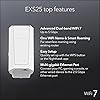
  • Adds WiFi range coverage up to 1,500 sq. ft. and connects up to 45 devices such as laptops, smartphones, speakers, IP cameras, tablets, IoT devices, and more
  • Blazing fast BE5000 WiFi 7 speeds (up to 5 Gbps) and up to 2.7x better performance than previous generations of WiFi for all your devices in any part of your home
  • Seamlessly switch between networks in your home for the strongest connection using your existing network SSID name so you never get disconnected as you move around your home or office
  • Compatible with any wireless router or cable modem router; optimized for WiFi 7 routers
  • Simply plug in a computer, game console, streaming player, or other wired device into the 2.5 Gig Ethernet port for multi-gig wired speeds

Description

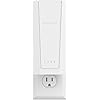
The Nighthawk WiFi 7 Dual-Band Extender allows you to effortlessly extend your home WiFi network at WiFi 7 speeds. It integrates seamlessly with your existing ISP gateway or WiFi router to provide expansive coverage throughout your home. With an upgrade to WiFi 7 technology, you’ll experience unparalleled speeds of up to 5 Gbps and up to 2.7X better performance than previous generations of WiFi for all your devices—from smartphones and tablets to computers and smart home gadgets. Product Dimensions: 6.7 x 3.1 x 1.7 in.

Brand: NETGEAR


Wireless Communication Standard: 802.11.be


Data Transfer Rate: 5 Gigabits Per Second


Special Feature: Smart Roaming, WPA3 Security, Multi-gig Ethernet Port


Color: white


Package Dimensions: 7.95 x 4.53 x 4.45 inches


Item Weight: 1.15 pounds


Date First Available: August 27, 2025


Manufacturer: NETGEAR


Frequently asked questions

If you place your order now, the estimated arrival date for this product is: Sunday, Mar 22

Yes, absolutely! You may return this product for a full refund within 30 days of receiving it.

To initiate a return, please visit our Returns Center.

View our full returns policy here.

  • Klarna Financing
  • Affirm Pay in 4
  • Affirm Financing
  • Afterpay Financing
  • PayTomorrow Financing
  • Financing through Apple Pay
Leasing options through Acima may also be available during checkout.

Learn more about financing & leasing here.

Top Amazon Reviews


  • Easy to Set-up & Connect
Size: WiFi 5, 1.2Gbps (Active)
After logging into NetGears Setup Page and making a password and 2 security questions I found it fairly simple and quick to get the AC1200 WiFi Range Extender to lock into my router. I live in a mobile home and the WiFi connection in the living room where the router is located is fine but when you take your laptop or Ipad down to the other end of the trailer, in the bedrooms you lose quite a bit. On a lot of sites you would get a lot of buffering. Once I put AC1200 in the back bedroom it was like having the router in the room. Plus there are no cord connections, just plug it in the wall socket. If I want to use an Ethernet Cable with my laptop in the bedroom there is an Ethernet Port on the side of the AC1200 Extender to plug into. Some Extenders I reviewed before buying this one don't have that feature. You can't go wrong with this model. Works great. And if your a member of Amazon Prime you'll get it in 2 days. I did.After logging into NetGears Setup Page and making a password and 2 security questions I found it fairly simple and quick to get the AC1200 WiFi Range Extender to lock into my router. I live in a mobile home and the WiFi connection in the living room where the router is located is fine but when you take your laptop or Ipad down to the other end of the trailer, in the bedrooms you lose quite a bit. On a lot of sites you would get a lot of buffering. Once I put AC1200 in the back bedroom it was like having the router in the room. Plus there are no cord connections, just plug it in the wall socket. If I want to use an Ethernet Cable with my laptop in the bedroom there is an Ethernet Port on the side of the AC1200 Extender to plug into. Some Extenders I reviewed before buying this one don't have that feature. You can't go wrong with this model. Works great. And if your a member of Amazon Prime you'll get it in 2 days. I did.After logging into NetGears Setup Page and making a password and 2 security questions I found it fairly simple and quick to get the AC1200 WiFi Range Extender to lock into my router. I live in a mobile home and the WiFi connection in the living room where the router is located is fine but when you take your laptop or Ipad down to the other end of the trailer, in the bedrooms you lose quite a bit. On a lot of sites you would get a lot of buffering. Once I put AC1200 in the back bedroom it was like having the router in the room. Plus there are no cord connections, just plug it in the wall socket. If I want to use an Ethernet Cable with my laptop in the bedroom there is an Ethernet Port on the side of the AC1200 Extender to plug into. Some Extenders I reviewed before buying this one don't have that feature. You can't go wrong with this model. Works great. And if your a member of Amazon Prime you'll get it in 2 days. I did.After logging into NetGears Setup Page and making a password and 2 security questions I found it fairly simple and quick to get the AC1200 WiFi Range Extender to lock into my router. I live in a mobile home and the WiFi connection in the living room where the router is located is fine but when you take your laptop or Ipad down to the other end of the trailer, in the bedrooms you lose quite a bit. On a lot of sites you would get a lot of buffering. Once I put AC1200 in the back bedroom it was like having the router in the room. Plus there are no cord connections, just plug it in the wall socket. If I want to use an Ethernet Cable with my laptop in the bedroom there is an Ethernet Port on the side of the AC1200 Extender to plug into. Some Extenders I reviewed before buying this one don't have that feature. You can't go wrong with this model. Works great. And if your a member of Amazon Prime you'll get it in 2 days. I did.After logging into NetGears Setup Page and making a password and 2 security questions I found it fairly simple and quick to get the AC1200 WiFi Range Extender to lock into my router. I live in a mobile home and the WiFi connection in the living room where the router is located is fine but when you take your laptop or Ipad down to the other end of the trailer, in the bedrooms you lose quite a bit. On a lot of sites you would get a lot of buffering. Once I put AC1200 in the back bedroom it was like having the router in the room. Plus there are no cord connections, just plug it in the wall socket. If I want to use an Ethernet Cable with my laptop in the bedroom there is an Ethernet Port on the side of the AC1200 Extender to plug into. Some Extenders I reviewed before buying this one don't have that feature. You can't go wrong with this model. Works great. And if your a member of Amazon Prime you'll get it in 2 days. I did.After logging into NetGears Setup Page and making a password and 2 security questions I found it fairly simple and quick to get the AC1200 WiFi Range Extender to lock into my router. I live in a mobile home and the WiFi connection in the living room where the router is located is fine but when you take your laptop or Ipad down to the other end of the trailer, in the bedrooms you lose quite a bit. On a lot of sites you would get a lot of buffering. Once I put AC1200 in the back bedroom it was like having the router in the room. Plus there are no cord connections, just plug it in the wall socket. If I want to use an Ethernet Cable with my laptop in the bedroom there is an Ethernet Port on the side of the AC1200 Extender to plug into. Some Extenders I reviewed before buying this one don't have that feature. You can't go wrong with this model. Works great. And if your a member of Amazon Prime you'll get it in 2 days. I did.After logging into NetGears Setup Page and making a password and 2 security questions I found it fairly simple and quick to get the AC1200 WiFi Range Extender to lock into my router. I live in a mobile home and the WiFi connection in the living room where the router is located is fine but when you take your laptop or Ipad down to the other end of the trailer, in the bedrooms you lose quite a bit. On a lot of sites you would get a lot of buffering. Once I put AC1200 in the back bedroom it was like having the router in the room. Plus there are no cord connections, just plug it in the wall socket. If I want to use an Ethernet Cable with my laptop in the bedroom there is an Ethernet Port on the side of the AC1200 Extender to plug into. Some Extenders I reviewed before buying this one don't have that feature. You can't go wrong with this model. Works great. And if your a member of Amazon Prime you'll get it in 2 days. I did.After logging into NetGears Setup Page and making a password and 2 security questions I found it fairly simple and quick to get the AC1200 WiFi Range Extender to lock into my router. I live in a mobile home and the WiFi connection in the living room where the router is located is fine but when you take your laptop or Ipad down to the other end of the trailer, in the bedrooms you lose quite a bit. On a lot of sites you would get a lot of buffering. Once I put AC1200 in the back bedroom it was like having the router in the room. Plus there are no cord connections, just plug it in the wall socket. If I want to use an Ethernet Cable with my laptop in the bedroom there is an Ethernet Port on the side of the AC1200 Extender to plug into. Some Extenders I reviewed before buying this one don't have that feature. You can't go wrong with this model. Works great. And if your a member of Amazon Prime you'll get it in 2 days. I did.After logging into NetGears Setup Page and making a password and 2 security questions I found it fairly simple and quick to get the AC1200 WiFi Range Extender to lock into my router. I live in a mobile home and the WiFi connection in the living room where the router is located is fine but when you take your laptop or Ipad down to the other end of the trailer, in the bedrooms you lose quite a bit. On a lot of sites you would get a lot of buffering. Once I put AC1200 in the back bedroom it was like having the router in the room. Plus there are no cord connections, just plug it in the wall socket. If I want to use an Ethernet Cable with my laptop in the bedroom there is an Ethernet Port on the side of the AC1200 Extender to plug into. Some Extenders I reviewed before buying this one don't have that feature. You can't go wrong with this model. Works great. And if your a member of Amazon Prime you'll get it in 2 days. I did.After logging into NetGears Setup Page and making a password and 2 security questions I found it fairly simple and quick to get the AC1200 WiFi Range Extender to lock into my router. I live in a mobile home and the WiFi connection in the living room where the router is located is fine but when you take your laptop or Ipad down to the other end of the trailer, in the bedrooms you lose quite a bit. On a lot of sites you would get a lot of buffering. Once I put AC1200 in the back bedroom it was like having the router in the room. Plus there are no cord connections, just plug it in the wall socket. If I want to use an Ethernet Cable with my laptop in the bedroom there is an Ethernet Port on the side of the AC1200 Extender to plug into. Some Extenders I reviewed before buying this one don't have that feature. You can't go wrong with this model. Works great. And if your a member of Amazon Prime you'll get it in 2 days. I did.After logging into NetGears Setup Page and making a password and 2 security questions I found it fairly simple and quick to get the AC1200 WiFi Range Extender to lock into my router. I live in a mobile home and the WiFi connection in the living room where the router is located is fine but when you take your laptop or Ipad down to the other end of the trailer, in the bedrooms you lose quite a bit. On a lot of sites you would get a lot of buffering. Once I put AC1200 in the back bedroom it was like having the router in the room. Plus there are no cord connections, just plug it in the wall socket. If I want to use an Ethernet Cable with my laptop in the bedroom there is an Ethernet Port on the side of the AC1200 Extender to plug into. Some Extenders I reviewed before buying this one don't have that feature. You can't go wrong with this model. Works great. And if your a member of Amazon Prime you'll get it in 2 days. I did.After logging into NetGears Setup Page and making a password and 2 security questions I found it fairly simple and quick to get the AC1200 WiFi Range Extender to lock into my router. I live in a mobile home and the WiFi connection in the living room where the router is located is fine but when you take your laptop or Ipad down to the other end of the trailer, in the bedrooms you lose quite a bit. On a lot of sites you would get a lot of buffering. Once I put AC1200 in the back bedroom it was like having the router in the room. Plus there are no cord connections, just plug it in the wall socket. If I want to use an Ethernet Cable with my laptop in the bedroom there is an Ethernet Port on the side of the AC1200 Extender to plug into. Some Extenders I reviewed before buying this one don't have that feature. You can't go wrong with this model. Works great. And if your a member of Amazon Prime you'll get it in 2 days. I did.After logging into NetGears Setup Page and making a password and 2 security questions I found it fairly simple and quick to get the AC1200 WiFi Range Extender to lock into my router. I live in a mobile home and the WiFi connection in the living room where the router is located is fine but when you take your laptop or Ipad down to the other end of the trailer, in the bedrooms you lose quite a bit. On a lot of sites you would get a lot of buffering. Once I put AC1200 in the back bedroom it was like having the router in the room. Plus there are no cord connections, just plug it in the wall socket. If I want to use an Ethernet Cable with my laptop in the bedroom there is an Ethernet Port on the side of the AC1200 Extender to plug into. Some Extenders I reviewed before buying this one don't have that feature. You can't go wrong with this model. Works great. And if your a member of Amazon Prime you'll get it in 2 days. I did. ... show more
Reviewed in the United States on August 20, 2017 by Ronald in the South

  • Very affordable bargain to extend your WiFi...at least
Size: WiFi 5, 1.2Gbps (Active)
NETGEAR WiFi Range Extender EX6120 with AC1200 Dual Band Wireless Signal Booster & Repeater Pros Affordable and handy alternative a $40 total Easy to setup Works as advertised with WiFi Cons Do not exceed wireless devices connected to it Same data speeds as the router that transmits to it The Ethernet port failed in my sample The NETGEAR EX6120 WiFi Extender is a nice and compact piece of communications hardware that can be beneficial in homes or large apartments where the main Router / Gateway has difficulty to reach the farthest corner of your place or you insist to keep your main Router hidden, weakening its signals. Having used an earlier technology NETGEAR router in the past I was counting on an easy and smooth installation experience: I was well pleased about this one. For the newbie, it is as easy as plugging the extender to an AC outlet, pressing the WPS button in your main router and another WPS button on the extender. But, yes: there are some tech heads among us that demand to get “under the hood” of any gadget. Guess what? You can login to the extender via your web browser of choice to tweak things – or just presume that you know how they work. At any rate, both ways of setting it up are user friendly for each kind of audience. And its 2 antennas can be rotated 180 degrees each, just in case you are as obsessive with catching your main router's WiFi signal as I am with Digital TV antennas to get the strongest signal with the most channels. Do you have in a far corner of your home a computer, game console or video disk player that won't connect to your network unless it can connect with an Ethernet cable? No problem! The EX6120bWiFi Extender has one Ethernet port. So, you can have WiFi AND Ethernet in a place 'far, far away' from your main router within your house. I tried it with a desktop PC connected by Ethernet, several WiFi devices and it ran a windows update download, rebooted and then... the Ethernet port stopped working! Tryouts with other PC and cable didn't work: the Ethernet port failed. Now, don't try playing wise guy or wise girl by trying to connect via WiFi more devices that it is recommended to support, specially if you use one of those devices for teleconferencing (“ZOOM, TEAMS, anyone, anyone?”). This device won't make your WiFi network run faster or better if your main router and / or internet provider's service level subscription has limitations (remember the last time your favorite interstate highway suddenly got all lanes jammed and you though that the next exit will take you to your place faster?). So, if you see a “internet connection is unstable” message during teleconferencing with an application like ZOOM, you may need to compromise between dining out weekly each month or paying for an upgrade to your internet service that allows at least 20 MBPS. A WiFi extender won't make the cut. Sometimes, you may convince your significant other to relocate your main router in a better location to broadcast your WiFi or may get a Router upgrade that can actually extend the signal reach out. But, for those of us who can't, the NETGEAR EX6120 is a good alternative with an extensive WiFi reach. All photos (c) 2021 by reviewer. ... show more
Reviewed in the United States on September 16, 2021 by JPNoriega JPNoriega

Can't find a product?

Find it on Amazon first, then paste the link below.
Checking for best price...