






Buy Now, Pay Later
- – 6-month term
- – No impact on credit to apply
- – Instant approval decision
- – Secure and straightforward checkout
Ready to go? Add this product to your cart and select a plan during checkout.
Payment plans are offered through our trusted finance partners Klarna, Affirm, Afterpay, Zip, Apple Pay, and Google Pay. No-credit-needed leasing options through Acima may also be available at checkout.
Learn more about financing & leasing here.
Selected Option
FREE 30-day refund/replacement
To qualify for a full refund, items must be returned in their original, unused condition. If an item is returned in a used, damaged, or materially different state, you may be granted a partial refund.
To initiate a return, please visit our Returns Center.
View our full returns policy here.


Color: black
Features
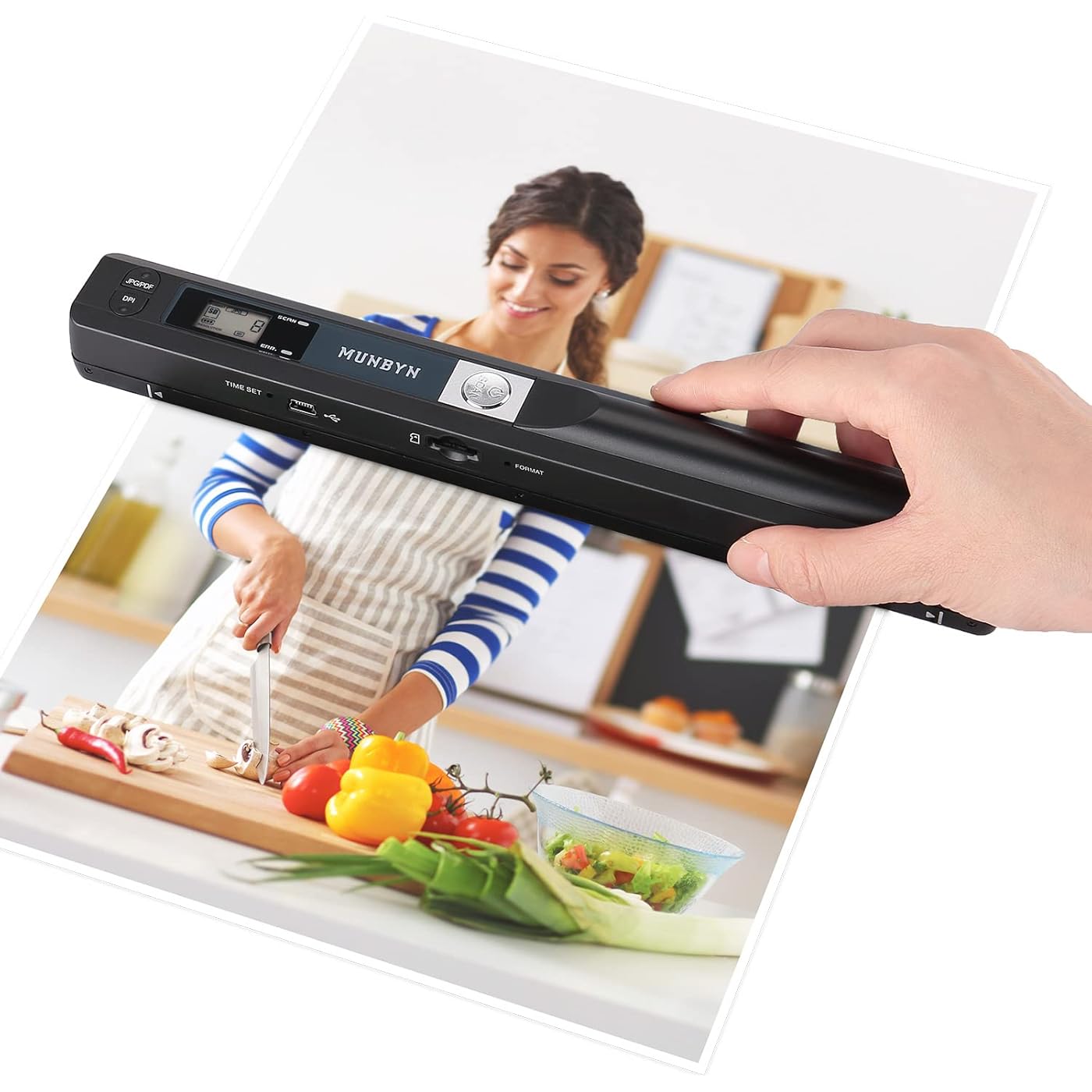
- Easy to Carry--Portable ScannerLength: 9.5 in = 1.5 pens. Weight: 0.66 lbs = An apple. Carry way: Small bag. Power Source: a pair of AA batteries (NEED TO BUY EXTRA). Support scanning up to A4 size.
- Easy to Scan--Handheld ScanPortable Scanner scans your photos, documents, and book pages in 3-5 seconds on 900 dpi resolution independently. Easy to use once you take a tiny bit of time to get the hang of this portable scanner. Compared to the feeding scanner, the wand scanner will not fold or damage old photos during scanning.
- Easy to use--No DriverPortable Scanner does not require downloading a driver. Easily connect the portable scanner to a computer through a USB cable to transfer your scanned photos or documents anywhere and anytime.
- Easy to Digitalize--Clear ImageThe highest 900dpi scan resolution can convert pictures, documents, book pages, or other targets into digital files in high clarity.
- Easy to Store--16G SD CardWand scanner with 16G SD card will store thousands of scan files. With OCR software (you can find some software from Google Play Store), easy to transfer PDF scan files into Word/Excel format and edit them.
Description
Tip 1 Tip 2 Tip 3 Tip 4 Empower Your Business, Unleash Your Potential Let's meet MUNBYN in Promat at March 17-20 2025 in Chicago. The world's largest logistics exhibition The premier global stage for breakthrough consumer technology innovations Founded in 2015, “Munbyn” not only inherits the fine traditions but moves with the times and introduces new concepts: Simplicity, Vitality, Specialty. In a market flooded with high-priced automatic scanners, we remain focused on serving the needs of affordable prices. We use trusted techniques to produce portable handheld scanners to meet your scans needs. We want to find more appropriate solutions for documents scans, photos scans, drafts scans, receipts scans, magazines scans, graffiti scans, and any scans needs.
Scanner Type: Handheld Scanner
Brand: MUNBYN
Model Name: IDS001-BK
Connectivity Technology: Wireless Scan, USB Cord to Connect PC and Transfer
Product Dimensions: 0.84"D x 10"W x 0.7"H
Resolution: 900 / 600 / 300 dpi
Item Weight: 145 g
Wattage: 145 watts
Color Depth: 48 bpp
Optical Sensor Technology: CIS
Scanner Type: Handheld Scanner
Connection Type: Wireless Scan, USB Cord to Connect PC and Transfer
Resolution: 900 / 600 / 300 dpi
Wattage: 145 watts
Color Depth: 48 bpp
Optical Sensor Technology: CIS
Media Type: Documents
Item Dimensions D x W x H: 0.84"D x 10"W x 0.7"H
Item Weight: 145 g
Brand: MUNBYN
Model Name: IDS001-BK
UPC: 787791820702
Manufacturer: MUNBYN
Warranty Description: 2 Year Manufacturer
Minimum System Requirements: The minimum system requirement for this product is a Windows XP or later, Mac OS X 10.4 Linux operating system.
Frequently asked questions
To initiate a return, please visit our Returns Center.
View our full returns policy here.
- Klarna Financing
- Affirm Pay in 4
- Affirm Financing
- Afterpay Financing
- Zip Pay in 4
- Financing through Apple Pay
- Financing through Google Pay
Learn more about financing & leasing here.


