Search  for anything...

BOSGAME Mini PC M4 AMD Ryzen 7 7840HS, 32GB DDR5 1TB SSD, Win 11 Pro Mini Desktop Computers, Dual 2.5G LAN/USB4/HDMI/DP, WiFi 6/BT 5.2, Gaming & Business Small Form Factor PC

  • Based on 233 reviews
Condition: New
Checking for the best price...
$459.99 Why this price?
Holiday Deal · 23% off was $599.99

Buy Now, Pay Later


As low as / mo
  • – Up to 36-month term if approved
  • – No impact on credit
  • – Instant approval decision
  • – Secure and straightforward checkout

Ready to go? Add this product to your cart and select a plan during checkout.

Payment plans are offered through our trusted finance partners Klarna, Affirm, Afterpay, Apple Pay, and PayTomorrow. No-credit-needed leasing options through Acima may also be available at checkout.

Learn more about financing & leasing here.

Selected Option

Free shipping on this product
This item's return window has been extended for the holiday season: Returnable until Jan 31, 2026

To qualify for a full refund, items must be returned in their original, unused condition. If an item is returned in a used, damaged, or materially different state, you may be granted a partial refund.

To initiate a return, please visit our Returns Center.

View our full returns policy here.


Availability: In Stock.
Fulfilled by Amazon

Arrives Saturday, Dec 6
Order within 16 hours and 34 minutes
Available payment plans shown during checkout

Protection Plan Protect Your Purchase
Checking for protection plans...

Size: R7 7840HS 32GB +1TB


Features

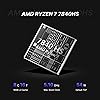
  • Powerful Mini Gaming PC: BOSGAME mini pc M4 Neo features the 4nm Zen4 architecture AMD Ryzen 7 7840HS (Up to 5.1GHz, 8C/16T, 16MB Cache), paired with the powerful integrated gpu AMD Radeon 780M that supporting AV1 decode/encode and DirectX 12 it handles AAA gaming, 8K video editing, and image design multitasking. Use its' Oculink port to connect our BOSGAME eGPU achieve tower pc gaming performance in a compact form factor
  • 32GB DDR5 RAM & 1TB SSD, Expandable: The M4 Neo Mini PC is equipped with 32GB DDR5 4800MHz dual-channel memory (16GB x 2) and a 1TB PCIe 4.0x4 NVMe SSD, delivering seamless performance for heavy-duty applications or large game libraries. It includes an additional M.2 NVMe PCIe 4.0 x4 slot, allowing easy storage upgrades to 4TB to meet growing needs. Perfect for gaming, multitasking, or content creation.
  • Mini PC with Oculink Port: Features an Oculink Port supporting PCIe 4.0 with 40Gbps transfer speeds, enabling eGPU connections for enhanced graphics and NVMe SSD RAID arrays for faster data access. The direct PCIe connection minimizes latency, ensuring stable performance for gaming, video editing, or multitasking.
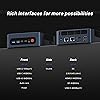
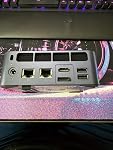
  • Compact and versatile:BOSGAME M4 Neo features dual USB 4.0 ports with speeds up to 40Gbps, supporting charging, multi-monitor setups, and fast external drive connections. With two Type-C ports, an HDMI, and a DisplayPort, it powers dual 8K displays or up to four 4K displays, ideal for gaming, media, and productivity.
  • Ultra-Fast Connectivity : BOSGAME M4 Neo 7840HS gaming mini pc stay connected effortlessly with Wi-Fi 6E and Bluetooth 5.2 technology, paired with Dual 2.5G RJ45 LAN port for blazing-fast wired internet speeds. Supports Wake On LAN (WOL) for remote management and an Auto Power On function for automatic startup, enhances your daily workflow.
  • Worry-free Warranty - BOSGAME offers a 1-year limited warranty for each mini PC, starting from the date of the purchase. All defects due to design and workmanship are covered. With a professional aftersales team always ready to attend to your needs, you can simply relax and enjoy your mini PC.

Brand: BOSGAME


Operating System: Support Win/ubuntu/Linux


CPU Model: AMD Ryzen 7


CPU Speed: 5.1


Cache Size: 16 MB


Graphics Card Description: Integrated


Graphics Coprocessor: AMD Radeon Series


Memory Storage Capacity: 32 GB


Specific Uses For Product: Gaming, Photo Editing, Video Editing


Personal computer design type: Mini PC


Screen Resolution: ‎5120 x 2880


Max Screen Resolution: ‎5120 x 2880


Processor: ‎5.1 amd_ryzen_7


RAM: ‎32 GB DDR5


Memory Speed: ‎5600 MHz


Hard Drive: ‎1 TB SSD


Graphics Coprocessor: ‎AMD Radeon Series


Chipset Brand: ‎AMD


Card Description: ‎Integrated


Wireless Type: ‎802.11ax


Number of USB 2.0 Ports: ‎1


Number of USB 3.0 Ports: ‎4


Brand: ‎BOSGAME


Series: ‎BOSGAME AMD Ryzen 7 7840HS Mini Gaming PC M4 Neo


Item model number: ‎M4


Hardware Platform: ‎Linux, PC


Operating System: ‎Support Win/ubuntu/Linux


Item Weight: ‎1.77 pounds


Package Dimensions: ‎6.57 x 6.46 x 4.21 inches


Color: ‎Black


Processor Brand: ‎AMD


Number of Processors: ‎8


Computer Memory Type: ‎DDR5 RAM


Hard Drive Interface: ‎Solid State


Date First Available: April 1, 2024


Frequently asked questions

If you place your order now, the estimated arrival date for this product is: Saturday, Dec 6

Yes, absolutely! You may return this product for a full refund within 30 days of receiving it.

To initiate a return, please visit our Returns Center.

View our full returns policy here.

  • Klarna Financing
  • Affirm Pay in 4
  • Affirm Financing
  • Afterpay Financing
  • PayTomorrow Financing
  • Financing through Apple Pay
Leasing options through Acima may also be available during checkout.

Learn more about financing & leasing here.

Top Amazon Reviews


  • Astronomers - Works Wonderfully With 12V
Size: R5 3550H 16GB/512GB
I bought this to replace an aging (and venerable) NUC 7 to run my observatory which requires telescope control, dome rotation, basic/initial data stacking and plate solving. IYKYK. I required this to run on 12V. At least when I bought this, this was not specified to run on 12V on Amazon, though Bosgame's website indicates it runs on 12-20V. For my fellow astronomers out there, this is true. Background: I replaced the 512GB SSD with a 2TB SSD (Silicon Power 2TB NVMe M.2), upgraded to 32GB RAM (Timetec 32GB KIT(2x16GB) DDR4 2400MHz), and replaced the WiFi card with an Intel AX210. None of this was necessary, and this unit was still cheaper than any alternative I found with a processor at this performance level. The Wifi module upgrade was $26 and installed in 4 minutes. The RAM and SSD upgrades were easy for someone who can barely use a screwdriver and knows little about computers. Note: there is only one slot for the SSD. Opening this up showed decent quality control and an easy layout to work with. Power consumption: A stress test with N.I.N.A image capture, PHD2 guiding, Cartes du Ciel, Gemini mount control, ASCOM Hub (for dome control), and, just to make it interesting, SIRIL (astronomy image processing program) stacking 450 subexposures peaked at 37 watts before settling down to 25-26 watts with BIOS settings unchanged from factory settings ("Balanced performance"). Under "normal" conditions, meaning capturing images; controling the dome and mount and cameras; and PHD2 guiding running, this hummed along between 15-21 watts, so less than 2 amps. This is slightly less than my NUC7 with an i5-7260U processor, but this AMD 3550H processor has twice as many cores and threads. The speed improvement over my old processor was significant and immediately noticeable. This will also run laps around Intel N100-N300 processors while allowing for dual-channel RAM. WiFi - Astronomers will know why I automatically upgraded the WiFi module before even turning the computer on. For most users, the standard WiFi module will be more than good enough, but I'm running this 65 feet from my house. The computer is inside a fiberglass observatory. With the upgraded module, download speeds were around 240-260 Mbps in perfect conditions in the observatory with the computer away from the metal telescope pier and without an USB Wifi antenna. With the computer attached to a steel pier, the signal dropped (very expectedly) down to a respectable 35-70 Mbps download (enough for Windows Remote Desktop). As planned, I use this with a relatively cheap TP-Link USB wifi antenna away from the telescope pier. Wifi speeds in this configuration range between 150 to 220 Mbps download. The connection is quite stable and still plenty fast over Windows Remote Desktop. For comparison, inside my house, download speeds were over 600 Mbps, so the physics of walls and distance still apply. In my use so far, I have not had any latency issues controlling this from inside my home (with the computer outside in the observatory) using Windows Remote Desktop in a suburban neighborhood with quite a number of Wifi networks visibile (houses are close together). The connection does not drop. I ran a CrystalDiskMark Read/Write Test with the somewhat generic SSD I bought to replace this was a respectable ~2800MB/s write and a RNK4K speed of ~280MB/s. It is no speed demon, but this was both better than I expected and more than good enough for astronomy. In indoor and outdoor testing, I've only ever heard the fan turn on at initial startup. Even while "stress testing," I never heard the fan turn on during normal use. This thing was cool to the touch indoors and outdoors. I did check temps via HWmonitor a couple of times and never saw temperatures approach 50C. Heavy gamers might have a different experience here. It should be noted that astronomy programs intended to run telescopes and observatories do not tax processors and memory like modern games do, so gamers' mileage may vary. However, image stacking and processing programs can tax processors and memory a little and the fan never turned on and power consumption remained below 40 watts in my limited use. Cons: 1. The plastic quality is somewhat to be desired. I'm nitpicking hard here as that same plastic allows for more effective WiFi range than my NUC had, which was a metal Faraday cage of otherwise beautiful build quality. I'd rate the build quality as good enough, particularly at this price. 2. No SATA expansion slot: Hence the reason why I got a 2TB SSD. I knew this going in, and now you do. I will not take a star off of my rating for this because they do not advertise this as having the capability to add a second SSD/SATA drive. 3. This is advertised as only being able to use 2400Mhz DDR4 memory, but the module inside the unit was 2666Mhz DDR4. I don't know whether this was faster memory operating at 2400Mhz or whether the motherboard/processor can handle faster memory, but I had bought new memory sticks for this computer before I knew I could potentially squeeze out a little more speed with 2666Mhz DDR4. It is difficult to call this a con because I don't know the actual limitations of the computer. For most users, this underpromise and overdelivery might be a good thing. If expecting to upgrade from 16GB RAM immediately, check with BOSGAME first to ensure it can only operate with 2400Mhz. Overall, in the two weeks I've had this, I've been happy with its performance for astronomy. It has significantly better performance than an ASIAir and uses marginally more power than otherwise lower-performing N97, N100-N305 Intel processors. 1-1.5A under normal loads is extremely reasonable either in the field or in an observatory. This thing is a steal thus far. ... show more
Reviewed in the United States on February 24, 2025 by George S

  • Low price, good performance, clean Windows 11 install
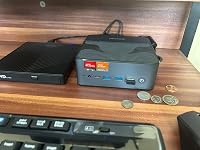
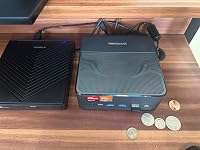
This is a gift for a child who plays casual/medium spec games. Before hiding it in the closet, I took it out to make sure that it wasn't junk. 1) The Windows 11 install that shipped with the system was clean as far as I could tell (via offline scan on unmounted volume with up to date definitions ClamAV). I did not rescan after testing the system and being internet connected but I did monitor requests from a networked Pihole and detected nothing out of the ordinary. 2) The system seems very performant in desktop usecases. I opened a bunch of tabs in Edge, tried using the desktop while running Passmark, etc. Very snappy. 3) I tested the few games the child plays to make sure it was a good experience. I didn't write down numbers bit Roblox ran perfectly with its auto configured quality setting. 4) The system is physically smaller than I expected, and was surprisingly well built. The case feels metallic and very dense. I felt like this was a positive as things like heavy HDMI cables won't flip the system up. 5) To test, I used an existing powered USB-C dock I use for work with 2 monitors connected via HDMI, a mouse and keyboard. It did not work at first. Only when I unplugged one of the monitors did the dock function. This is not a negative just an observation and could have been specific to my setup. 6) The company actually has a website with drivers and specs and stuff. That's pretty rare among the unknown Chinese brands of mini-pcs. Overall for $279 (the final price I paid) this was definitely a great buy and fantastic value. ... show more
Reviewed in the United States on November 19, 2024 by Business User

  • A bizarrely powerful, capable, workstation PC/NUC
Dev: Excellent for GameDev. Runs Unity 3D scenes well enough to make games, but I wouldn't build the final executable with this. I would offload that to Unity services etc. It runs Godot / Redot nicely in a scene with lots of objects. Handles Rider nicely. Vivaldi and Discord on a second screen while sharing desktop, all worked nicely. 3D Modeling I was able to cook up to 1 million poly (tris) in Blender and yes, it WILL run Cycles, but denoising will be slow, and cycles iterations will be slow. So, great for modeling, sculpting etc, not great for rendering. Maybe see if it supports an eGPU? Theoretically it does with the USB 4.0 / USB-C support. Gaming It runs 2 screens 4K@60hz nicely, but you'll get a lot more bang for your buck gaming if you're at 1080p. I was able to run Fortnite with 1080p @ 60hz solid with 60% 3D resolution and everything on low. Satisfactory with low-med settings ran nicely. Don't expect to be frying people on Fortnite and your Satisfactory builds shouldn't be super congested in one area. Break it up on the map for better perf. Other games like Frostpunk or IDUN will run, but you might encounter jumps/stuttering in some scenes / UI. Pros: -> It's amazingly quiet for how powerful it is. -> The ports, size, and overall capabilities are better than expected. -> It's a solid media center, workstation, technical bench, surveillance station etc. -> Throws some heat, but nothing crazy. -> Preloaded with Windows -> Boots fast, like bizarre fast. -> Impressive wifi speeds, seriously. This thing bucks. I have an ASUS ROG Ally X (2TB) and this NUC's wifi outpaces it. -> Comes with a convenient bracket for wall/desk/monitor mounting. You can stash this thing out of sight or just put it somewhere out of the way at your workstation. -> It's a solid piece. Does not feel cheap to handle, and care was taken with presentation and assembly. -> Comes with a 4K capable HDMI cable. Cons: <- It's not as capable for gaming as I'd like, but that may be a non-concern with an eGPU setup. <- I wish the specs were more clear, does it support more than 1 M.2/NVME? Does it have additional space for RAM modules? I'll have to open it up and see I suppose. <- It comes with the bloatware version of0 windows (may disregard your selections for prompts like skydrive etc). <- Bulky power supply and prongs can't be pivoted so you'll either need a short extension cable to make it fit on a congested surge protector. Honestly though, the cons seem trivial. This is a solid unit for anyone who needs a relatively inexpensive but oddly capable workstation, which is exactly what we needed. Cons aside, this unit deserves 5 stars. ... show more
Reviewed in the United States on March 6, 2025 by David Bixler

Can't find a product?

Find it on Amazon first, then paste the link below.
Checking for best price...