Search  for anything...
LG

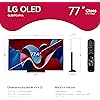
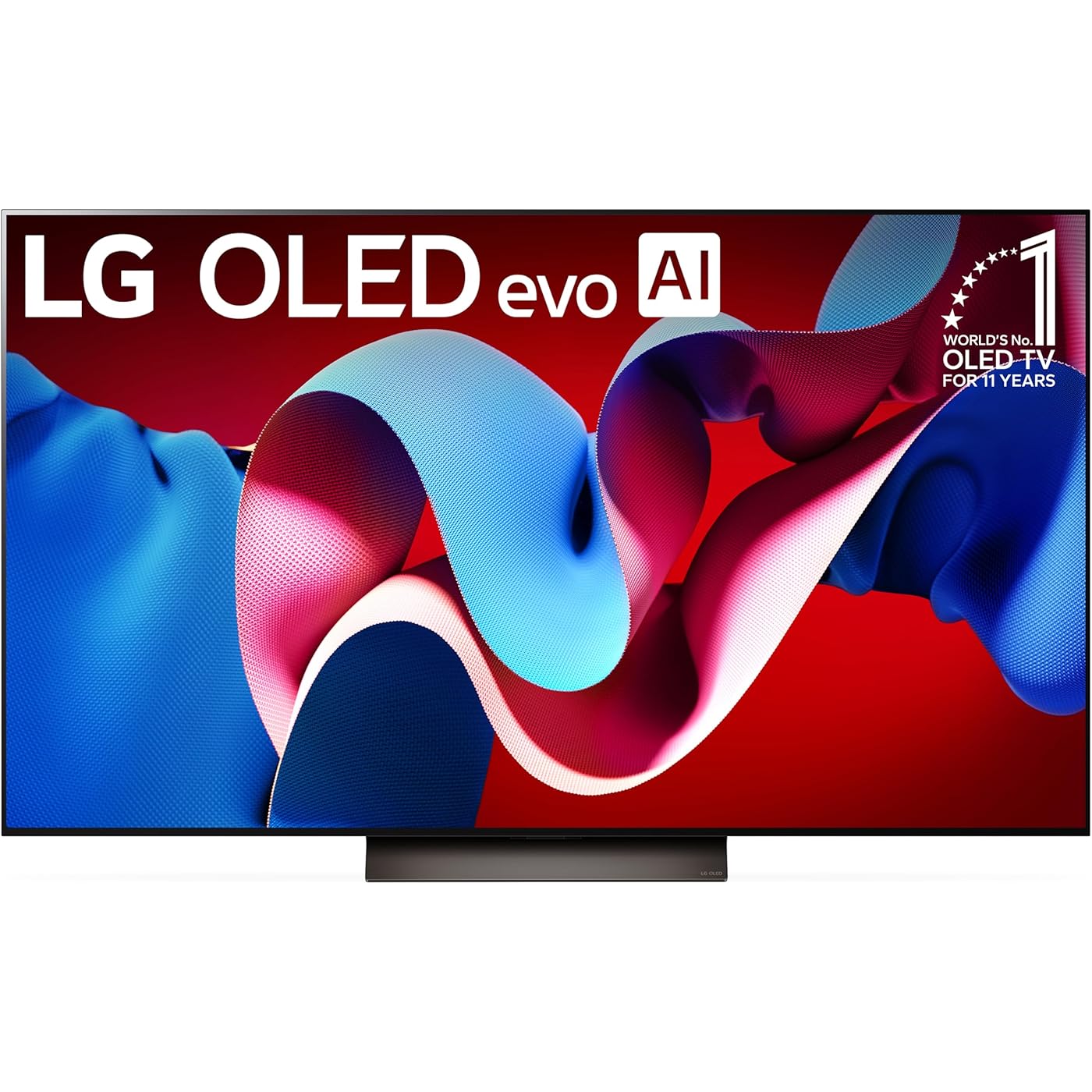
LG 77-Inch Class OLED evo C4 Series Smart TV 4K Processor Flat Screen with Magic Remote AI-Powered with Alexa Built-in (OLED77C4PUA, 2024)
  • Based on 1,725 reviews
Condition: New
Checking for the best price...
$1,900.49 Why this price?
Save $298.51 was $2,199.00

Buy Now, Pay Later


As low as / mo
  • – Up to 36-month term if approved
  • – No impact on credit to apply
  • – Instant approval decision
  • – Secure and straightforward checkout

Ready to go? Add this product to your cart and select a plan during checkout.

Payment plans are offered through our trusted finance partners Klarna, Affirm, Afterpay, Zip, Apple Pay, and Google Pay. No-credit-needed leasing options through Acima may also be available at checkout.

Learn more about financing & leasing here.

Selected Option

Free shipping on this product

30-day refund/replacement

To qualify for a full refund, items must be returned in their original, unused condition. If an item is returned in a used, damaged, or materially different state, you may be granted a partial refund.

To initiate a return, please visit our Returns Center.

View our full returns policy here.


Availability: Only 1 left in stock, order soon!
Fulfilled by Tech for Less

Arrives Aug 6 – Aug 14
Order within 17 hours and 14 minutes
Available payment plans shown during checkout

Protection Plan Protect Your Purchase
Checking for protection plans...

Size: 77 Inches


Style: TV Only


Features

  • SELF-LIT PIXELS: LG's signature OLED technology creates an incredible watching experience and stellar picture quality illuminated with over 8 million self-lit pixels. Take in rich and accurate colors from the brightest to darkest parts of the scene thanks to 100% Color Volume and with 100% Color Fidelity.
  • BRIGHTNESS BOOSTER: Our Brightness Boosting technology magnifies each individual pixel for luminous quality that shines with every detail.
  • DOLBY VISION, FILMMAKER AND DOLBY ATMOS: Experience the magic of the big screen right from your couch. Every LG OLED comes loaded with Dolby Vision for extraordinary color, contrast and brightness, plus Dolby Atmos for sound you can feel all around you. Land in the center of the action with FILMMAKER MODE, allowing you to see films just as the director intended.
  • A9 AI PROCESSOR GEN7: The C4's exclusive processor is the brains behind a truly unforgettable TV experience. You'll get smooth, vivid picture no matter what you watch with AI Super Upscaling which automatically enhances picture quality whether you're watching sports, movies, or a late-night favorite. Multi View with 2 screens lets you split your screen into 2 unique views so you can watch even more than before, everything looks and sounds incredible on a LG OLED TV.
  • REFRESH RATE OF 144 HZ: Enjoy crisp, smooth visuals with a 0.1ms response time and up to 144Hz refresh rate. LG OLED TVs feature NVIDIA G-Sync, AMD FreeSync Premium, and VRR for enhanced gaming quality. With four HDMI 2.1 inputs, connect all your devices effortlessly. The LG Game Dashboard and Game Optimizer provide complete control whether you game on consoles or in the cloud.
  • WebOS RE:NEW PROGRAM: Enjoy new software updates and feature refreshes for 5 years with webOS Re:New Program.

Description

A new height of stunning picture for a new level of wow The advanced LG OLED evo C4-Series is better than ever. The LG OLED evo C4 is powered by the next- gen α9 Gen7 AI Processor —exclusively made for LG OLED—for ultra-realistic picture and sound along with boosted brightness for luminosity and high contrast, even in well-lit rooms. AI-assisted deep learning analyzes what you're watching to choose the best picture and sound setting for your content. The C4's almost invisible bezel, ensures it blends with your surroundings. When you're finished watching, display art, photos and other content make the C4 a versatile statement piece. Search less and stream more, thanks to the next generation of AI technology from LG webOS 24. Every LG OLED comes loaded with Dolby Vision for extraordinary color, contrast and brightness, plus Dolby Atmos® for sound you can feel all around you. And FILMMAKER MODE allows you to see films just as the director intended. Packed with gaming features, the LG OLED evo C-Series comes with everything you need to win like a 0.1ms response time, native 120Hz refresh rate and four HDMI 2.1 inputs. Based on LG internal testing: 55/65/77/83” LG OLED evo C4 models are brighter than OLED B4 models.Dolby, Dolby Vision, Dolby Atmos, and the double-D symbol are registered trademarks of Dolby Laboratories Licensing Corporation. Manufactured under license from Dolby Laboratories. Confidential unpublished works. Copyright 2012–2024 Dolby Laboratories. All rights reserved.

Screen Size: 77 inches


Brand: LG


Display Technology: OLED


Resolution: 4K


Refresh Rate: 120 hertz


Special Feature: Amd freesync, Built-In Speaker, Flat, Game Mode, Nvidia G Sync


Included Components: Power Cable, Remote Control, Remote Control Battery Yes (AA x 2EA), User Manual


Connectivity Technology: Bluetooth, Ethernet, HDMI, USB, Wi-Fi


Aspect Ratio: 169


Product Dimensions: 10.5"D x 67.36"W x 40.75"H


Display Technology: OLED


Resolution: 4K


Refresh Rate: 120 hertz


Aspect Ratio: 169


Contrast Ratio: High


Maximum Display Brightness: 300 candela_per_square_meter


Screen Finish: Flat


HDR Format Supported: Dolby Vision, HDR10, HLG


Motion Enhancement Technology: OLED Motion


Picture Quality Enhancement Technology: a9 AI Processor 4K Gen7


Display Language Options: English


Response Time: 0.1 milliseconds


Display Backlight Setting: Pixel Dimming


Display Backlight Technology: Self-Luminous


Display Refresh Rate in Hertz: 144


Viewing Angle: 180 degrees


Screen Size: 77 inches


Item Dimensions D x W x H: 10.5"D x 67.36"W x 40.75"H


Item Weight: 59.8 pounds


Item Weight Without Stand: 51.8 pounds


Base Width: 20.5 inches


Base Depth: 1.9 inches


Display Size Class: 77 inches


Size: 77 Inches


Audio Output Mode: Dolby Atmos


Speaker Description: Dolby Atmos, Down Firing, 2.2 Channel, AI Sound Pro


Speaker Maximum Output Power: 40 watts


Number of Audio Channels: 2.2


Integrated Surround Sound Format: DTSX, Dolby Atmos


Voltage: 120 volts


Wattage: 194 watts


Power Consumption: 194 watts


Line Voltage: 100-240 VAC 50-60 Hz


Number of Batteries: 2 AA batteries required.


Annual Energy Consumption: 357 kilowatt hours per year


Battery Type: AA


Operating System: webOS


Control Method: App, Remote, Voice


Remote Control Technology: Bluetooth


Controller Type: App Control, Remote Control, Voice Control


Brand: LG


Built-In Media: Power Cable, Remote Control, Remote Control Battery Yes (AA x 2EA), User Manual


Model Name: OLED77C4PUA


Antenna Location: Home Viewing


Model Year: 2024


Model Number: OLED77C4PUA


Warranty Description: 1 Year Parts & Labor


Model Series: 4


Remote Required Battery Size: AA


Remote Required Battery Quantity: 2


Specific Uses For Product: Entertainment, Gaming


Unit Count: 1 Count


Manufacturer: LG


UPC: 195174076750


Mfr Part Number: E1LGOLED77C4PUARB


Connectivity Technology: Bluetooth, Ethernet, HDMI, USB, Wi-Fi


Internet Applications: Apple TV and more., Disney Plus, HBO Max, Netflix, Prime Video


Audio Input: HDMI


Signal Format: ATSC


Total Number of HDMI Ports: 4


Hardware Interface: Bluetooth, Ethernet, HDMI, S/PDIF, USB


Wireless Technology: Bluetooth, Wi-Fi


Screen Mirroring Technology: AirPlay 2


Bluetooth Version: 5.1


Connector Type: Ethernet, HDMI, Optical, RS232C, USB


Total Audio Out Ports: 4


Number of Component Inputs: 4


Total USB 2.0 Ports: 3


Total USB 3.0 Ports: 3


Total Usb Ports: 3


Content Sharing Direction: Mobile to TV


Number of Component Outputs: 4


Additional Features: Amd freesync, Built-In Speaker, Flat, Game Mode, Nvidia G Sync


Mounting Type: Wall Mount


VESA Mount Standard: 300 x 200 mm


Color: Black


Warranty Type: Limited


Compatible Devices: Smartphone


Tuner Type: ATSC1.0 (Terrestrial), QAM (Cable)


Video Encoding: HEVC


Frequently asked questions

If you place your order now, the estimated arrival date for this product is: Aug 6 – Aug 14

Yes, absolutely! You may return this product for a full refund within 30 days of receiving it.

To initiate a return, please visit our Returns Center.

View our full returns policy here.

  • Klarna Financing
  • Affirm Pay in 4
  • Affirm Financing
  • Afterpay Financing
  • Zip Pay in 4
  • Financing through Apple Pay
  • Financing through Google Pay
Leasing options through Acima may also be available during checkout.

Learn more about financing & leasing here.

Top Amazon Reviews


  • Incredible monitor for M4 Mac Mini with one exception
Size: 42 Inches Style: TV Only
I've been wanting a C series for a long time and finally got one. Mac Mini M4 Pro using a Highwings HDMI cable (ASIN B08M9HND4F). Picture quality is fantastic. Whites are white. Blacks are black. So much cleaner than my LG IPS display from 2020. Build quality appears to be great except I would have liked hex screw heads for the feet instead of the normal Phillips or JIS style. With the recent price drop I think this is a fantastic purchase. For functionality, WebOS, in my opinion is slow. Even basic settings takes a few seconds for the menu to come up. You are presented with various terms and agreements that you have to agree to. I've only agreed to two of them and so far there hasn't been any more nags. Unfortunately, I find the agreement terms to be less than desirable but I'm still keeping the tv. WebOS has your standard streaming service apps built in. Plex works well. Youtube works well. I haven't tried the other apps but I assume they function just as well. Sound quality is good. Nothing fancy. If sound is important and you won't be using headphones then grab a soundbar. HDMI audio does pass through from the Mac so that works. Bad part.. The Mac Mini M4 does not support HiDPI so those 4k resolutions are okay for graphics but text is not going to look good. I'm running it at 2560x1440 which is what I've been used to and have no is sues with blury text. I've also installed Better Display to help with quick tweaks for brightness and resolution if I want to do any quick changes. Overall I'm pretty happy with this purchase and would recommend the LG C4 and absolutely if you can find one on sale! ... show more
Reviewed in the United States on June 29, 2025 by Robert Hicks

  • Pretty sweet as a gaming monitor
Size: 42 Inches Style: TV Only
I bought the LG C4 as replace my 4k/120hz Acer Predator 43 inch monitor that inexplicably died on me after just four years of service. The LG is better in nearly every way. You don't get displayport but do you do get HDMI 2.1 which provides more than enough bandwidth for 4k/144hz with HDR. The clarity and deep blacks on this display are spectacular (as you might imagine an OLED would be). Being a TV it has more functionality than a monitor would, you have a tuner, you have apps, you have a full function remote you have wifi and ethernet. Ten or fifteen years ago, a serious PC gamer would've never gone with a TV over a proper monitor, the input lag was too much, the TV wasn't going to able to display triple digit framerates, etc. But times have changed and now higher end TVs can match or beat some "gaming" monitors in terms of refresh rate and input lag. The only downsides to this TV are that not all adjustments are available in every mode which can make your initial setup frustrating. And while HDR performance is overall good, this display doesn't get as bright as some of the best VA or IPS panels, but you also get much deeper blacks in exchange. In terms of value for money, as a computer monitor it's not bad at all. Dedicated OLED monitors (or even IPS/VA monitors) of this size are going to cost just as much if not more. As a TV though, where prices are generally lower, the price becomes harder to justify. ... show more
Reviewed in the United States on September 18, 2025 by Forrest Hodge

  • Excellent clarity, upscaling, and response time
Size: 65 Inches Style: TV Only
I went through a long process trying to decide which TV to purchase. I run a 5.1.2 Atmos home theatre through a gaming PC with a powerful graphics card and I wanted a TV suitable for high end PC gaming, UHD movies, and included eARC connections for smart home integration. The TV is very slim with a thin black bezel and a box-like protrusion in the back that houses much of the electronics. The picture is bright, clear, and handles many resolutions very well rarely if ever displaying motion blur or screen tearing. Newer 4k movies look flawless and smooth. Older lower resolutions upscale better than any other TV I've seen and greatly improve the viewability. Running all my connections like game consoles, and PC, through the eARC on my audio receiver into one eARC HDMI on the TV was easy to do and made the TV work with voice command on Alexa. The TV sometimes runs a pixel cleaning mode that is supposed to preserve the quality of the images it can display and I'm grateful for this feature. I had a friend visit shortly after I purchased this TV and he went out and bought one for himself he was so impressed. I love the sleek modern look, the quality materials, and the relatively user friendly software in this TV. The included remote has the pointer mouse feature which I also think is helpful. ... show more
Reviewed in the United States on April 22, 2026 by Amazon Customer

  • Quality Smart TV
Size: 48 Inches Style: TV Only
Excellent picture. Perfect size for our living room. Easy to set up.
Reviewed in the United States on July 7, 2026 by Anonymous

  • Read If You Are Buying LG OLED C-Series as a Monitor
Size: 42 Inches Style: TV Only
I bought the smallest screen at 42" to use a gaming and work monitor. Anything bigger and I would have to move my head to see everything. The information below might still apply if you are getting a bigger screen. **** 5 stars for picture and sound which are really wonderful especially if you have not used an OLED screen before. minus * 1 star for the lackluster menu system and included soft button remote control which is slow to respond to button presses. Maybe LG app which might be better to use? Some tips if you getting an OLED / LG C-Series TV and using it as monitor: Remember it's an OLED TV, so enable all the settings in the menus to protect your beautiful TV screen from burn-in. If you are using this as a computer monitor, turn on your video card Sync and HDR in your computer's software, then enable the same settings in the menus. Also add and setup Game Optimizer to the input menu if you are playing games. If you are using Windows 11 (or 10), search for how to: auto hide your Task Bar, cycle through different desktop backgrounds and hide desktop icons to avoid burn-in. Enjoy! ... show more
Reviewed in the United States on July 16, 2026 by JPBound

  • The Epitome in TV Viewing... read review...
Size: 48 Inches Style: TV Only
This has to be the epitome in TV Viewing. I totally enjoy watching LG OLED, 4K, HDR, viewing along with Dolby Vision, ATMOS, Jet black blacks, poping color, YaDa, YaDa, YaDa. You will love it, it's worth the extra coin. Note to those "plug in and watch" users (assuming your the sole installer) this is not your grandma's TV. There are MANY adjustments for the picture, sound, attaching devices like the Nvidio Shield, and General Purpose refinements. Don't let this scare you away, just know it takes a bit of an effort to get everything working as you might like it, but certainly is well worth it! Worthy Note. It's quite heavy. Anything over a 50" screen might take 2 peeps to handle as suggested by LG. ... show more
Reviewed in the United States on May 11, 2026 by Glockman

  • I can’t stand this television
Size: 65 Inches Style: TV Only
I hate almost everything about this television. I got it as a splurge to replace the $100 tv we had in our living room thinking I was getting an upgrade. The sound is all over the place, I can almost never hear the dialogue on anything I’m watching. I’m constantly having to change the sound settings for every different thing I put on to try to make it a little better. Every single time I turn it on, I’m getting some alert about how it needs to power off to clean pixels for 10 minutes when the television had already been turned off for 12-30 hours straight and I’m turning it back on for the first time in a significant period of time. The various apps I use are almost always requiring updates before launching - I just don’t see how it’s possible that every app is requiring constant updates which also requires signing out and waiting for the update to re-try. The rolly button on the remote is useless and if the remote is looked at wrong the cursor pops up on the tv and won’t go away until it feels like it’s been ignored long enough. I’m so *not* glad that I thought I’d treat myself with upgrading our television. I hate using this tv, I wish I could just throw it out the window. ... show more
Reviewed in the United States on July 11, 2026 by Laura A

  • My second 42" oled. (read for burn in warnings)
Size: 42 Inches Style: TV Only
Background blurb and burn in story - First a little back ground for me. I fell in love with the 42" size for my desktop ages ago with the 43UF7600 ( have 36,000 screen on time for that monitor and I still use it). I use these 42" as desktop monitors for both productivity and immersion for games. I upgraded to the 42" oled C2 a few years ago and I loved that monitor but it had a crippling flaw. When using it for office task like word or and semi static content it would aggressively dim the screen and the only way to get it to return was to cause a full screen movement like minimizing a window. After a few weeks I took drastic measures and entered the service menu and shut that function off completely. I knew the risk and was very diligent (I owned plasma back in the day so I had good fundamentals). I took all the normal steps with a hidden taskbar, non static desktops, no desktop icons, etc. This worked really well for years until I was traveling for business and a power blip caused my computer to boot up unattended and sit on the windows login screen for a solid week. When I got back the damage was done, I tried everything, the automated cleaning over and over, endless loops of colors, you name it I ran it again and again. At last I admitted defeat and took my lumps and ordered the new C4. Build and visuals - The C4 builds on the already amazing line of LG oled. While it is not a major improvement over the C2 as specifications go it made small gains here and there. Peak brightness is up a touch and the HDR is a little more responsive and supports more standards. I have never been a refresh rate nut but the C4 does extend the range from 120hz into the 144hz range. IMO if you already own a C2 or C3 there is almost no reason to upgrade to this but at the same time there are no negatives. Silent software changes - So this to me is where the C4 made massive improvements and I don't see many people talking about this. So while the dimming feature is still there and leaving anything static on the screen will lower brightness the timer is longer and the sensitivity for movement is drastically improved. Now just moving the mouse or typing a new word will keep the screen awake or bring it back from diming. They have also added a post dimming step where the monitor will drop your content altogether and move into a screensaver mode. While I do like this mode I wish that it did not require a remote press to bring it out. Remote issues - Ok I am probably in the .5% here but I have four LG 42" screens that I use (two at the office and two at home) so a major pain point for me is remote control. I would love to be able to control my screens in synchrony as I turn them on and off. But LG wants you to bind the remote to the screen so while you can unbind them and get a dual on signal from one remote it only last for one boot as the remote will then forcibly rebind itself with the one screen and then no longer control both. As far as I can find there is not a real work around here but if I fand one I will update. Final thoughts - Overall if you are looking at the 42" for desktop use I recommend it without question. For office multitasking you can get the equivalent of four 21" 1080p windows open with no borders. throw one more 42" into the mix and now you are at eight windows. I can keep four chrome windows open for status monitors searches etc, outlook, teams, IED, and an internal app all open at once and have data immediately available at all times. For my workflow it is amazing and can keep up with my pace as I build and develop. For home use it is also amazing as you can have an immersive game play that is hard to achieve anywhere else. For photo and video editing it is also a joy to work with. All in I am in love with the 42" size and in that size LG is the market leader without question. No other screen comes close save for those that are using panels from LG and rebranding them. ... show more
Reviewed in the United States on September 4, 2024 by jarble

Can't find a product?

Find it on Amazon first, then paste the link below.
Checking for best price...