Search  for anything...

iFLYTEK AINOTE 2 Paper Tablet, 10.65" Electronic Notebook with Pen, 4.2mm Ultrathin Note Taking Tablet Powered by ChatGPT, 18-Language Transcription Support, Google Play Compatible

  • Based on 26 reviews
Condition: New
Checking for the best price...
$649.00 Why this price?

Buy Now, Pay Later


As low as / mo
  • – Up to 36-month term if approved
  • – No impact on credit to apply
  • – Instant approval decision
  • – Secure and straightforward checkout

Ready to go? Add this product to your cart and select a plan during checkout.

Payment plans are offered through our trusted finance partners Klarna, Affirm, Afterpay, Zip, Apple Pay, and Google Pay. No-credit-needed leasing options through Acima may also be available at checkout.

Learn more about financing & leasing here.

Selected Option

Free shipping on this product

FREE 30-day refund/replacement

To qualify for a full refund, items must be returned in their original, unused condition. If an item is returned in a used, damaged, or materially different state, you may be granted a partial refund.

To initiate a return, please visit our Returns Center.

View our full returns policy here.


Availability: In Stock.
Fulfilled by Amazon

Arrives Wednesday, Sep 23
Order within 23 hours and 2 minutes
Available payment plans shown during checkout

Protection Plan Protect Your Purchase
Checking for protection plans...

Size: AINOTE 2


Features

  • Smart AI Assistance for Efficient Note-Taking (Requires Wi-Fi): AINOTE 2 includes AI-powered assistance that allows you to interact with selected text and access helpful suggestions for study, summarization, and organization. This feature supports a smoother workflow while keeping the writing experience simple and natural. Please note: This advanced AI feature may not be suitable for fully offline or confidential meetings.
  • 18-Language Transcription Support:AINOTE 2 supports multi-language transcription designed for meetings, lectures, and interviews. This feature helps capture spoken content and convert it into text for easier review and organization. Requires an active internet connection for transcription services. Accuracy depends on audio quality, speaker accent, and environment. Designed to assist note review, not for word-for-word professional transcription.
  • Paper-Like Writing Experience (Frontlight-Free E-Ink Device):With 8 brush styles and low-latency handwriting performance, AINOTE 2 offers a writing feel similar to pen on paper. The frontlight-free E-ink display provides comfortable viewing under normal indoor and outdoor lighting. Note: Not intended for low-light or dark-room writing without external lighting.
  • Schedule & Note Management: Manage schedules via supported calendar services, including Google Calendar. Notes can be marked with stars, triangles, or circles for task tracking and synced across AINOTE Mobile and PC apps. This allows cross-device note access and organization. Note: AI features and schedule sync require internet; offline access is limited to basic note-taking.
  • Ultra-Thin & Portable Design: At approximately 4.2 mm in thickness, AINOTE 2 is designed for lightweight portability. Its streamlined structure makes it easy to carry for daily work, travel, or study, while supporting extended use under typical operating conditions. The device offers up to 14 days of usage time when used for about 30 minutes per day with the remaining time in standby or powered off, and up to 113 days of standby time. Important: The device is not designed for use in extreme temperatures or harsh environmental conditions, which may affect performance or battery life.

Description

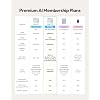
Does AINOTE 2 have a built-in front light? AINOTE 2 has no built-in front light, and its 10.65-inch flexible E Ink screen relies on ambient light. It is comfortable to read in offices, meeting rooms, and natural light, but an external light is needed in complete darkness. Is there a difference in response speed between AINOTE 2 and a regular LCD tablet? AINOTE 2's 8-core processor delivers fast pen response and a smooth writing experience for notes, reading. However, due to the E Ink screen's inherent refresh limits, fast scrolling, video, and complex apps are less fluid than on LCD/OLED screens. What should I know about using Google Play apps on AINOTE 2? AINOTE 2 supports most Android apps via Google Play or APK files, but not all are optimized for E Ink. Some may run slowly, show ghosting, or display incorrectly. Videos, games, and dynamic apps may feel different from LCD tablets. What types of handwriting can AINOTE 2 convert into editable text? AINOTE 2 can convert print-style handwriting, standard cursive, headings, and paragraphs in your notes into text you can copy, search, edit, and export. Please note: clarity, slant, spacing, mixed languages, and page layout may affect recognition. Which features are included at no additional cost, and which require Wi-Fi or a paid membership? Free offline: Notes/Editing, Reading/Markup, Handwriting-to-Text, Export. Free online: Transcription, Translation, AI Features, Cloud sync/Access. Paid: Offline Transcription, Extra AI Models, Cross-Device Editing. See Member Center for details. AINOTE 2 Deep Navy Bundle AINOTE 2 Grey Bundle AINOTE 2 Keyboard Bundle AINOTE Air 2 Black Bundle iFLYTEK AINOTE Air 2

Brand: iflytek


Model Name: AINOTE 2


Display Technology: Electronic Ink


Connectivity Technology: Wi-Fi


Screen Size: 10.65 inches


Memory Storage Capacity: 64 GB


Battery Life: 2 weeks


Display resolution: 1440x1920


Included Components: AINOTE 2, Stylus Pen, USB Cable, User Manual


Color: Star Grey


Display Technology: Electronic Ink


Connectivity Technology: Wi-Fi


Screen Size: 10.65 inches


Memory Storage Capacity: 64 GB


Battery Average Life: 2 weeks


Native Resolution: 1440x1920


Color: Star Grey


File Format: EPUB, MOBI, PDF, TXT


Other Special Features of the Product: Fast Charging, Stereo Speakers, Stylus Support


Battery Description: Lithium-Ion


Compatible Devices: Stylus, Keyboard, Kindle, Kobo, Google Play devices


RAM Memory Installed: 4 GB


Human-Interface Input: Touchscreen with Stylus Support


Brand: iflytek


Model Name: AINOTE 2


Built-In Media: AINOTE 2, Stylus Pen, USB Cable, User Manual


Manufacturer: iFLYTEK


Number of Items: 1


Model Number: AINOTE 2


Unit Count: 1 Count


Warranty Description: 1 Year Manufacturer


Item Dimensions L x W x Thickness: 9.7"L x 7"W x 0.17"Th


Frequently asked questions

If you place your order now, the estimated arrival date for this product is: Wednesday, Sep 23

Yes, absolutely! You may return this product for a full refund within 30 days of receiving it.

To initiate a return, please visit our Returns Center.

View our full returns policy here.

  • Klarna Financing
  • Affirm Pay in 4
  • Affirm Financing
  • Afterpay Financing
  • Zip Pay in 4
  • Financing through Apple Pay
  • Financing through Google Pay
Leasing options through Acima may also be available during checkout.

Learn more about financing & leasing here.

Top Amazon Reviews


  • Great product
Size: AINOTE 2
Great asset to my work and planning life. Very helpful to follow the YouTube video tutorials to get started.
Reviewed in the United States on August 4, 2026 by Amazon Customer

  • Amazing AI and handwritten Tech device
Size: AINOTE 2
This is amazing so far. I love how it integrates with my Google Drive so my notes can stay organized
Reviewed in the United States on August 2, 2026 by Jennifer R

  • A Great Digital Notebook if You Don't Already Have an iPad and can afford it
Size: AINOTE 2
I went back and forth on this because there are definitely things I really like about it. It comes with a ton of features, the transcription works well, and it's obvious that a lot of thought went into making it a premium note-taking device. If you're someone who prefers handwriting over typing, I can absolutely see the appeal. It really does feel like a digital journal more than a traditional tablet. That said, I personally struggle to justify the price. I already own an iPad, and for me, the iPad does everything this does and a whole lot more. This ends up feeling like a very expensive notebook. One of my biggest complaints is the lack of a backlight. Unless I'm completely missing a setting somewhere, I can't comfortably use it at night without another light source. I also noticed that sometimes I could still see faint impressions from whatever had previously been on the screen, which was a little distracting. I love that it has templates though, its portable, and the battery life I can't comment on at this time because I haven't used it consistently enough to let it die. The writing experience is decent, but I don't love how the pen feels. It's not bad, it just isn't my favorite. I also wasn't surprised that cloud syncing requires a subscription since that's pretty common these days. Overall, I think this is a really well-made product, but it's also incredibly expensive to me. If you don't already own an iPad or another tablet and your primary goal is handwriting notes or journaling, I think you'll probably appreciate it a lot more than I did. Personally, I'd rather spend this amount on an iPad because it's simply a more versatile device. ... show more
Reviewed in the United States on July 9, 2026 by Lo

  • Very easy to use
Size: AINOTE 2
Great investment
Reviewed in the United States on July 23, 2026 by Charles Isoza

  • Great for DnD session notes and recordings
Size: AINOTE 2
I got the iFLYTEK AINOTE 2 Paper Tablet mainly to use for DnD session notes, and it has been a really handy tool for that. As a DM, I am always trying to keep track of NPC names, locations, player choices, loot, random ideas, and all the little story details that come up during a session. This makes it much easier to keep everything in one place instead of flipping through a regular notebook and trying to remember where I wrote something down. The writing feel is nice. It does not feel exactly like paper, but it is close enough that it feels comfortable after using it for a little bit. The pen is easy to hold, and writing quick notes during a game feels smooth. I like using it for session outlines before the game, then adding notes as the players make choices or ask questions. It is also nice for making quick lists, character names, reminders, and recap notes. The recording and transcription features are probably the biggest reason I like it for DnD. Sometimes I cannot write everything down while also running combat, describing scenes, checking rules, and listening to the players. Being able to record parts of the session gives me a backup so I can go back later and catch things I missed. That helps a lot when writing the next recap or remembering exactly what the party said to an NPC. The transcription is not perfect, especially if people talk over each other or there is background noise, but it is still helpful enough to save time. The screen is easy on the eyes, and I like that it feels more focused than a normal tablet. I am not as tempted to get distracted while using it. It is also thin and light, so it is easy to keep with my DM supplies. The 10.65 inch size feels big enough for notes without being annoying to carry around. I also like that the device gives me more than just a blank page. It can help turn messy notes into something easier to look through later, which is really useful after a long session. I can take rough notes during the game and clean them up afterward for a better session log. That has made it easier to stay organized from one session to the next. There are a few things that may not be perfect for everyone. It does take some time to learn where everything is and get used to the features. If you only want a very simple notebook replacement, this may feel like more than you need. Also, the transcription depends a lot on how clear the room is. For a loud DnD table, you may still need to go back and fix some parts afterward. Overall, this has been really useful for keeping my DnD sessions organized. It helps me write notes, record important moments, and go back later when I need to remember what happened. For a DM, student, or anyone who likes handwritten notes but wants digital storage and recording features too, this is a really nice device. ... show more
Reviewed in the United States on July 5, 2026 by Tyler and Krista

  • Great to take notes and to draw!
Size: AINOTE 2
I’ve been having a very positive experience with the AiNote 2. As a university student, I definitely find it much more enjoyable and practical to write on than a traditional notebook. One of the features that impressed me the most was the voice transcription. It supports multiple languages, and the accuracy is remarkably good. It also allows you to import books and documents, provides quick access to your notes, and even includes AI-powered tools. The battery life left an excellent impression on me. I used it for several afternoons in a row without needing to recharge it. Another detail I really appreciated is that the smart pen doesn't require charging either, which makes it incredibly convenient for everyday use. The writing experience is also very good—the screen is responsive, and the writing latency is minimal, making it feel very natural. I only noticed slightly more lag when using features that require manually inserting elements, but it was never bothersome. My favorite feature is the smart pen. It allows you to quickly erase content and circle items to move them around the page, convert them into to-do tasks, or even perform searches. I find it extremely useful for organizing notes. As a possible improvement, I would love to see an option that allows users to resize selected elements by enlarging or shrinking them. I also took the opportunity to test it for drawing, since that's an activity I really enjoy, and the experience pleasantly surprised me. The precision and sensitivity make it comfortable to create detailed strokes and achieve great results. Another major strength is the display. It has virtually no glare, and reflections are almost nonexistent. In fact, I’ve never used a screen with a finish that feels so similar to real paper. This makes it very comfortable for taking notes in class without increasing eye strain. The resolution is also excellent. However, one limitation worth mentioning is that it does not support color in notes. I understand this is due to the technology being used, but it's something people who enjoy creating colorful notes should keep in mind. Finally, the device is lightweight and slim, making it very easy to carry around. That said, I would personally recommend using a protective case or sleeve when transporting it in a backpack, as it feels somewhat delicate. Overall, I believe it is an excellent option for students who already take a lot of notes, as that is where you'll get the most value from it. The writing experience, long battery life, and comfortable display truly set it apart from a traditional notebook and make you want to write much more often. ... show more
Reviewed in the United States on June 22, 2026 by Javier Bustamante

  • Great for Notes, but Handwriting Recognition Can Be Hit or Miss
Size: AINOTE 2
I've been trying to work the iFLYTEK AINOTE 2 into my daily routine at work, and overall I've had a pretty positive experience with it. The writing experience is probably my favorite part. It feels very natural to write on, and it does a great job of replacing a stack of notebooks on my desk. The screen is easy on the eyes, and I like being able to keep all my notes organized in one place instead of having papers scattered everywhere. For meetings, quick notes, and keeping track of projects, it's been really handy. My biggest complaint is the character recognition. When my handwriting is neat, it does a decent job, but there are times when it struggles and I end up spending extra time fixing words that were interpreted incorrectly. It's not a deal breaker, but it can be a little frustrating when you're trying to move quickly. Overall, I really like the device and plan to keep using it. The writing experience is excellent, and if the handwriting recognition improves over time, it would be an even better tool for everyday work ... show more
Reviewed in the United States on June 22, 2026 by Michael

  • Nicely Designed, Enjoyable to Use, and Works Wonderfully
Size: AINOTE 2
This item arrives carefully enclosed in a very nice product box that includes the device itself, a stylus, a USB-C cable, and an instruction booklet. My initial impression as I opened the product was that the presentation was certainly supportive of the price, as the packaging is well-designed and feels to be of the quality one would hope for given the price of this device. The device itself is beautiful and is extremely thin and lightweight. Admittedly, I am a little afraid of dropping it because it is very thin and slightly slippery. Although certainly not a reason I would reduce my rating, I would love it if this item came with a cover as a default option, rather than as a bundle. It’s so pretty and I don’t want to break it before I get plenty of use out of it! After opening the device, I completed the setup and began to work through the different features. Note that when it asks for your signature, that signature is then displayed on the sleep screen, so make sure you do a nice job writing your name (unlike me, who wrote mine crooked and then had to figure out how to fix it). Beyond that, there are a variety of different things that you can do with this device, not the least of which is writing about stuff and on stuff as you read and take notes on other stuff. The screen is a very nice, paper-type style, that is responsive, easy to read, and gentle on the eyes if you happen to use it for longer periods of time. The stylus works beautifully, and I had no issues with any lag, skipping, or a failure to recognize the device. It writes exactly like a pencil, which is brilliant, and massively increases how likely I am to use this device for many different purposes. I own several devices from iFLYTEK, and I love this brand, both for the quality of the design and for how well their nifty gadgets work in real life. This tablet is no exception, and I am very much looking forward to continuing to use it in the future. ... show more
Reviewed in the United States on July 12, 2026 by Amazon Customer

Can't find a product?

Find it on Amazon first, then paste the link below.
Checking for best price...