Search  for anything...

reMarkable Paper Pro Bundle – Includes 11.8” reMarkable Paper Tablet, and Marker Plus Pen with Eraser

  • Based on 1,380 reviews
Condition: New
Checking for the best price...
$679.00 Why this price?
Save $120.99 was $799.99

Buy Now, Pay Later


As low as / mo
  • – Up to 36-month term if approved
  • – No impact on credit to apply
  • – Instant approval decision
  • – Secure and straightforward checkout

Ready to go? Add this product to your cart and select a plan during checkout.

Payment plans are offered through our trusted finance partners Klarna, Affirm, Afterpay, Apple Pay, and PayTomorrow. No-credit-needed leasing options through Acima may also be available at checkout.

Learn more about financing & leasing here.

Selected Option

Free shipping on this product

30-day refund/replacement

To qualify for a full refund, items must be returned in their original, unused condition. If an item is returned in a used, damaged, or materially different state, you may be granted a partial refund.

To initiate a return, please visit our Returns Center.

View our full returns policy here.


Availability: In Stock.
Fulfilled by TTP Retail

Arrives Tuesday, May 19
Order within 13 minutes
Available payment plans shown during checkout

Protection Plan Protect Your Purchase
Checking for protection plans...

Size: reMarkable Paper Pro Bundle


Features

  • THE ULTIMATE PAPER TABLET For the first time on a reMarkable paper tablet, you can write, sketch, and read in color. Ultra-slim and portable, but with a full-size 11.8 color display, adjustable reading light, and an unmatched paper-like writing experience.
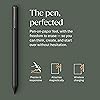
  • WHATS IN THE BOX Youll find reMarkable Paper Pro, a digital notebook for unprecedented paper-like writing with 11.8 Canvas Color display; Marker Plus, the reMarkable pen with built-in eraser; 6 spare Marker tips; and USB-C cable.
  • PAPER-LIKE WRITING Designed to work exclusively with the groundbreaking color display to deliver realistic friction and natural writing feel, the included Marker Plus offers precise control, incredible responsiveness, and all-day comfort.
  • ALL YOUR WORK, ORGANIZED Sort your notes and documents with folders and tags, write directly on PDFs, and instantly convert handwriting to typed text. Everything's in one place and easy to find.
  • READ IN COMFORT. DAY OR NIGHT Unlike most laptops and phones, reMarkable Paper Pro has a low-glare display that reflects natural light, so you can read without eye-strain, even outside. An adjustable reading light means you can keep working when the lights go out, too.

Brand: reMarkable


Model Name: RM81C-1000NW


Memory Storage Capacity: 16 GB


Screen Size: 11.8 Inches


Display Resolution Maximum: 2160 x 1620 Pixels


Brand: reMarkable


Model Name: RM81C-1000NW


Age Range Description: Adult


Built-In Media: reMarkable Paper Pro, Marker Plus, 6 spare Marker tips, USB-C cable


Warranty Description: 1-Year Limited


Model Number: RM81C-1000NW


Specific Uses For Product: Online Education;Remote Work;Drawing;Gaming;Writing;Teaching;Painting;Animation;Editing;Designing;;E Signature


Manufacturer: reMarkable


Size: reMarkable Paper Pro Bundle


Mfr Part Number: RM81C-1000NW


Unit Count: 1.0 Count


Battery Average Life: 2 weeks


Battery Cell Type: Lithium Ion


Lithium-Battery Energy Content: 19.25 Watt Hours


Other Special Features of the Product: Color Display;Paper-Like Writing Experience;Adjustable Reading Light;Built-in Eraser Pen;Spare Marker Tips;USB-C Connectivity;Low-Glare Display;Outdoor Readable;Night Reading Capability;Ultra-Slim Design;Portable


Operating System: Linux


Color: Gray


Item Weight: 1.2 Pounds


Item Dimensions L x W x Thickness: 15.04"L x 9.33"W x 1.14"Th


Human-Interface Input: Touchscreen with Stylus Support


Warranty Type: Limited


Screen Size: 11.8 Inches


Display Resolution Maximum: 2160 x 1620 Pixels


Display Type: e-ink


Native Resolution: 1872x1404


Aspect Ratio: 1610


Memory Storage Capacity: 16 GB


RAM Memory Installed: 64 GB


Memory Slots Available: 1


Hardware Interface: USB Type C


Connectivity Technology: USB


Wireless Compability: Bluetooth


Frequently asked questions

If you place your order now, the estimated arrival date for this product is: Tuesday, May 19

Yes, absolutely! You may return this product for a full refund within 30 days of receiving it.

To initiate a return, please visit our Returns Center.

View our full returns policy here.

  • Klarna Financing
  • Affirm Pay in 4
  • Affirm Financing
  • Afterpay Financing
  • PayTomorrow Financing
  • Financing through Apple Pay
Leasing options through Acima may also be available during checkout.

Learn more about financing & leasing here.

Top Amazon Reviews


  • Spendy but Works Well
Size: reMarkable Paper Pro Bundle
I debated whether to get this or an iPad. The decision was especially difficult because of the high cost of the ReMarkable Paper Pro and the fact that it has far less functionality than a similarly-priced (or even cheaper) tablet. With the ReMarkable there’s no surfing the Internet, no shopping at Amazon, and no watching movies. This is strictly a tool for taking notes. But I only needed something for taking notes. Reviews I read said ReMarkable had the best ‘feel’ when writing, and since nite writing was what I needed, I bought the ReMarkabke instead of a different brand (or a tablet). I’ve now been using the Remarkable for a couple months at work. The resistance when writing (the “feel”) is indeed fairly close to writing on paper with a pen. I really like having all of my notes in one place now, separated in different files and folders that I’ve created. It beats having stacks of papers lying around and unavailable when you need them. The ReMarkable has dozens of templates that come preloaded with it, including temples for music, grids, and three different week planners. Apparently, you can buy move if you can’t find what you need on the device, but I really only use two: a lined page and a blank page. The colors the Paper Pro provides are a nice option for highlighting important things. The colors are fairly muted on the screen, though, but they do allow you to add color to your pages when needed. I’ve not yet needed to transfer data from the ReMarkable to a computer. I just keep everything on the device itself. I’ve also not converted writing to text yet, which requires you to set up an account with ReMarkable. An account is needed for this function because it’s a cloud-based service and requires an Internet connection. Overall, the Paper Pro has filled all my needs well. I only wish I had bought it sooner so I wouldn’t have so many paper notes lying around. If you can live with its steep price, the Paper Pro a nice tool to have. ... show more
Reviewed in the United States on February 20, 2026 by erugifog

  • It really is Digital Paper and it rocks.
Size: reMarkable Paper Pro Bundle
Amazing product. I was not expecting the screen to be so responsive given the early state of e-ink display tech. I feel like the closest parallel to the novelty of this thing is perhaps the old Macintosh Color Classic. It's perfectly designed for what it does. My only criticism is that the screen is rather greyer in dimlight, but if you're using e-ink you probably are using it in natural light anyway so that doesn't matter. Plus the backlight for dark time is nice on the eyes and fine. I suppose I could mention the backlight makes black a slight blue tone, which perhaps can be fixed in future versions, but you can't really notice it. I'm a bit of a linux hacker type so I do plan on modifying this thing to allow for typing but I just can't praise the writing and pdf support enough. Thoroughly satisfied with the product. Please, reMarkable people, you have to realize what you guys made here. You could easily make something of a desktop computer version of this machine by integrating it onto a stand of sorts and providing keyboard and mouse support with a simple speaker. You'd reinvent the Mackintosh Color Classic. Call it the reMac, or if you need better copyright protection, maybe the reBook or reDesk haha. It would be awesome if the high end products like the Paper Pro had a kind of pseudo-desktop environment. Maybe as a mode or something when needed. I know I can make my own on the provided customization tools. I might just do it! But you guys really made an amazing thing with this. Anyway, I really enjoy this product and have integrated it into my life very well. I plan to build a custom software for quickly emailing things to myself and getting newspapers on it. It's a wonderful thing you've made here. ... show more
Reviewed in the United States on March 15, 2026 by ROBERT F GORMAN

  • I Wish I Bought It Sooner!
Size: reMarkable Paper Pro Bundle
The media could not be loaded. I am someone who takes a lot of notes and makes a lot of lists. I have pads of paper and scraps of paper everywhere, both at home and in my office. I liked the idea of this electric notepad to always have a place to take as many notes as I want and to have plenty of room to make the list as long as it needs to be. I also like having them all in the same place as I won't lose them. I love being able to have a hand written list converted to text, though I believe you have to have a subscription to the reMarkable app for this to work. You get a short free trial, though I went ahead and committed to a year long subscription at a reduced cost (versus monthly) as I like the idea of being able to transfer my notes between my reMarkable and both my personal laptop and my business laptop (you are required to download the desk top app to do this).. Yes, this electronic notebook is expensive, especially for my primary use. But I have found it to be very worthwhile in the two weeks that I have had it. I am less concerned with the feel of the pen on the screen. That isn't a sensation that I necessarily needed to have. It feels fine but isn't why I purchased this. To me, there is no real noticeable lag in writing and the text appearing on the screen. If you erase something, yes, the screen refreshes but I don't find that to be a hindrance and it really only takes a moment for the page to refresh. Some of the features I absolutely love are illustrated in the short video I am posting with this review. The eraser is great to have for small changes. Being able to select a section and erase that larger area is fantastic. Then, being able to select a section and move it around the page is great, too. I have downloaded a couple of the templates, specifically the calendar templates but I have not yet explored other templates that may be helpful. I also have not yet imported a PDF to edit and look forward to trying that out. I haven't even read the getting started guide yet. As soon as I received it, I started playing around with it and I find it to be pretty intuitive to use. I will eventually read it. I chose to go with the color version because I wanted to have the option to use additional colors or highlighting. However, this is probably the one negative I will note with this in that the colors are not vibrant at all. This is a function of the type of screen that it has. You can barely tell the difference between black and blue or between red and magenta font colors. The highlighting feature does work when putting a brighter color over a dark font (magenta highlighting black, for example). So it is functional but have low expectations here. While it is more expensive than only the B&W reMarkable, I am glad I have the color options. It came with extra pen tips though I have not had to change one out yet so can't comment on how long they last. The battery life is OK. I use it a lot so I suppose I should not be surprised that I may have to charge it more often than others do. I also tend to keep it on, or forget to turn it off. Or, really, put it into "sleep" mode rather than turning it off altogether. But it isn't that hard to charge as it uses a USB-C charger, and I have plenty of those around. In short, yes, this is an extraordinarily expensive electronic notebook but I do find good value in having it. After reading the reviews and considering the potential of having problems, I chose to purchase Amazon's extended warranty. And while this is not an element of the reMarkable product, I have a Prime credit card and appreciated the option of amortizing the cost of this item over a longer period of time to help defray the cost somewhat. I do recommend purchasing a protective case for it. I thought the ones sold in bundles with the reMarkable were way too expensive (I don't need a leather case and their non-leather case was still a bit pricey) and purchased a CoBak case for it, especially to be able to protect the screen when the notebook is in my briefcase or backpack. I had good experiences with CoBak cases with my Kindles previously. I heartily recommend this product! ... show more
Reviewed in the United States on November 19, 2025 by JLDLF

Can't find a product?

Find it on Amazon first, then paste the link below.
Checking for best price...