Search  for anything...
HP

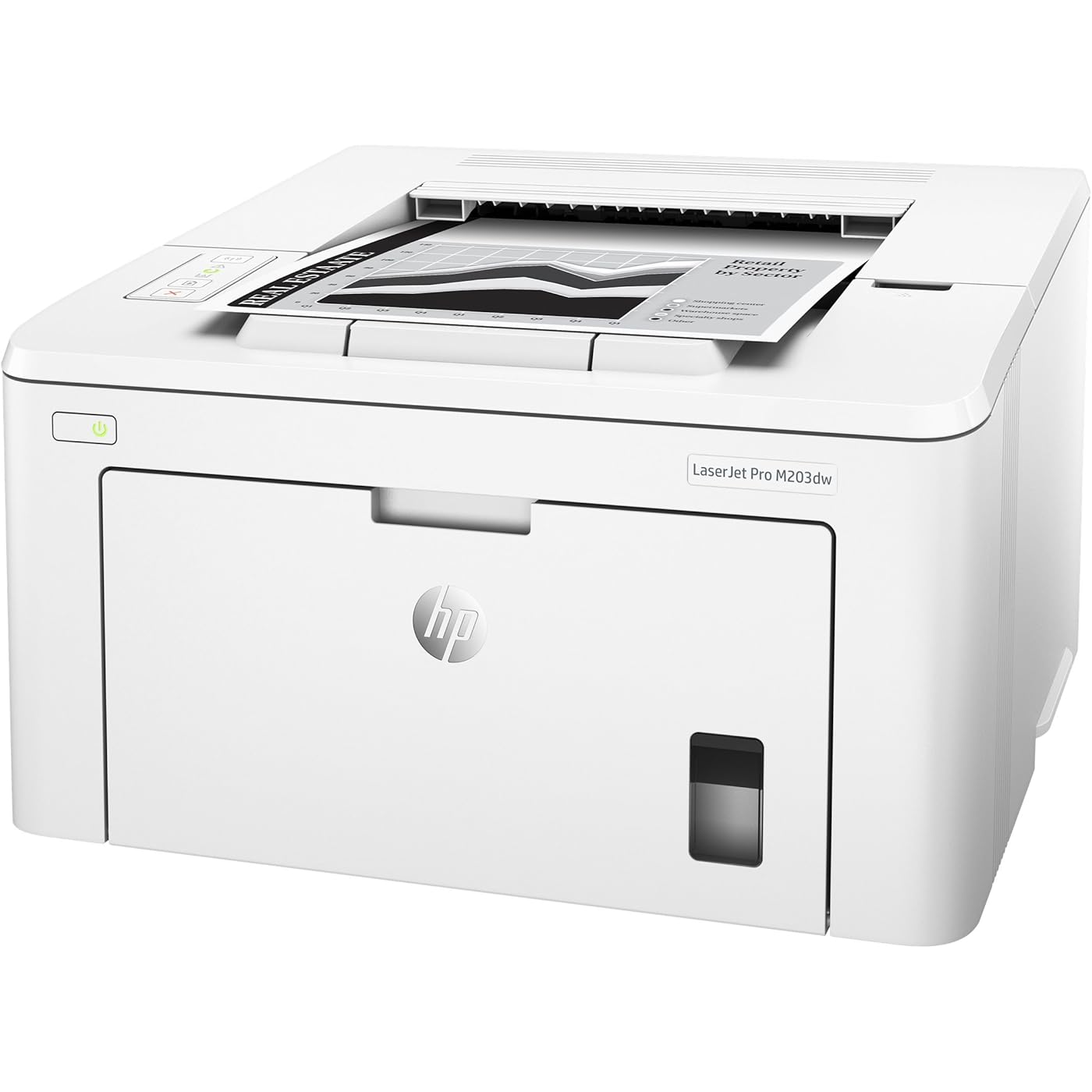
HP LaserJet Pro M203dw Wireless Monochrome Printer with built-in Ethernet & 2-sided printing, works with Alexa (G3Q47A)
  • Based on 1,158 reviews
Condition: New
Checking for the best price...
$169.00 Why this price?
New Year Deal · 19% off was $209.00

Buy Now, Pay Later


As low as $28.17 / mo
  • – 6-month term
  • – No impact on credit
  • – Instant approval decision
  • – Secure and straightforward checkout

Ready to go? Add this product to your cart and select a plan during checkout.

Payment plans are offered through our trusted finance partners Klarna, Affirm, Afterpay, Apple Pay, and PayTomorrow. No-credit-needed leasing options through Acima may also be available at checkout.

Learn more about financing & leasing here.

Selected Option

Free shipping on this product

This item is eligible for return within 30 days of receipt

To qualify for a full refund, items must be returned in their original, unused condition. If an item is returned in a used, damaged, or materially different state, you may be granted a partial refund.

To initiate a return, please visit our Returns Center.

View our full returns policy here.


Availability: In Stock.
Fulfilled by Amazon

Arrives Saturday, Jan 10
Order within 14 hours and 23 minutes
Available payment plans shown during checkout

Protection Plan Protect Your Purchase
Checking for protection plans...

Style: Old Version: M203dw


Features

  • Main functions of the HP M203dw laser printer: reliable monochrome printing, wireless printing, AirPrint, double-sided printing, LED control panel, and more
  • This HP M203dw laser printer replaces the HP M201dw printer, additionally the newer HP M203dw has 15% faster print speeds plus HP JetAdvantage Security Manager
  • Prints up to 30 pages/minute, input tray paper capacity up to 260 sheets, duty cycle up to 2,000 pages/month
  • The power of your printer in the palm of your hand: The HP Smart app allows you to easily set up your printer, scan from your smartphone, order toner, and print from the cloudsuch as iCloud, Dropbox and Google Drive
  • Set a faster pace for your business: Print two-sided documents right away, and easily manage to help maximize efficiency
  • Original HP Toner cartridges with JetIntelligence - engineered to help your printer print faster and more pages
  • Ideal for home and small to medium businesses with work groups of 1-5 users; one-year limited hardware warranty; 24-hour, 7 days a week Web support

Description

Print at the pace of business—this printer is equipped with fast two-sided printing. Print first pages in as fast as 7 seconds. Help save energy with HP Auto-On/Auto-Off Technology. Print from iPhone® and iPad® with AirPrint®, which automatically scales jobs to the correct paper size. Print directly from your mobile device to your Wi-Fi Direct® printer—without accessing the company network. Print right from a smartphone using HP Smart app. Produce sharp text, bold blacks, and crisp graphics with precision black toner.


Product Dimensions: 14.6 x 16 x 8.8 inches


Item Weight: 15.2 pounds


Item model number: G3Q47A#BGJ


Is Discontinued By Manufacturer: No


Date First Available: October 7, 2016


Manufacturer: HP


Country of Origin: Vietnam


Frequently asked questions

If you place your order now, the estimated arrival date for this product is: Saturday, Jan 10

Yes, absolutely! You may return this product for a full refund within 30 days of receiving it.

To initiate a return, please visit our Returns Center.

View our full returns policy here.

  • Klarna Financing
  • Affirm Pay in 4
  • Affirm Financing
  • Afterpay Financing
  • PayTomorrow Financing
  • Financing through Apple Pay
Leasing options through Acima may also be available during checkout.

Learn more about financing & leasing here.

Top Amazon Reviews


  • Works right out of the box
Very happy with my new HP printer. Once I downloaded the latest HP driver and App, the wifi setup was quick and easy. Printed 100 pages fast. It's a bit smaller than my last printer and also has an internal paper tray, unlike the Canon, which I returned to Staples, because it took up more room on my desk. Great little printer at this price range. ... show more
Reviewed in the United States on January 20, 2023 by adamski

  • hp-eprint capable (read instructions below)
Great printer for the price. When I first plugged it in, the rollers made some noise, but I found out later this was normal for initial start up. It has an ethernet card, so you can connect it to your router with an ethermet cable (Cat 5,6, etc...). This ethetnet connectivity is very helpful since you can simultaneously be on the internet and print to your printer, without having to disconnect from the internet and then connect to Wi-Fi direct. Assuming your phone is on the same wireless router. Also can connect wirelessly to your WiFi router. This allows you to easily print from you phone if your phone is also connected to the WiFi. It also support WiFi direct printing. Additionally you can register the printer with HP through the HP Smart app, and it will assign your printer a unique HP email address. This is known as HP e-print. This allows you to email any document (photos, pdf, emails, etc...) through whatever email service you use by using your unique hp email address and as long as your printer is connected on line, you'll receive your print out. This is a good solution for those who liked the ease of Google Cloud print. As you may know Google discontinued their cloud print service in January of 2021. To set up hp e-print, you'll first need to connect the printer to your router network. Then on your phone connect to the same wireless network... then go to the Hp Smart App and add the printer. Once added, then tap on the printer icon until printer info drops down. Then scroll down to Network Information. Then write down the IP Address. It's 4 sets of numbers with 4 periods between them. Then enter those numbers into your phone's browser. This will take you directly into your printers web page. Then enter the tab that says "HP Web Services ". You'll need to agree to activate the web services. Then you'll need to print out the information sheet which will contain your printers unique "Claim Code". Once you have your printers claim code, go back to HP Smart app and register your printer with the claim code, and then you'll receive your unique hp email address. It's a bunch of numbers and letters followed by "@hpeprint.com". Now you can send any document you want to print from anywhere in the world to your printer. Simply by emailing it to your unique email address.. In addition the app gives you an opportunity to change the first part of the email address to something that's more easily remembered (instead of a string of randomly generated numbers and letters) Hope this helps! (If anyone from HP is reading this, please include these instructions in the owners manual) ... show more
Reviewed in the United States on February 20, 2021 by John

  • Only Printing, no scanning or copying!
The description says it has phone scanning, so I thought the printer has a scanner! I'm guessing you can only use the app on your phone to scan? This printer cannot scan or make copies! It can only print! If you only need a printer to print than this is for you! The paper goes in the middle, you just have to remove the tapes. Good price for printer if you just need to print and east set up! ... show more
Reviewed in the United States on August 1, 2022 by star1

  • It works, is easy to set up and handles different size papers well.
Needed a monochrome 2-sided printer. This one fits the bill, and is in no way a day-to-day business printer. Quality is workable. Printed 4 lines of text on 1,600 reprinted fliers. The "introductory cartridge" is just that: It introduces itself, then runs dry. So get a cartridge somewhere when you get this printer. They do not include this with their smartprint 3-mos free ink. That was disappointing. Support: HP support for the printer I returned was nonexistent. So don't count on it. Instead, watch the free return date on Amazon and decide whether to keep it because you'll be on your own. That being said, I'll keep this because it does what it needs to. ... show more
Reviewed in the United States on March 28, 2022 by Mr. James B. Leahy

  • A dependable cost efficient HP Printer that doesn't require HP toner
I've always bought HP printers for home and office because they are workhorses. The model I purchased does not require HP toner so if you choose to go with a third party product it will work. Personally I did buy the HP toner replacement for this printer to replace the "in box" cartridge.
Reviewed in the United States on September 14, 2022 by Kevin Legg

  • Was kind of a pain to set up wireless but now it works
When I got it set up, it took a couple tries for the wireless networking to successfully set up. I had to try my phone and laptop, and finally connected the laptop wirelessly to the printer and then it set up successfully. It works pretty well now. Also one annoying thing - I have to press the power button twice for it to turn off. I don't leave it in because I don't print often. It should be a little less work. ... show more
Reviewed in the United States on March 8, 2022 by Hanna E.

  • Terrible documentation and impossible to troubleshoot
This printer looks fairly decent on the desk and the print quality and speed are fine. However, it doesn't have a on-printer control panel, so when there are errors you have no clear idea of what is wrong or how to fix it. There is a is an "HP Smart" Mac app that you have to use to see what the problem is. The printer itself only has some cryptical symbols that provide unclear feedback. Because of the lack of onboard feedback, setup was a nightmare. I eventually got it working, but the online instructions often didn't correspond to reality. The online instructions didn't even have the correct name of the app you are supposed to install. The other day, the printer stopped working. No feedback from the printer, the app said it was disconnected. I followed the online trouble shooting, most of which seemed to assume the problem was with my computer and not with the printer. None of that worked. Trouble shooting doc said to print a configuration report, but no instructions how to do this. HP only provides generic info on how to print a report. One eventually came out after I randomly pushed some unclearly labeled buttons on the printer. The report said it was disconnected from wireless, but HP docs provided no guidance how reconnect it. I randomly pressed buttons on the printer, and after holding one down print jobs from yesterday started coming out and it was back up and running again. I'd advise you look elsewhere. We also have a Brother HL-L2370DW which has frustrating connection problems of its own, but at least with the Brother you know what is going on. My lesson learned: NEVER buy a printer that does not have an onboard display that clearly tells you what is going on. ... show more
Reviewed in the United States on July 10, 2022 by Tom Tomato

Can't find a product?

Find it on Amazon first, then paste the link below.
Checking for best price...