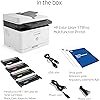
HP Color Laser 179fnw Wireless All in One Laser Printer with Mobile Printing & Built-in Ethernet, Works with Alexa (4ZB97A)




Buy Now, Pay Later
- – Up to 36-month term if approved
- – No impact on credit to apply
- – Instant approval decision
- – Secure and straightforward checkout
Ready to go? Add this product to your cart and select a plan during checkout.
Payment plans are offered through our trusted finance partners Klarna, Affirm, Afterpay, Zip, Apple Pay, and Google Pay. No-credit-needed leasing options through Acima may also be available at checkout.
Learn more about financing & leasing here.
Selected Option
30-day refund/replacement
To qualify for a full refund, items must be returned in their original, unused condition. If an item is returned in a used, damaged, or materially different state, you may be granted a partial refund.
To initiate a return, please visit our Returns Center.
View our full returns policy here.
Recently Viewed




Style: All-in-One
Features
- Legendary quality Print, scan, copy, and fax consistently exceptional documents with the HP Color Laser MFP 179fnw, a compact laser printer that produces high-quality, sharp black text and crisp color graphics
- World's smallest in-class printer Work efficiently while saving space and cutting clutter with the world's smallest in-class color laser printer
- Speed through tasks Stay productive with print speeds of up to 19 pages per minute black and 4 pages per minute color from this all-in-one laser printer
- Best-in-class mobile print app Automate scanning tasks, print and copy from your smartphone, and get simple setup with our highly-rated HP Smart app
- Hands-free productivity Save time with double-sided scanning, copying, and faxing, and breeze through tasks using the 40-page automatic document feeder
- Extend your printing reach Easily share resources by using wireless and Ethernet capabilities, or use Wi- Fi Direct to print from your smartphone or tablet without a network
- Self-healing wi-fi Ensures you stay connected by detecting issues and automatically undergoing up to 3 stages of reconnection to keep your Wi-Fi stable and reliable
- One-year limited hardware warranty Get help with 24-hour, 7 days a week FREE HP Web support. Easily set up your printer by downloading the HP Smart app on your mobile device
Description
Get the quality and laser performance you expect at a surprisingly affordable price with the HP Color Laser MFP 179fnw, ideal for 1–5 users printing up to 1,500 pages per month. Produce high-quality color results and get fast double- sided printing, scanning, copying, and faxing from the world's smallest in- class laser printer. Print easily from virtually anywhere—use built-in Ethernet to print in-office, Wi-Fi Direct for mobile printing without a network, and our best-in-class HP Smart app for printing, scanning, and copying on the go. Enjoy hands-free productivity with the 40-page automatic document feeder.
Brand: HP
Connectivity Technology: Ethernet, USB, Wi-Fi
Printing Technology: Laser
Special Feature: 2-Line LCD Display with Keypad, Auto Document Feeder, Cloud Print Enabled, Flatbed Scanner, Network-Ready, Scan to Email Via HP Smart App, Wi-Fi Direct See more
Color: White
Model Name: 4ZB97A#BGJ
Printer Output: Color
Maximum Print Speed (Color): 4 ppm
Max Printspeed Monochrome: 19 ppm
Product Dimensions: 40"D x 47"W x 23"H
Maximum Media Size: 8.5 x 14 inch
Included Components: 4ZB97A HP Color Laser MFP M179fnw Printer; HP LaserJet Black Introductory Toner Cartridge; HP LaserJet Cyan Introductory Toner Cartridge; HP LaserJet Magenta Introductory Toner Cartridge; HP LaserJet Yellow Introductory Toner Cartridge; Power Cord; Phone Cord; USB Cable; Setup Guide; Reference Guide; Regulatory Statements Flyer
Print media: Envelopes, Glossy photo paper, High-resolution paper, Labels, Paper (plain)
Scanner Type: document
Max Input Sheet Capacity: 40
Max Copy Speed (Black & White): 19 ppm
Compatible Devices: Smartphones, Tablets
Maximum Color Print Resolution: 600 x 600 dpi
Sheet Size: 4 x 6 to 8.5 x 14, Letter, Legal
Maximum Black and White Print Resolution: 600 dpi
Warranty Type: limited warranty
Dual-sided printing: Yes
Maximum copies per run: 19
Wattage: 300 watts
Max copy resolution color: 600 dpi
Max copy resolution black-white: 600 dpi
Duplex: Automatic
Hardware Interface: Ethernet, USB 2.0
Ink Color: black, cyan, magenta, yellow
Additional Printer functions: Copy, Fax, Scan
Control Method: Voice
Processor Count: 1
Total Ethernet Ports: 1
Number of USB 2 Ports: 1
Total USB Ports: 1
Model Series: M179fnw
UPC: 193015507418
Printer Ink Type: toner
Supported Media Sizes: 4 x 6 inches, Legal (8.5 x 14 inches), Letter (8.5 x 11 inches)
Global Trade Identification Number: 18
Memory Storage Capacity: 64 MB
Product Dimensions: 40 x 47 x 23 inches
Item Weight: 37.7 pounds
Item model number: 4ZB97A#BGJ
Date First Available: May 15, 2019
Manufacturer: HP
Frequently asked questions
To initiate a return, please visit our Returns Center.
View our full returns policy here.
- Klarna Financing
- Affirm Pay in 4
- Affirm Financing
- Afterpay Financing
- Zip Pay in 4
- Financing through Apple Pay
- Financing through Google Pay
Learn more about financing & leasing here.