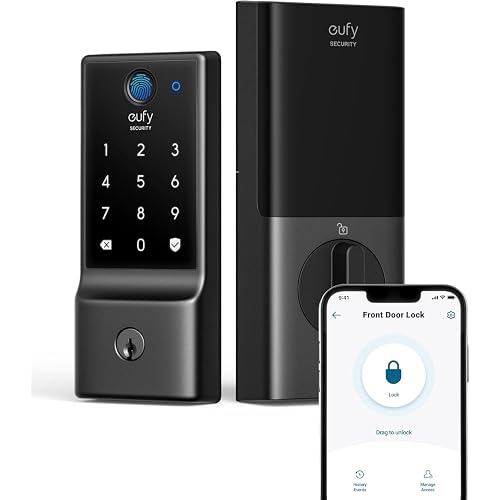
Smart Door Knob with Keypad, Keyless Entry Door Lock with Code, Silver | Smart Privacy Door Locks for bedrooms, Smart Keypad Door Lock with App, Auto Lock, Key for Front Door, Home, Indoor, Outdoor




Buy Now, Pay Later
- – 4-month term
- – No impact on credit to apply
- – Instant approval decision
- – Secure and straightforward checkout
Ready to go? Add this product to your cart and select a plan during checkout.
Payment plans are offered through our trusted finance partners Klarna, Affirm, Afterpay, Zip, Apple Pay, and Google Pay. No-credit-needed leasing options through Acima may also be available at checkout.
Learn more about financing & leasing here.
Selected Option
FREE 30-day refund/replacement
To qualify for a full refund, items must be returned in their original, unused condition. If an item is returned in a used, damaged, or materially different state, you may be granted a partial refund.
To initiate a return, please visit our Returns Center.
View our full returns policy here.
Recently Viewed


Style: Without APP-Stain Black
Features
- [Secure Your Home with Smart Door Lock] Our upgraded keypad door lock with handle offers easy unlocking options using your unique password or mechanical keys to your home. This smart door knob provides the option of using traditional keys for entry, offering added peace of mind in case of emergencies.
- [2-In-1 Keyless Entry Door Lock for Bedroom] The smart locks for front door offers various operating modes to suit your needs, now with upgraded convenience in mode selection. Switch the door knob with keypads convenience of Passage Mode, the standard operation of Normal Mode (5s auto lock), the door lock with codes privacy of Privacy Mode, or the quietness of Silent Mode, you can easily customize the lock settings by rotating the thumb turn to match your smart home lifestyle. This bedroom door lock is not suitable for doors with weather strips installed.
- [Convenient Password Management of Door Locks] Easily set and manage 20 passcodes through the app.You can create access passwords manually, making it simple to share entry access with family members. All passwords are stored locally on the smart lock for enhanced security and privacy.
- [Smart Door Knob with Peace of Mind] The door locks for bedrooms adds an extra layer of security to your home. Whether you're looking for a door knob with lock for your apartment or a smart home device to keep your home secure, our upgraded digital door lock has what you need. The smart door knob is built with a rechargeable battery with a 1-year battery life that can be charged by a USB Type-C power supply. Simply check the battery status manually or through low battery indicator alerts. You will then be reminded when the battery is below 20% as the keypad flashes or beeps during use.
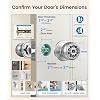
- [Easy to Install & Last to Use] Featuring easy installation, this smart door lock is also a reliable choice not only for homes but also for Airbnb, or apartments. The password lock installs easily with a screwdriver, and the electronic door lock is ideal for anyone who desires privacy. Tips: When installing the interior knob, both Exterior and Interior Knobs have to be inserted according to the 'UP' sign on the top so that they can stay in place. And the spindle bar should be in the vertical position. The thumb turn adjustment arrow points to the center dot and the 'UP' sign, then the arrow is inserted upward on the mounting. You can use a little force to get the interior lock completely in.
Description
What steps should I take to secure a loose interior knob on my keypad door lock? When installing, align both exterior and interior knobs with the “UP” mark. Keep the spindle bar vertical and align the thumb turn with the center dot. Apply slight force to press and secure the interior knob firmly into place. What occurs when the passcode entered is incorrect? When an incorrect password is entered, the “√” button flashes red for 2 seconds and the buzzer beeps twice. How to set up the administrator and user passcodes of the door knob with lock? Press 0 + √ to set the administrator passcode, then enter and confirm a 4–8 digit code. To add user passcodes, press 1 + √, enter the admin code, then set and confirm a 4–8 digit user code (up to 17 users supported). 4. If the batteries die, how can I open the door? or Why I can't charge my door lock? The smart door knob built-in rechargeable battery. You can use an emergency power supply to charge the smart door knob through a USB A+Type C port or use the key to open the door. Keep at least one key in a secure location as an extra precaution. 5. Why is my Smart Lock low-powered? or Why can't I lock the door? Charge the door lock for 3 hours before installing. The smart door knob's Passage Mode is unlocked Mode, you can't lock the door no matter how. You need to turn to Normal Mode which it will auto lock in 5s.
Brand: KLLOQUE
Special Feature: keys unlock,keypad unlock, auto lock, Privacy/Normal/Passage Mode, Mute Mode
Lock Type: Biometric, Key Lock
Item dimensions L x W x H: 9 x 3.3 x 3.86 inches
Material: Aluminum
Brand Name: KLLOQUE
Recommended Uses For Product: office door security, hotel door security
Number of Pieces: 1
Included Components: Key
Model Number: K10mini
Model Name: K10mini
Manufacturer Warranty Description: 1 year
Manufacturer: KLLOQUE
Unit Count: 1 Count
Manufacturer Part Number: K10
Additional Features: keys unlock,keypad unlock, auto lock, Privacy/Normal/Passage Mode, Mute Mode
Lock Type: Biometric, Key Lock
Controller Type: Hand Control
Control Method: Push Button
Connectivity Protocol: No
Style Name: Without APP
Color: Silver
Shape: Round
Material Type: Aluminum
Finish Types: Polished
Item Dimensions: 9 x 3.3 x 3.86 inches
Item Weight: 1.7 pounds
Frequently asked questions
To initiate a return, please visit our Returns Center.
View our full returns policy here.
- Klarna Financing
- Affirm Pay in 4
- Affirm Financing
- Afterpay Financing
- Zip Pay in 4
- Financing through Apple Pay
- Financing through Google Pay
Learn more about financing & leasing here.