Search  for anything...

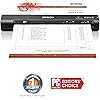
Epson Workforce ES-60W Wireless Portable Sheet-fed Document Scanner for PC and Mac Black, Small (Renewed)
  • Based on 3,387 reviews
Condition: Renewed
Checking for inventory...

Notify me when this product is back in stock

Buy Now, Pay Later


As low as $16.04 / mo
  • – 6-month term
  • – No impact on credit
  • – Instant approval decision
  • – Secure and straightforward checkout

Payment plans are offered through our trusted finance partners Klarna, Affirm, Afterpay, Apple Pay, and PayTomorrow. No-credit-needed leasing options through Acima may also be available at checkout.

Learn more about financing & leasing here.

Selected Option

Free shipping on this product

This item is eligible for return within 30 days of receipt

To qualify for a full refund, items must be returned in their original, unused condition. If an item is returned in a used, damaged, or materially different state, you may be granted a partial refund.

To initiate a return, please visit our Returns Center.

View our full returns policy here.


Availability: Unavailable
Fulfilled by Amazon
Available payment plans shown during checkout

Style: ES-60W Wireless Portable Scanner (Renewed)


Features

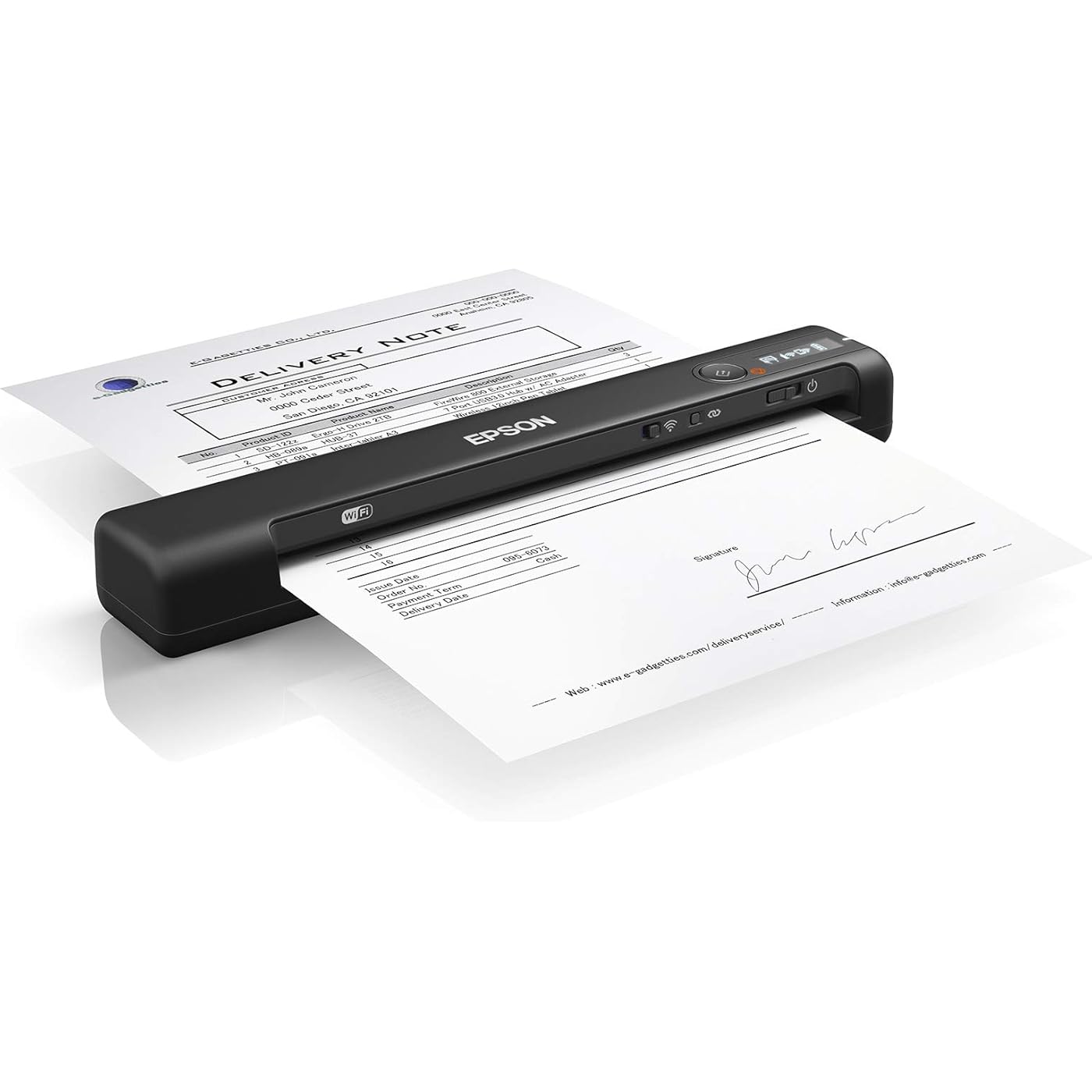
  • Fastest, smallest and lightest wireless mobile single-sheet-fed document scanner in its class (1) ideal for easy, on-the-go scanning.
  • Groundbreaking speed scans a single page in as fast as 4 seconds (2).
  • Wirelessly scan critical documents scan to a PC, Mac, iOS or Android device (3).
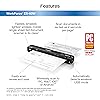
  • Smart tools to easily scan and organize documents Epson ScanSmart Software (3) makes it easy to scan, review and save.
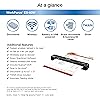
  • Automatically detects connectivity switches between USB and battery-powered wireless without any user intervention; LCD displays wireless and battery status.
  • Includes Nuance OCR create searchable PDFs and editable Word and Excel files
  • Scan to the cloud (4) scan files directly to online storage accounts with the included software
  • Versatile paper handling scans documents up to 8. 5" x 72", as well as ID cards and receipts
  • TWAIN driver included compatible with virtually any imaging software
  • Automatic Feeding Mode combine multi-page scans into one file; automatically accepts each new sheet as its inserted
  • Connectivity Technology: Wi-Fi

Description

Style:ES-60W Wireless Portable Scanner (Renewed) The fastest, smallest and lightest wireless mobile single-sheet-fed document scanner in its class (1). The WorkForce ES-60W is designed for professionals with busy lives and features wireless scanning and groundbreaking speeds ― scanning a single page in as fast as 4 seconds (2). Wirelessly scan documents to a PC, Mac, iOS or Android device (3). The scanner features Nuance OCR to create searchable PDFs and editable Word and Excel files, plus Epson ScanSmart Software (3) to easily scan, review and save. USB or battery-powered, the scanner automatically detects whether it’s in wireless or USB mode. No intervention is required. And, a convenient LCD displays the wireless status, as well as battery level. 1. As compared to competitive personal mobile single-sheet-feeding document scanners priced under $229 USD in the U. S. and Canada, as of May 2018. Excludes other Epson scanners. 2. At 300 dpi, based on 8. 5" x 11", 1-sheet scan speed, using the battery. 3. Wirelessly scan to smartphones or tablets (Android/iOS devices) via the Epson DocumentScan App; wirelessly scan to the cloud, PCs or Mac with Epson ScanSmart software installed on the connected Windows PC or Mac. Internet connection is required. Epson ScanSmart supports Windows 10 (32-bit, 64-bit), Windows 8/8. 1 (32-bit, 64-bit), Windows 7 (32-bit, 64-bit) SP1 and Mac OS X 10. 11. x to macOS 10. 14. x. 4. With Epson ScanSmart Software installed on the connected Windows PC or Mac. Internet connection required. Supports Windows 10 (32-bit, 64-bit), Windows 8/8. 1 (32-bit, 64-bit), Windows 7 (32-bit, 64-bit) SP1 and Mac OS X 10. 11. x to macOS 10. 14. x. 5. For convenient and reasonable recycling options, visit out official site. 6. SmartWay is an innovative partnership of the U. S. Environmental Protection Agency that reduces greenhouse gases and other air pollutants and improves fuel efficiency.


Package Dimensions: 12.4 x 10.39 x 4.76 inches


Item Weight: 1.32 pounds


Item model number: ES-60W


Date First Available: January 23, 2020


Manufacturer: Epson


Frequently asked questions

This product is currently out of stock. Please check back later for shipping info.

Yes, absolutely! You may return this product for a full refund within 30 days of receiving it.

To initiate a return, please visit our Returns Center.

View our full returns policy here.

  • Klarna Financing
  • Affirm Pay in 4
  • Affirm Financing
  • Afterpay Financing
  • PayTomorrow Financing
  • Financing through Apple Pay
Leasing options through Acima may also be available during checkout.

Learn more about financing & leasing here.

Top Amazon Reviews


  • Great scanner, but some marketing confusion
Style: ES-60W
I am a bit perplexed. I REALLY like this portable scanner, but there are some features that make me question the design decisions that went behind them -- and the Computer and Mobile app versions work vastly different in a multitude of ways that confuse me to the point where I am finding some of the product descriptions misleading. My background is in Information Technology (IT), and I cannot imagine how the average consumer would not be scratching his or her head over some "missing" features touted in the product description, manual, and packaging. NOTES - When mentioning "Desktop", I am referring to Windows and Mac computers - Epson's Desktop application is called "ScanSmart" - "Mobile" would be iOS (iPhone/iPad) and Android (Samsung, etc) - Epson's Mobile application is called "DocumentScan" - "ScanSmart" and "DocumentScan" have vastly different features that make the marketing material and manual questionable PROS - Very portable (only 0.7 lb) and compact - Battery powered and microUSB rechargeable (using your computer or USB power adapter of your phone/tablet) - Relatively speedy scanning - Professional looking design - Scanning via WiFi (2 ways, more on that later) or wired USB - Can scan multiple pages and combine into a single file, complete with rotation and deletion of individual pages - Great scan quality - Start/Stop button for scanning without needing an app - Good, but not professional-grade color accuracy - Excellent, Optical Character Recognition (OCR) via the Computer app (unavailable for Mobile) to convert scans into searchable text (PDF, Word, Excel) - 600 dpi optical scan resolution (limited to 300 dpi with Mobile apps). Marketing states 1200 dpi max - Scan to Cloud options (unavailable for Mobile), such as Dropbox and Google Drive (only Epson's own website as a footnote mentions that this is only available with the Desktop app) - Small LCD giving battery status, WiFi mode, etc - Scan to a folder on your Desktop or Android app (iOS doesn't have this available. It stores scans inside the app itself) - Scan documents up to 8.5" wide and 72" long (wow!) - Optional license available to scan receipts for text conversion into QuickBooks, Excel, etc. (Unavailable with Mobile app) - Scan photo IDs and business cards - Scan photos and sensitive documents that you don't want possibly damaged (with optional accessory) - Reasonable price - Scan previews within the Desktop and Mobile apps - Automatic document feeder - Sample calibration and maintenance sheets included - Simple WiFi connection configuration (via WPS, mobile app, or manually providing the WiFi settings) - Slot to secure your scanner to an object to discourage theft - Configurable power saving options - Multiple users can wirelessly use the scanner CONS - Marketing material and manual allude to features that are not available with the Mobile versions of the Epson scanning software. This can be quite misleading as the limitations are not described anywhere (Amazon and Epson's website, Product manual). More on that later. - Mobile app versions are severely crippled as follows: --- Scan resolution limited to 300 dpi --- OCR (scan to searchable text) not available (only Epson's own website mentions this as a footnote) --- Scan to Cloud not available (although your mobile device may have that feature already built in) - No contrast/brightness adjustment options for when you want to scan something darker - Full manual is only available through the website (this could be considered a good thing too. Saves trees) - An optional accessory is highly recommended (but not included) to scan photos and sensitive documents you don't want to possibly get damaged - Mobile app version only allows you to connect to the scanner either directly via WiFi OR indirectly via your WiFi network. You cannot have both profiles saved in the app. You have to choose one or the other, and this can be confusing for the average consumer - No memory card support to scan directly into a storage card instead of a computer or mobile device - No automatic document feeder (each page must be manually loaded by you) SUMMARY Overall, I really like this portable scanner. It is fast, well-made, and very convenient while on the road. However, I am quite upset that the product description, marketing material, product box, and manual do not mention any of the limitations that the Mobile apps have over the Desktop versions. This falls directly into false advertising, a big oversight on Epson's part. This could easily have knocked the product from 5 stars down to 3, but as it is the smallest, lightest, and fastest scanner available for the price point at the time of this writing, I am giving it 4 stars for good effort since marketing material can be easily corrected. TIPS - GREAT, protective case is available on Amazon. Search for "Caseling Hard Case ES-60W" - Advantages of the ES-60W model over the cheaper ES-50: faster scanning, wireless scanning, automatic switching between wired USB and WiFi scanning, LCD status screen - You can connect to the scanner wirelessly either via a direct connection or over the WiFi network as follows: --- Direct Connection: flip the WiFI switch on the scanner to the right to turn on wireless mode. Look for the "DIRECT-70-EPSON-..." WiFi name and connect to it. The exact name and password are printed at the bottom of the device. In this mode, you do not need to have a WiFi router available. You simply connect your phone/tablet/computer directly to the scanner --- WiFi Network Connection: you can have the scanner join your WiFi network by using the Mobile or Desktop app and following its directions to provide your WiFi's name and password. Your app will then find the scanner automatically once the device connects successfully to your network - Desktop application (Epson ScanSmart) and driver (which tells the computer how to talk to the scanner) can be downloaded from the Epson website. A CD is not included in the package - Mobile application for iOS and Android is called, "Epson DocumentScan" - Feed your document face-up and lined up to the left edge. Envelopes and business cards must be oriented a specific way (refer to the manual for illustrations) - Irregular-sized documents should be using an optional accessory that Epson sells. Or, tape it to a full sheet of paper - Move the WiFi switch to the right to turn on WiFi mode - Desktop app has a vastly higher number of options and features available, such as: scan resolution up to 1200 dpi, historical scan statistics, Document skew correction, Contrast/Brightness/Gamma, Firmware updates (which often contain fixes/enhancements to the device itself) - To scan your documents and make their text searchable as a PDF, Word, or Excel file, you will need to download the additional "Epson Scan OCR Component" software using the "Epson Software Update" program on your computer. Note that OCR (Optical Character Recognition) is not available in the Mobile apps. Be sure to SELECT "Searchable PDF" as the Save option. By default, it will save the scan as "PDF", which is not searchable I hope these TIPS and NOTES are helpful. If you liked the review and found it helpful, please click the "Helpful" button below to encourage me to write more. Thank you! ... show more
Reviewed in the United States on March 28, 2019 by Outdoor Enthusiast | Geek | Photographer

  • very small sized & lightweight; scans quickly but software is a little awkward
Style: ES-60W
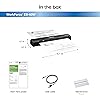
I do a fair amount of document and receipt scanning at home with a Fujitsu ix-100 portable document scanner that I like very much, but I also own both desktop and portable Epson scanners that are good scanners. I ordered this Epson Workforce ES-60W portable scanner to see how it compares with the similarly featured Fujitsu ix-100 portable scanner. This Epson scanner arrives boxed with a connecting cable, cleaning sheet (it looks like a small piece of tissue paper but don’t throw it away), a paper alignment guide, and a printed initial start up guide. There is no software disc included. Instead, Epson provides links for you to download the product software from their web site, which includes OCR and networking software along with a comprehensive owners manual in pdf format. The software needs to be installed before initially connecting the scanner, and I found a firmware update among the optional software downloads that I installed also. The scanner itself is quite small and thin, significantly smaller and lighter weight than my Fujitsu portable scanner. It is powered by either the USB connection or the internal USB-rechargeable battery and does not require an AC adapter. When I initially tried to install the software I could not it to recognize the scanner. The indicator light would flash when I turned it on and then shut off after several seconds. After multiple attempts and computer restarts I discovered the USB cable was not completely attached to the scanner. At the scanner end, the USB connection is recessed, very snug and a little awkward to access, and the cable end has to be pushed in firmly until it snaps into place. After I figured that out everything installed easily. The battery has to be fully charged to set up the scanner for wireless scanning. I plugged it into a USB-AC adapter and let it charge for an hour or two to get it fully charged. There Is an indicator light on the top of the scanner that displays battery status when the scanner is turned on. The scanner has a switch to turn it on but no switch to turn it off. You can set a time in the configuration settings for how long the scanner will remain on before automatically shutting itself off. The wireless scanning feature is also turned on with a switch, but it is an on/off switch, and the scanner will automatically turn itself off when you turn the wireless switch back off. After installing the software I did some test scans both with the connecting cable and wirelessly. The scanner is indeed fast, although I found it difficult to get the scans perfectly straight, and the skew correction did not seem to work very well to correct this. Unlike my Fujitsu scanner, you cannot adjust the scan configuration settings until after you have done a scan. Once you scan a document you can adjust a variety of settings including a wide range of scan resolution, naming options, file location, etc. and save them as a configuration profile. Unfortunately, the settings don’t take effect until your next scan, so you end up scanning a document twice if you need to make changes. Like my Fujitsu scanner, this Epson scanner does not perform two-sided scanning, so any document with information on both sides will require two separate scans, although they can be saved in the same pdf file. There are options to save scans as a pdf file, send it in an email, send it to Microsoft Word or to multiple other programs. Scanning with the cable or wirelessly worked equally well. Epson also has an app you can download for free (Epson DocumentScan) for either Android or iOS that enables you to scan wirelessly into your cellphone or tablet. I have an iPad, so I downloaded and installed the app from the App Store. It was pretty easy to configure for use with my iPad, and there are several different methods described in the app to do this. The app is better than the Windows software in that it enables you to configure your scan before you scan the document (why Epson didn’t do this with the Windows software makes no sense to me). The downside, though, is you can only save your scanned document to a file folder within the app. You then have to open the document in order to forward it elsewhere. Also, there does not appear to be any way to correct document skew with the scan, although you can rotate it 90 degrees at a time. But with the app I was able to successfully wirelessly scan documents into my iPad. Overall, I like this Epson Workforce ES-60W scanner. It is very versatile and allows you to scan single sheet documents very easily and quickly via either USB or wirelessly. The included software is significantly improved over software Epson provided for an older DS320 scanner I own, although there still seems to be some room for improvement, especially in document skew correction and efficiency in document scan configuration settings. But its small size and light weight make it a very handy scanner for anyone needing portability, and it would take up very little space in a briefcase. It compares very well with the Fujitsu ix-100 portable scanner that offers similar features, and right now the Epson scanner sells for about $30 less than the Fujitsu on Amazon. I try to write informative product reviews. If you have found my review to be useful, please let me know by clicking on the “Helpful” link. ... show more
Reviewed in the United States on March 28, 2019 by Terry R. Nye

  • Works great - space saver
Style: ES-50
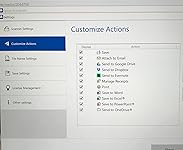
The media could not be loaded. This scanner is fantastic. I have years of files in my very stuffed file cabinet that I have wanted to scan and then get rid of for a long time. I have had the traditional type scanners but the process was so time consuming that I quickly gave up. This tiny scanner that puts the files right into your computer makes all the difference. It was such a breeze to set up, just download the software, connect the USB cable, put your document in place, press a button to scan. Of course you have to set up your folders ahead of time, but once you have everything set up the scanning proceeds quickly. There are a few choices for setup (see picture). For business applications you can create searchable PDFs and Word and Excel files that can be edited. In addition to printing or sending in an email you can scan files directly to online storage like Google drive and Dropbox. My needs are simple; I just want to get rid of as much bulk as I can. ... show more
Reviewed in the United States on January 26, 2019 by LMG

Can't find a product?

Find it on Amazon first, then paste the link below.
Checking for inventory...