Search  for anything...

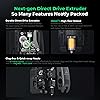
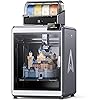
Creality K2 Plus Combo 3D Printer, Multi Color Printing with New CFS 600mm/s High-Speed Full Auto-Leveling Dual Al Camera Next-Gen Direct Drive Extruder Large Build Volume 13.78x13.78x13.78inch

  • Based on 883 reviews
Condition: New
Checking for the best price...
$1,410.99 Why this price?
Labor Day Deal · 8% off was $1,529.00

Buy Now, Pay Later


As low as / mo
  • – Up to 36-month term if approved
  • – No impact on credit to apply
  • – Instant approval decision
  • – Secure and straightforward checkout

Ready to go? Add this product to your cart and select a plan during checkout.

Payment plans are offered through our trusted finance partners Klarna, Affirm, Afterpay, Zip, Apple Pay, and Google Pay. No-credit-needed leasing options through Acima may also be available at checkout.

Learn more about financing & leasing here.

Selected Option

Free shipping on this product

30-day refund / replacement

To qualify for a full refund, items must be returned in their original, unused condition. If an item is returned in a used, damaged, or materially different state, you may be granted a partial refund.

To initiate a return, please visit our Returns Center.

View our full returns policy here.


Availability: Only 10 left in stock, order soon!
Fulfilled by Amazon

Arrives Sep 8 – Sep 9
Order within 8 hours and 52 minutes
Available payment plans shown during checkout

Protection Plan Protect Your Purchase
Checking for protection plans...

Set name: Creality K2 Plus Combo


Features

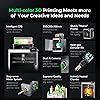
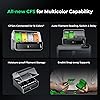
  • Multi Color Printing with All-new CFS: K2 Plus Combo multi-color flagship printing, exciting for you to combine. With four CFS units hooked together, it is possible to deliver 16-color 3D prints, saving the need for painting afterward. CFS is intelligent with automatic filament selection, switch, and relay. Upon loading an RFID filament, it can read the color and type instantly. When a filament is running out, it can relay with a similar one installed
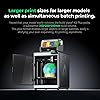
  • Larger Size to Meet More Needs: Compared to Creality K2 and K2 Pro, the Creality K2 Plus offers an extraordinary 350*350*350mm large build volume, great for handling larger objects or larger batches, large models dont require partitions, and small models are printed in batches more calmly, easily satisfying your ever-expanding 3D printing aspiration
  • 600mm/s High Speed Printing: Creality 3D Printer K2 Plus Combo adopting industry-grade FOC step-servo motors for the XYZ axis and extrusion, Step-servo Motor System 30000mm/s2 accelaration, 40mm3/s High-flow and quiet. For a large-format machine, 600mm/s is pretty fast, but that's not the whole story. Turbocharged by the step-servo motors, it can accelerate at a staggering 30000mm/s2
  • Super Master of Materials: The Creality K2 Plus 3d printer actively maintains a constant temperature of up to 60C, allowing you to easily print high-end filaments like ASA and PPA. Printed models are warp-resistant and high-strength. High-temp nozzle with hardened steel tip, Supports operating temperatures up to 350C, easily handling a variety of high-melting-point, wear-resistant engineering filaments
  • Dual AI Cameras & Automation: K2 Plus features 18 smart sensors. Everything is automated and closely monitored. It has two AI cameras. One is on the chamber side to watch over spaghetti failure, idling, etc. Another is on the toolhead for flow rate optimization. No more underfeeding and overfeeding. With two Z-axis independently motorized, it can auto-adjust bed tilt before auto leveling
  • Better Accuracy: The K2 Plus Combo features an innovative "Matrix" frame structure constructed with aerospace-grade aluminum alloy die-casting technology, delivering exceptional overall rigidity that effectively eliminates resonance and deformation during printing for superior precision. Equipped with a dual Z-axis system assisted by four linear rods, this 3D printer ensures extremely steady movement of the print bed during vertical travel, significantly improving print success rates

Description

540+ Patented Technology, 3.5 Million+ Number of users Better Performance Achieved with Creality Official 3d Printer Filament Creality 3D Technology Co., Ltd. focuses on the design, research, production of 3D printers and 3D printing related products. Consisting of professional researchers and skilled engineers, our R&D team constantly strives for creative function and excellent user experience. The R&D investments on 3d printing cover FDM/resin 3D printers, 3D scanners, filaments, resin, as well as 3D printed drones and robots that back up STEAM education.

Brand: Creality


Material: Metal


Color: K2 Plus Combo Black


Product Dimensions: 24"D x 22"W x 36"H


Item Weight: 32 kg


Product Dimensions: 16.1 x 15.4 x 18.7 inches


Item Weight: 70.4 pounds


Item model number: K2 Plus Combo


Date First Available: February 21, 2025


Manufacturer: Creality


Frequently asked questions

If you place your order now, the estimated arrival date for this product is: Sep 8 – Sep 9

Yes, absolutely! You may return this product for a full refund within 30 days of receiving it.

To initiate a return, please visit our Returns Center.

View our full returns policy here.

  • Klarna Financing
  • Affirm Pay in 4
  • Affirm Financing
  • Afterpay Financing
  • Zip Pay in 4
  • Financing through Apple Pay
  • Financing through Google Pay
Leasing options through Acima may also be available during checkout.

Learn more about financing & leasing here.

Top Amazon Reviews


  • UPDATE 8/31/25: 1,421 hours of flawless printing! I am in LOVE!
Set name: Creality K2 Plus Combo
Quick Update with my K2: Since writing the original review below, things have only gotten better! I upgraded the interior cabinet lighting with an LED light kit found here on Amazon. Way better lighting. I also purchased upgraded bed plates with the resin plate being my favorite so far. As you can see with my title update, I have over 1,421 hours of printing on my K2 since purchasing new here on Amazon. My printer is pretty much going non-stop when I am at home. It has been a workhorse and I ensure I take care of all of the maintenance which means cleaning the cabinet, greasing all the rails and Z axis worm drives, replacing filters, keeping the bowden tubes fresh and ensuring all little plastic bits are vacuumed out of the bed at least once a month. My only observed flaw so far is when I need to print ABS projects: The transition from PLA/PETG to ABS is tricky as the ABS has to heat a very specific way. With this in mind, the transition inside the nozzle is not handled very well by the computer therefore I tend to get major nozzle blocks when ABS is introduced. The easy workaround is to have a dedicated ABS nozzle. When I need to print ABS, I simply wait for everything to cool down, I swap in my dedicated ABS nozzle and begin the print. When finished, I wait for everything to cool down and swap in my PLA nozzle. This keeps the jams down to a minimum. I still hold firm to my original review below...I LOVE this printer and I think that Creality has given us an amazing machine to allow imagination to run wild! With proper care and maintenance, this printer will last a long time. ORIGINAL REVIEW Posted 5/2025 -- In the world of home DIY 3D printing, this category of printer is expensive. It is risky to spend this kind of money for anything, let alone a side-gig or hobby! I had to take the risk because I LOVE the 3D print world and am tired of hand painting my models. After months of research and exploration, I realized I wanted a 3D printer that can print multiple colors. This is the future and make no mistake, the Creality K2 is on the cutting edge of color printing. So with that in mind, we have to look through a lens of growth and opportunity. Creality knows this and sees what the competition is doing so they developed the K1 to meet the needs. That printer was OK but it had many flaws (and so did the competition) Learning from the K1, Creality took it to the next level and developed a printer that is user friendly, prints multi-color models using different brands of filament and has futuristic open-sourced development for growth. After watching hours of YouTube videos where content creators reviewed the K2, it was difficult to plunge in to the K2 as the platform is relatively new. Many reviews showed flaws in the design and software which made me feel as if perhaps the K2 was rushed to market. Well, that was 6 months ago and I figured that Creality has had the opportunity to address the flaws so I dove in and took a chance. BOY HOWDY am I glad I did! My printer has been FLAWLESS and I mean FLAWLESS with printing. I have put 1,500 meters of filament through it and put in over 230 print hours and as of the time of this review, the printer has functioned PERFECTLY. I understand other reviewers are disappointed with broken parts and/or performance. I am not sure if I am lucky or if those other reviewers are simply having trouble with their configurations. Either way, I can attest to the K2's functionality as a 3D color printer and also to its usability. Right out of the gate, this printer started printing beautifully with no flaws in the models. Compared to my Creality Ender 3V2, this printer is like a Ferrari! Not only is it unbelievably fast, it is also accurate and robust. The textured plate is incredible as my models simply pull away with no effort. I have had 60 print jobs so far and I think I have only needed to clean the bed twice using isopropyl alcohol and a lint free towel. The printer arrived well packaged and with OK instructions. The instructions could use some improvement as the photos in the instructions display the CFS with a different printer, etc. It was easy to work around and understand how to connect the CFS. Otherwise, once the printer came out of the box, assembly was a breeze. Do know that this printer is extremely heavy, even when you remove the items stored inside. Like REALLY heavy. So be sure to have a solid working table to place the machine on when assembling. In my eyes, Creality hit a home run with this machine. The usage has been smooth and predictable. They knew exactly how to make a machine that is "fire and forget". I feel bad for folks that are getting bum machines but I can say with certainty that my machine is working perfectly and the prints that I have put through it have been tough. The longest print so far has been 23hrs and it came out great (See photo of earth model). The RFID filament system is fantastic. It makes for effortless loading and identification within the machine. I will admit that it seems like a marketing gimmick but I have to say that Creality filament does print smoothly. The HyperPLA prints FAST and wow is it smooth and silky. My other brands of filament print OK but the Creality quality is definitely better. Overall, I am extremely happy with this printer. I have not had one hiccup nor needed to perform parts swapping. I do perform the maintenance of calibration and belt alignment at least every 10 print hours. I also ensured the software and firmware was updated. Once everything was dialed in, it was time to root the machine and add some great software enhancements like Octoeverywhere. Now I can check in on my printer from anywhere in the world with enhanced functionality like a console, 3D bed mesh with calibration tools and much much more. This is where Creality shines: allowing users access to the root system to customize their printer, albeit at their own risk. I was willing to risk it because this is what open-source is all about. The system runs on OpenWRT which makes for a lightweight OS that runs fantastically on the printer ARM driven hardware. I hope not to hit a wall with the machine. At some point, a part will eventually wear out but I feel that their is adequate support in the event something goes wrong. As of now, the printer is fantastic and I hand my hat off to Creality for the K2. It is a fantastic printer. ... show more
Reviewed in the United States on May 4, 2025 by Rowe

  • Bigger built volume with reliability I was looking for
Set name: Creality K2 Plus Combo
When I first showed interest in 3D printing, the very first name I was introduced to was Creality. I'm incredibly grateful to this company for making 3D printing accessible to everyday people like me. My first printer was the Ender 3 V3 Plus. While it’s a fantastic machine, it didn’t support multicolor printing—so I began looking for an upgrade. Since I started with a large-volume printer, my options were limited. Other competitors either offered smaller build volumes or came with price tags that were simply out of reach. Once again, Creality to the rescue. They clearly understand what customers want. The K2 Plus Combo with the CFS system (for multicolor printing) felt like the perfect upgrade—not cheap, but a great value considering what you get. I had been saving for this, and finally hit that “Buy” button. I read reviews mentioning broken parts during shipping, so I was cautious. But when I unboxed it—wow! I couldn’t believe how well it was packed. The 8 clips securing the shipping box were an intuitive touch. Inside, thick foam surrounded the printer on all sides. No damage at all. There was no assembly needed, just a few screws to remove the CFS unit from the printer chamber. Everything was smartly organized, and the whole unboxing experience felt like the beginning of a creative journey. It even came with four rolls of 500g Hyper PLA filament—so I could jump straight into my first multicolor Benchy! Connecting the CFS was easy. The labels on the PTFE tube and the manual were clear. The CFS recognized the filaments automatically via RFID, so I didn’t have to worry about selecting the wrong type or color. The build quality is rock solid—full metal body, and a bit heavy (I needed help from my wife to lift it onto the table). Once wired and powered on, the printer guided me step-by-step on the touch screen. It took about 13 minutes for the initial leveling and input shaping. I was already in love with the sound it made while calibrating—it sounded powerful and precise. My first multicolor Benchy came out beautifully. This printer is a powerhouse with a large build volume. With the chamber closed, it runs quietly; when open, I enjoy the mechanical sounds—sometimes, that’s exactly what I want to hear. I use PLA only, so I’ve placed it in the same room as my work desk, and it doesn’t interrupt my workflow at all. So far, zero print failures—thanks to its incredible auto-leveling. I haven’t even used the glue stick that came with it. The Creality Print software has excellent filament profiles that just work. The CFS changes colors seamlessly with no bleeding, and the first layer is perfect every time. Let’s talk about the timelapse feature—it's amazing. I used to rely on a custom setup for my Ender 3 V3 Plus, but this built-in timelapse has taken my content to the next level. My social media engagement has grown because the quality of these timelapses is almost viral-worthy—and I don’t have to lift a finger to make it happen. Even my first Benchy was recorded automatically! The LED light inside the chamber is bright and ideal for timelapses and monitoring prints. I could go on and on, but to sum it up—I’m absolutely satisfied with this printer. From print quality to usability, from multicolor support to content creation tools, this is a dream come true for hobbyists and creators. Creality really nailed it again. ... show more
Reviewed in the United States on June 8, 2025 by Father Of 2 Kids

  • THE NOZZLE BROKE AND CIOGGED
Set name: Creality K2 Plus Combo
out of 5 starsNot as fancy as the price tag….. Reviewed in the United States on May 26, 2026 Set name: Creality K2 Plus Combo Verified Purchase I purchased the Creality K2 Plus with two CFS units through Amazon for a little over $1,200, and unfortunately my experience has been overwhelmingly frustrating. So far, the only thing I have successfully printed is the poop chute. Nearly every other project has been plagued by problems. The nozzle clogs frequently, and I experienced a major issue where the filament became so brittle that it snapped in multiple places inside the feed path. It took a significant amount of time to track down all the breaks and get the printer operational again. One of my biggest complaints is the lack of clear documentation. Many of the instructions and QR code links appear to lead to content in other languages, making troubleshooting much more difficult than it should be. For a machine at this price point, I expected far better support materials and clearer guidance. The CFS system is another source of frustration. I still cannot find a straightforward way to save and retain spool color assignments. It seems like every time I start a new print, I have to reassign colors all over again. Tasks that should be simple often require unnecessary trial and error because the software and documentation do not clearly explain how things work. Even the included toolkit feels like an afterthought. I am a 46-year-old engineer, and the tiny Allen wrenches and miniature tools included with the printer are difficult to handle. They are easy to drop and frustrating to use during maintenance and repairs. For a machine that costs over $1,200, I expected higher-quality tools that are actually comfortable to use. My experience with customer support was equally frustrating. When my nozzle became completely encased in melted plastic, I contacted Creality expecting them to simply send a replacement nozzle. Instead, they shipped an entire replacement printer. That meant I had to figure out how to repackage a very large and heavy machine and arrange for UPS to pick it up. Replacing a nozzle would have been a much simpler and more practical solution. The K2 Plus is a large, impressive-looking machine with a lot of potential, but potential alone does not justify the price. Between the frequent clogs, filament feed issues, confusing setup process, inadequate documentation, low-quality included tools, and inefficient customer support, I have spent far more time troubleshooting than printing. At this point, it feels more like a project to repair and configure than a tool for making prints. For a printer in this price range, I expected a much smoother, more reliable, and more user-friendly experience. August and I’m still waiting for help. me tooo!!!! ... show more
Reviewed in the United States on August 17, 2026 by Lee

  • Good printer, large build volume. Good for PLA with stock setup.
I ordered this printer in April 2018. This is not my first printer, so I am familiar with 3d printing and have been at it for several years. I decided to get this printer because I heard a lot of positive things about it, and it has a large build area. Overall this printer is pretty good for the price. I would recommend it, except for one critical issue (that I am hoping is remedied). The printer that I received has a "fatal flaw" because of a bad capacitor on the motherboard. The 5v regulation on the motherboard has a high ripple. This is because Creality used the wrong type of capacitor on the most recent motherboards (v2 and v2.1). What this means: you will see the temperature reading vary from 3-5 C when you are printing, and even a bit (1-2C) when you are sitting idle. When printing under 220, the printer will still print ok, though you may see some variation in your layers due to the temperature oscillation. Another real concern is when you try to print above 230C (which is required for filaments like ABS or PETG) . My board can't even heat over 230 C because of this capacitor issue. If you google "CR 10S temperature issue" you can learn more about this. I am attempting to get a replacement board from the seller who I bought through on Amazon. They have asked me for a video of the problem. The seller claims to be in touch with the manufacturer (Creality) so I am hopeful I'll get a replacement. If I do get a replacement board, I will come back and update my review. I'm hoping this issue gets resolved, and I believe Creality will eventually start shipping printers with the correct capacitor, possibly in version 2.2 once that is released. My recommendation would be to double check that the issue has been resolved before buying this printer, unless you only plan on printing PLA or don't mind the hassle of getting a replacement board and opening up the case. Apart from the above issue, the printer is very good. The quality of prints are excellent even with the stock hot end/extruder. I've successfully printed PLA, Flex (TPU), and TPEE. You can also do a lot of small upgrades that will make the printer work a lot better. For example: add a Capricorn tubing so you can print flexible filaments easier. You can also upgrade to a "drop in" all metal extruder like a microswiss or a genuine e3d v6 (custom mounts are required) if you want to print higher temp filaments. I also recommend getting a nice build surface, like BuildTak. I picked up a 3 pack of "Athorbot" build sheets, which is just like BuildTak, but a lot cheaper- it is working great. People have reported issues with warped glass beds. My glass bed turned out to be fine. I used a dial indicator gauge to check my bed for variation, and it was quite flat. If your bed is not flat, you can get a 6 pack of mirror tile (12x12") for very cheap as a replacement. One other thing that I'd like to point out is around safety. I don't recommend printing over 210 C with the stock setup. This is because the PFTE tube (bowden tube) goes all the way into the hot end, through the heat block right up to the nozzle. This design is actually really good for constraining the path of the filament, but unfortunately that has a dangerous side effect. After 210C, the PFTE tube will begin to release toxic gasses that can be harmful to pets (especially pet birds). After 240 C the stock PFTE will deform and cause you printer to jam. Capricorn tubing will allow you to print up to 300C, but you will still have toxic off gassing. If you are just printing PLA, the stock setup is great. If you want to do much more than that (PETG, ABS, Flexibles, etc.) you should consider upgrading, and will need to make sure you have a good motherboard. Update: a few weeks after I requested a replacement board, the seller was able to send me one. I’m very pleased and the issue I had is no longer a problem! Raised my review to 5 stars because everything seems to be working great now. ... show more
Reviewed in the United States on April 15, 2018 by Greg H.

  • Creality K2 Plus – Powerful, Easy to Use, and an Absolute Beast (Literally)
Set name: Creality K2 Plus Combo
After spending quality time with the Creality K2 Plus, I can confidently say this printer is not only powerful—it’s also fun and incredibly easy to use. Despite being a high-end, feature-packed machine, printing with it feels straightforward and intuitive. You can load a model, hit print, and just let it do its thing. It genuinely makes you want to print more. Setup and assembly are almost nonexistent. This is not a “spend half your weekend assembling and tuning” type of printer. Out of the box, it’s mostly plug-and-play, and Creality clearly put thought into minimizing setup time. I was printing far faster than expected. The adjustment and calibration capabilities are excellent. Between the auto calibrations, flow tuning, and fine control options, the printer gives you the flexibility to dial things in without overwhelming you. Whether you’re a beginner or a more advanced user, the learning curve feels friendly rather than frustrating. Print quality is excellent and consistent. I’ve used a wide variety of PLA brands, and I haven’t seen any noticeable degradation or compatibility issues. The printer handles filament changes smoothly, and the CFS (Creality Filament System) works very well overall—just note that it doesn’t love cardboard spools. Switching to plastic spools or using adapters solves that easily. One area where there’s still room for improvement is the AI error detection. It does catch major failures, but it can miss smaller print issues, especially early on. Ironically, the few failed prints I’ve had tend to happen overnight while I’m asleep 😴. It’s functional, but not as aggressive as some competing systems yet. That said, firmware updates could easily improve this over time. Now—a very important note: this printer is an absolute behemoth. The K2 Plus is heavy. Moving it is not a one-person job. If you’re planning to unbox or relocate it, plan for a two-person lift. Once it’s in place, though, it feels rock-solid and confidence-inspiring. Bottom line: The Creality K2 Plus is powerful, easy to use, quick to set up, and genuinely enjoyable to print with. It can stand shoulder-to-shoulder with Bambu printers while offering flexibility outside a locked ecosystem. With minor improvements to AI detection, this would be nearly perfect. If you want a serious, high-performance printer that’s also approachable and fun—this one absolutely deserves your attention. ... show more
Reviewed in the United States on December 25, 2025 by jose garcia

  • Perfect for beginners who want more print room
I'm 100% new to 3d printing. I heard about it in like 2014, saw the prices of printers and immediately dismissed it as a "rich thing for rich people" (dropping 2-3k on a machine that made really poor looking 3d prints wasn't feasible for a college student). I looked at it on a complete whim recently and was shocked to see printers going for this cheap with filament around $20 a roll. I really was setting sights on an Ender 3. Everyone said it's just a great starter one to have. However I saw someone say "if you have a bit more money, just go with a CR-10). I liked a lot that had too, but ultimately didn't see the point when the CR10s had the filament runout detection and power restart function. I haven't tried the latter, the first I have seen work. To anyone having issues, let me explain my problems and how I solved them. Instructions not clear? Watch numerous videos on youtube on setting it up. Don't follow one guy. See what like 3 or 4 people have to say about how to get the printer built in the first place. What should you print first? Bed alignment squares from thingiverse. That site will quickly become a favorite of yours and any of those options are great. There's a 6 minute video on youtube that shows how you can use that test to tell if you need to lower/raise your bed and which corner needs it. Print not sticking? This was a killer for me. I nearly returned it because I couldn't get anything to stick. So this is a tricky one. The glass surface that comes with nearly all printers is warped. Go to a hardware store and get a box of 12"x12" mirror tiles (I got 6 for like $10 at lowes). Get a bottle of 99.9% isopropyl alcohol. This clears the print surface absolutely of any oils from your hands and any debris. I got a cheap little spritz bottle, remove the glass bed, and just spray it down then wipe with a paper towel. It works great. That works for basic small scale prints. The best luck (that I've printed larger things with) is outright Aqua Net hair spray. I have a separate small box with a bit of padding from the printer, I remove the bed, and spray it down with 3-4 layers of Aqua Net. After it's dry (about 5 minutes) I remove it and put it on the heating bed. That's gotten my best results. When it's done printing, take the heated glass bed (with print still attached) off and just set it on a cool (NOT cold) surface and it'll come off after a good few minutes. I've got the bed leveled, what should I print now? Calibration cube. Make sure the X Y and Z are perfect. After that, give Benchy a try. What are my settings? I have great luck with a bed temp of 45-50 (50 typically). I set my base print temp at 210 and every other layer at 205. There are tests to see what temp your filament works best on, and all filaments aren't equal. So take it with a grain of salt. Those are just my "I want this thing printed and I'm not in it for perfection" settings. Slight bit of stringiness? Get an exacto knife and remove it. Couple bumps and very slight uneven edge (or sharper edge)? Dollar tree sandpaper pack, you get a lot of high grits (which is what you want) and just take it off. 3D printing is a fun art hobby. This is something you don't rush. It's easy to get into, but there's so much to learn with nozzles, print temps, speeds, fills, supports...it's a lot to master. It's just complex. This printer does great work and has a huge surface that I wanted (you can get upgrade kits for the ender 3, but one to fit this size cost about as much as this and require more work). ... show more
Reviewed in the United States on November 28, 2020 by SD

  • SEVERE software bugs compromise an otherwise nice piece of hardware
Set name: Creality K2 Plus Combo
This printer should be a really nice printer, and is, when it works. Unfortunately, Creality’s filament presets are so bad — even for their OWN FILAMENTS — that it can fool even experienced 3D printing users into thinking that there is something wrong with the hardware. And there still might be something wrong with mine, but I’m less certain now. 😂 For background, my first K2 was a total dud. First, the prints turned into spaghetti, the tower fell over, and everything lost adhestion a couple of times. The, the Z axis started making horrible noise the entire time that it was moving. Then, the Z-axis misalignment apparently caused the print head to crash into the bed for some reason — presumably because of the problem with the z-axis motors, given that I did not manually adjust any z-axis settings. This, in turn, threw off the x and y axes. After that, the print head crashed repeatedly into the front and back walls. Everyone who has experienced similar print head crashes has ended up replacing the machine, so after checking for loose screws and finding none, I gave up and sent it back to Amazon. I’m not about to deal with an obvious lemon. I’m going to ignore the problems with the first K2 and assume that someone failed to tighten some set screw on an encoder gear deep in some motor housing assembly somewhere, or something similarly unusual. The second K2 isn’t doing any of that, and I don’t want to think about it, for fear that doing so will make it happen again. 😂 But seriously, being startled by a loud banging noise that can be heard from three rooms away is not normal, and if your 3D printer does this, ship it back. Do not pass go. Do not collect $200. However, the second K2 nearly got returned, too — not, it turns out, because of anything wrong with the hardware, but rather because of what turned out to be a MASSIVELY too-low nozzle temperature during filament changes. Given the number of people who have experienced this problem with CFS, and given that I saw this behavior on two different devices, I’m leaning against it being any sort of hardware issue, and merely being a software bug that I’ve worked around crudely. This brings us to the details about things that don’t work as you might expect. On both printers: 1. Incorrect nozzle temperature caused multiple problems: "feed tube clogged" errors, where it claims that the filament never reached the extruder from CFS even though it did, and errors saying that it was failing to extrude (because it was). The overall impact of this was a crunching sound when the filament reached the extruder, and the various feed motors shredding the filament. And this was *after* pushing the nozzle temperature to 240°C. On both printers, I had to push the nozzle temperature up by 20 degrees compared with Snapmaker just to make Creality's own first-party PETG adhere to itself. At normal printing temperatures around 145, there was basically zero adhesion; the print had the consistency of cloth and had zero strength (delamination a string at a time). I tried all of the following: * Swapping the filament runout sensor * Swapping out the cutter * Adding a plate to extend the cutter spike * Lowering infill / wall overlap to 15 * Verifying a clear path through the cold part of the extruder and verifying it can move filament by hand * Downgrading to 1.1.2.6 — no difference * Downgrading to 1.1.1.7 — would not install * Switching from Creality PETG to a brand new roll of Overture PETG — no difference other than worse adhesion for the brief moments of successful output * Bypassing the buffer * Cleaning out the top part of the extruder a hundred times after chunks of filament got left behind that couldn’t be pulled out or pushed back through because of the size of the blob. But it kept happening. At long last, on my twentieth web search, I searched for print settings for a different kind of PETG that I also had lying around to see if anybody had done that with the K2, and the suggested print temperature blew my mind. Despite the filament being rated for printing at 240°C to 260°C, they suggested printing at 285°C. 😳 After I cranked the temperature up to absurd levels, I haven’t had any clogs. No globbing, either. It printed at 285°C like the Snapmaker does at 230°C to 235°C. So multiple days of fighting with the printer were all caused by incorrect nozzle temperature while feeding the filament into the nozzle for the first time and while retracting it. I’m still having layer adhesion problems at filament changes, but I should eventually be able to figure that out. And again, *both* of these two 3D printers exhibited roughly the same forty to forty-ish degree error (estimated by behavior), so this is not a one-off manufacturing flaw. It is apparently endemic. 2. If you see errors about extrusion failure, do not choose "retry". Choose "OK", then go to the filament screen, tap the problem filament, and choose "Extrude". Verify that it successfully spits out filament for an extended period of time before continuing. Otherwise, if extrusion immediately fails again, you may skip an even larger part of the layer than you would otherwise lose. Ouch. 3. Filament temperature range settings can't be changed on the device console. This one is a real problem, because the PLA support filament I was using has a MUCH higher extrusion temperature than PLA (220 to 260). And when everything works, it is fine, but when you try to reload on the console, it uses the nozzle temperature that is set on the console, which is the temperature for PLA, and results in it not being able to melt the filament and grinding it to powder. This may be the *entire* problem for all I know. The workaround, at least for the PLA support, was to tell the printer that the support material is PETG-CF, which has a high minimum temperature. 4. Support for support filaments is nonexistent. A filament marked as a PLA support filament can be chosen at both ends, but you can't tell it that the support filament in the model should be sent to the support filament spool from CFS. This is a known issue that has already been reported to Creality by others, but has not been fixed months later. 5. Choosing “continue” after a extrusion failure apparently doesn’t redo enough g-code to avoid a gap. Either that or the filament temperature bit me again. Either wa, the model split in half at the failed layer. To be fair, I chose “continue” and then it failed a second time; it might have been salvageable if I had instead chosen "Ok”, gone to the filament screen, hit "Extrude”, and repeated until I successfully got filament flowing. Of course, the failure to extrude was a nozzle temperature bug, so either way, nozzle temperature is at least the proximate cause, if not the root cause. 6. Filament retraction failures caused by a molten blob that can't get cut closely enough to not clog during retraction. Again, never "retry", always "OK", followed by disassembling the top part of the extruder, using clippers to cut away at the blob remnants, and using the metal wire tool to shove on the filament tip, culminating with pulling out the tube, cutting off the tip of the filament, and putting the tube back in, then telling it to retract again. Of course, again, this was caused by the filament temperature. 7. The cutting sometimes fails entirely. I've tried switching cutters, but that made it even worse. And the cutters tend to stick in, which blocks insertion of the filament as well. And again, this appears to have been largely caused by the filament temperature. 8. Grossly "too smart" filament control. When things go wrong, you'd like to be able to tell CFS to retract the filament so that you can see if it has ground the filament. But if the filament is stuck in the extruder, it refuses to do that even if you have cut the filament up above the extruder. 9. If you fail to put the tube back on and it spews all over the floor and you do this more than once, nothing you do will ever get it to retract more than once, so unless you force it by pulling on the filament (which would probably be bad), the only thing you can do is cut it off. This is just dumb. There should ideally be a physical retract button on each chamber in CFS that tells the system to do its cut and retract process, and holding that button should force a retraction at the CFS end regardless of what the printer itself has to say. But there’s no button at all, and no UI for forcing , either. 10. The AI fails to detect that anything was wrong even when the model separates from the print bed because of underextrusion or too low a temperature and you're getting nothing but a ball of string. Every. Single. Time. The only things AI has detected "successfully" are leftover white from the glue to make PETG stick to the bed. In other words, everything it detected was something it should not have cared about, and everything it should have cared about, it ignored. 100% false positive rate and 100% false negative rate. Truly amazing. 11. The documentation has issues. When I first set up this printer, I immediately started getting a pile of errors about a clog in the line. There was no clog in the line. Yet the line kept popping open, so there was a clog somewhere. Turns out it was inside the motor part of the extruder. But when I tried to use the on-screen QR code to get additional help about the error codes, I got a page that was entirely in what I'm assuming is Mandarin. 😳 12. The doc for disassembling the top part of the extruder conveniently didn't mention that you would have a high probability of a spring flying out when you pull the cover off. Fortunately, I found the spring. 13. At some point, I got an error saying that the filament buffer wasn't working. I didn’t realize that I needed to plug in the filament buffer. It looks like a passive component, and the connector matches the rest of the device so perfectly that I assumed it was. Apparently not. And the reason I didn’t know is that the quick installation guide for CFS doesn't provide *any* installation instructions. It's just a parts list, a spec sheet, and instructions about how to contact their support team. 🙄 Assuming I’m able to work out the problems with adhesion at filament switching time (which isn’t a given), I’ll keep the machine, but I’m going to reserve final judgment for after I get a truly successful print. ... show more
Reviewed in the United States on May 12, 2025 by dgatwood

  • Wow, just wow! Impressive!
Set name: Creality K2 Plus Combo
I knew absolutely nothing about 3-D printing never even seen one working n person. So naturally, I approached the unboxing and set up carefully. I gotta say I’m impressed with this machine. I get more trouble out of paper printers than I did. This thing first printing was flawless and every print so far has impressed me more and more. I will update if that changes. ... show more
Reviewed in the United States on August 12, 2026 by Guitar Buster

Can't find a product?

Find it on Amazon first, then paste the link below.
Checking for best price...