Search  for anything...

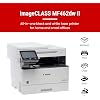
Canon imageCLASS MF462dw II - Monochrome Wireless Duplex Laser Printer with Print, Copy, Scan, Fax, Expandable Paper Capacity, 37 PPM

  • Based on 85 reviews
Condition: New
Checking for the best price...
$249.99 Why this price?
Save $151.00 was $400.99

Buy Now, Pay Later


As low as $41.67 / mo
  • – 6-month term
  • – No impact on credit to apply
  • – Instant approval decision
  • – Secure and straightforward checkout

Ready to go? Add this product to your cart and select a plan during checkout.

Payment plans are offered through our trusted finance partners Klarna, Affirm, Afterpay, Apple Pay, and PayTomorrow. No-credit-needed leasing options through Acima may also be available at checkout.

Learn more about financing & leasing here.

Selected Option

Free shipping on this product

FREE 30-day refund/replacement

To qualify for a full refund, items must be returned in their original, unused condition. If an item is returned in a used, damaged, or materially different state, you may be granted a partial refund.

To initiate a return, please visit our Returns Center.

View our full returns policy here.


Availability: In Stock.
Fulfilled by Amazon

Arrives Jul 10 – Jul 19
Order within 21 hours and 54 minutes
Available payment plans shown during checkout

Protection Plan Protect Your Purchase
Checking for protection plans...

Style: New Model


Features

  • Monochrome, Wireless, Duplex 4-in-1: Print, scan, copy, fax.
  • Fast Print Speeds: Print up to 37 pages per minute and spend less time waiting with a quick first print time of approximately 5 seconds.
  • Easy Wireless Setup: Setup your wireless connection and get up and running in just a few steps2
  • 5-inch Color Touchscreen: Get the job done quickly with Application Library - an intuitive and easy to use customizable access to the features you use most.
  • Mobile Device Printing: Print from your compatible mobile devices using the free Canon PRINT app, Apple AirPrint and Mopria Print Service.
  • High-capacity Toner: Uses Canon Genuine Toner 070 / 070 high-capacity, for high-quality output you can be proud of and high page yields that keeps up with your printing needs and help limit toner replacements.
  • Generous, Expandable Paper Capacity: 250-sheet standard cassette, 100-sheet multipurpose tray, and expandable paper capacity using optional paper cassette AH-1 (550 sheets).
  • Automatic Document Feeder (ADF): 50-sheet duplex (one pass, 2-sided) automatic document feeder, which helps save time and keeps your documents in order.
  • Auto 2-sided Printing: Save paper and limit paper replacements with automatic 2-sided printing.

Description

Designed for small / home offices and hybrid work environments, the imageCLASS MF462dw II model balances speedy performance and minimal maintenance. The MF462dw II is easy to set up and has a customizable, 5" color touchscreen that delivers an intuitive user experience. The MF462dw II has fast print speeds of approximately 37 pages per minute to keep up with your business. The MF462dw II uses high quality Canon Genuine Toner 070 / 070 H, for bold, crisp output your business can count on. Toner 070 yields approximately 3,000 pages and Toner 070 High-Capacity yields approximately 10,200 pages. The MF462dw II offers a plain paper capacity of up to 250 sheets in the standard cassette, 100 sheets in the multipurpose tray, and expandable paper capacity of up to 900 sheets using optional cassette AH-1 which holds up to 550 sheets. The 2-sided, automatic document feeder (ADF) holds up to 50-sheets and scans both sides of your document in a single pass using the one-pass scan function, which helps save you time. Easily connect wirelessly from computers or mobile devices. Print using a variety of mobile apps, including the Canon PRINT app using your compatible mobile device.

Brand: Canon


Connectivity Technology: Ethernet, Wi-Fi


Printing Technology: Laser


Special Feature: Auto Document Feeder, Touch Screen


Color: White


Model Name: Canon imageCLASS MF462dw II


Printer Output: Monochrome


Maximum Print Speed (Color): 37 ppm


Max Printspeed Monochrome: 37 ppm


Item Weight: 44 Pounds


Printer Type: Laser


Other Special Features of the Product: Auto Document Feeder, Touch Screen


Printer Output Type: Monochrome


Item Weight: 44 Pounds


Item Dimensions D x W x H: 18.1"D x 16.6"W x 14.8"H


Print media: Paper (plain)


Scanner Type: ADF


Maximum Copy Speed Black and White: 37 ppm


Compatible Devices: Laptops, PC, Smartphones


Warranty Type: limited


EU Spare Part Availability Duration: 3 Years


Ink Color: black


Additional Printer Functions: All In One, Copy, Fax, Scan


Control Method: Touch


Compatible Cartridge: Canon Genuine Toner 070


Number of Trays: 2


Resolution: 600 x 600


Maximum Media Size: Legal (8.5 x 14 inches)


Maximum Sheet Capacity: 800


Paper Size: Standard / Optional Cassette 4.1 x 5.8 to 8.5 x 14 Inches / Multipurpose Tray 3 x 5 Inches to 8.5 x 14 Inches


Maximum print Resolution Color: 600 x 600 dpi


Maximum Print Resolution Black and White: 1200 x 1200 dpi Dots Per Inch


Wattage: 1250 watts


Maximum Copy Resolution Black and White: 1200 x 1200 dpi


Brand: Canon


Model Name: Canon imageCLASS MF462dw II


Model Number: 7188C015


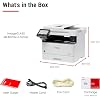
Built-In Media: Cartridge 070 Black Standard, Approx. 3,000 Page Yield, Fax Cord, Power Cable


Model Series: imageCLASS


Specific Uses For Product: Office


UPC: 013803386776


Manufacturer: Canon


Warranty Description: 3 Year Manufacturer


Item Type Name: Monochrome Laser Printer


Unit Count: 1.0 Count


Color Pages per Minute: 37 ppm


B&W Pages per Minute: 37 ppm


Initial Page Print Time: 4.9


Color: White


Printer Connectivity Type: Ethernet, Wi-Fi


Hardware Interface: USB


Total Usb Ports: 1


Dual-sided printing: Yes


Duplex: Automatic


Frequently asked questions

If you place your order now, the estimated arrival date for this product is: Jul 10 – Jul 19

Yes, absolutely! You may return this product for a full refund within 30 days of receiving it.

To initiate a return, please visit our Returns Center.

View our full returns policy here.

  • Klarna Financing
  • Affirm Pay in 4
  • Affirm Financing
  • Afterpay Financing
  • PayTomorrow Financing
  • Financing through Apple Pay
Leasing options through Acima may also be available during checkout.

Learn more about financing & leasing here.

Top Amazon Reviews


  • Epic
Style: New Model
Left HP because of all of the subscription mess for ink. Wish I left a long time ago! This printer is above and beyond anything I could have asked for. Works flawlessly, easy setup. Awesome company. The printer I ordered, I guess was out of stock, so they gave me the free upgrade. Greatly appreciated! ... show more
Reviewed in the United States on May 25, 2026 by Amazon Customer

  • Amazing Printer at a Great Price
Style: New Model
Purchased this amazing printer at a great price as a Black Friday special deal. Was not happy with my HP LaserJet; decided it was a good time to replace it. Although I've only had the printer for a little while, I am amazed by its quality and performance. Setting up the printer right out of the box was a breeze; no problems whatsoever - even connecting to WiFi. I had the whole thing up and running in less than 20 minutes. This printer can handle a lot, but I will be using it mainly for everyday print jobs in my home office. Judging by the quality of the pages I've printed thus far, I am more than happy with this beautiful Canon. If you are on the fence as whether or not to purchase, don't hold back. This is a terrific printer. ... show more
Reviewed in the United States on December 15, 2025 by PhillyGuy1

  • It works second time
Style: New Model
The first was dead on arrival. Perfectly packaged nice looking machine. Plugged it in, hit start, grinding noise/error code and could get no further. Tried going on Canon website to register and it said it was not a US machine serial number ... have still not gotten an answer on that. Called Amazon and after a long discussion they started the return process. Immediately ordered a second one ($257). It came within 4 days ... the new one is working fine. I have scanned and printed and except for software which is a little dense for duplex scanning it works. And don't tear up packing materials before testing printer (duh) ... I did. But easy to repack broken one when you get a new one that works. ... show more
Reviewed in the United States on December 15, 2025 by Sapper

  • Could not get the printer to install to HP Desktop computer
Style: New Model
Used Canon support to help with installation and he did everything possible but we could not get it to install to my HP Pavilion 2022 Desktop TP01-2255t running Windows 11. I am currently using an older model Canon Image Class mf216n laser printer with no issues whatsoever. We spent 2 hours retrying various methods but got "system failure each time." I just wanted a new printer in the event my current one fails. I had noticed other people had my same issue but thought given my current setup it might be ok... Wrong. Maybe time to try a HP printer so there would be less finger-pointing between Canon, HP, Microsoft Returned for full refund today ... show more
Reviewed in the United States on November 21, 2025 by Custormer since 1996

  • Great!
Style: New Model
Great!!
Reviewed in the United States on June 23, 2026 by Amazon Customer

  • Reliable Printer from Canon
Style: New Model
Having multiple locations with printers and having to replace printers, the cannon MF series is the only ones that haven't failed on me so I am starting to buy these, I have several of those serries now, easy to setup, my only complaint is toner prices but still way cheaper than inkjet and way more reliable. ... show more
Reviewed in the United States on March 27, 2026 by John H

  • Good MFD
Style: New Model
Using canon many many years. All good
Reviewed in the United States on December 24, 2025 by Dmytro Dreamstone

  • it works if it is installed properly.
Style: New Model
it works if it is installed properly. Canon is cutting corner now, does no provide software/driver, instead, they give a paper with a web link printed on it. The problem is the driver installation always fails if I use the link. The bigger problem is they do not provide any solution, but keep telling me to "try again/start over again". I downloaded the driver/software from Canon support web site, the same issue, installation failed again and again. Eventually, I called Amazon, I was provided a download link after repeatedly failed over and over. The software/driver was installed with the new link, but not functional. It turned out the link guided me to a wrong version of driver. It was for MF462dw, instead of my printer, MF462dw II. I contacted Amazon again, I was told to download and install another driver, Generic Plus UFR II. I tried it, again, failed. Eventually, I was able to install the driver. The right way of installation: - uninstall any canon driver, printer, software from previous unsuccessful installation, unplug the usb cable from the printer, - download "Master Setup" from usa.canon.com/support (find imageCLASS MF462dw II) - run Master Setup as administrator. Plug in USB cable when you are asked to, - when "Master Setup" completed, the printer will be installed correctly. It took me a day and half to figure this out. I knock out two stars for this reason. It works nicely after successful installation. ... show more
Reviewed in the United States on November 1, 2025 by LED user

Can't find a product?

Find it on Amazon first, then paste the link below.
Checking for best price...