Search  for anything...

ASUS ZenWiFi BT10 Tri-Band WiFi 7 Mesh, 18 Gbps, 6000 sq.ft (2pk), Dual 10G Ports, Security and Parental Controls Included, Smart Home Master SSIDs, 4G & 5G Mobile Tethering

  • Based on 200 reviews
Condition: New
Checking for the best price...
$579.99 Why this price?
Save $110.00 was $689.99

Buy Now, Pay Later


As low as / mo
  • – Up to 36-month term if approved
  • – No impact on credit to apply
  • – Instant approval decision
  • – Secure and straightforward checkout

Ready to go? Add this product to your cart and select a plan during checkout.

Payment plans are offered through our trusted finance partners Klarna, Affirm, Afterpay, Apple Pay, and PayTomorrow. No-credit-needed leasing options through Acima may also be available at checkout.

Learn more about financing & leasing here.

Selected Option

Free shipping on this product

FREE 30-day refund/replacement

To qualify for a full refund, items must be returned in their original, unused condition. If an item is returned in a used, damaged, or materially different state, you may be granted a partial refund.

To initiate a return, please visit our Returns Center.

View our full returns policy here.


Availability: In Stock.
Fulfilled by Amazon

Arrives Thursday, Jul 16
Order within 3 hours and 34 minutes
Available payment plans shown during checkout

Protection Plan Protect Your Purchase
Checking for protection plans...

Style: 18.0 Gbps, 10G Port


Pattern Name: 2-Pack, up to 6,000 sq. ft.


Features

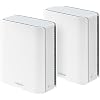
  • Powerful WiFi 7 mesh with superior tri-band connectivity future proofs your smart home with blazing fast speeds up to 18 Gbps and extensive coverage of up to 6,000 sq.ft. (2pk)
  • Ultimate AiMesh powered by AI delivers robust backhaul connections, seamless connectivity for all devices, and a feature-rich whole-home network that scales effortlessly with any ASUS extendable router
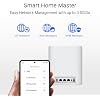
  • Smart Home Master offers effortless network segmentation with up to three SSIDs for easy IoT device setup and management, instant VPN connections, and convenient parental controls.
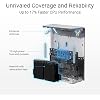
  • Eight internal antennas and ten high-power front-end modules eliminate WiFi dead zones in all directions while robust heat dissipation enhances WiFi reliability.
  • Ultrahigh-speed 10 Gigabit Ethernet with dual 10 G WAN and LAN ports and Multi-WAN including convenient 4G LTE & 5G Mobile Tethering via USB

Description

The ASUS ZenWiFi BT10 is a powerful tri-band WiFi 7 mesh system designed to deliver ultra-fast, reliable whole-home connectivity. With combined wireless speeds of up to 18,000 Mbps, it provides smooth performance for demanding activities such as 8K streaming, cloud gaming, and smart home connectivity across multiple devices. Powered by the latest WiFi 7 (802.11be) technology, the ZenWiFi BT10 features Multi-Link Operation (MLO), 320 MHz channels, and 4096-QAM to significantly boost throughput, reduce latency, and improve network efficiency compared to previous WiFi generations. The 2-pack system can cover up to 6,000 square feet, using ASUS Smart AiMesh technology to create a seamless network throughout your home. Devices automatically connect to the strongest signal while intelligent mesh backhaul ensures stable performance across floors and rooms. For multi-gigabit internet and high- performance wired devices, the system includes dual 10G Ethernet ports and flexible wired or wireless backhaul options. Combined with ASUS AiProtection Pro security, VPN support, and advanced parental controls, the ZenWiFi BT10 provides a secure and scalable networking solution for modern smart homes.

Brand: ASUS


Model Name: BT10 (W-2-PK)


Special Feature: Access Point Mode, AiMesh, Internet Security, Parental Control


Frequency Band Class: Tri-Band


Wireless Communication Standard: 802.11.be, 802.11ac, 802.11ax, 802.11n


Compatible Devices: Personal Computer, Smart Television, Smartphone, Tablet


Recommended Uses For Product: Business, Gaming, Home


Included Components: Power adapter, Quick start guide, RJ45 cable, Warranty card, ZenWiFi BT10 router x 2


Connectivity Technology: 5G, Ethernet, Wi-Fi


Color: White


Other Special Features of the Product: Access Point Mode, AiMesh, Internet Security, Parental Control


Frequency Band Class: Tri-Band


Wireless Compability: 802.11.be, 802.11ac, 802.11ax, 802.11n


Compatible Devices: Personal Computer, Smart Television, Smartphone, Tablet


Antenna Location: Business, Gaming, Home


Connectivity Technology: 5G, Ethernet, Wi-Fi


Antenna Type: Internal


Operating System: ASUSWRT


Security Protocol: AiProtection/ VPN/ WPS, WPA/WPA2/WPA3-Personal, WPA/WPA2-Enterprise


Number of Ports: 1


Control Method: App


Data Transfer Rate: 18 Gigabits Per Second


LAN Port Bandwidth: 10000 Mbps


Maximum Upstream Data Transfer Rate: 10000 Megabits Per Second


Number of Antennas: 8


Smart Home Compatibility: Smart Home Compatible


Router Firewall Security Level: Advanced


Wi-Fi Generation: WiFi 7


Has Internet Connectivity: Yes


Connectivity Range: 6000 Square Feet


Is Modem Compatible: No


Connectivity Protocol: WiFi, Ethernet


Coverage: 6000 sq.ft


Frequency: 6 GHz


Brand: ASUS


Model Name: BT10 (W-2-PK)


Built-In Media: Power adapter, Quick start guide, RJ45 cable, Warranty card, ZenWiFi BT10 router x 2


Model Number: BT10 (W-2-PK)


UPC: 197105429895


Manufacturer: ASUS


Mfr Part Number: BT10 (W-2-PK)


Unit Count: 2.0 Count


Warranty Description: 3 years ARR warranty


Item Weight: 1.8 Pounds


Item Dimensions L x W x H: 7.3"L x 2.8"W x 6.26"H


Color: White


Has Security Updates: Yes


Frequently asked questions

If you place your order now, the estimated arrival date for this product is: Thursday, Jul 16

Yes, absolutely! You may return this product for a full refund within 30 days of receiving it.

To initiate a return, please visit our Returns Center.

View our full returns policy here.

  • Klarna Financing
  • Affirm Pay in 4
  • Affirm Financing
  • Afterpay Financing
  • PayTomorrow Financing
  • Financing through Apple Pay
Leasing options through Acima may also be available during checkout.

Learn more about financing & leasing here.

Top Amazon Reviews


  • Solid router with room to grow Solid router with room to grow
Style: 18.0 Gbps, 10G Port Pattern Name: 1-Pack, up to 3,000 sq. ft.
To be honest I've usually stuck with ASUS's gaming oriented Routers and products in general I'm upgrading from a RT-AX86U. That router has been rock solid and worked perfectly for the years I've had it. But over time I've obviously been itching to upgrade especially for the WiFi 7 and the not as congested 6GHZ band on newer devices and speed/bandwidth increases. Opening up the box and setting up the router was very easy especially with the ASUS Router app, moving from a previous ASUS router is was extremely familiar and was streamlined. Though I did fine tune the settings via the web browser. The only complaint is how long it takes for the router to apply settings which can take up to a minute each time and becomes unresponsive until it's finished. But everything else is point, click, and apply. Netgear, Linksys, and TP-Link could learn from this. I've listed the most common pros/cons for this router. But overall I would consider this Router/Mesh system solid and definitely worth the money. Especially if you can get it on sale for about $260 ish like I did. The biggest thing is I wish they would have added more ports on the back of the router instead of having to rely on a switch attached. But that could be considered too much nitpicking. - Pros - Upgraded Wi-Fi 7 for the 6 GHZ band which is less congested than 5 and 2.4 2X 10GB WAN/LAN Ports Clean and modern design/look Mesh Capable if you need to expand in the future ASUS Router App works almost seamlessly for first time setup/management Able to create a network specifically for IoT Devices - Cons - Limited amount of ports so you'll probably need to get a switch Lots of settings and options, can take awhile to find what you are looking for AI Slop ... show more
Reviewed in the United States on November 4, 2025 Reviewed in the United States on November 4, 2025 by Psymon12

  • Not Worth the Premium Price Tag
Style: 18.0 Gbps, 10G Port Pattern Name: 2-Pack, up to 6,000 sq. ft.
I had high hopes for the ASUS ZenWiFi BT10 given all the marketing hype around Wi-Fi 7, but after months of use, this router has been one of the most frustrating purchases I’ve made. It it has only been a few months. The Price Is Outrageous Let’s start with the elephant in the room — this thing costs around $860–$900 for a two-pack. For that kind of money, I expected perfection. What I got was a router that still can’t outperform its own sibling, the BQ16 Pro, which itself costs only a few hundred more. ASUS is clearly charging a premium for a product that feels like a watered-down version of its own lineup. Stability and Reliability Nightmares Months in and I’m still dealing with devices randomly disconnecting and reconnecting — and I’m not alone. Despite firmware updates, the BT10 remains unstable for a lot of users, and the MLO (Multi-Link Operation) setup is a complete mess with almost no clear guidance from ASUS. Paying nearly $900 for a router that requires months of troubleshooting is unacceptable. Embarrassingly Stingy Port Selection For a “premium” Wi-Fi 7 system, the port selection is a joke. You get only two LAN ports per node — and one of them is just a 1 Gbps port. In 2025, on a near-$1,000 router, that’s insulting. Competitors at lower price points offer far more wired connectivity. Performance Drops at Distance All those advertised gigabit speeds? Great — if you’re sitting six feet from the router. At 25 feet, the 6GHz band performance dropped by over 50%. For a mesh system meant to cover large homes (ASUS claims 6,000 sq ft), that kind of signal degradation is a red flag. Bottom Line The ASUS ZenWiFi BT10 is a classic case of overpromising and underdelivering. You’re paying flagship money for a router that lacks flagship ports, suffers from real-world stability issues, and still falls short of ASUS’s own higher-end model. Save your money and look elsewhere — or at least wait until ASUS actually fixes the firmware before considering this purchase. ... show more
Reviewed in the United States on June 10, 2026 by Devlin Hytche Simms

  • Review for Apple HomeKit Users
Style: 18.0 Gbps, 10G Port Pattern Name: 2-Pack, up to 6,000 sq. ft.
I had some initial concerns changing to this Asus BT10 router from a HomeKit-compatible Linksys Velop router, but it actually worked out almost as well I had hoped. When I installed the old Linksys router, I used the same WiFi SSID and password from the previous (Netgear) router, and the HomeKit devices switched over with only minor issues. This didn’t work when I tried the same thing with the Asus router. Any device I added with the Linksys router did not transfer. (With the HomeKit Linksys router, I did not have to be on only a 2.4 GHz SSID to install the IoT (internet of things) devices, which was convenient.) Only devices that were installed prior to the Linksys (and Thread devices) transferred to the Asus. I also could not install any new devices to my “Home” with the Asus. I ended up creating a new Home and reinstalling all of my devices to this new Home. I think if I had used a non-HomeKit router before the Asus, and used the same SSID/password combination, this would not have been in issue. Also, I have not switched over to the new Matter-based architecture for HomeKit when I installed the Asus. The documentation for the BT10 (and some other Asus routers) talk about creating an SSID for IoT devices on the 2.4 GHz frequency. I couldn’t find any information on how this was set up, which is partly why I had initial concerns. This actually worked really well. The BT10 lets you create SSIDs on different frequencies using the same subnet. (The default subnet was 192.168.50.1, which I changed to 192.168.1.1.) What this means is you can set up an SSID for your IoT/HomeKit devices on 2.4 GHz, and a *different* SSID for your main WiFi using 2.4/5/6 GHz, and they would all be on the same subnet (e.g., 192.168.1.x). So when I had to re-install my HomeKit devices, I just pointed my phone on the 2.4 GHz SSID and had no issues (I decided to use only the 5 and 6 GHz frequencies on my main WiFi network). No more turning the 5 GHz on and off to install devices. Being on the same subnet means I can control the devices locally on my LAN. I cannot see my HomeKit devices when on a different subnet. The Guest SSID used a different subnet (192.168.52.x was the default). Virtual LANs also seem to use a different subnet, so users on these subnets can’t see or control the HomeKit devices. A nice touch is you can list the devices by the network/SSID (i.e., Ethernet, Wireless SSIDs) they’re on using a browser interface. Normally you get the one list of wireless devices which makes it hard to distinguish all of the IoT devices. So as I added my HomeKit devices, I checked the 2.4 GHz device list so I can rename them on the list instead of using the generic manufacturer name so I can keep tabs on them. I generally used the browser interface for all of the setup instead of the iOS app. It also shows the transmission rates to each device which tells me how good the signals are to my devices outside. So far I haven’t seen any “no response” errors from the devices on the Home app with no difference in performance to the old Linksys (e.g., turning devices ON/OFF.) (I’ve since switched to the new Matter architecture for the Home app without any issues. I had to unplug/plug a few old devices, but otherwise it was fine.) (Random Router Ruminations) A couple of reasons why we switched from the Linksys was because of some WiFi dead spots where I think it was switching nodes. The WiFi would also hang for a bit while the Ethernet was totally fine. So far we have not encountered such issues with the Asus. The speeds are about what I would expect (we have no WiFi7 devices, just 6/6E, but now ready for the next upgrade cycle). I run 10Gb Ethernet among my desktops, and although I didn’t need 10Gb from the router, it’s nice knowing that it’s there if I ever get >1Gb/s internet connection. I’m not running an Ethernet backhaul between the nodes, but I get close to 1Gb Ethernet speed (~700Mb/s) with my WiFi 6 laptop next to the satellite. On an iPad Pro M2 running WiFi 6E I get over 800 Mb/s. For fun, using a 10Gbps Thunderbolt Ethernet dongle, I connected my laptop to the 10G port of the satellite node and got 1700 Mbps, almost double of gigabit Ethernet. Obviously the speed will depend on the placement of the nodes, but that’s not bad for magic wires. All of this was on the Dec 2024 firmware, which it automagically updated itself to as I was setting it up. It’s a bit expensive ($650), but that’s what I get for wanting the 10Gb ports (actually, one of the cheaper 10Gb Ethernet mesh routers, probably because it's only a tri-band wireless device). So far no issues using it with HomeKit (or Home, whatever Apple is calling it now), and it’s been pretty solid overall. I’m very happy with this router. Of the many, many routers I’ve had over the years (D-Link, Netgear, Linksys, Apple), the Apple routers have been the most stable and consistent. The Asus has been just as stable, with the benefit of newer tech and therefore faster speeds. ... show more
Reviewed in the United States on February 17, 2025 by EMan

  • Great performance with excellent parental controls and no ongoing subscription fees.
Style: 18.0 Gbps, 10G Port Pattern Name: 1-Pack, up to 3,000 sq. ft.
I love the software. Excellent parental controls. Kids WiFi subnet that can disappear at bedtime. No additional expense for security software. Minor complaints include WiFi interruption when performing certain configuration tasks. Excellent performance. Highly recommended.
Reviewed in the United States on July 10, 2025 by Paul Hostetler

  • I really wanted to love this router
Style: 18.0 Gbps, 10G Port Pattern Name: 2-Pack, up to 6,000 sq. ft.
Recently I had some issues with my fiber line so I wanted to get a second ISP as a backup, and keep it as failover if my primary fiber line is down. So I learned about BT10 specs, learned that it supports dual WAN and thought it would be a perfect solution for me, and a nice upgrade to my current Google Nest mesh. I've had other Asus routers in the past and always loved them and I thought I couldn't go wrong with this one. So I ordered a 2-pack. Setup was fairly straightforward. Although the first time I didn't notice one is labeled as a primary. I set them up, using the same WiFi SSD and password I've used for my previous routers but found that most of my devices had a lot of issues reconnecting to the new WiFi. So I figured I'd do a full reset and give it another try in the right order. Things went better this time. Most of my devices reconnected, with the exception of a few that only work on 2.4 GHz. I did those manually, no big deal. I'm using a wired backhaul btw. One of the first things I did was update firmware. Things were running pretty good with my backup cable ISP. I set dual WAN settings to get things ready when my fiber is fixed. 10G WAN/LAN2 as primary and 1G WAN/LAN1 as secondary. Failover and allow fallback. Basic failover setup that you would expect. Cloned MACs used to setup both modems in bridge mode. Everything was prepped. Then my fiber was restored and I started this journey down the dual WAN rabbit hole … boy I was in for a surprise. No matter which ISP I connected to 10G WAN/LAN2 I could not get an IP. It would always give me an error “Your ISP's DHCP does not function properly.” I tried different combinations of primary/secondary, but it was always that port. WAN/LAN1 works every time. So I gave up on that port and decided to give 10G LAN3 port a try in dual WAN mode. 10G LAN3 primary and WAN/LAN1 as secondary. Finally I'm getting IPs on both ports – great. I am very hopeful. But for some reason primary shows disconnected even though it gets IP and connection works. Then I tried testing failover … it just does not work, it never switches to the secondary WAN. Tried different combinations of primary/secondary … switched ISP cables … no difference. If I ever get it to actually switch it's after me manually toggling the "Internet Connection" switch, but it never does it on its own. So one of the main features for which I bought this router simply DOES NOT WORK. There were many other bugs at this point … I was getting less than half a WAN speed on WiFi or hardwired to the primary node, even though I'm getting over 500/500 Mbps connected directly to the modem. ... WAN showing disconnected forever, when it isn't … When it does show connected in the Network Map tab, it shows disconnected in the AiMesh tab. LED light on the primary node stayed red even when it has a WAN connection and secondary node is connected via backhaul. Then if I turn LED off and turn it right back on – it's white. It was really a mess at this point so I decided to give it one last chance and do one more full reset and start from scratch. This time I won't even bother with a dual WAN. Btw I ended up buying tp-link ER605 in the meantime to handle WAN failover and imagine that - works like a charm. After reset and trying to make things simpler Asus seemed to run better and more reliable. Then after 2 days, without any changes being made to it, I started noticing my phone getting disconnected and my wife's phone and laptop also started acting up, a bunch of smart plugs and switches were flashing too, like everything was getting disconnected. I ended up disabling MLO on my primary WiFi and that seems to have fixed it, for now. I blame myself for not reading more detailed reviews about this router, and dual WAN on Asus routers in general because issues seem to be going back for years. They might as well just scrap it because it's useless, it's a gimmick to check a box on the spec sheet. It's a shame, because I really wanted to love it. It might still be ok if you have a single ISP (which I understand most people will) but during this frustrating journey I've discovered way too many bugs that I'm not sure I can live with because it doesn't give me much confidence something new won't come up at the worst possible time. You will find that most YouTube reviews are very positive because they emphasize one thing – speed. Yes, it's fast when it works. And it still might work just fine for you … and they might iron out some of these bugs with future firmware updates, but with my current experience I would not recommend it. ... show more
Reviewed in the United States on April 2, 2025 by Alicia

  • D'oh! So close...
Style: 18.0 Gbps, 10G Port Pattern Name: 2-Pack, up to 6,000 sq. ft.
I was looking to replace my TP-Link Deco mesh network setup because TP-Link recently added a ton of features that I really wanted...and then put them behind a flippin' paywall! CURSE YOU TP-Link! You were doing so well but then you had to go and muck it all up! So began my search for a truly powerful, customizable mesh network solution that allowed me to do all the advanced setup that my nerd-heart could ever want. I run a home-lab, so I need to be able to do a lot of configuration to expose and protect all the services I want to access from the interwebs. My web and mail servers, RustDesk relay, IP cameras, etc. As I was setting these things up, I kept running into problems. I won't bore you with the details, but I couldn't get to some of my cameras, and RustDesk would ID my devices, but the relay failed. I set up Port Forwarding correctly, firewall was kosher, advanced protection features were ruled out and yet, they still failed. I even put one of my servers into the DMZ to completely expose it, which surely would let me get it to work right...? Nope. After hours of research, testing, denial and error I found out WHY none of this stuff worked, and it was by design. The BT series routers are cripped by Asus...on purpose. The BT series (BT6, 8, 10, 16) run a stripped-down firmware. In my case in particular, it forces hardware NAT acceleration. So in nerd parlance it: - Forces packet normalization - Forces DPI heuristics - Forces ALG behavior - Does not expose toggles to disable any of it This means the BT10 always rewrites WAN‑ingress packets and my older cameras and RustDesk server choke on this. Could I work around this, sure, but I shouldn't have to. And who knows what else it would interfere with as I expand my lab. You cannot turn this off. You cannot bypass it. You cannot disable it. DMZ does not disable it. Port forwarding does not disable it. Firewall rules do not disable it. Turning off AiProtection does not disable it. So in other words, Asus designed this series of mesh routers for your average consumer, not a power user. So, if you want all the consumer features you could ever hope for without a stupid paywall subscription (greed is the loyalty-killer!), This is a GREAT solution for you. If you want to geek-out into the wee hours of the morn' to strategically expose and protect your network like the you're preparing for the Battle of Helm's Deep, you'd be better off with the RT-BE96U. Sure, it costs almost twice as much, and ASUS knows what they're doing, but at least it's a one-time expense and in the long-run, that'll save me the cost of sticking with TP-Link. There are a lot of choices out there. TP-Like does have other options that I could use, but they just left a sour taste in my mouth. I'm sure they won't miss me, but I just can't go back. Hope this helps. ... show more
Reviewed in the United States on December 15, 2025 by JohnnyPDX

  • These Are the Units I Needed - Superior Coverage and Fast!
Style: 18.0 Gbps, 10G Port Pattern Name: 2-Pack, up to 6,000 sq. ft.
I needed a replacement for a 3100 SF two story home with about 70 devices, most are IoT's, TP Link power plugs, lights, etc. Also have 7 Nest Cameras. This set was the clear winner in my testing. Its range was superior to all other products I tested. Mesh systems I tested: Deco XE75 Pro (3 units). Worked fine for the most part but the app is definitely more for a typical consumer and not a prosumer which I consider myself. However this unit did not reach the ~70 feet to one 2.4ghz string light on the backyard block wall. Deco BE63 (3 units). These devices were heavier compared to the very light weight XE75's. They worked well and this unit did reach the 70 feet to our string lights. They look nice and worked well using wireless backhaul. But it still used the Deco app, which works well but is quite limited in details of your wifi system. Most users will be fine with this. Eero 7 (3 units). Seemed very well made. The app is dumbed down for the typical home users but this did NOT reach the 70 feet to our string lights. I would have needed a 4th unit, or extender for outside and most of these products for outside have ethernet ports on this, ....... that you can't turn off with their app software or through the GUI on a computer. Total security issue. Final contender the Asus BT10 (2 units). One unit will cover our entire house but my cameras were a bit slow when viewing footage. So I deployed the second unit and we have total coverage of the large house and a large backyard. Speed on this is really good and their coverage is excellent. They easily penetrate our trac home drywall and lumber walls. The app or web GUI are made for the prosumer. Those that want insight into signal -dBM, and many other technical things these are for you! I have these running in AP mode and they're terrific. They are more expensive than the above units and I understand why now. If you have a large home buy these or perhaps just one vice two. ... show more
Reviewed in the United States on August 15, 2025 by David S. Dickinson

  • DHCP *STILL* not working for Guest / IoT networks on remote mesh nodes
Style: 18.0 Gbps, 10G Port Pattern Name: 2-Pack, up to 6,000 sq. ft.
Purchased this pair because they run the newer 3.0.0.6.x series firmware, which was supposed to fix this issue when using wired Ethernet backhaul. It is a known bug that exists in the 3.0.0.4.x series firmware supported in most of the 2024 and earlier routers, and it was never fixed and likely never will be because that firmware doesn't support VLAN tagging. DHCP only works on remote mesh nodes for the main network. On Guest and IoT networks, DHCP only works when devices are connecting to the main unit, not on one of the mesh nodes. This makes Guest and IoT networks essentially useless for devices that don't see the signal from the main unit. Although DHCP is reported to work correctly on remotes using wireless backhaul, that means they have to be located close enough to the main unit to have a high throughput signal. In the instructions for mesh setup, ASUS recommends using wired Ethernet backhaul whenever possible for best performance. Wired backhaul on these units supports faster 2.5 GB and 10 GB Ethernet, ideal for that purpose. I'm a seasoned network technician and spent hours attempting to get this working properly, with two BT10s connected directly together to eliminate any switch VLAN issues, involving multiple factory resets. Turns out there are open ASUS bug reports about Guest Network Pro SSIDs failing to pass DHCP over Ethernet backhaul, and DHCP discover frames dropped or not VLAN-tagged correctly by the remote nodes. I'm keeping the units in case a future firmware update finally fixes this issue, but have given up on Mesh for now and configured the remotes as non-mesh APs. The one-star rating is because this is a highly touted feature of the "Pro" part of "Guest Network", that feature is of no value on remote nodes if DHCP doesn't work correctly, and anyone upgrading to these units to gain that feature is likely to be very disappointed. ... show more
Reviewed in the United States on August 23, 2025 by Zwaver

Can't find a product?

Find it on Amazon first, then paste the link below.
Checking for best price...