






$79.98
Save $20.01
was $99.99
Buy Now, Pay Later
As low as
$13.33
/ mo
Learn more
- – 6-month term
- – No impact on credit to apply
- – Instant approval decision
- – Secure and straightforward checkout
Ready to go? Add this product to your cart and select a plan during checkout.
Payment plans are offered through our trusted finance partners Klarna, Affirm, Afterpay, Zip, Apple Pay, and Google Pay. No-credit-needed leasing options through Acima may also be available at checkout.
Learn more about financing & leasing here.
Free shipping on this product
30-day returns
Learn more
FREE 30-day refund/replacement
To qualify for a full refund, items must be returned in their original, unused condition. If an item is returned in a used, damaged, or materially different state, you may be granted a partial refund.
To initiate a return, please visit our Returns Center.
View our full returns policy here.
Availability:
20 left in stock
Arrives
Saturday, Oct 31
Recently Viewed


At a glance
- Condition
- New
- Model
- CT860B
- Screen size
- 10 in
- Weight
- 300 g
- Color
- Grey
- Pressure Sensitivity
- 8192 levels
- Operating System
- Android 10.0 or later, iOS 14.0 or later
- Warranty
- 1 Year Warranty
- Works with
- Smartphone, Tablet
Features 10
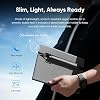
- Brings Handwriting Joy to The Digital Age: Smart digital note-taking with seamless sync on the writing tablet. Write naturally with XPPen Note Plus, and watch your lecture notes, meeting records, or anytime sketching idea appear instantly on your phone
- Real Paper & Dedicated Ink Pen: Write on real A5 paper with the exclusive matching ink pen only (no electronic screen). Every stroke will instantly sync to your phone via stable Bluetooth 5.3
- No More Scanning and Losing Notes: Featuring Bluetooth 5.3 for a stable connection, this digital notebook combines EMR technology with 8192 levels of pressure sensitivity to accurately capture every stroke for smart sketch creation and smooth writing
- Swap The A5 Notebook Inner Core At Will: Any A5-sized core 8mm thick is fully compatible-whether you dislike the original paper style or need a replacement when it's full, reducing waste as you're never locked into expensive refills. Write, draw, and digitize with the paper you already love
- Flexible Note Management: Built-in editing tools including brushes, highlighters, colors and page management, support tagging and quick search. Re-edit notes freely and highlight key ideas, with Google Cloud storage offering secure backup for easy access anytime with no storage limits to worry about
- Premium Writing Experience: Swiss Mini Star D1 0.8mm refill delivers even ink flow; high-capacity liquid ink ensures skip-free, smudge-proof writing, perfect for daily use with your digital notepad
- Offline Writing & Cross-platform Syncing: Write offline on this electronic notepadnotes save locally and auto-sync once reconnected. Compatible with Android 10.0 or later & iOS 14.0 or later, its a top pick for digital sketchbook cross-device needs
- Ultra-Thin, Fast-Charging & Long Battery Life: This digital notebook (350g, 24517613mm) is perfect for on-the-go use. 1000mAh battery charges fully in 2.5h, with 14h continuous writing and 50-day standby, great for efficient all-day work
- Pen Clip Design & Soft Rubber Grip: Clip it to your writing tablet easily to prevent accidental loss. The stylus boasts an ergonomic grip and a sleek anti-slip soft rubber sleeve, balancing stylish design with comfy use
- One-click Sharing: Share notes, art and graffiti as PNG/PDF instantly, or export PDFs for computer storage and editing, making your creative work effortless
Specs 20
| Brand | XP-Pen |
|---|---|
| Connectivity Technology | Bluetooth |
| Pressure Sensitivity | 8192 levels |
| Operating System | Android 10.0 or later, iOS 14.0 or later |
| Special Feature | 14hrs Long-lasting Battery Life, 2.5-hour fast charging, Bluetooth 5.3 Wireless Connection, Offline Storage & Online Editing, Replaceable A5 notebook core |
| Model Name | CT860B |
| Built-In Media | Digital Pen |
| Target Audience | Business Meeting, Note-taking, Smart Sketch, Student, Teacher |
| Model Number | CT860B |
| Number of Items | 1 |
| Manufacturer | XP-PEN |
| Item Highlight | Writing Tablet for Students, Wireless Smart Notebook for Sketching, Note-Taking, Digital Art & Meeting, Drawing Tablet |
| Additional Features | 14hrs Long-lasting Battery Life, 2.5-hour fast charging, Bluetooth 5.3 Wireless Connection, Offline Storage & Online Editing, Replaceable A5 notebook core |
| Specific Uses For Product | Designing, Editing, Writing |
| Screen Size | 10 inches |
| Item Weight | 300 g |
| Item Dimensions L x W | 9.65"L x 6.93"W |
| Active Surface Area | 120 square inches |
| Color | Grey |
| Software Update Supported to Date | unknown |
No specs match.
Frequently asked questions
If you place your order now, the estimated arrival date for this product is:
Saturday, Oct 31
Yes, absolutely! You may return this product for a full refund within 30 days of receiving it.
To initiate a return, please visit our Returns Center.
View our full returns policy here.
To initiate a return, please visit our Returns Center.
View our full returns policy here.
- Klarna Financing
- Affirm Pay in 4
- Affirm Financing
- Afterpay Financing
- Zip Pay in 4
- Financing through Apple Pay
- Financing through Google Pay
Learn more about financing & leasing here.
Similar Products




Top Amazon Reviews
Holds its own against Wacom!
TL;DR: Excellent, even when not considering the price. Perfect first tablet for an aspiring artist, and a very affordable replacement for an experienced artist in a bind or someone looking to try something new. UPDATE 3/21/2021: Still using this same tablet, still works as well as it always has. I finally had to buy more nibs, though! UPDATE 2/15/2019: Only "issue" I've run into is I recently brought a new charger/cable as mine was looking a bit rough, which I'm sure was cause by how I was bending it; that said you can use any old micro USB cable with it, not just the $25 replacement for this specific model. UPDATE 3/18/2018: Latest driver update fixes translation issues with the control panel as well as improving the functionality of the wheel. Still haven't had any problems, even after 7 months of hard use. My workhorse of an Intuos5 broke at an awkward time when I couldn't afford a Wacom replacement and I needed a tablet to work; after some desperate searching I found the Star06. I was skeptical of the price, but decided to try it regardless. The wheel was a major selling point for me, as I used it heavily on my previous tablet both for brush size and zoom. After some minor frustration with drivers and getting pressure to work--restarting my machine with the tablet plugged in did the trick, once the latest drivers from the website were installed--I found the Star06 to be perfect for my purposes. The wireless functionality works great and the tablet can hold a charge for long while. I'd recommend this to anyone looking for an affordable graphics tablet. I'm a freelance illustrator who uses her tablet for sketching/drawing/painting up to ten hours a day, and after using the Star06 for a couple weeks I might even go as far as to say I prefer it to my old Intous5. I certainly have fewer sporadic driver issues now, though I do miss having an eraser. I'm using Windows 10 with a single monitor, and so far I've found everything to work perfectly in Clip Studio Paint, Krita, Paint Tool Sai, and Photoshop CS6, though CS6 suffers a bit due to the lack of a gyro.
...
show more
Reviewed in the United States on August 23, 2017 by Kris
Best $90 purchase ever!
This just may be the best $90 I've ever spent. The Star06 is amazing! So far, I've only used it once during a 10 hour session of photo editing but it performs great for the price and the size is absolutely amazing for the price. I have some problems with the wheel and buttons and some lag using the Healing brush on Photoshop CS5 when the healing brush needs ALT-click on sample but other than that it's amazing! I'm used to using the small Wacom so there was a bit of a learning curve for me on this but it works great! after following all the suggestions I got it to install on my toshiba touchscreen laptop on the second try through the USB drive that's included. I highly recommend this device! It had speeded up my editing sessions by hours! UPDATE (6 Months): I have been using this for 6 months now. I have experienced some of the hotkey problems others wrote about but also found the fix and the tablet works great. Im so happy with it and I like it better so far the the Wacom because of the size and responsiveness. The only complaint I have is the pen nib is wearing down and leaving scratches on the pad - (I use a Medium sensitivity setting so that I dont need the glove). Thankfully the scratches are only cosmetic at this point. I need a replacement nib now to prevent more scratches but still im so happy with this tablet. I have used it on my iMac and Windows Laptop repeatedly with no problems that couldnt be fixed in the settings. I prefer to use it plugged in so I dont have much to discuss regarding the wireless setup except that is has worked every time for me. For those who regretted their purchase, I think it is just a matter of inputing the correct settings into the hotkey command boxes. Hopefully this purchase will last for a couple years or more.
...
show more
Reviewed in the United States on September 11, 2017 by Heather Broomhall Studio
Perfect for thinkers
Color: Grey
Love the ability to write or draw whatever onto real paper but it digitally uploads in real time to my phone. It has an offline mode which is a bit strange cause it won’t merge into the existing paper as expected but rather creates a whole new blank page even though you were previously writing on that paper. So be careful to have the app open to prevent this. Otherwise it’s perfect and highly recommended it. Works with any paper basically I’ve tested tons by the way.
...
show more
Reviewed in the United States on August 19, 2026 by The Reviewer
I do like the tablet and the packaging for a low cost ...
So i bought this when there were no reviews....I was between this and the Huion Q11K, but decided for this model because of 2 main points (1) I do not have to charge the stylus and (2) review for previous models, while los in numbers, were high in scores. I do like the tablet and the packaging for a low cost item is superb. In terms of functionality, it did not work right off the bat. I skipped the USB stick drivers and went to the website, and downloaded the latest and greatest (Rel 07/04/17)....and they didn't work. I use this primarily for photography (Lightroom and Photoshop, and some Illustrator), and could not draw a curve for anything....it only translated my movement to a starting point and end point, and line in between. I will say that the button assignment worked much better on the new driver than the one included in the USB Stick. I then removed the drivers, and installed the ones on the USB stick, and everything worked as expected. PROS: - Value!!! Can't beat this value for a medium wireless tablet. - Easily configurable - Wheel works great from brush size adjustments. - Smooth once properly configured for my needs CONS: - Wireless is kind of flaky...i've had a couple instances where the wireless connection dropped off. (the star loss comes from here) - Button configuration on current driver is not optimal (Rel 05/17/17 ). - Pen is light for my liking; much lighter than the Wacom Draw tablet it's replacing.(but I am a writing tool snob, so I won't ding here too much). - Not the smoothest lines...not an issue for me, but for someone drawing on the Adobe suite, It may be an issue. Overall, I would recommend the tablet to anyone on a budget. I am looking forward to new drivers for this tablet to really unlock it's potential.
...
show more
Reviewed in the United States on August 1, 2017 by Carlos Rey
its very good
Color: Grey


I’ve been using the Noteplus digital notebook for a while now, and honestly, it turned out way better than I expected. At first I wasn’t sure about it since it’s still pretty new, but it actually impressed me. The thing I like most is how it still feels like writing on real paper. It really gives that normal notebook vibe, but everything syncs to your phone automatically, so you don’t have to deal with scanning notes anymore. It’s also super light, so it’s easy to carry around every day. I can just write or sketch in class without needing WiFi, and later when I connect it to my phone, everything shows up digitally. The stylus feels comfortable to hold, the grip is nice, and the pressure sensitivity is surprisingly good. Writing feels really smooth. Pairing it was also quick and easy. The app is pretty solid too. There are a lot of templates, and it helps keep everything organized. One thing that really surprised me is that you’re not limited to special paper—you can use pretty much any A5 notebook or even loose paper, as long as it’s not too thick. I also asked their customer support, and they said there’s an update coming around April with new features like voice recording and adding images, which sounds pretty useful. If you like writing by hand but still want everything saved digitally, I’d say it’s definitely worth trying. Even if you lose your paper notes, you still have everything backed up, which is super convenient.
...
show more
Reviewed in the United States on March 23, 2026 by zeyuwei
It's a good tablet but
I've had this tablet for roughly two months now. It's a good tablet but.. There's a lot of cons to it, just as there is pro's. The pro's mainly consist of price & performance; it does it's job & is a very good price for what it is ( and it's size! ) as much as I love this tablet, I've started running into a lot of issues. I've had problems with Paint Tool SAI since using this product & since then switched to medibang which it worked very well with. My main problem comes with the drivers. You're not told when the driver's update, so when this tablet begins to have problems ( by problems I mean it literally won't work in SAI and you'll have pen pressure problems in other programs ), I highly recommend checking the website for the updated driver. Want to restart / shut off your computer?? You have to re-install the driver, too. This isn't too much of a problem for me since it only takes a few minutes and deletes the old driver upon installation of the new one, but it's not exactly fun to deal with. My second issue is the scroll wheel, which suddenly stopped working. It's jammed up in different spots and when you try to scroll in, it does nothing while scrolling out scrolls it all the way out. I don't use the hotkeys very much, so any issues I have with them aren't really as big to me as the wheel is. Something else that I feel should be noted is that you must be careful when you're using the tablet, as it gets scratched and worn very easily, especially if you draw on a specific part of the surface repeatedly. ( that could just be me though, i have a bad habit of pressing down a little too hard on my tablets. ) I'm still giving this product 3 stars because I do genuinely like it and feel it is worth the money. I just feel the company needs to work on how they update their drivers ( and how frequently, I've had to update mine more than 3x in the course of a month. ), and fix the quality of the scroll bar. Overall, I do think it's a good tablet for beginners, people on a tight budget, or a replacement tablet.
...
show more
Reviewed in the United States on November 22, 2017 by Amazon Customer
Love it! Highly recommend. Great value.
I intended to replace my very old, very basic Wacom tablet with a new medium-size Wacom Intuos. My husband, who likes a good buy, found this for me, and after researching reviews which were predominately positive, both on this Star 06 tablet and on XP-Pen in general, I decided to buy it instead of the Wacom. I'm very glad I did. No problems with installation (Windows 10) or performance. The only small hitch was that the screen which show pen pressure adjustment was totally different than the one in the manual that came with it, but finally I downloaded a revised manual which shows the correct screen. However, it does not actually tell you how to adjust the pen pressure; you have to play around with it. A more detailed explanation in the manual would be helpful. I've had it nearly 2 weeks and have used it in Photoshop and tried it out in an old version of Corel Painter. I think it works beautifully. It takes a bit of practice to use the express keys and the dial without having to think about it, and I haven't remembered there's an eraser button on the pen barrel; that's all just a matter of using it more. The pen itself feels balanced and comfortable to use. I also like it being wireless, so I can move it right in front of my screen when using it and out of the way when not, without any additional cables snaking across my desk. In conclusion, a good-quality tablet that's larger and with more features than the Wacom I was going to get, at less than half the price. I remember reading some other reviews that praised customer service, and I concur. I mistakenly thought that I did not get the 8 extra pen nibs that are included with the tablet, and after contacting XP-Pen, I was sent 50 nibs as compensation. Embarrassingly, the day after those nibs arrived, I found the 8 included nibs and let XP-Pen know that it was my error. However, I was very impressed with the speed with which XP-Pen addressed my original complaint.
...
show more
Reviewed in the United States on August 13, 2018 by Kindle Customer
Excellent Build Quality, Frustrating Connectivity Experience
Color: Grey

I am giving this product only one ⭐️, and the only reason it receives that rating is because it is well presented, solidly built, attractive, and gives the impression of being a quality product. Unfortunately, my experience ended there. I was unable to pair the device despite multiple attempts, making it impossible to properly evaluate its functionality or versatility. The A5 size is appropriate and practical, but responsiveness appeared inconsistent during the limited interaction I had with it. It is disappointing because the product has the potential to be interesting and appealing. However, without a reliable connection process, its strengths become irrelevant. To make matters worse, the iOS application was unresponsive and did not help resolve the pairing issues. Overall, this feels like a promising product that is currently held back by software and connectivity problems.
...
show more
Reviewed in the United States on July 11, 2026 by Cliente Amazon