Search  for anything...

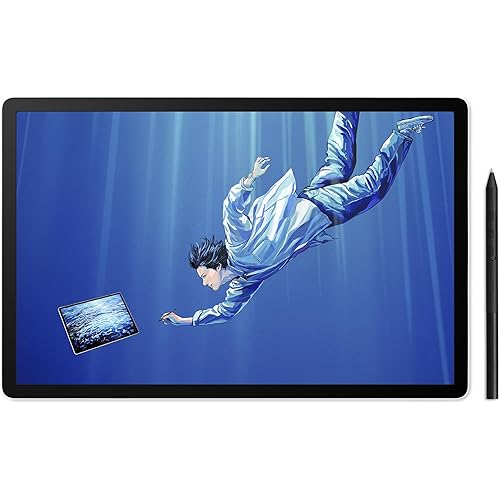
PicassoTab X Drawing Tablet • No Computer Needed • Portable • PCX

Based on 2,366 reviews
Condition: Used - Like New
Checking for the best price...
$149.94
Save $90.01 was $239.95

Buy Now, Pay Later


As low as $24.99 / mo
  • – 6-month term
  • – No impact on credit to apply
  • – Instant approval decision
  • – Secure and straightforward checkout

Ready to go? Add this product to your cart and select a plan during checkout.

Payment plans are offered through our trusted finance partners Klarna, Affirm, Afterpay, Zip, Apple Pay, and Google Pay. No-credit-needed leasing options through Acima may also be available at checkout.

Learn more about financing & leasing here.

Selected Option

Free shipping on this product

This item is eligible for return within 30 days of receipt

To qualify for a full refund, items must be returned in their original, unused condition. If an item is returned in a used, damaged, or materially different state, you may be granted a partial refund.

To initiate a return, please visit our Returns Center.

View our full returns policy here.


Availability: In Stock.
Fulfilled by Amazon

Arrives Monday, Nov 2
Order within 12 hours and 7 minutes

Available payment plans shown during checkout

Protect Your Purchase

Easy claims online, fast replacements, no fees

Checking for protection plans...

At a glance

Condition
Used - Like New
Size
10 in Screen
Screen size
10 in
Pressure Sensitivity
1024 levels
Operating System
Android
Special Feature
Stylus Pen
Target Audience
Student, Teacher
Works with
Standalone

Features 5

  • DRAW or TAKE NOTES: The most affordable Art tablet that comes with a pen and a pre-installed Drawing and Animation apps for those who want to draw, make animations or take notes in the classroom.
  • 4 FREE BONUS ITEMS inside the box: a high-quality tablet case, Drawing Glove, universal power adaptor and pre-installed screen protector; a total value of $50 inside the box along with 10-inch tablet and an active Pen.
  • CLEAR SCREEN, LARGE DISK and a SUPERIOR CPU: The High power MediaTek Quad-core processor boosts the multitasking abilities of the tablet. The IPS HD screen resolution makes crystal clear pictures and the 64GB disk allows you to download thousands of free apps from the play store.
  • CONNECTIVITY: Connect your tablet to your home WIFI network and you can take this tablet wherever you are; your entertainment always goes with you. Link your tablet to the TV via the micro HDMI port and view your movies on the large screen. One of the best tablets for watching movies on Netflix, playing games and browsing the internet. GPS and the USB type-c port provides all the connectivity options you want.

Description

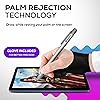
If you’re new to the world of drawing tablets, the PicassoTab is the partner you’re looking for. It is the best entry point into the world of digital art. Comes loaded with features and is packed with a ton of accessories that allow even tech novices to create beautiful digital art. With the purchase of a PicassoTab, you receive more than just a drawing tablet - it's an all-in-one device! This device operates on the Android platform, making it compatible with your preferred apps. Whether you want to watch your favorite television shows or movies, simply install Netflix or any other streaming app of your choice. For gamers, PicassoTab supports a variety of games available on the Google Play Store. The PicassoTab can be your all-in-one device for media consumption. When you purchase a PicassoTab, you get all the accessories you need to unlock the device’s full potential. It comes fully decked out with the tools and add-ons every new tablet owner needs. What’s in the BOX: Do you wish to view your favorite drama on a larger screen? Are your friends unexpectedly organizing a movie marathon at home? Perhaps you want to assess how your recent animation looks on a TV screen? Don't worry - you can simply connect your PicassoTab to a larger screen using its built-in micro-HDMI Port. The PicassoTab is packaged in an exquisite box featuring elegant artwork that enhances the product's overall presentation and appeal. The luxurious feel of the box makes it an excellent choice for gifting on special occasions, such as weddings, birthdays, anniversaries, or any celebration where a thoughtful and beautiful gift is appreciated. The intricate artwork on the box illustrates the quality and attention to detail of the tablet inside, making it a truly exceptional gift option. Your stylus is an extension of your creative mind, and the Picasso Pen has the best connectivity and compatibility with the PicassoTab. The Pen comes with 1024 levels of pressure sensitivity. With such sensitivity, the stylus provides unprecedented width control that enables artists to draw any stroke their art requires. The most frustrating feature a drawing tablet can have is registering a pen stroke whenever your palm makes contact with the screen. Fortunately, the PicassoTab comes with state-of-the-art Palm Rejection Technology. The feature allows you to draw while resting your palm on the screen—the natural position you’d assume when using pen and paper. The tablet won’t register your hand when you’re using the Pen to draw. Also, each tablet comes with a drawing glove. Wearing the glove gives the Palm Rejection Technology better precision, making the drawing experience even more accurate!

Specs 23

Brand Simbans
Connectivity Technology HDMI, USB, Wi-Fi
Pressure Sensitivity 1024 levels
Operating System Android
Special Feature Stylus Pen
Model Name RM
Built-In Media High-quality tablet case, Drawing Glove, Universal power adaptor, Pre-installed screen protector, 10-inch tablet, Active Pen
Target Audience Student, Teacher

Frequently asked questions

If you place your order now, the estimated arrival date for this product is: Monday, Nov 2

Yes, absolutely! You may return this product for a full refund within 30 days of receiving it.

To initiate a return, please visit our Returns Center.

View our full returns policy here.

  • Klarna Financing
  • Affirm Pay in 4
  • Affirm Financing
  • Afterpay Financing
  • Zip Pay in 4
  • Financing through Apple Pay
  • Financing through Google Pay
Leasing options through Acima may also be available during checkout.

Learn more about financing & leasing here.

Top Amazon Reviews


Smooth pen strokes and excellent customer support
I bought this for my 12 year old who is interested to teach himself animation. It seems to work nicely and the stylus works smoothly. We were really disappointed when the tablet failed to power on one day just 4 months after purchase and very few hours of use on it - not even an indicator light to shownitvwas charging or not. It also happened to be outside the return window - super bummed. I decided to reach out to customer support to see what cpuld be done and the agent was great! He made sure he knew exactlybwhat model it was an gave me step by step instructions to do a reset. The reset was simple and did the trick. I’m very pleased with the quality, preloaded software, smoothness and ease of use and the customer support was top notch. Absolutely recommend! ... show more
Reviewed in the United States on August 27, 2025 by CLS

Customer Service is Amazing. Tablet Excellent
The tablet it great, my sons loves making animations with it. More importantly,customer service is amazing. We had an issue with our tablet charging, that happened over a year after we got it, and customer service responded to me quickly and walked me through solutions, and when there was still an issue i was given the option to send it back to get it fixed, or return it and receive a new tablet. We chose new tablet, and got the new one within a week of sending the old one back, and it works perfectly. Customer service responded to me even when I took weeks or months to reply in between. So I would not hesitate to buy another tablet or item from simbans because the customer service was so good. ... show more
Reviewed in the United States on July 4, 2026 by Nikki

Awful battery life and slow pen
I ordered this tablet back in January 2021 and today it's basically dead. I used it a few times, hoping I'd be able to draw some sketches while I was away to then transfer to my computer at home to finish on my large drawing tablet, but the thing is just, bad. I use Paint Tool Sai and Clip Studio Paint but the tablet can only really handle the apps it comes with. Trying to use any other app is a nightmare since the screen is tiny, and so are the buttons. I decided to use Sketchbook and oh, my, god. For a few seconds, it would be fine, but after a bit, I noticed the tablet wouldn't register the quick swipes my pen would make while sketching which is what almost everyone does when sketching. It was extremely annoying and even when trying to just draw slowly, I could see there was a delay when dragging the pen. It's not just the pen, it's the whole tablet in general. When I tried using my fingers to play games, it wouldn't register my tapping and I'd have to really press my finger into the screen for a few seconds for it to register my "taps." The thing really wants you to use the pen it came with, because it won't accept any other drawing pen or stylus I own. It doesn't even like my finger. Then there's the battery life. There is almost none. When the app has a full battery, it starts to drain when you're not even using it. After using the tablet, I would always try to put it into off mode when putting it away but when I'd pick it back up a few days later, it wouldn't turn on at all. The thing dies even when it's off. It charges extremely slowly too. With my phone, after it dies I'd plug it in and after a few minutes, I'd be able to turn it back on. This tablet though? Nope. I picked it up recently in hopes I could put some use to it by installing some rhythm games on it, but it wouldn't turn on. Remembering its awful battery life, I plugged it in and waited about 20 minutes. I go to see if it had enough to even turn on and... nothing. I pressed the buttons, and I held it down, but nothing. I wonder, maybe it never started charging in the first place? So when I plug it back in, I press the power button and it shows me an image of a drained battery. Yup, it's being charged, it just won't turn on until it has more charge that'll probably take a few hours. I've had it plugged in for almost an hour now and the dang thing still won't fully turn on. I don't think it's broken, I've only had it for almost 2 years and it's been used maybe like, 5 times. I DO NOT RECOMMEND IT. The price makes it look appealing but you're not getting what you pay for. Just wait and save up until you can buy a decent IPad with procreate on it, or a Wacom tablet, almost the same price, that plugs into most laptops and PC's. ... show more
Reviewed in the United States on December 1, 2022 by Rudo

Excellent value for the price!
I got this particular device as a first experiment with digital art. I'm a beginner and kind of old, so I wanted something easy to figure out. I also chose it because I use an Android phone and this matches up perfectly. The collection of art tools is just wonderful for me. I've never used charcoal, dry ink, stucco, or any kind of oil paint. This has opened a new world for me and I love it! Everything is easy to figure out, too. I love the size of the pad, the way I can control how much medium shows up by how hard I press, and the nice leather case. I read reviews about it taking a long time to charge, but the charging cord is so long that it's easy to use while it's plugged in. I've had no complaints about this issue. I've shown this to all my friends and everyone loves it. I've only had mine for a couple of weeks but I'm beginning to feel pretty confident with it, already. I think this would be an awesome gift for someone who likes to create for fun. ... show more
Reviewed in the United States on December 5, 2024 by ELLEN DAYAN

Warranty made up for issue
Device stopped powering on before a year but was under warranty. Device was replaced. Not a fan of paying for shipping but the issue was resolved. Other than that my child loved the device and made lots of art with it.
Reviewed in the United States on August 17, 2026 by Carlos r

Great Service!
Honestly, the tablet itself isn’t great. But, I didn’t expect much because of the price point so I wasn’t disappointed. I did have a complete failure after only about 3 months. The device stopped charging. Simbans support has been very helpful troubleshooting and eventually replacing the unit all together. Generally, you get what you pay for. However, Simban’s support exceeded expectations by their responsiveness and willingness to resolve the problem despite the cost. ... show more
Reviewed in the United States on May 22, 2025 by Nick

Great set for the price!!
Let me start with the cons: Battery life is not what I hoped for. The unit provides maybe two and a half to three hours of continuous use on a full charge. Turn around time takes closer to eight hours to fully recharge and will on only charge with the cord that it arrived with it, the device will not respond to any other cords. The Red Painter app has a lagged response time when using stylus which can lead to issues. Within a year, the unit would only work if plugged in (and ONLY if using the charging cord the device came with) stopped working unless it was plugged in. And eventually it wouldn’t work at all. It does have good points: The set up process is a step-by-step very easy user friendly experience. If you’re looking to transfer your photos and images, be sure you already have everything uploaded to your google drive. Update: The company was EXTREMELY helpful trying to rectify the problem! The device gave up just outside of the return/warranty window but the company was very quick to reach out and offer a replacement. ... show more
Reviewed in the United States on July 29, 2025 by JessC

Palm rejection feature didn't work
This tablet had me very excited when I first bought it and it met most of the standards that the item listed. The only problems I had were that the palm rejection feature with the pen and glove didn't work and I saw myself constantly having to erase little dots on my art that would appear from resting my hand on the tablet. One other thing i noticed is that the ability to watch shows and movies that the advertising listed was not free and infact something you had to pay to use. Overall, I would only recommend this tablet if you're looking for something cheap that works without a computer. If you do intend to buy this tablet, just be sure to buy a different glove and to beware of the movie/show feature being behind a pay wall that the advertisers selling did not mention. ... show more
Reviewed in the United States on June 17, 2026 by Gabriel Artavia
Checking for best price...