
Search  for anything...

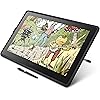
Wacom Cintiq 22 Drawing Tablet with Screen, Black, 21.5" Full HD Graphic Arts Tablet Includes Pro Pen 2 w/Tilt Response, Graphic Design Animation Pad for Mac, PC

  • Based on 3,727 reviews
Condition: New
Checking for the best price...
$999.99 Why this price?
Save $799.01 was $1,799.00

Buy Now, Pay Later


As low as / mo
  • – Up to 36-month term if approved
  • – No impact on credit to apply
  • – Instant approval decision
  • – Secure and straightforward checkout

Ready to go? Add this product to your cart and select a plan during checkout.

Payment plans are offered through our trusted finance partners Klarna, Affirm, Afterpay, Apple Pay, and PayTomorrow. No-credit-needed leasing options through Acima may also be available at checkout.

Learn more about financing & leasing here.

Selected Option

Free shipping on this product

FREE 30-day refund/replacement

To qualify for a full refund, items must be returned in their original, unused condition. If an item is returned in a used, damaged, or materially different state, you may be granted a partial refund.

To initiate a return, please visit our Returns Center.

View our full returns policy here.


Availability: Only 10 left in stock, order soon!
Fulfilled by Amazon

Arrives Tuesday, May 12
Order within 15 hours and 3 minutes
Available payment plans shown during checkout

Protection Plan Protect Your Purchase
Checking for protection plans...

Size: 22"


Features

  • Creative Pen Display: Animation tablet features optimized display and premium pen technology ideal for creative hobbyists, enthusiasts, or students for use on campus, in the studio, or at home
  • Precision Pen Performance: Included Pro Pen 2 features tilt recognition, virtually lag-free tracking, 8192 levels of pressure sensitivity, and 2 customizable switches for easy access to shortcuts
  • Vibrant Color Display: Windows and macOS tablet features LCD display with HD resolution and showcases uniform brightness, high resolution, and true to life color quality
  • Fingertip Control: Relaxed parallax gives you full control with your fingertips, and combined with the super responsive Wacom Pro Pen 2, makes creating feel as natural as drawing on paper
  • Includes: Wacom Cintiq 22 digital drawing pad, Pro Pen 2, 3 replacement nibs, nib remover, 3-in-1 connectivity cable, AC adapter, power cable, and quick start guide

Description

The Wacom Cintiq 22 creative pen display tablet helps you bring your artistic ideas to life on screen. With foldable legs for adjustable positioning, our digital drawing tablet weighs approximately 4 pounds and is approximately 1" thick. This ergonomic computer graphics tablet has a high-contrast, full HD 16” display and a durable, scratch-resistant exterior. Perfect for those who love to draw in their spare time or art and design students seeking a premium - and more affordable - on-screen experience. Featuring an anti–glare display, this high resolution (1920x1080) drawing tablet with screen display has integrated foldable legs so you can adjust the position for your comfort and hand rests to help cut down on fatigue when drawing. Our entry level graphic design tablet works with Windows and macOS, and comes with the super- responsive Pro Pen 2, giving you the precision and control you desire. With 8,192 levels of pressure sensitivity and a low activation force, these drawing tablets recognize even the lightest pen strokes and with reduced parallax, the cursor appears exactly where you would expect. Our Pro Pen 2's Electro Magnetic Resonance (EMR) tech draws power from your tablet, meaning you never need to charge the pen.

Brand: Wacom


Connectivity Technology: AC adapter, HDMI, USB


Pressure Sensitivity: 8192 Levels


Operating System: Windows


Special Feature: Anti-Glare Glass


Brand: Wacom


Model Name: Wacom Cintiq 22


Built-In Media: Wacom Cintiq 22 pen display, Adjustable Stand, Wacom Pro Pen 2, detachable pen holder with 3 replacement nibs (standard) and nib removal tool, HDMI cable (2 m), USB 2.0 cable (2 m), AC adapter (60 W), power cable (1.8 m), Quick Start Guide, regulation sheet


Target Audience: Student, Teacher


Model Number: DTK2260K0A


Global Trade Identification Number: 89


Manufacturer: Wacom Technology Corporation


UPC: 753218985989


Mfr Part Number: DTK2260K0A


Warranty Description: 1 year manufacturer


External Testing Certification: Não aplicável


Unit Count: 1.0 Count


Item Type Name: Graphics Tablet


Connectivity Technology: AC adapter, HDMI, USB


Pressure Sensitivity: 8192 Levels


Operating System: Windows


Additional Features: Anti-Glare Glass


Specific Uses For Product: personal, gaming, business


Compatible Devices: Mac, PC


Display Type: LCD


Native Resolution: 1920x1080


Screen Size: 15.6 Inches


Item Weight: 4.2 Pounds


Item Dimensions L x W: 14.1"L x 22.4"W


Active Surface Area: 18.74" x 10.55"


Color: Black


Frequently asked questions

If you place your order now, the estimated arrival date for this product is: Tuesday, May 12

Yes, absolutely! You may return this product for a full refund within 30 days of receiving it.

To initiate a return, please visit our Returns Center.

View our full returns policy here.

  • Klarna Financing
  • Affirm Pay in 4
  • Affirm Financing
  • Afterpay Financing
  • PayTomorrow Financing
  • Financing through Apple Pay
Leasing options through Acima may also be available during checkout.

Learn more about financing & leasing here.

Top Amazon Reviews


  • Closest to a perfect drawing tablet Ive used (but has some annoyances)
Size: 16"
This is the best digital drawing experience ive ever enjoyed! This tablet feels amazing to draw on. There basically 0 anti-glare sparkle, the display is gorgeous, crisp and easy on the eyes (and works great for non-art things when you arent drawing). The device itself is built like a brick and i have a feeling it'll last a long time. Ive been using it daily for 2+ months and ive noticed no issues or markings on the display. I also appreciate how the tablet settings UI is configured with the tablet pen which is very intuitive and comfortable. As for negatives these were the biggest issues ive noticed (none of which involve the actual tablet): - The pen.. is not very good. I didnt like it. Ive just been using my pro pen 2 that i had with my intuos. This pro pen 3 is very uncomfortable for me with its very slim form factor as somebody who is prone to wrist cramps. The buttons also require way too much force to be comfortable. The pro pen 2 is still a perfect tablet pen and i have no clue why they downgraded it so hard for the new model, including getting rid of the eraser end. It also doesnt include the accessories (like the weight and buttons) you would normally get if you bought the pen individually. Dumb penny pinching. - No stand. I feel like any tablet over $500 should automatically come with a stand. Not a huge deal, but still noteworthy. More penny pinching. - No mini-hdmi. Seriously? Its basically a requirement to use the device since most computers dont support the display-usb mode. A mini hdmi cable costs less than $10 dollars so this also feels especially greedy. Yet more penny pinching. If youre familiar with wacom these penny pinching practices wont come as a surprise but they are still notable. Despite my complaints i do still love this tablet and ive been enjoying drawing on it everyday. But you should consider these things as well when purchasing- especially the fact you need to have a mini-hdmi cable ready. Overall im very happy with the device. ... show more
Reviewed in the United States on February 27, 2026 by james

  • Half the price with most of the bells and whistles
Size: 22"
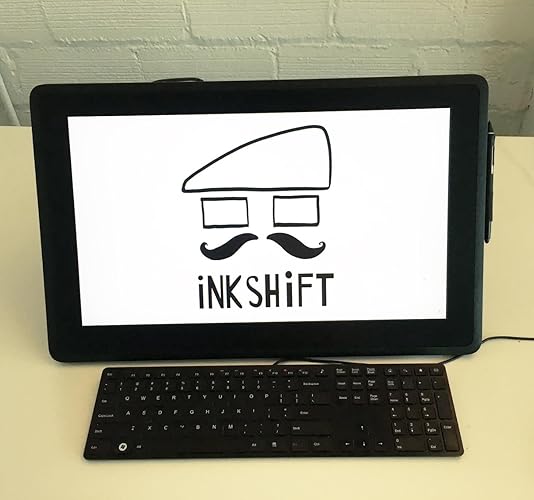
The media could not be loaded. I am an illustrator and animator (@inkshift) with over 14 years of experience working for Disney & Cartoon Network here in Portland, OR. I've also been a Wacom user for over 20 years, so let me open this review by saying they really knocked it out of the park with this new Cintiq 22. This is also my 4th Cintiq, so you judge for yourself if i have a problem or not ;) I have the 27” pro at my office as well as the new 16 and a super old 12” in addition to a handful of tablets dating all the way back to the late 90s. This Cintiq 22 is part of their new line of more affordable Cintiqs Wacom started rolling out this year and it really seems to be the golden mean between the smaller 16 and the larger Pros. Full disclosure: Wacom DID provide me this unit for review purposes but I hereby solemnly swear all views in this review are entirely my own and 100% my own opinions. First off: the pressure sensitivity is beautiful and virtually indistinguishable from my 27” pro, which cost over twice as much. As you can see in the attached timelapse of an illustration I did on this 22, each line came out exactly like I wanted it: smooth tapers, no shaky lines, no blotches, weird unintended textures or weird ends to my strokes. The included Pro Pen 2 is a solid, comfortable pen and really helps you feel the 8192 levels of pressure. You can also the new Pro Pen slim if you want a sleeker pen but i prefer the stubbier feel. Secondly, the overall build quality and polish impresses, it is very solid and the design is professional and clean. Small detail but important to me: the power button is easily pushed and feels pleasant and responsive. The entire machine feels very sturdy while not being too heavy. I kind of wish they brought back the side buttons they had on the 12” and 21” but I can see how it makes sense ergonomically and aesthestically to leave those off. It should be noted that this 22” doesn’t come with a remote or a bluetooth keyboard, which is not a deal breaker for me because my 27” came with the remote and I never use it. It DOES however come with a fantastic, preattached stand! The new stand is sturdy, stable, lightweight, solid metal with non-slip rubber grippy feet, easy to use and highly flexible. Wacom REALLY came through for its users with the stand this time, as I have not been a fan of the stands of the past: they’re either huge, expensive, cumbersome and awkward to operate or they just have the little fold out legs, which are simply insufficient for long term use and you’d need to invest in an extendable arm that can keep your Cintiq suspended/supported. One difference between the pro line and this newer, more affordable line is that these units do not have a bonded glass display. THis means that there’s a tiny bit of space between the pen and the screen and that generally means there is more parallax (the offset between the cursor and the pen), but it was not noticeable to me once I calibrated it properly. The screen has an anti-glare surface which feels nice and smooth, not slick or slippery at all with just the right amount of texture to it. Another difference between this 22 and the pro line is the Adobe RGB colour range. This Cintiq sports a 72% Adobe RGB vs a 97% for the pro line, but I don’t think you will be disappointed (or honestly really notice? I didn’t) unless you’re super tuned into colour and colour correction or need the most accurate representation possible. But at that point, you should probably be investing in the pro line. Like I said, I also have the new 16 which is also great but felt a bit small to me and became cumbersome very quickly for when I needed a number of palettes/windows open. At 22”, (21.5” viewable), that is is not a problem here at all. Wacom has paid great attention to detail in packaging as well as the attached power cords: it includes a British power plug free of charge, as well as 2 different orientations of power cords: horizontal and vertical. As you can see in my unboxing clip, I’m a little surprised by the amount of power cables at first glance but upon further inspection it all makes sense. Setup was very easy: 3 cables as seen in the picture. The HDMI cable is a welcome addition compared to the 3-in-1 cables, which are a bit messy, cumbersome and require complete replacement should ONE of them have an issue. Things to note! I didn’t bother adjusting the pressure curve settings because they were great out of the box, but I did change the click speed and I also deactivated Windows Ink (I use windows 10). I don’t understand what Windows ink is for but all it seems to do to me is make you unable to drag/select text in input fields. Conclusion: All in all, this is a beautiful and affordable piece of equipment. It is technically part of their ‘budget’ line but there is nothing budget about the size or the quality of this device. The size, design and build quality exude class and quality and the pen and pressure sensitivity are best in class. While the unit is not small, it strikes a perfect balance between spacious and compact. It doesn’t take over your whole desk like my larger units nor does it break the bank at $1200. I would definitely recommend this to the professional on a budget or a very lucky/forward thinking student or hobbyist. PROS: - Buttery smooth & responsive pressure sensitivity - Smooth but not slick anti-glare surface - Solid build quality and professional look & feel - Comes with a sturdy, stable and flexible stand - Great size with room for longer strokes and all the palettes/windows you may need open - Stays cool even when working on it all day CONS: - “Only” full HD (1920 x 1080) vs the 4k of newer models but I have the 4k model as well and I haven’t been bothered by any potential pixelation. All my illustrations are all made at 600 Dpi and I haven't noticed any problems. - Mine had 1 dead pixel but I only notice it when I look for it. I streamed a commission earlier today in my Inkshift Facebook group and didn't notice it once. ... show more
Reviewed in the United States on August 5, 2019 by JCJ

  • I love it
Size: 16"
Best Wacom tablet ever, it's worth all the dollars and more. I love how easily transportable it is, and it doesn’t come with a bulky power bank! It uses one usb-c to usb-c cable, perfect for my mac. I’ve used it for a couple months now with no issues. It’s so satisfying to draw on, I previously had the 2019 version, this is way better! ... show more
Reviewed in the United States on March 24, 2026 by Elena

Can't find a product?

Find it on Amazon first, then paste the link below.
Checking for best price...