


Buy Now, Pay Later
- – Up to 36-month term if approved
- – No impact on credit to apply
- – Instant approval decision
- – Secure and straightforward checkout
Ready to go? Add this product to your cart and select a plan during checkout.
Payment plans are offered through our trusted finance partners Klarna, Affirm, Afterpay, Zip, Apple Pay, and Google Pay. No-credit-needed leasing options through Acima may also be available at checkout.
Learn more about financing & leasing here.
Selected Option
FREE 30-day refund/replacement
To qualify for a full refund, items must be returned in their original, unused condition. If an item is returned in a used, damaged, or materially different state, you may be granted a partial refund.
To initiate a return, please visit our Returns Center.
View our full returns policy here.
Recently Viewed




Size: 14 inch
Features
- PORTABLE ALL-IN-ONE DESIGN: Thin, lightweight frame houses a creative studio powered by Android 15 OS w/included creative apps plus Google Play Store access - take professional-grade digital art anywhere without extra equipment
- POWERFUL PERFORMANCE SPECS: Snapdragon 8s Gen 3 processor with 12GB RAM delivers smooth performance during memory-intensive tasks and 256GB storage plus expandable microSD slot provides ample space for all your creations
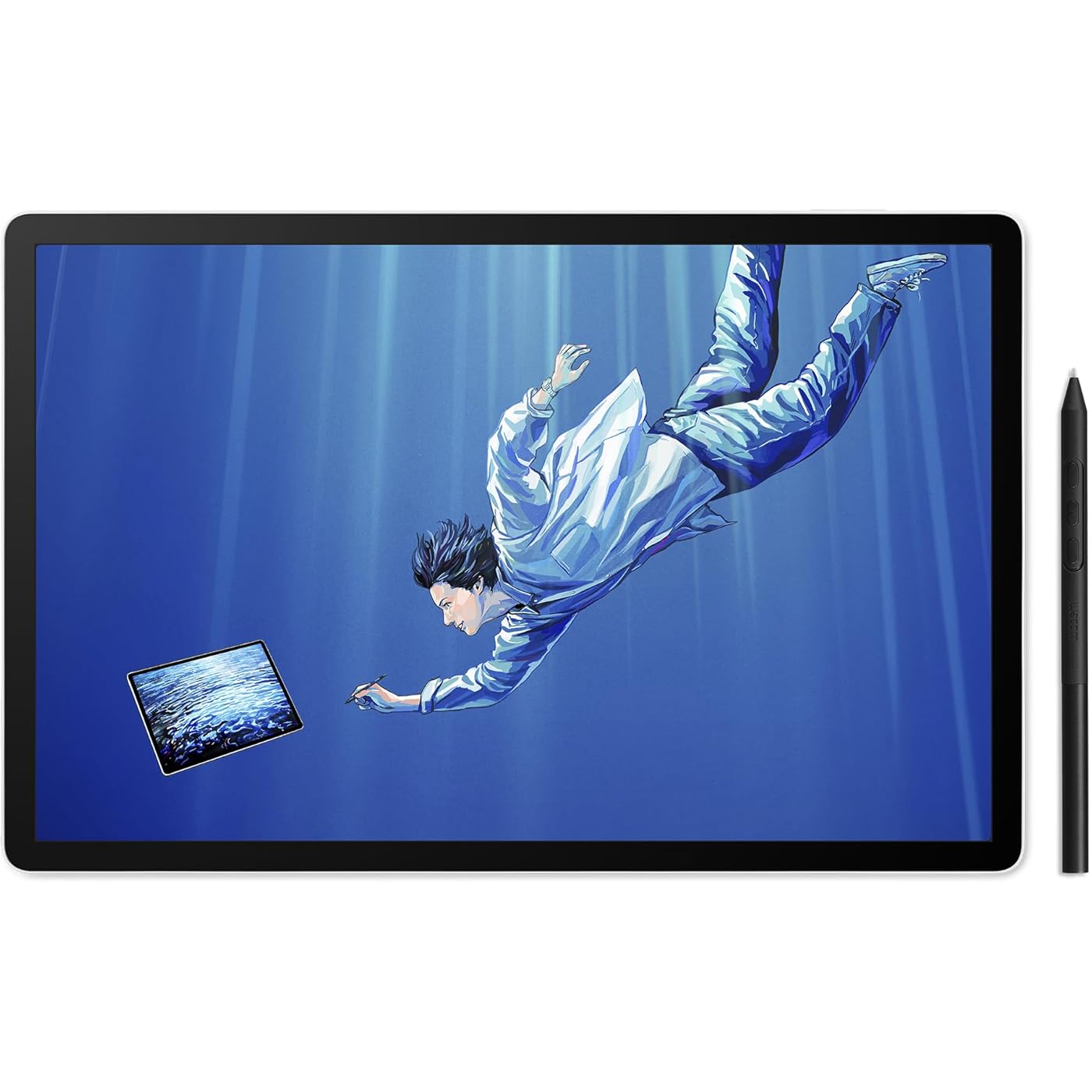
- STUNNING 14" OLED DISPLAY: Crisp 3K (2880 1800px) resolution with wide color gamut (100% sRGB & DCI-P3) for vivid colors and true blacks, with Premium Texture etched glass delivers pen-on-paper feel with minimizing parallax
- BEST-IN-CLASS PEN PERFORMANCE: Designed for MovinkPad, this slim version of Wacom Pro Pen 3 delivers 8,192 pressure levels, never needs charging and includes replacement nibs stored in the pens back end
- COMPATIBILITY: Windows 11; macOS 14 (Sonoma), 15 (Sequoia) & 26 (Tahoe) NOTE: Windows ARM-based systems and Intel Macs are not supported.
Description
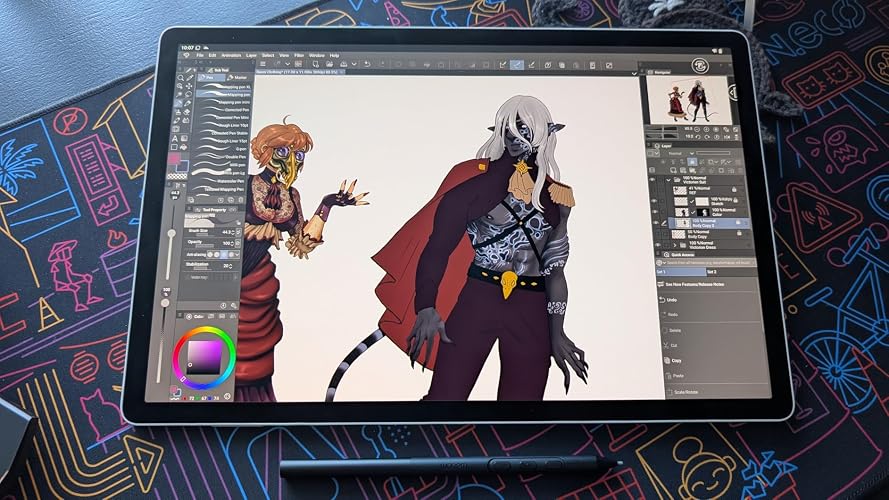
Introducing Wacom MovinkPad Pro 14: a new all-in-one mobile experience for creative professionals. A high-end digital art station that goes wherever you do - no laptop, no cables, no setup - just grab and go. Sketch during your flight, capture inspiration outdoors, or present concepts in client meetings. Built on Android 15 OS, your complete creative studio travels wherever inspiration calls. Don't let the portability fool you, MovinkPad Pro 14 packs serious performance. The quad-core Snapdragon 8s Gen 3 processor with 12GB RAM ensures smooth operation during memory-intensive creative tasks, while 256GB storage (plus microSD card expansion capability) provides ample space for your growing portfolio of work. Experience creation like never before with the stunning 14" 3K (2880 × 1800px) resolution OLED display. True blacks, 100000:1 contrast, and 100% sRGB & DCI-P3 color coverage ensure your work appears exactly as intended across all platforms. The 120Hz refresh rate keeps your lines smooth and immediate. Wacom Premium Textured Glass (AR/AG/AF) reduces reflection keeping high clarity and contrast. At the heart of MovinkPad Pro is the battery-free slim format Wacom Pro Pen 3: the culmination of >40 years of innovation. Delivering Wacom's most sensitive, accurate, and natural pen performance yet, it uses cutting-edge EMR technology to detect subtle variations in pressure, speed, and tilt for authentic artistic expression with unmatched precision. Powerful performance meets true portability with resolution, color, and speed that keeps up with your fastest strokes. Start creating the moment inspiration strikes. Just tap and hold the pen on the screen to wake up the tablet and launch the included Wacom Canvas sketching app - it’s just like opening a sketchbook. All your sketches are saved in the Wacom Shelf file management system for easy access later. Go from sketch to illustration without slowing down. You can seamlessly jump from Wacom Canvas into Clip Studio Paint to refine and perfect your drawing. Wacom MovinkPad Pro 14 comes with 12-months of CLIP STUDIO PAINT DEBUT, 3-months of CLIP STUDIO PAINT EX and 180-days of ibisPaint Prime Membership. (Terms and Conditions apply.) The Wacom Foldable Stand (ACK652Z) is engineered to deliver stable support for MovinkPad Pro 14. Expand the sturdy aluminum stand to achieve a comfortable 20° working angle that helps reduce wrist strain during longer creative sessions. MovinkPad Pro 14 isn't a general-purpose tablet - it's built for one purpose: letting serious artists draw beyond limitations. We've spent over 40 years refining the digital drawing experience to feel as natural as pencil on paper. With MovinkPad Pro 14 you get true mobility, Pro Pen 3 precision, and a 14" color-accurate OLED display that combines Wacom's legendary expertise into a portable tablet that's unmatched for serious artists and creative pros.
Brand: Wacom
Connectivity Technology: Bluetooth, USB-C to C-Cable, Wi-Fi
Pressure Sensitivity: 8192 levels
Operating System: Android 15
Special Feature: 256GB storage plus expandable microSD slot, Battery Free Pen, OLED DISPLAY Crisp 3K (2880 × 1800px), Snapdragon 8s Gen 3 processor, Wacom Premium Textured Glass (anti-reflection/anti-glare/anti-fingerprint) See more
Brand: Wacom
Model Name: MovinkPad Pro 14 Android All-in-One
Built-In Media: Replacement nibs (Carbon Shaft POM x1, POM x1, Felt x1), SD-card tool, USB Cable, Wacom MovinkPad Pro 14, Wacom Pro Pen 3 with Nib holder
Target Audience: Artist, Designer, Photographer
Model Number: MovinkPad Pro 14 Android All-in-One
Number of Items: 1
Manufacturer: Wacom Technology Corporation
UPC: 753218983749
Item Highlight: No computer needed, 12GB RAM/256GB storage, anti-glare matte screen, All-In-One portable tablet with advanced pen precision
Unit Count: 1 Count
Number of Packs: 1
Mfr Part Number: DTHA140L0Z
Warranty Description: 2 Year Manufacturer
Connectivity Technology: Bluetooth, USB-C to C-Cable, Wi-Fi
Pressure Sensitivity: 8192 levels
Operating System: Android 15
Additional Features: 256GB storage plus expandable microSD slot, Battery Free Pen, OLED DISPLAY Crisp 3K (2880 × 1800px), Snapdragon 8s Gen 3 processor, Wacom Premium Textured Glass (anti-reflection/anti-glare/anti-fingerprint)
Specific Uses For Product: Animation, Designing, Drawing
Compatible Devices: Windows and Mac for Instant Pen Display Mode
Native Resolution: 2880x1800
Screen Size: 14 inches
Item Weight: 0.73 kg
Item Dimensions L x W: 12.7"L x 8.3"W
Active Surface Area: 105.11 square inches
Color: Light Gray
Software Update Supported to Date: unknown
Frequently asked questions
To initiate a return, please visit our Returns Center.
View our full returns policy here.
- Klarna Financing
- Affirm Pay in 4
- Affirm Financing
- Afterpay Financing
- Zip Pay in 4
- Financing through Apple Pay
- Financing through Google Pay
Learn more about financing & leasing here.
Similar Products


Top Amazon Reviews