Search  for anything...

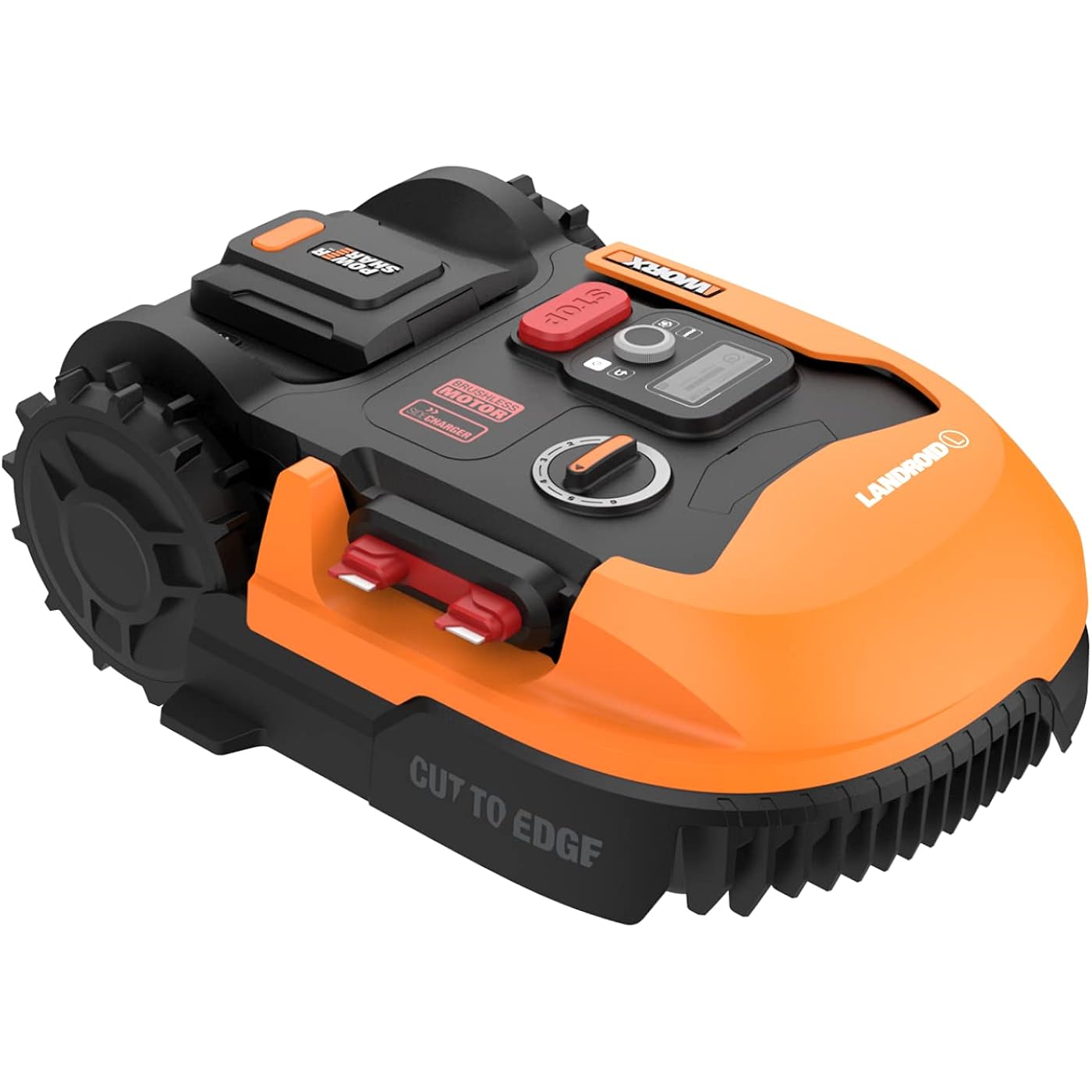
Worx Landroid L 20V 5.0Ah Robotic Lawn Mower 1/2 Acre / 21,780 Sq Ft. Power Share - WR155 (Battery & Charger Included)
  • Based on 989 reviews
Condition: New
Checking for inventory...

Notify me when this product is back in stock

$599.00 Why this price?
Save $400.99 was $999.99

Buy Now, Pay Later


As low as / mo
  • – Up to 36-month term if approved
  • – No impact on credit to apply
  • – Instant approval decision
  • – Secure and straightforward checkout

Payment plans are offered through our trusted finance partners Klarna, Affirm, Afterpay, Apple Pay, and PayTomorrow. No-credit-needed leasing options through Acima may also be available at checkout.

Learn more about financing & leasing here.

Selected Option

Free shipping on this product

This item is eligible for return within 30 days of receipt

To qualify for a full refund, items must be returned in their original, unused condition. If an item is returned in a used, damaged, or materially different state, you may be granted a partial refund.

To initiate a return, please visit our Returns Center.

View our full returns policy here.


Availability: Unavailable
Fulfilled by Amazon
Available payment plans shown during checkout

Style: Mows up to 1/2 Acre *New*


Size: Mows up to 1/2 Acre *New*


Features

  • [FULLY AUTOMATED ROBOTIC LAWNMOWER] Designed for larger lawns, can cut up to a 12 acre .No load speed (/min) : 2400
  • [SMART APP] Control Landroid remotely via the Landroid app by connecting via Bluetooth and Wi-Fi
  • [PATENTED AIA (ARTIFICIAL INTELLIGENCE ALGORITHM)] Cutting technology ensures it can pass through narrow paths with ease
  • [DO IT ALL WITH THE SAME BATTERY] 20V 5.0Ah Power Share battery is compatible with all Worx 20V, 40V and 80V tools, outdoor power and lifestyle products
  • [BETTER CLEARANCE ON UNEVEN TERRAIN] Floating blade disc automatically lifts the blades giving Landroid more clearance to navigate uneven terrain without getting trapped or stuck
  • [HIGH-EFFICIENCY BRUSHLESS MOTOR] Runs 50% longer, is 25% more powerful, and offers 10% longer life compared to mowers with brushed motors
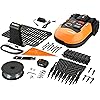
  • [INCLUDES] Landroid L (WR155), 5.0Ah Power Share battery (WA3671), Charging Station (WA0463), 820 ft. Boundary Wire, (340) Boundary Wire Pegs, (2) Wire Connectors, (8) Base Screws, (9) Blades, (9) Blade Screws, (1) Hex Key

Description

The Worx Landroid L is here to give larger lawn owners their weekends back. It comes with a robust 5.0Ah high-capacity Power Share battery and a wider 8-in. cutting width to mow up to a ½ acre. You’ll never have to cut your lawn again once you set up your Landroid. Just place the charging base, lay the boundary wire around the perimeter of your lawn and secure it with pegs, and finish setup on the handy Landroid App. You can even control Landroid and schedule mowing times from the App, without ever getting off your couch. It’s packed with cutting-edge tech to ensure it does a good job and leaves you with a lawn you can be proud of. The patented AIA (Artificial Intelligence Algorithm) allows it to navigate narrow passages with ease (something other robotic mowers have trouble with). And its Floating Blade Disc automatically raises the blades when Landroid encounters uneven terrain, so it doesn’t get trapped or stuck. Plus, it’s powered by a high-efficiency brushless motor that runs 50% longer, is 25% more powerful, and offers 10% longer life compared to mowers with brushed motors. The Landroid L is the next generation of robotic lawn mowers, with more performance and functionality to take on bigger yards.

Brand: WORX


Power Source: Battery Powered


Material: Plastic


Color: Black and Orange


Style: Mows up to 1/2 Acre *New*


Cutting Width: 8 Inches


Operation Mode: Automatic


Product Dimensions: 24.8"D x 17.76"W x 9.49"H


Smart Home Compatibility: Smart Home Compatible


Assembly Required: Yes


Power Source: Battery Powered


Operation Mode: Automatic


Smart Home Compatibility: Smart Home Compatible


Number of Positions: 4


Color: Black and Orange


Style Name: Mows up to 1/2 Acre *New*


Material Type: Plastic


Cutting width: 8 Inches


Item Dimensions D x W x H: 24.8"D x 17.76"W x 9.49"H


Brand Name: WORX


Model Number: WR155


Required Assembly: Yes


UPC: 845534027983


Global Trade Identification Number: 83


Manufacturer: Worx


Manufacturer Part Number: WR155


Unit Count: 1.0 Count


Item Type Name: Worx WR155 20V Power Share LANDROID L 1/2-Acre Cordless Robotic Mower - 5.0Ah Battery


Frequently asked questions

This product is currently out of stock. Please check back later for shipping info.

Yes, absolutely! You may return this product for a full refund within 30 days of receiving it.

To initiate a return, please visit our Returns Center.

View our full returns policy here.

  • Klarna Financing
  • Affirm Pay in 4
  • Affirm Financing
  • Afterpay Financing
  • PayTomorrow Financing
  • Financing through Apple Pay
Leasing options through Acima may also be available during checkout.

Learn more about financing & leasing here.

Top Amazon Reviews


  • Very helpful for a person with very limited vision. Updated.
Style: Mows up to 1/2 Acre *New* Size: Mows up to 1/2 Acre *New*
July 20 update: I am doing this update mostly because of another reviewer who recently updated their review because of firmware 3.3.0.0+1 This reviewer reported a lot of issues after getting this update. I have the same mower except I did not upgrade to the 8 ah battery and I do not have the "find my landroid module" . I did not have any of the issues that this person has. I did however experience two different issues after getting this firmware update. I no longer get notifications to my phone. Before the update I got notifications about everything. The activity log does however now work better and gives me all status updates. The other issue I am now having is how the Landroid reacts with my isolated loop durng the Landroid going home. While going home if the mower comes in contact with the isolated loop before hitting other parts of the boundary wire it will think the isolated section is a normal boundary wire and follow it in an effort to get home. So now it will just go in a circle around the isolated loop until the battery runs dead. I fixed this by changing the isolated loop where the boundary wire is supposed to be right next to each other. I moved these wires to be 4 inches apart. Now the mower sees this loop as a part of the regular boundary and will follow it when going back to the base. The 4 inch wide section gets cut twice a week while the mower does it's edge cut, so no longer a problem. The only difference is now the mower has to travel an additional 60 feet when going home. The advantage to this is that the mower does a edge cut around the rose garden and looks much neater. Of these two issues the no notifications is the big one. If the mower has a error such as outside boundary wire I will not know about it unless I watch the Landroid all the time. I have had a outside the boundary wire error four times now. It was caused by the front castors hitting a pine cone while on a slope and getting diverted from the wire when searching for a zone. This is not a problem with the Landroid as I should keep the pine cones out of the mowing area any how. I could rectify these issues by reverting to the previous firmware version but my ACS works much better with this version of the firmware. Hopefully Worx will fix these firmware issues in another update. I still like my Landroid and would still recommend it. Original review: After reading all the negative reviews and watching many negative videos I decided that I would still give the Landroid L a try. I am glad that I did. This robot does a fine job in my opinion. There are some minor improvements that would make it even better. I will get in to these later in this review. I not only purchased the Landroid but I also got the ACS, Dual Off Limits , Radio Link and Garage . All of these accessories work very well. First of all I am 73 years old and almost blind. I went with a robot mower mainly because of my poor vision. I decided to bury the boundary wire instead of pegging it down. It is only buried to a depth of less than one inch. I did this all by myself. I buried around 850 feet of wire. It took me 5 days and was hard work as I did it with only hand tools. I think the extra effort will be worth it in the long run. Before I buried the wire I tested different areas of my yard with the 165 foot accessory kit wire by pegging it down in places that I thought might be a problem for Landroid to mow. I found that these areas were not a problem after all. I was mostly concerned about the slopes in my yard. The slope runs right to the boundary of my yard so I could not stay the recommended distance away as noted in the manual. The Landroid did not have a problem over running the boundary wire as so many people have complained about. This may be because the firmware has been altered to rectify the problem, but I do not really know this for a fact. Any way I went ahead and buried the wire. My yard is quite bumpy and this seems to not bother the Landroid at all. I bought the Anti collision system as an add on so I would not have to make no go zones around my propane tank, bird feeder pole, well pipe, observatory and a tree. It works very nicely most of the time in avoiding these items. Once in a while it will bump in to them but not a big deal. I have it mowing two zones which are the front and back yards. I seperated the zones by running the boundary wire 6 inches apart through a passage way seperating the two zones. I also used small lengths of magnetic strips to prevent the Landroid from leaving the zone by following the narrow 6 inch passage that the wire created. I had to do this because the Landroid did try to enter the other zone through the 6 inch openning. I have also set up two short cuts with the magnetics strips and the dual off limits module so the Landroid will take a shorter way back to the charging base. These two uses of the magnetic strips are veryuseful as well as it's no go capability. I have been running the mower for four weeks now and it has not got stuck once or over run the boundary wire. I have run over pine cones and small twigs with out any issues. So far my lawn looks great as the Landroid does a great job of maintaining it at a set hiegth of 2.7 inches. I have it mowing each zone for two hours each every day unless there is a rain delay. The battery life seems to be quite good. I have the 6.0 AH battery and it used only 35% over a 1 and 1/2 hour ttime period. Of course it was not cutting much grass so I guess the life will shorten as it cuts more grass. The mower works very well but the free app can be a bit of a challenge to figure out when it comes to redefining zones. The instructions for this are somewhat lacking. When I tried to re set up the zones I kept getting error messages. After a lot of trial and error I finally figured what needed to be done to accomplish the task. Befor redefining zones you need to first disable multi zones in the app. I also needed to run the mower and send it back to the base using the controls in the app. After doing this I was able to redifine the zones. The initial zone set up was however very easy to do. This is not a real big deal but it would be nice if zones were handled differently during a rain delay. My yard is divided into two zones. My Landroid was waiting out a rain delay before starting to start mowing zone 1. After the delay ended and mowing of zone 1 started it started to rain again so the mower returned to it's base as it is supposed to do. When the rain delay again ended the mower went to zone 2 instead of finnishing zone 1. It would be nice if it would resume mowing the zone it was in when the rain delay occured. I have my zones set up so that the mower can not leave it until it returns home. I have the mower set to mow zone 1 for 1 1/2 hour and zone 2 for 1 hour because zone 1 is larger than zone 2. When what I described above happens the mower will then mow zone 2 longer than zone 1. My only solution to this is to make both zones have the same mowing times. To accomplish the different times for each zone I had the mower going out twice a day. In other words schedule 1 corrisponds with zone 1 and schedule 2 with zone 2. This works great if there is no rain delays. Another solution to this is Worx changing the software so that the mower returns to the zone it was in when the delay occured. Just a suggestion to make a great mower even better. I also modified the garage so that it will allow rain to get to the rain sensor. I did this by using a small length of pvc pipe which i attached to the underside of one of the roof supports of the garage with one screw. I plugged one end of the pipe and drilled a hole in the pipe near the plugged end of the pipe. I placed a small funnel in the hole. When it rains the funnel catchess the water and it flows along the pipe and exits at the other end of the pipe which is directly over the rain sensor. This was simple to do and works good. I also only had to put one very small hole in the garage where it can not be seen easily.. The bottom line here is that I think this mower works great and is going to be a big help for this somewhat blind old man. It is a bit of work to set it up especialy when burying the wire but you only need to do it once. If you are on the fence about getting this mower my advice is to just bite the bullit and do it. Just be sure to read the manual and do a good job installing the boundary wire. If you peg it down I would suggest to get more stakes as the mower does not come with enough of them unless your yard is perfectly flat with no bumps. ... show more
Reviewed in the United States on May 20, 2023 by Elaine Hansen

  • Great idea but will drive you crazy..stay away
Style: Mows up to 1/2 Acre *New* Size: Mows up to 1/2 Acre *New*
Look, I wanted this to work. I won't bore you,but in summary, just avoid this product. You can read the other reviews and they will give you the details as to why to avoid this product, so I'll leave that to them. What I will say is that I was like you, I wanted this to work and to play with. In summary, it really won't work reliably, and, it wasn't fun to play with. It was just annoying and time consuming with little to no payoff. My advice, buy a good mower, and just enjoy walking or riding around your property and don't be like me...making a run to ups to return this item before time ran out on the refund period. Just don't do it. Come up with another idea...just trust me. This is a bad one..unless you are an individual who loke being frustrated and left wondering how it is possible that you are positive that even you could come up with at least 10 idea's that are better than the ones the fabricators came up with.. hahah. Anyway, You have been warned.. :) Remsay ... show more
Reviewed in the United States on November 4, 2022 by Matthew

  • Firmware 3.30.0+1 destroyed this lawnmower, Reinstalling previous version resolve the issues.
Style: Mows up to 1/2 Acre *New* Size: Mows up to 1/2 Acre *New*
Update 7/15/23. Since this is the third update, you might want to scroll down and start reading at 05/12/23, then read 6/29/23 update, to fully understand this update. Worx customer service is non existent. After reading blog after blog about the issues everyone is having with firmware 3.30.0+1, I ran across where someone reinstalled the previous firmware version and it restore their Landroid to its previous operating conditions. I started researching and found where manually installing firmware was an option. It direcme to the Worx website. Login to your user account, if you have not registered yout Landroid, you need to. Once registered, select your Landroid, select Firmware and start scrolling down. You will find all the previous versions and at the very bottom of the page, it will give instructions on how to manually install the firmware. If you do not know where the Landroid USB port is, check you manual. If you have a PDF version of the manual, search "USB" and it will take you to a diagram, showing where on your model of Landroid, the USB port is located. In the Worx app, Turned off Automatic Firmware updates and reinstalled the previous version. Make sure you turn off the automatic Firmware updates or it will just reinstall the horrible 3.30.0+1 shortly after you finish downgrading the firmware. Result in reinstalling previous version: 1) Battery life for the 8Ah battery is back up to 4.5 to 5 hours. Not the horrible 1 hour that 3.30.0+1 caused. 2) Speed is back up to chugging along at a steady 1mph, not the slow 1/2 mph that the 3.30.0+1 caused. 3) Landroid is back to cutting like it should. It cut more from 12 noon to 7pm today than it has in the past four (4) weeks, scheduled from 10am to 8pm 7 days a week. My entire yard should be done today. 4) The ASC is no longer displaying an error message and is once working again. 5) it is almost 4am and no warning message about outside boundary wire or outside GEO fence has gone off. So, I am assuming these issues have also been fixed with the reinstalling of the previous firmware. So my suggestion: Do NOT install or let it auto-install firmware 3.30.0+1. If your Landroid has been updated with this firmware version and it is experiencing these issues, install the previous firmware version. From now on, I will wait a few months after a firmware update has been released and see if other owners are having any issues before I do an update. I did raise my rating from two (2) stars to four (4) because I did manage to get my Landroid back working like it should. I did not give it my original five (5) star rating because Worx Customer Service/support has not responded to me since the middle of June when I first contacted them. So do not expect any support from Worx if you have issues. ≈======≈===============≈======≈===============≈======≈===============≈======≈==== Update 6/29/23 I had to lower my rating from five (5) stars to two (2) stars due to Worx's latest firmware update. The latest firmware 3.30.0+1 has almost made the lawnmower worthless. These Landroid is rated at 1/2 acre. I was using it to cut a full acre in two different bounwire setups. Not any more. Since the firmware update, it can not even cut 1/4 acre, scheduling it for 10 hours a day, seven (7) days a week. Major issue. 1) Landroid reports it is outside boundary wire when sitting in the charging bay. 2) Landroid randomly reports (If you added the WORX WA0866 Find My Landroid GPS Location Anti Theft Device) that the Landroid it is outside the GEO fence. Not like a few feet, but several miles away. The Alarm sounds in the App, with a big red warning message saying the Landroid is outside the GEO fence and the shows you where it is on the map, several miles away. When it is sitting in its charging bay. This scares the life out of you a 4am, and you think someone made off with you $1,150 lawnmower. Thenvyou get ticked off by running outside to check, to find it sitt5in it's charging bay. Here are some of the things firmware 3.30.0+1 suppose to fix, but did the complete opposite: • Improved Grass cutting coverage. - Before firmware update, this Landroid would cut a 1/4 acre in one (1) day. - After update, same 1/4 acre is still not cut after scheduling it for10 hrs a day, 7 days a week. It leaves large strips, 3 ft wide by 10 ft long, untouched. Along with spots up to 2 ft across, also uncut, all across the yard • Improved ACS ACS No longer works since the firmware update. The App displays "Error" for the ACS. I have taken it off, checked the connections and reinstall it. • Improved wheel torque algorithm - Before firmware update, Landroid moved along at a steady 1 MPH If it got stuck in sand, it would stop running and send a message to the app saying Landroid was stuck. - After firmware update, it runs at about half speed or 1/2 MPH. It does have more torque. Now when it get stuck in sand, it no longer stops and sends a message saying it is stuck. It now keeps spinning the wheels, digging holes in the yard 4 to 6 inches deep with both back drive wheels. Digging up grass, the boundary wire and filling the entire undercarriage with dirt, grass and even tearing out and cutting up the boundary wire, because the blades do not stop spinning. • Improved PRO Battery management Let me start by saying I upgraded the original battery to a Worx 20volt, 8Ah battery, two months ago. - Before firmware update, the 8Ah battery would run my Landroid between 4.5 and 5 hours before needing to run home and recharge. - After the firmware update. What a joke. The 8Ah battery does not even last one (1) hour. I put back in the original battery, it does not even last 20 minutes before needing to recharged. The Landroid spends most of its day recharging. • Improved boundary wire recognition Yes it does recognize the boundary wire much better. While at the same time, It no long recognizes the "Off Limits" 16 ft magnetic strips • Fixed border cut when zones are active This is another joke. - Before firmware update, Landroid would center itself over the boundary wire when doing an Edge cut. This ment the boundary wire needed to be around eight (8) to ten (10) inches from an edge, such as wall, fence, sidewalk, driveways, etc. - After the update. Landroid no longer centers itself over the boundary wire. It is off center toward the edge cutting side. It now follows the wire, with the wire being just two (2) inches from the edge cutting side. Why did they do this? Now I need to move ALL my boundary wire six (6) to eight (8) inches closer to the fence, house, sidewalk, driveway, etc. ALL my boundary wire needs to be reposition due to this stupid change in the firmware. The boundary wire between zones now needs to be moved closer together, also. Distance between two boundary wires was eight (8) inches. With this and the firmware update, only cutting two inches over the wire, it leaves a four (4) inch strip of uncut grass between two boundary wires/zones. What in the world were the people at Worx thinking when they made this horrible firmware update? They destroyed the usefulness of their lawnmowers. Did they even test this firmware update out before forcing it into our Landroids? With one firmware update, Worx took a great little robotic lawnmower and made it worthless. If and when Worx corrects their gigantic blunder, I will update my rating. ≈======≈===============≈======≈===============≈======≈===============≈======≈==== 05/12/23 Great lawnmower. I wish I had one of these several years ago. I have 1.25 acres. I setup two isolated wire zones with a switch to change between the two wire zones. Each isolated wire area is 1/2 acre in size with two cutting zones within. The first wire loop has two zones, a) my front yard and b) the west side of my house. The second isolated loop has a) the east side yard and b) The back yard. It takes two days to cut each isolated wire loop. For a total of four days to cut my entire yard. Then rest for three days. This most likely will needs adjusting when rainy season starts. The reason to isolated the areas versus just setting up four (4) zones: This model is designed for just an half acre. I quickly found out it only takes two days for this Landroid to cut a half acre. So I added wire for more zones. The problem was, Landroid will starting cutting zone one (1), then when the battery is low will run home to charge. After charging, Landroid starts looking for and cuts the next zone, regardless if the last zone was finished or not. This continues for all zones you have setup. No one area ever got fully cut in four to five days. To resolve this I isolated the major zones, the 1st half acre is cut in two days. I then flip the switch to the second wire zone and the 2nd half acre is cut in the next two days. Doing it this way, my yard always looks freshly cut. Other than me doing light triming around a few trees, around the driveway and house, less than fifteen (15) minutes with a weed trimmer, every two weeks, I have not needed to manually cut my yard in over six(6) weeks. This has saved me a good eighteen (18) plus hours (3 hours a week) which would have been used cutting the yard for the past six(6) weeks. My neighbors have actually set out in their yard watching the Landroid cut my yard. Setting up / installing the wire: Yes, this is time consuming. I do not consider this a Con because once installed, it is done. A) I recommend laying out the wire and the zones you want before doing any major staking down of the wire. You most iikely will change the zones and where the opening to the difference zones are. You do not want the Landroid taking, say 30 minutes to get to say the second zone. (Been there, done that.) My new layout, less than one minute to get to zone one and four minutes to get to the second area/zone, regardless of which wire loop I have active. B) I recommend leaving two to three feet of extra wire, at a maximum of every 50 feet. This allows for wire adjustments and if needed, wire repair if cut. To the Pros & Cons: Pros: 1) Cuts the yard very well. 2) Extremely quiet. 3) Saves you time since the yard gets cut automatically. 4) Keeps you updated on its status, such as Landroid is starting to cut and what zone. When it is going home. When it is charging. If there is a rain delay. If it gets stuck. If someone picks it up. I love this feature, I can check my phone and know exactly what Landroid is doing. Cons: 1) Battery that comes with the Landroid only runs for two (2) hours before it has to run home to recharge. To resolve this two hour limit, I upgraded the battery to a 8mh battery (using a Worx OEM Battery). Now the Landroid cuts for four(4) to five(5) hours before it runs home to recharge. 2) I live in sandy Florida, there is sand everywhere. Landroid does not like sand. The wheels on the Landroid will dig into sand and stop it. So try to stay away from sandy/grass less areas until you can get some grass growing in the sandy spots or zone them as no cut zones. Over all at +6 weeks of use so far, I love this little Landroid lawnmower. I totally enjoy not needed to waste at least three (3) hours every Saturday or Sunday cutting the yard. ... show more
Reviewed in the United States on April 29, 2023 by R Smith

Can't find a product?

Find it on Amazon first, then paste the link below.
Checking for inventory...