Search  for anything...

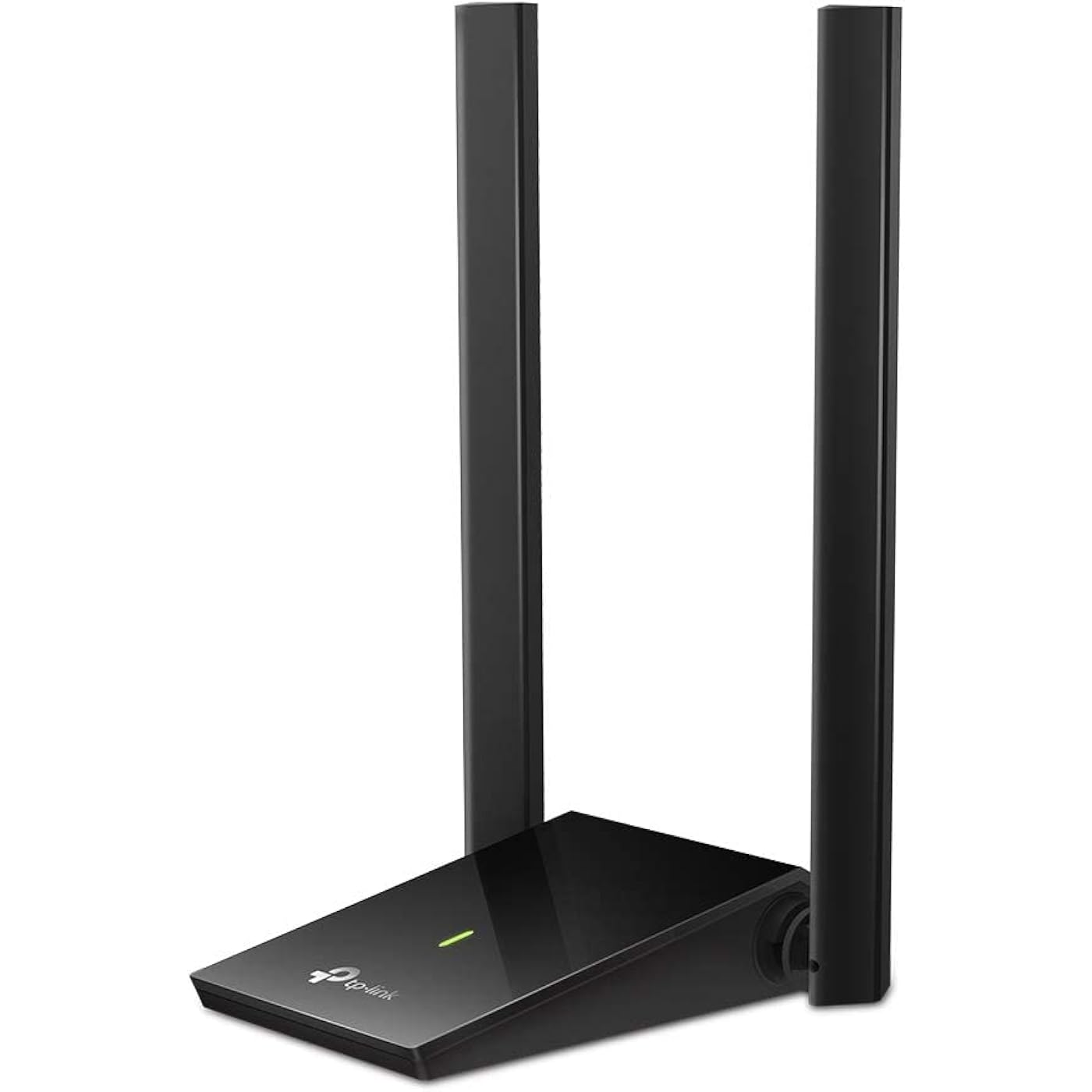
TP-Link USB WiFi Adapter, AC1300Mbps Dual Band 5dBi High Gain Antenna 2.4GHz/ 5GHz Wireless Network Adapter for Desktop PC (Archer T4U Plus)- Supports Windows 11/10, Mac OS 10.9-10.14
  • Based on 2,160 reviews
Condition: New
Checking for the best price...
$21.58 Why this price?
Save $18.41 was $39.99

Buy Now, Pay Later


As low as $5 / mo
  • – 4-month term
  • – No impact on credit
  • – Instant approval decision
  • – Secure and straightforward checkout

Ready to go? Add this product to your cart and select a plan during checkout.

Payment plans are offered through our trusted finance partners Klarna, Affirm, Afterpay, Apple Pay, and PayTomorrow. No-credit-needed leasing options through Acima may also be available at checkout.

Learn more about financing & leasing here.

Selected Option

Free shipping on this product

This item is eligible for return within 30 days of receipt

To qualify for a full refund, items must be returned in their original, unused condition. If an item is returned in a used, damaged, or materially different state, you may be granted a partial refund.

To initiate a return, please visit our Returns Center.

View our full returns policy here.


Availability: Only 10 left in stock, order soon!
Fulfilled by Amazon

Arrives Thursday, Mar 12
Order within 20 hours and 35 minutes
Available payment plans shown during checkout

Protection Plan Protect Your Purchase
Checking for protection plans...

Style: AC1300 Dual Band


Features

  • Super-Fast WiFi: AC1300 wireless speeds to meet all your gaming, downloading, and streaming needs
  • Dual Band USB WiFi Dongle: 2.4GHz and 5GHz bands for flexible connectivity (400Mpbs on the 2.4GHz band and 867Mbps on the 5GHz band)
  • Dual High-Gain Antennas: Improved range, signal quality and transmission performance, ideal USB wifi adapter for desktop pc
  • Wireless USB Wifi Adapter with Super Speed USB 3.0 Port: Up to 10x faster transfer speeds than USB 2.0
  • Adjustable, Multi-Directional Antenna: Enable flexible deployment for the best reception with adjustable antennas and flexible desktop design
  • Compatible with Windows 11/10 and macOS X 10.9 - 10.14

Description

TP-Link USB Wifi Adapter for PC AC1300Mbps Wireless Network Adapter for Desktop with 2.4GHz/5GHz High Gain Dual Band 5dBi Antennas, Supports Windows 10/8.1/8/7, Mac OS (Archer T4U Plus) High-Speed, Dual Band WiFi The Archer T4U Plus grants your PC access to 802.11ac technology while receiving WiFi signals on two separate bands, boosting speeds up to 1.3 Gbps (up to 400 Mbps on 2.4 GHz and 867 Mbps on 5 GHz). This means better networking experience for all your online needs. Choose the 2.4 GHz band for web browsing, email, and social media, or switch to 5 GHz for gaming, HD streaming, and large file downloads. Dual High-Gain Antennas, Broader Coverage Two powerful 5 dBi high-gain external antennas ensure stronger signal transmission and reception between web devices and your router even from farther away or across multiple walls and floors. Enjoy stable wireless connections and faster speeds without WiFi drops and lag. A Great Match for Faster Speeds Connect the newest hardware with USB 3.0. USB 3.0 is specially suited for the 802.11ac WiFi protocol and utilizes its transfer rate for better connections. Take full advantage of USB 3.0 and 802.11ac WiFi for optimized network performance. Flexible Design, Easy Setup The adapter’s desktop-style design and 1.0 m USB cable help you find the best spot for network reception. Enjoy an easy and desktop-friendly setup for flexible deployment.

Brand: TP-Link


Hardware Interface: USB


Color: Black


Compatible Devices: Desktop


Product Dimensions: 3.31"L x 0.76"W x 6.15"H


Data Link Protocol: USB


Data Transfer Rate: 1300 Megabits Per Second


Item Weight: 0.15 Pounds


UPC:


Compatible Operating System Family: MacOS, Windows


Product Dimensions: 3.3 x 6.2 x 0.76 inches


Item Weight: 2.4 ounces


Item model number: Archer T4U Plus


Date First Available: October 1, 2020


Manufacturer: TP-Link


Frequently asked questions

If you place your order now, the estimated arrival date for this product is: Thursday, Mar 12

Yes, absolutely! You may return this product for a full refund within 30 days of receiving it.

To initiate a return, please visit our Returns Center.

View our full returns policy here.

  • Klarna Financing
  • Affirm Pay in 4
  • Affirm Financing
  • Afterpay Financing
  • PayTomorrow Financing
  • Financing through Apple Pay
Leasing options through Acima may also be available during checkout.

Learn more about financing & leasing here.

Top Amazon Reviews

  • I spoke too soon. Its good when it works.
Original Review: At first I was skeptical of this thing until I realized that I didn't set it up right so make sure you are setting it up right! I got the dual antenna version and it's just amazing. I use it for gaming and work. I have less lag issues and low ping in video games now compared to before. And, overall, my connection is much more consistent (i've been using it for about 7 hours now) and i'd say my connection speed has went up by about 50% so there's a noticeable difference! Ill update my review after a month to see if it holds up. 2nd Day Update: Worked great the first day. Second day, different results. Its great, when it works. However, starting early into second day usage, it periodically stops working out of no where. When it first did this, I thought it was broken. The green light didn't come on. And it randomly started working again 30 mins later. It has done this about 3 times now all within a day. ... show more
Reviewed in the United States on January 15, 2021 by PainisGain

  • AC1300 It works with speeds up to 630mbs from 120ft away
Since i work from home my desk is in the spare bedroom which I refer to as a dead zone. Cell phones cannot get a wifi signal and the wifi connection for laptops are almost non-existent. My laptop is a I7 Dell inspiron with windows 10. After reading reviews this may not be compatible with Linux which does not bother me. The internal laptop card would read .5 to 3mbs a second and I realized since my work is mostly cloud based I found that even though I hit save multiple times I kept losing my work. Due to a poor connection. I first thought bigger is always better so I went with a different brand wifi USB adapter that was AC1750 it connected at 1300mbs but the adapter would get extremely hot and it would cause my router to crash causing complete internet loss for everyone in the house. I thought it was an issue with my router so over the course of a two week period i changed my router 3 times. I even tried it on my friends AT&T network and it crashed his router as well. So I returned it and Got the TP-Link AC1300. The AC1300 transfers at 630mbs from the dead zone and it does not overload the rest of my equipment. It has been reliable thus far. I do not have any regrets about buying this. I will update my review in 6 months. If you are on the fence about getting this vs another one avoid the headache and just get this. ... show more
Reviewed in the United States on February 13, 2021 by J Wolf

  • Please stay AWAY from this product, Archer t4u. Too many flaws.
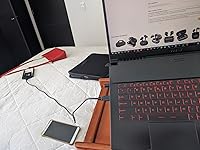
It is a product with a very poor quality.. I have a tplink mesh system in my house that works perfectly fine. That is why I was encouraged to buy this system with antennas that promise, but do not deliver. First, the positives: 1. It is small and has a USB 3.0 cable Nothing else. The negative: 1. Shipping took 3 days, too slow and delayed, even with prime speed. 2. The range is no better than my intel 9560ac adapter. If I test with the adapter, right next to the laptop (MSI 9sc) the test speeds are exactly the same. This leads me to conclude either that the antennas of this device are simply bad and low power or that the internal antenna of my laptop is incredibly good. I vote for the first theory! 3. A CD comes in the box. 2,021: Seriously Tplink? 4. It does not work well in 2 USB 3.1 ports of the 4 USB 3.1 ports that my laptop has. and all are in perfect condition, I connect my wireless mamba mouse, or my RGB keyboard, usb 3.1 and they all work perfectly well in those ports. But this adapter is NOT. It is disconnected over and over again, of course, with the included cable. It is frustrating, and very badly tested. 5. It only has more signal if you extend it with the included cable in search of direct contact between the antennas and the router. But it completely gets in the way of your house. The idea was to put it next to my pc. but as I explained, it does not increase the signal at all. The same 180 mb in speedtest and fast. So you have an extended cable in the way. 6. The price. It shouldn't cost more than 15 USD. It does not offer anything different than single antenna adapters. False advertising? perhaps. But my experience has been disastrous. I hope my honest review will serve you, I paid 29.99USD for this product that does not offer anything of what is in the description, it does not have more scope, it is not easy to use, and it is extremely unstable. I think there are better products in amazon, please avoid this Archer T4U product ... show more
Reviewed in the United States on April 5, 2021 by Juan D Juan D

  • Make sure your Windows 10 is fully updated
I initially had trouble getting full Internet speeds on my desktop (it was stuck on half the speed when running speed tests) but when the adapter was tested on my laptop, I had no issues. I noticed my laptop was fully updated to the latest version of Windows 10 and my desktop was not. Once I updated my desktop's Windows 10, I was able to get full speeds. Two reasons for 4 stars 1) Updating the driver is confusing. When you first install it, the default driver is from 2109. It comes with a CD to install a newer driver from April 2020. Searching for the latest driver via Windows Update says you have the latest already installed even if you have the 2019 version. If you are looking to download the latest driver off the TP-Link website, you are given 2 options. V1.8 (which is what the latest one is according to the label on the bottom) and V1. V1.8 will take you to a page where there are no drivers to download, just the manual. If you want to download the latest driver, you have to select V1. This will also work for V1.8 device. 2) In the devices, properties in the Advanced tab > Wireless Mode, you may need to switch the Value from Auto to a specific value like IEEE 802.11a/n/ac to achieve full speed. ... show more
Reviewed in the United States on July 17, 2021 by Norm L.

  • Fantastic 10x faster performance at long range, no drivers necessary
Plugged this as a replacement for an old Archer T2U adapter into a Windows 10 desktop and wow, the speed difference is immense! Old adapter: 2.4ghz 20mbps speed, 5ghz 15mbps speed New adapter: 2.4ghz 40mbps speed, 5ghz 140(!!!) mbps speed The only thing to note is that this adapter does not use a USB extension, but uses a USB 3 to micro-usb cable. This means that you cannot plug this adapter directly into a laptop, but must use a cable to connect them. It's fine for me since this means my PC can be under the desk and the adapter can sit on the desk where it gets a clear signal. ... show more
Reviewed in the United States on October 30, 2020 by Francis

Can't find a product?

Find it on Amazon first, then paste the link below.
Checking for best price...