


Search  for anything...
OWC

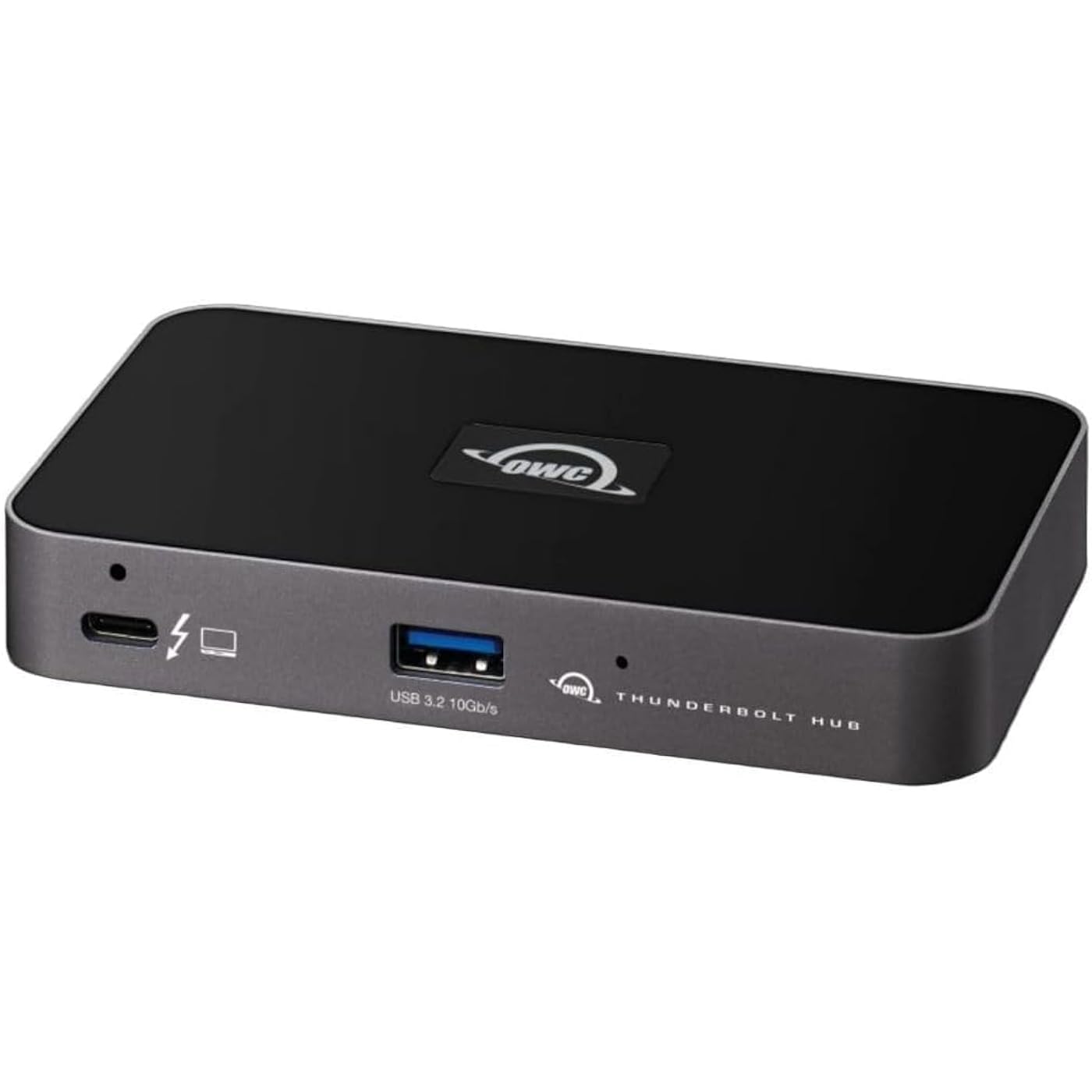
OWC Thunderbolt Hub 5-Port Connectivity Solution

  • Based on 487 reviews
Condition: New
Checking for the best price...
$149.99 Why this price?

Buy Now, Pay Later


As low as $25.00 / mo
  • – 6-month term
  • – No impact on credit to apply
  • – Instant approval decision
  • – Secure and straightforward checkout

Ready to go? Add this product to your cart and select a plan during checkout.

Payment plans are offered through our trusted finance partners Klarna, Affirm, Afterpay, Zip, Apple Pay, and Google Pay. No-credit-needed leasing options through Acima may also be available at checkout.

Learn more about financing & leasing here.

Selected Option

Free shipping on this product

FREE 30-day refund/replacement

To qualify for a full refund, items must be returned in their original, unused condition. If an item is returned in a used, damaged, or materially different state, you may be granted a partial refund.

To initiate a return, please visit our Returns Center.

View our full returns policy here.


Availability: In Stock.
Fulfilled by Amazon

Arrives Wednesday, Oct 21
Order within 20 hours and 45 minutes
Available payment plans shown during checkout

Protection Plan Protect Your Purchase
Checking for protection plans...

Set name: Thunderbolt 4


Features

  • OWC THUNDERBOLT HUB WITH 4 X THUNDERBOLT 4 AND 1 X USB-A

Features

  • Thunderbolt Hub - 3 x TB4

Description

Thunderbolt Hub - 3 x TB4


Brand: OWC


Color: gray, space gray


Hardware Interface: USB, Thunderbolt


Compatible Devices: Smartphones Leisen, Tablets, Desktops


Material: aluminium


Product Dimensions: 2.95 x 9.25 x 5.71 inches


Item Weight: 2.42 pounds


Item model number: W125947845


Date First Available: September 23, 2021


Manufacturer: OWC


Brand: OWC


Color: grey/black


Hardware Interface: Thunderbolt


Special Feature: Fast Data Transfer


Compatible Devices: Desktops, Smartphones, Tablets


Hardware Interface: Thunderbolt


Additional Features: Fast Data Transfer


Compatible Devices: Desktops, Smartphones, Tablets


Total Usb Ports: 5


Data Transfer Rate: 40 gigabits_per_second


Number of Ports: 5


Operating System: Windows


Color: grey/black


Enclosure Material: Aluminum


Item Dimensions L x W x H: 2.95"L x 9.25"W x 5.71"H


Item Weight: 0.96 kg


Brand: OWC


Item Highlight: Up to 60W PD - 3x Thunderbolt 40Gb/s device ports - USB-A 10Gb/s - Up to one 8K or two 4K displays - Mac, PC, iPad, & more


Manufacturer: OWC


UPC: 810586035606


Number of Items: 1


Unit Count: 1 Count


Built-In Media: Item


Model Number: W125947845


Mfr Part Number: W125947845


Warranty Description: Manufacturer Guarantee


Frequently asked questions

If you place your order now, the estimated arrival date for this product is: Wednesday, Oct 21

Yes, absolutely! You may return this product for a full refund within 30 days of receiving it.

To initiate a return, please visit our Returns Center.

View our full returns policy here.

  • Klarna Financing
  • Affirm Pay in 4
  • Affirm Financing
  • Afterpay Financing
  • Zip Pay in 4
  • Financing through Apple Pay
  • Financing through Google Pay
Leasing options through Acima may also be available during checkout.

Learn more about financing & leasing here.

Top Amazon Reviews


  • The Ultimate Upgrade for High-Speed Data Transfers
Set name: Thunderbolt 5
This OWC T5 Hub is a game changer. I use it to bridge my Mac mini/MacBook Pro with my OWC Gemini storage, and the efficiency is top-notch. Moving large files is a breeze, and I’ve experienced zero connectivity drops. It’s expensive, but you definitely get what you pay for in terms of build quality and performance. 5 stars! ... show more
Reviewed in the United States on May 4, 2026 by Dr.V

  • This thing ROCKS
Set name: Thunderbolt 5
This thing ROCKS. I’ve been using it for 4 months now with zero issues. Single cable to my M4 Pro MacBook, and it connects all of the following flawlessly: * powers the laptop * runs two 4k 240hz monitors (NOT mirroring, fully separate displays) using two Type-C to DisplayPort cables * keyboard and mouse * has extra usb ports to add a webcam/external drive/etc No issues at all and works great in my KVM setup as well. Huge win! ... show more
Reviewed in the United States on July 15, 2026 by Jacob Kania

  • Solid on all points.. love it!
Set name: Thunderbolt 5
Works perfectly and a fair price, especially happy it can ramp up the power on its USB-A port in order to charge iPads and especially my superdrive, without connecting directly to my MacBook Pro M3 pro. I opted for this thunderbolt 5 hub, even though my MacBook is thunderbolt 4, to future proof myself. Thus, I can't really say I'd buy it again, because I won't need to, so instead I will say I highly recommend it. One caveat is, it's not exactly plug and play right out of the box, so I had to open up the MacBook and give the device permission to be used so that My BenQ monitor would fire up and the driver install to enable superdrive support is a little odd, because you have to roll back the software and driver to an older version for it to work, had to hunt around to find this little tidbit out. I won't hold that hiccup against it, because it is solidly build, silent, warm but not hot, and does everything OWC says it does. I can't really ask for more than that... What I'd like to see is updated software that includes superdrive & iPad/iPhone fast charging working or at least clear messaging about the software roll-back until they get it working in the latest software version. ... show more
Reviewed in the United States on June 1, 2025 by Mr C.

  • Solid performance!
Set name: Thunderbolt 4
Works great so far. No instruction manual (not that you necessarily need one). Very nice product!
Reviewed in the United States on August 28, 2026 by The Vine House

  • Great unit, poorly designed
Set name: Thunderbolt 4
Works well, but some imporvements to port locations and power supply would be good. For some reason the power supply port is on the front instead of the back, so it makes it a bit awkward to use on the desktop. If it was on the back, it would be perfect. It really makes no sense. Speedy transfers though and plenty of ports. ... show more
Reviewed in the United States on October 23, 2025 by Matthew H

  • The ultimate Thunderbolt 4 hub for my Mac Studio M2.
Set name: Thunderbolt 4
The ultimate Thunderbolt 4 hub for my Mac Studio M2. I now have 6, 4Tb SSDs externally connected to my Mac using this hub. Works perfectly, speeds as fast as my internal SSD and no bit our unmounting problems like the other hub I had.
Reviewed in the United States on June 27, 2026 by Mike Walker

  • premium price, joke quality
Set name: Thunderbolt 5
Loose-fitting ports, trash cables, flakey display management. I bought 2 of these hubs, both had super-flakey connections. Lightly brushing cords is enough to cause monitors to lose sync and reset. I replaced the cables and reduced the problems significantly, but could still cause nonrecovering resets by wiggling the new cables. When I put the OWC cables into other hubs I could make them lose connection by wiggling them, also. I can connect one monitor through it at 4K@60, but 2 at that rate cause screen glitches on one and resets on the other. I repeated this behavior connected to all my machines, Mac and Windows, TB4 and TB5. Another different flakey display problem is that, specifically on the Mac Studio M3 ultra, it seems the Mac can send polling or control traffic to this thing fast enough to glitch it out. This can be triggered by opening Display Settings. If that panel is open off-screen it will result in infrequent resets. If it's onscreen then the resets become markedly more frequent. Close that panel and the resets stop. I suspect it's the result of not keeping up with the Mac's display controller because the problem is MUCH worse when you connect an active cable, introducing slight delays in the signal. NOTE: For the tests and FYI: - all tests were computer --> hub --> 8K USB-C-to-DP adapter --> 8K cable --> monitor - Monitors were: LG (glitchy) and Samsung (resets) - all cables were short, passive, certified TB5 cables - Machines were: -- lenovo legion 5i (intel TB4) -- Mac Studio (M3 ultra) -- Macbook Pro (M4 pro) Yes, I used only short passive Thunderbolt 5 cables in all tests, and all tests were connected directly from ... show more
Reviewed in the United States on April 16, 2026 by Cliffton Mcintire

  • Lots of ports and provides power to the MacBook
Set name: Thunderbolt 5
This hub works great. Took me a little bit to figure out which port I needed to plug in my computer too but once I figure that out I was often running it’s great because it charges my MacBook so I don’t need to plug in a separate power supply to the MacBook.
Reviewed in the United States on August 9, 2026 by Johny HammerSticks

Can't find a product?

Find it on Amazon first, then paste the link below.
Checking for best price...