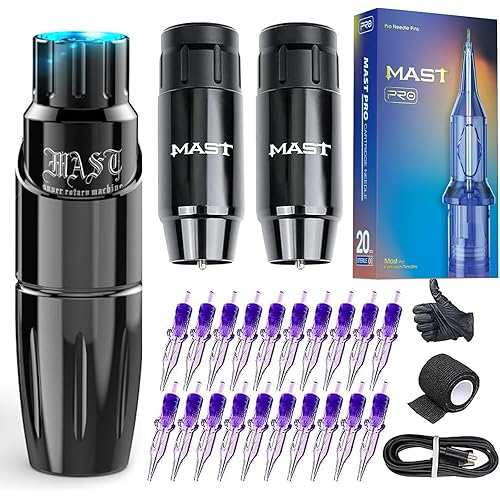
Tattoo Transfer Stencil Machine Copier Printer with 20PCS Tattoo Transfer Papers Thermal Tattoo Kit Copier Printer,Black


Buy Now, Pay Later
- – 6-month term
- – No impact on credit to apply
- – Instant approval decision
- – Secure and straightforward checkout
Ready to go? Add this product to your cart and select a plan during checkout.
Payment plans are offered through our trusted finance partners Klarna, Affirm, Afterpay, Zip, Apple Pay, and Google Pay. No-credit-needed leasing options through Acima may also be available at checkout.
Learn more about financing & leasing here.
FREE 30-day refund/replacement
To qualify for a full refund, items must be returned in their original, unused condition. If an item is returned in a used, damaged, or materially different state, you may be granted a partial refund.
To initiate a return, please visit our Returns Center.
View our full returns policy here.


At a glance
- Condition
- New
Features 5
- Save Time for Tattoo Artists -- PMOTPKOM Tattoo stencil printer is best for tattoo lovers.Thermal Tattoo Kit Copier Printer includes 1 machine, 20pcs of transfer paper, and a universal adapter. Easy to use,clear and smooth patterns,low heat, low noise, stable performance, are very popular among artists.
- Economical and Affordable -- Machine is made of quality ABS,smooth contour and no burrs .Perfect size fit work areas it works well in most templates,No ink needed and light bulb changes , economical and affordable! Compatiable with the voltage of 100-240V, it can work for you all around the world.
- Fast & Easy Transfer -- "Copy"in 10s to complete the transfer.Thermal Copier Printer provides 5 buttons for different functions meet your stencil need, you can choose between Mirror, Photo, and two Deepness I & II.Saves a lot of time to make manual stenciling.
- Matters Need Attention--1: Please wipe the gears regularly. 2:Tattoo machine adapted to A4 / A5 paper, is not flat or too large will makes the print very bad. (Can try hands to pull a level.)3:Overheating will jam the paper,please make the tattoo transfer stencil machine cool down for a few minutes, it's in order to protect the tattoo transfer machine.
- Best Gifts For Professional Tattoo Artists -- If you have any questions about the thermal copier printer,welcomed to contact us. This Tattoo Kit Copier Printer endowed with fast transfer speed and stable performance, suitable for artists to create various beautiful patterns, will be a wonderful gifts for friends family.
Description
Tattoo Transfer Stencil Machine is a machine for professional tattooing as well as tattoo enthusiasts, it allows you to convert your designs directly from original drawings to stencil paper in a very short time, making it easy to transfer to the skin, it is a reliable copier ! - Perfect transfer effect with clear lines and distinct layers. No more printed streak & half faded stencil. - Thermal copier tattoo stencil adding lubricating oil and special processes, reducing friction, not easy to jam, save your time and energy. - Can choose different modes,the copy methods, deepness etc.Even if a single large area simple or complex line art,can ensure the art copy effect Size:11"" x 6.5"" x 2.8"" (L x W x H) Weight:1.17Kg/2.57lb Power: AC 110V-220V(Used globally) Effective Scanning Width: 210 mm/8.3in Document size: A5~A4 Document Thickness: 0.06mm-0.15mm Document Type: Fine/Photo 50Hz/0.46A Power Consumption: 5W Recording Mode: TPH 1:Over heating of the machine can cause paper jams!!! you need to wait until the machine to cool down sufficiently use again 2:Don’t transfer complex patterns continuously,and matte map. you need to wait until the cover is opened to allow the machine to cool down sufficiently use again 3:Please To use stencil transfer paper that can be used by the machine, too thick hand-painted paper will cause paper jams. 4:Transfer machine is not a printer and has no printing function. FQA: --Why is there a paper jam? Solution: The machine is overheated and will jam, let the machine cool down for a few minutes and then use it without jamming. --Why does the machine print messy lines or black lines? Solution: Please restore the default settings, and regularly clean the roller, will reduce the possibility of the above problems, you can try this solution. 1. Press the "stop" button for 3 seconds, then you will hear a beep; 2. press the "mirror" button; 3. press the "copy" button. Uneven Line Pattern: Clear Lines Complex Lines Not Suitable For Transfer
Specs 3
| Package Dimensions | 12.99 x 9.8 x 5.2 inches; 3.77 pounds |
|---|---|
| Batteries | 1 CR2 batteries required. (included) |
| Manufacturer | PMOTPKOM |
No specs match.
Frequently asked questions
To initiate a return, please visit our Returns Center.
View our full returns policy here.
- Klarna Financing
- Affirm Pay in 4
- Affirm Financing
- Afterpay Financing
- Zip Pay in 4
- Financing through Apple Pay
- Financing through Google Pay
Learn more about financing & leasing here.