Search  for anything...

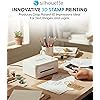
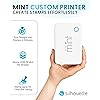
Silhouette America, Silhouette Mint Custom Printer (White) 4x4

  • Based on 1,444 reviews
Condition: New
Checking for the best price...
$39.99 Why this price?
Save $10.00 was $49.99

Buy Now, Pay Later


As low as $9 / mo
  • – 4-month term
  • – No impact on credit to apply
  • – Instant approval decision
  • – Secure and straightforward checkout

Ready to go? Add this product to your cart and select a plan during checkout.

Payment plans are offered through our trusted finance partners Klarna, Affirm, Afterpay, Apple Pay, and PayTomorrow. No-credit-needed leasing options through Acima may also be available at checkout.

Learn more about financing & leasing here.

Free shipping on this product

FREE 30-day refund/replacement

To qualify for a full refund, items must be returned in their original, unused condition. If an item is returned in a used, damaged, or materially different state, you may be granted a partial refund.

To initiate a return, please visit our Returns Center.

View our full returns policy here.


Availability: In Stock.
Fulfilled by Amazon

Arrives Saturday, Jun 20
Order within 5 hours and 42 minutes
Available payment plans shown during checkout

Protection Plan Protect Your Purchase
Checking for protection plans...

Features

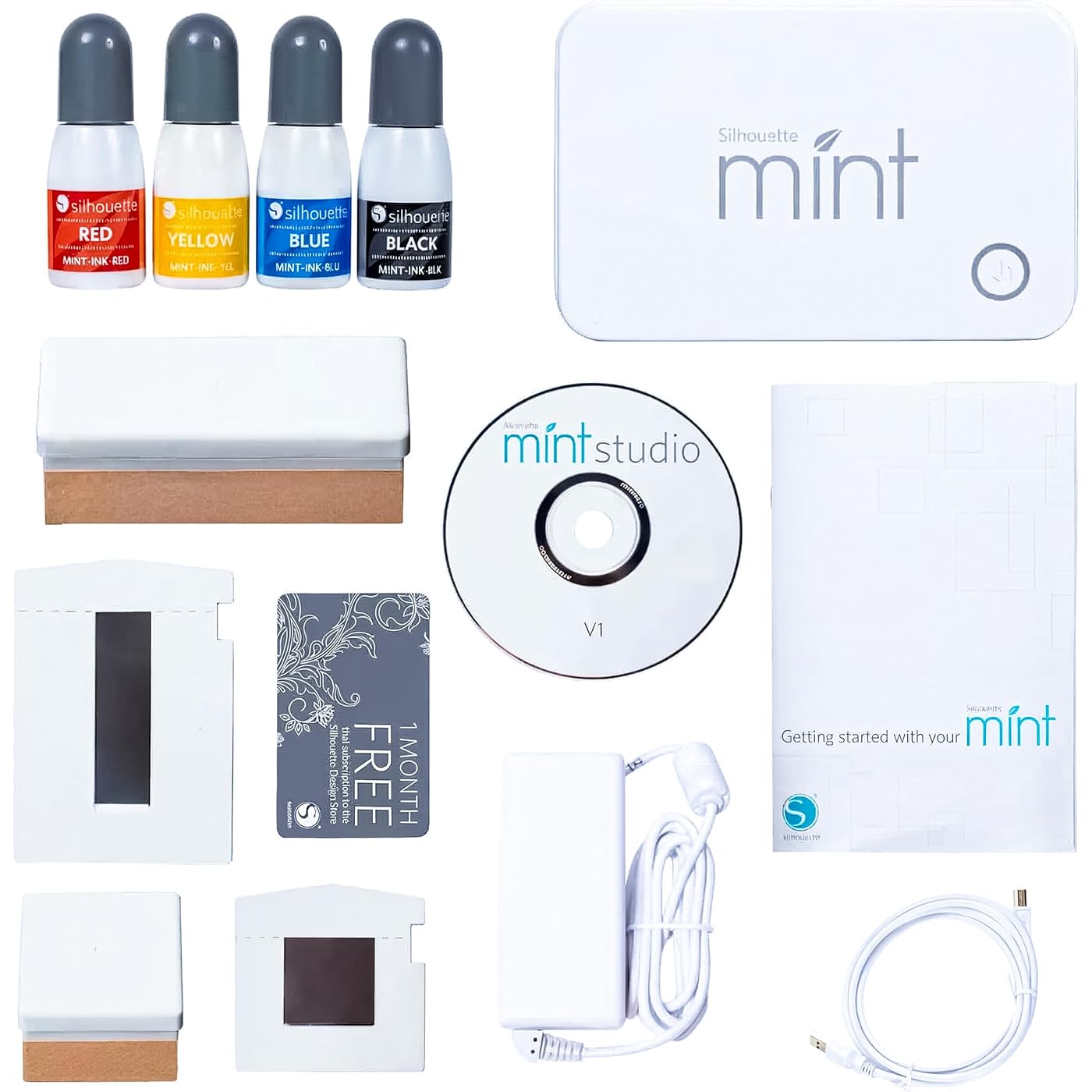
  • Silhouette Mint Custom Stamp Maker. Power cable & USB cable.
  • 15 mm x 60 mm stamp kit. 30 mm x 30 mm stamp kit.
  • 4 ink bottles in black, red, blue, and yellow.
  • 50 exclusive designs (download).
  • Silhouette Mint Software.

Description

Includes: mint, 15x60 stamp kit, 30x30 stamp kit, (4) ink bottles (black, red, blue, yellow), power cord, USB cord, & quick start guide.

Brand Name: Silhouette America


Global Trade Identification Number: 07


Set Name: Mint


UPC: 814792018507 703570101862


Manufacturer Part Number: SILHOUETTE-MINT


Model Number: SILHOUETTE-MINT


Item Weight: 0.69 Pounds


Included Components: Printer


Unit Count: 1.0 Count


Manufacturer Warranty Description: Not available.


Manufacturer: Silhouette America, Inc


Item Type Name: Stamp Kit


Material Type: Rubber


Shape: ['Rectangular', 'Square']


Size: 4x4


Item Dimensions L x W x H: 6"L x 5"W x 4"H


Frequently asked questions

If you place your order now, the estimated arrival date for this product is: Saturday, Jun 20

Yes, absolutely! You may return this product for a full refund within 30 days of receiving it.

To initiate a return, please visit our Returns Center.

View our full returns policy here.

  • Klarna Financing
  • Affirm Pay in 4
  • Affirm Financing
  • Afterpay Financing
  • PayTomorrow Financing
  • Financing through Apple Pay
Leasing options through Acima may also be available during checkout.

Learn more about financing & leasing here.

Top Amazon Reviews


  • Impressive
Style: Stamp Kit
My business had a request for some stamps, we knew we could easily do the art work but the rubber for our laser wouldn't arrive in time to fulfill. I came across this when looking for alternatives and pulled the trigger. Device arrived next day. Full plug and play no messing around. In 10 min I uploaded the art work that we created in Adobe, inserted the blank and we had our stamp. Quite amazing. No fumes, no mess no hassle. This Device saved the day for sure. It does have a few cons but if you are a crafter or hobbyists this is everything you'll need for making a stamp. Pros: - User friendly - Speed - Cost to value Cons: - Expensive blanks - No self ink stamp pads - Designed/ Advertised to work only with Silhouette materials. Inks, blanks and so on. Possibly no market for cheaper alternatives. ... show more
Reviewed in the United States on December 23, 2021 by FoggyNoggin

  • Pretty awesome, but it's an expensive product in the long term. Pretty awesome, but it's an expensive product in the long term.
Style: Stamp Kit
I got this for my birthday after waffling for a bit on whether or not I wanted it. I was thinking about trying another system that uses photo-sensitive polymer packs (which is also one way that commerically-produced stamps are manufactured), but those are even harder to find than refills for the Mint system and are also only made by one company (based in the UK). The Mint is definitely capable of doing detailed images at a fairly high resolution. It's not going to do microscopic shapes, but I was impressed with the quality of the first stamp I made. I've also added some screenshots of what my original image looked like and how it looked after the Mint's filtering was applied to prep for making a stamp. I've tried to find information on the potential to use non-Silhouette inks. I've come up with pretty much nothing. The inks are oil-based, and while I doubt they are unique to the Mint system (or its Casio-branded Japanese counterpart, the Pomrie), I can't find enough information on the ink to trust that a cheaper alternative will work. I may risk one of the smaller, less-expensive stamp sheets with some oil-based self-inking stamp refill and see what happens - if I do, I'll make sure to update my review. The downside of the Mint is that it is a completely unique and proprietary product. This is a rebranded and repackaged version of the Casio Pomrie, which is also unique and proprietary in its market (East Asia), so there's really no way to get refills on the cheap. I found inks and stamp sheets for a bit cheaper than other sites (including Amazon), but even at $2.95 per 5mL bottle of ink and $3.95 to $12.95 per two-pack of stamp sheets, the cost adds up. I spent $65 on the machine and another $100 on ink and stamp sheets so that I'd have a variety of sizes and all the available ink colors. Theoretically you should be able to mix ink colors together, but since it's difficult to do that at the time of applying the colors to the stamp (without wasting a bunch of ink and sourcing extra application bottles), I don't know if it's worth it. The stamp sheet refills are quite expensive as well, and unlike the dyes I don't think there's any potential for a cheaper alternative from a third party. The stamp itself is made of some kind of heat-reactive (aka thermal) material. From what I can tell, heat applied to the sheet in the shape of your design causes the heated portions to become porous and slightly raised, allowing the ink to soak into the design for self-inking stamping. The material is very resistant to the ink otherwise, which I think is how you're able to apply a blob of ink to a small design and, after waiting a bit, all but a minute amount of ink has disappeared into the stamp material. So far, I am very happy with my Mint. I'm disappointed that the refills are so expensive, because it means that I have to be choosy about my designs, whereas with my Cricut I can just use scrap cardstock and even cheap printer paper to test a design before cutting it on more expensive specialty materials. That being said, it's definitely a unique product that packs a lot of creative punch, depending on your needs. One tip - the stamp kits are not worth the money. A stamp kit costs more than a stamp sheet set and isn't at all necessary for making your stamps. A kit comes with a single stamp sheet and a stamp base, whereas a stamp sheet set comes with two stamp sheets. A stamp sheet in this context means a stamp sheet to run through the Mint, a plastic base onto which the printed stamp is adhered, and a plastic snap-on cap to protect your stamp and prevent the ink from drying out as quickly. The thing is, the stamp base is literally just a piece of composite material (something similar to MDF) with a plastic bit glued on. A completed stamp can slide into that plastic bit so you can swap out different stamps with a single base. Instead, you can just use some foam squares on the underside of the completed stamp base and adhere your stamps to wood blocks! Buy some scrap wood and saw it down to the sizes you need, or look on Amazon for cheap wood blocks. You'll end up saving a decent amount of money, and you won't have to change out the stickers on the back of your blocks since the stamps are permanently attached rather than interchangeable. I also learned the hard way that if you want to use multiple colors on a single image and you want them to blend smoothly, you need to use something small and pointy (like a pin or needle; I used a dental pick) to mix the ink where the colors meet BEFORE it absorbs into the stamp. On the other hand, if you do want colors side-by-side without bleeding into each other, this stamp material is amazing - colors don't seem to bleed at all unless you force them to by mixing. ... show more
Reviewed in the United States on July 21, 2016 Reviewed in the United States on July 21, 2016 by CD

  • What a neat little stamp maker.
Style: Stamp Kit
Got the Mint to make a signature stamp for a friend who was getting writer's cramp from signing customer receipts. I am now hooked on designing and making stamps with the Mint. And like with any other digital software it does take a little time and patience to learn it. The process of making stamps with the Mint is awesomely easy tho. The quality of the Mint machine, its materials and the stamps is impeccable. I am "talking up" this machine to everyone who will listen. ... show more
Reviewed in the United States on May 22, 2024 by Kindle Customer

  • Magical and absolutely worth it.
Style: Stamp Kit
O M G! Ok I got this for a steal, it had to be a glitch, but this is hands down the coolest little machine ever. The software takes some getting used to, but this is my first silhouette product, so I was unfamiliar with their platform. That said, with my sketchy (at best) computer skills I had a stamp I was proud of in about 2 hours. It “prints” the stamp shockingly fast AND the detail is bonkers! It only comes with 2 stamps, which is a bit of a buzzkill, but for the price, it’s fine. The stamp refills are a little spendy and I’m sure there is no hope for generics, but they still are a ton cheaper than buying custom. I have a small side hustle and this is PERFECT for branding. I will now be buying all the refills and stamping ALL the things! I do feel like I should mention that these are not classic rubber stamps, but it’s fine by me. They work great with the ink provided (which is actually pretty cheap). There are some YouTube videos that test different inks as well. A couple actually worked well and I’ll probably be trying some of them out, because, color junkie. Anywhoser, happy stamping peeps. ... show more
Reviewed in the United States on September 16, 2019 by BjP

  • Know what you are investing in
Style: Stamp Kit
Picture it: 2011, a dark and smelly time. William and Kate had a royal wedding, and Charlie Sheen went mad talking about his tiger blood and Adonis DNA, which turned out to be his way of telling the world that he had HIV. (I really miss Charlie's public kerfluffles.) Anyway, I was trying to buy a custom stamp for our business, and for whatever reason, it was impossible to find an affordable one that could incorporate our logo and the fonts I wanted. I ended up buying a custom stamp with some generic clip art and a limit on number of lines. We were never really happy with it. I saw this item not too long ago and added it to my wish list. When the price came down enough, I bought it. This is my first Silhouette craft machine. I've never had any of their other machines, and I haven't used the prior software. You can make a different kind of custom stamp with one of their other machines. I don't know how good the quality is. There are several other reviews here that compare the software, so make sure you read those. When I ran the app the first time, it immediately notified me that there was a new version available from the Silhouette web site. Having seen the complaints here, I went ahead and installed the new version without using the old one. I think the software is easy to use, but I didn't use the first software, and I'm used to using graphics programs, so the interface was easy to figure out. If you're not computer-savvy this may not be so easy for you. You'll also find that your choices for images and text will be somewhat limited to the Silhouette online store, and what fonts you have loaded. If you've had prior experience in a graphics program, and /or Powerpoint, the concept of grouping and ungrouping, resizing objects and how to make changes in the fonts and graphics will kind of be instinctive. There are plenty of You Tube videos with people showing how to use the program and make your stamps start to finish. I didn't use any Silhouette images to make my first stamp. I made a high resolution version of our logo in Paint Shop Pro, saved it as a transparent PNG, and opened the image in my first project. It was easy to scale it down to size, and then to add text with our address and phone number in any font I already had loaded on my computer. If you don't know how to make and import your own graphics, you're going to find yourself limited to your font collection and what you can buy from Silhouette. I'm sure the novelty will wear off with time, but it's fun to watch the Mint cut the stamp and to take it out and see your design. One note of importance-- you should leave the thin plastic film on the stamp until after it has been put through the machine and your design is finished. This wasn't completely clear to me until after I watched some videos. It's also important to load the stamp printed side up, into the Mint from behind, and not from the front. I don't know if this thing has stop gaps to prevent you from loading it the wrong way. It does know if you've loaded the wrong size stamp. The Mint itself is not that expensive for a one-time purchase, but the stamp kits are. There are two kinds of stamp packs. One type of pack comes with one stamp, labels, one plastic housing, and one wooden block. The other pack comes with two stamps, labels, and the plastic housing for each, but with no wooden block. The idea with these is that once you have one wooden block, you can interchange all your stamps of the same size on the same wooden block. However, if you're planning to give the stamp as a gift, or you're sending it to work with people who lose stuff, you're going to want one wooden block for every stamp. Looking at Amazon's listing for the blank stamps, it's not easy to tell which pack you're looking at. The two kinds of kits run about the same price, so you'll want to get the single stamp pack if you want a wooden block. The ink isn't cheap, either, and from what I've seen online, other users trying different inks were not getting great results. The bottles I got with the Mint are not labeled with how much ink is in each one, but I'm guessing it's easily .25 to .30 ounces. You lose some in the inking process, too. So when you make a stamp and ink it, you should make sure you really love it before you use cartridges and ink. There is not really a generic alternative for stamps and ink, so you're stuck buying the Silhouette brand for this part. You're going to have to clip your coupons, wait for sales and carefully read the exclusions. This kind of stuff is almost always excluded from sales and coupons at places like Joann's and Michael's. Of course, the question is how good are the images? I've only made one stamp so far, but I don't want to upload an image of the stamping results since it has identifiable information on it. The images are the same as most of the pictures already posted here, and the videos are true to the results I got. I seem to get the best images when I stamp a piece of paper directly on a hard surface, or with only one or two pieces of paper layered underneath. My design had enough space between images that I didn't have a problem with one color bleeding into another. Try not to be sloppy with the ink, and make designs taking into account how close each element is to another. Overall, this is a four star product. It does what it says it will do, and I love playing with it. However, stamps and ink can add up pretty fast. Just be aware that this could be an expensive addition to your crafting projects depending on your skills and compatible supplies. ... show more
Reviewed in the United States on April 29, 2016 by LunchWithLions

  • Personalized Stamp Making at Home
Style: Stamp Kit
I love this stamp maker because it is so easy to use and makes my life easier. I can make custom stamps for my scrapbooking and other projects, and the best part is that I don't have to worry about running out of ink or having to buy a new stamp pad. It's also really easy to clean up after I'm done, which is great for me because I'm not really good at getting things done first thing in the morning. I saw this product and I thought it was cool. It was easy to use and the instructions were easy to follow. I think this would be a great gift for a crafter or someone who likes to make cards or authors who have to personalize a lot of cards. #oliviawrites #oliviawritesbooks ... show more
Reviewed in the United States on January 3, 2022 by Augusta Writers

  • This is the most fun you can have, with your clothes on! This is the most fun you can have, with your clothes on!
Style: Stamp Kit
I ordered The Mint a couple days ago, and it was delivered yesterday. Set up was very easy and I have to say, this machine is amazing and I had a blast with it!! Pictured here, is a photo of the stamp I designed and made, to put on the back of my handmade greeting cards. I also made a return address stamp for myself. Both came out perfect! They stamp very nice. Yes, the stamp sets you have to purchase (after you use the first 2 that come with this kit) are a bit pricey, but no worse than other custom made stamps you would order from a company that makes them. And it is a lot of fun for someone who likes to play around with this kind of thing! I have wanted to buy this since they first came out with it several years ago, but it was $140.00 which I felt was too much. When I saw this deal, I just HAD to buy it and I am happy I did! ... show more
Reviewed in the United States on November 25, 2018 Reviewed in the United States on November 25, 2018 by d.tramun

  • Love My Mint
Style: Stamp Kit
I received the Mint as a Christmas gift and love it. It works well with the images in my Cameo library and allows me to import pictures from my computer into the Mint Studio library. For my first stamp I chose a jpg image from one of the graphic files on my computer. After selecting the stamp size I resized the image to fit the stamp and clicked the send to Mint icon. I loaded the stamp blank into the machine and it started making the stamp. When it had finished I had an exact copy of the picture. Inking was easy. I applied the ink to image and let it soak in. I stamped several impressions on a scrap of paper to clear the excess ink, as directed, but even the first impressions were clear and usable. As much as I love the Mint, the cost of the replacement stamps is quite expensive. Silhouette did make it so that after buying the initial kit, you can buy replacement stamps, at a slightly lower cost, and use the blocks that you already have. ... show more
Reviewed in the United States on February 2, 2016 by Monet 7

Can't find a product?

Find it on Amazon first, then paste the link below.
Checking for best price...