
Search  for anything...

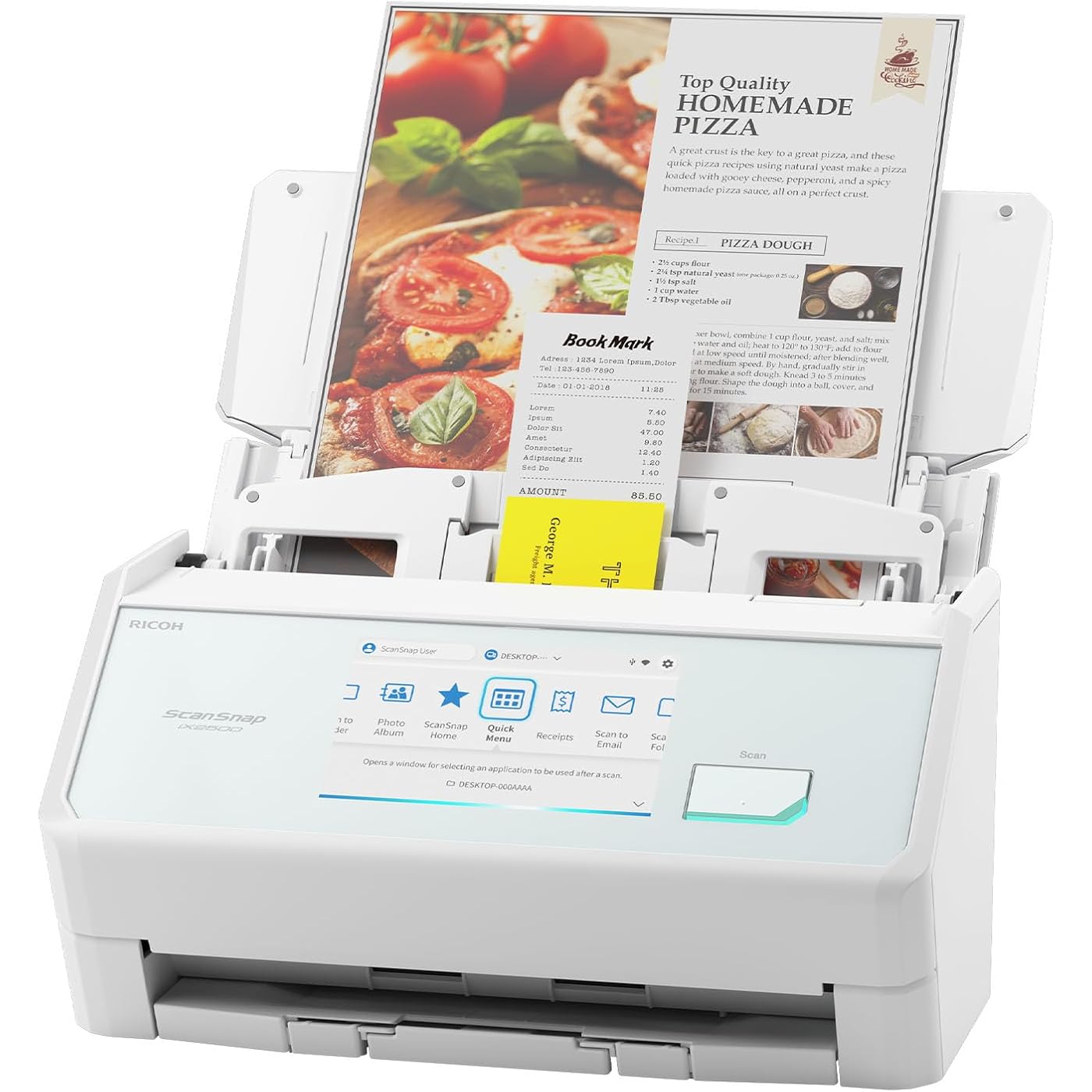
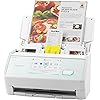
ScanSnap iX2500 Wireless or USB High-Speed Cloud Enabled Document, Photo & Receipt Scanner with Large 5" Touchscreen and 100 Page Auto Document Feeder for Mac or PC, White

  • Based on 0 reviews
Condition: New
Checking for the best price...
$399.99 Why this price?
Save $84.50 was $484.49

Buy Now, Pay Later


As low as / mo
  • – Up to 36-month term if approved
  • – No impact on credit
  • – Instant approval decision
  • – Secure and straightforward checkout

Ready to go? Add this product to your cart and select a plan during checkout.

Payment plans are offered through our trusted finance partners Klarna, Affirm, Afterpay, Apple Pay, and PayTomorrow. No-credit-needed leasing options through Acima may also be available at checkout.

Learn more about financing & leasing here.

Selected Option

Free shipping on this product

FREE 30-day refund/replacement

To qualify for a full refund, items must be returned in their original, unused condition. If an item is returned in a used, damaged, or materially different state, you may be granted a partial refund.

To initiate a return, please visit our Returns Center.

View our full returns policy here.


Availability: In Stock.
Fulfilled by Ricoh Authorized Store

Arrives Monday, Feb 23
Order within 13 hours and 52 minutes
Available payment plans shown during checkout

Protection Plan Protect Your Purchase
Checking for protection plans...

Size: NEW ScanSnap iX2500 White


Features

  • OUR MOST ADVANCED SCANSNAP. Large touchscreen, fast 45ppm double-sided scanning, 100-sheet document feeder, Wi-Fi and USB connectivity, automatic optimizations, and support for cloud services. Upgraded replacement for the discontinued iX1600
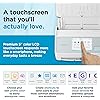
  • CUSTOMIZABLE. SHARABLE. Select personalized profiles from the touchscreen. Send to PC, Mac, mobile devices, and clouds. QUICK MENU lets you quickly scan-drag-drop to your favorite computer apps
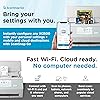
  • STABLE WIRELESS OR USB CONNECTION. Built-in Wi-Fi 6 for the fastest and most secure scanning. Connect to smart devices or cloud services without a computer. USB-C connection also available
  • PHOTO AND DOCUMENT ORGANIZATION MADE EFFORTLESS. Easily manage, edit, and use scanned data from documents, receipts, photos, and business cards. Automatically optimize, name, and sort files
  • AVOIDS PAPER JAMS AND DAMAGE. Features a brake roller system to feed paper smoothly, a multi-feed sensor that detects pages stuck together, and skew detection to prevent paper damage and data loss

Description

The ScanSnap iX2500 stands out with its elegant faceted design, available in both black and white to complement any workspace. Built with premium materials and robust construction, it features a large seamless touchscreen that responds like a smartphone. The high-capacity document feeder can hold up to 100 sheets and it scans double-sided documents at an impressive 45 pages per minute. With USB-C and Wi-Fi connectivity, it offers the flexibility to put the scanner where it’s most convenient. As the upgraded replacement for the discontinued iX1600, the iX2500 builds on its legacy with enhanced speed, design, and usability. ScanSnap Cloud enables deviceless scanning: simply scan directly to your favorite service, no computer needed. Compatible with Mac, PC, iOS, Android, and popular cloud services, it can automatically make text searchable, plus optimize, name, and sort documents into folders and clouds. The exclusive Quick Menu allows for easy drag-and-drop to your favorite apps, helping you manage everything from tax documents to daily correspondence with the legendary ease and reliability of ScanSnap.

Scanner Type: Business Card, Document


Brand: ScanSnap


Model Name: ScanSnap iX2500


Connectivity Technology: USB, Wi-Fi


Product Dimensions: 6.26"D x 11.5"W x 6.34"H


Resolution: 600 dpi


Item Weight: 7.7 Pounds


Wattage: 17 watts


Color Depth: 24 bits


Standard Sheet Capacity: 100


Product Dimensions: 6.26 x 11.5 x 6.34 inches


Item Weight: 7.7 pounds


Item model number: PA03860-B105


Date First Available: June 24, 2025


Manufacturer: PFU Limited


Frequently asked questions

If you place your order now, the estimated arrival date for this product is: Monday, Feb 23

Yes, absolutely! You may return this product for a full refund within 30 days of receiving it.

To initiate a return, please visit our Returns Center.

View our full returns policy here.

  • Klarna Financing
  • Affirm Pay in 4
  • Affirm Financing
  • Afterpay Financing
  • PayTomorrow Financing
  • Financing through Apple Pay
Leasing options through Acima may also be available during checkout.

Learn more about financing & leasing here.

Top Amazon Reviews


  • Excellent Choice
Size: NEW ScanSnap iX2500 Photo Edition
I bought the ix2500 Photo Edition to tackle a mountain of old photos, and the decision was straightforward. Most other batch scanners in this price range had troubling reviews—scratched prints, skewed images, and outdated designs. The ix2500 stood out as the newest model, and while Ricoh’s website and virtual assistant were no help in deciphering the four ScanSnap options, I went with the most expensive version and hoped for the best. Fortunately, it was the right call. After scanning over 1,000 photos, not a single one has been scratched or misaligned. The scanner handles up to 50 photos at a time with impressive speed, and it doesn’t flinch at mixed sizes or orientations in a single batch. Both the Wi-Fi and USB connections work without problem on Windows 11. While the 600 DPI resolution might not satisfy ultra-high-end needs, it’s perfectly suited for standard 20th-century photo prints and more than sufficient for viewing on modern screens and TVs. It’s also in line with what you’d expect at this price point for batch scanners. The software, however, leaves something to be desired. It’s functional, but the automatic color correction doesn’t quite match the quality of Photoshop Elements, so I use PSE for that step. It’s an extra click or two, but well worth it. My biggest gripe is the user interface—changing file names and folder destinations for each batch requires digging through four or five layers of menus on four different windows. Not ideal, but manageable. Also, the automatic orientation based on face recognition does not work. It is not a practical problem since I can orient the photos in the scan tray so that they are properly positioned. The one thing missing is the ability to scan slides. The 600 DPI resolution would be marginal for that application, but it is better than nothing. ... show more
Reviewed in the United States on November 20, 2025 by L. Gross

  • Incredible Scanner
Size: ScanSnap iX1600 White Photos & Documents
If I could give this scanner 6 stars I would. I have experience with Fujitsu scanners. Our company has had two humble ScanSnap S1500s in service for over a decade, each having scanned 50,000+ documents on all original parts (and still going). We also experimented with a Fujitsu N7100 network scanner (I think we paid $1700 for that scanner new). I like this scanner better than all of them. First of all, the old S1500s only worked with ScanSnap Manager and the older Fujitsu software. This one works with both the old software and their flagship ScanSnap Home software. I honestly thought I'd hate the new software and was planning to just use ScanSnap Manager again. I begrudgingly gave ScanSnap Home a chance and I must say, it's substantially better. First of all, the older software was made up of multiple parts that all had to work together. ScanSnap Home has one clean interface that acts as a document manager, a scanner config, and so on. The flexibility is where this thing really shines. At first glance the touchscreen appears to be laid out how they think you'll want it. In reality you can customize every button, change it's icon, change it's action, etc You can have ScanSnap Home manage the docs or have it scan elsewhere and not even show the document in ScanSnap Home. I have my scanner setup here at home in a dual role. I use the default ScanSnap Home button to scan to my local NAS (as a directory on my computer, not direct [more on that later]) . I have other buttons that scan to various OneDrive locations that sync with SharePoint. For those documents it just scans direct, and I don't have it showing on my computer. Everything just works perfectly. Setup was a breeze. I initially set it up with a USB cable then decided to put it on the Wifi just for fun. I figured I'd setup the mobile app but never got around to it. Then one day the USB cable was unplugged and I went to scan something, not even thinking about it, and it just worked. My computer found the scanner over the network without any additional configuration. Even over Wifi and uploading to either my NAS or OneDrive scanning is pretty much instant. I've scanned 50 page documents and after the last page went through it was fully OCR'd and available to open within about a second. Here's the only downsides (which I didn't dock points for because this is not an expensive scanner by comparison). Although you can (with a firmware update) scan direct to a network share without the use of a computer the scanner doesn't perform any OCR on it's own. Our expensive N7100 could perform OCR on it's own but honestly it was slower. To really leverage this scanner's true capabilities, you should use it with a computer. The ScanSnap Home software is able to perform OCR on the incoming documents faster than anything I've ever used. On that note, you do have to check a box in the settings for the PDF files to actually have it save the PDF as searchable. My suggestion for when you get it is to bypass the manual altogether and just dive in. Pretty much everything is self-explanatory. If you go to Settings / Scan Settings in ScanSnap Home you'll be pretty much good to go. ... show more
Reviewed in the United States on September 12, 2023 by philbw philbw

Can't find a product?

Find it on Amazon first, then paste the link below.
Checking for best price...