Search  for anything...

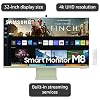
SAMSUNG M8 Series 32-Inch 4K UHD Smart Monitor & Streaming TV with Slim-fit Webcam for PC-less Experience, Netflix, HBO, Prime VOD, & more, Apple Airplay, WiFI, BT, Built-in Speakers, 2022, Green

  • Based on 837 reviews
Condition: Used - Like New
Checking for the best price...
$699.99 Why this price?
Save $1,499.01 was $2,199.00

Buy Now, Pay Later


As low as / mo
  • – Up to 36-month term if approved
  • – No impact on credit to apply
  • – Instant approval decision
  • – Secure and straightforward checkout

Ready to go? Add this product to your cart and select a plan during checkout.

Payment plans are offered through our trusted finance partners Klarna, Affirm, Afterpay, Apple Pay, and PayTomorrow. No-credit-needed leasing options through Acima may also be available at checkout.

Learn more about financing & leasing here.

Selected Option

Free shipping on this product

This item is eligible for return within 30 days of receipt

To qualify for a full refund, items must be returned in their original, unused condition. If an item is returned in a used, damaged, or materially different state, you may be granted a partial refund.

To initiate a return, please visit our Returns Center.

View our full returns policy here.


Availability: Only 1 left in stock, order soon!
Fulfilled by Beach Camera Same Day Shipping

Arrives Friday, Jun 12
Order within 16 hours and 5 minutes
Available payment plans shown during checkout

Protection Plan Protect Your Purchase
Checking for protection plans...

Color: Spring Green


Size: 32-inch


Style: M80B


Set: Adjustable Stand with Pivot


Features

  • SMART TV EXPERIENCE: Enjoy Netflix, YouTube and other streaming services by simply connecting the monitor to WiFi; Samsung TV Plus also offers free, live, on-demand content with no downloads or sign-up needed, while Universal Guide provides personalized content recommendations*.Aspect Ratio 16:9
  • FLAVORFUL COLOR OPTIONS: Smart Monitor provides a pop of your favorite color to instantly lighten any room design; Choose from white, pink, blue or green and make your space authentically you**
  • ICONIC SLIM DESIGN: The Smart Monitor is built with your lifestyle in mind, delivering a more cutting-edge design; With an ultra-slim flat back, neat camera design and beautiful colors, the monitor offers a minimalist look that enhances your setup with super style***
  • PC-LESS PRODUCTIVITY: Browse the web, edit documents and work on projects, all without the need for a separate PC; With new Workmode, you can also remotely access another PC, use Microsoft 365 programs and connect to Samsung mobile devices with Samsung DeX for seamless working****
  • SLIMFIT CAMERA: The SlimFit camera with tilt functionality allows you to create the perfect angle while using your favorite video call apps like Google Duo, which can be accessed directly through the monitor; Camera cover and option to fully detach always protect your privacy
  • IoT HUB: Turn your Smart Monitor into a control center for the home by connecting it to your IoT home products with SmartThings; Turn off the lights, pull down the blinds and set the thermostat to the perfect temperature all with the Smart Monitor*****

Description

Everything you need is right in your screen. Watch, work and chat - all without connecting a separate PC - with the Smart Monitor. Your favorite content, productivity and video call apps are built-in for a simpler and more stylish desk setup that’s a joy to use every time. App availability may vary by country and separate subscriptions may be required. Requires internet connection and TV tuner is not included. Samsung TV Plus and Universal Guide may not be available in some regions. Remote control specifications may vary by country. Product color availability may vary by country. Product color availability may vary by country. Apple TV+ may not be available in all regions.On-screen content simulated for demonstration purpose. Microsoft 365 requires Microsoft account. Wireless DeX supported on selected Galaxy, Note, and Tab devices. Windows 10 Pro, Mac OS 10.5, or higher, and compatible network settings are required for this feature. Product color availability may vary by country. Available technology, functions and features may vary by country, service provider, network environment or product, and are subject to change without notice. Requires a Wi-Fi, Bluetooth or other wireless network connection and devices registered to SmartThings app. Connected devices are sold separately. For full compatible device list, please check A separate SmartThings Dongle is required to connect to Zigbee devices. (Connection to Z-Wave device is not supported.) Amazon, Alexa and all related marks are trademarks of , Inc. or its affiliates. Bixby voice commands recognize English (US/UK/IN), French, Spanish, German, Italian, Portuguese(BR), Chinese (in China mainland only) and Korean.

Screen Size: 32 Inches


Brand: Samsung


Display Technology: LED


Resolution: 4K


Refresh Rate: 60 Hz


Special Feature: Auto Source Switch+, Eye Saver Mode, Flicker Free, Game Mode, HDR10


Included Components: Batteries, Power Cable, Remote Control, Stand, USB-C Cable


Connectivity Technology: Bluetooth, Wi-Fi


Aspect Ratio: 169


Product Dimensions: 8.02"D x 28.08"W x 22.6"H


Display Technology: LED


Resolution: 4K


Refresh Rate: 60 Hz


Aspect Ratio: 169


Contrast Ratio: 3,0001


Maximum Display Brightness: 250 Candela Per Square Meter


Screen Finish: Flat


HDR Format Supported: HDR10, HDR10+


Motion Enhancement Technology: Game Mode, Game Bar 2.0


Picture Quality Enhancement Technology: Adaptive Picture


Display Language Options: English


Response Time: 4 Milliseconds


Display Backlight Configuration: Edge LED


Display Backlight Setting: [Multiple values, not specified]


Display Backlight Technology: LED


Display Refresh Rate in Hertz: 60


Viewing Angle: 178 Degrees


Has Color Screen: Yes


Screen Size: 32 Inches


Item Dimensions D x W x H: 8.02"D x 28.08"W x 22.6"H


Item Weight: 14.8 Pounds


Item Weight Without Stand: 10.6 Pounds


Display Size Class: 32 Inches


Size: 32-inch


Audio Output Mode: Stereo


Speaker Description: 2.2CH


Speaker Maximum Output Power: 65 Watts


Voltage: 110 Volts


Wattage: 65 watts


Line Voltage: 110 VAC 60 Hz


Is Electric: Yes


Additional Features: Auto Source Switch+, Eye Saver Mode, Flicker Free, Game Mode, HDR10


Mounting Type: Table Mount


VESA Mount Standard: 600 x 400 mm


Color: Spring Green


Warranty Type: 1 Year Manufacturer Warranty


Compatible Devices: Android, Mac, PC, iPhone


Tuner Type: ATSC


Video Encoding: HEVC (H.265)


Water Resistance Level: Not Water Resistant


Portable: No


Brand: Samsung


Built-In Media: Batteries, Power Cable, Remote Control, Stand, USB-C Cable


Model Name: SAMLS32BM80GU


Antenna Location: Home Viewing, Productivity, Smart Home Control


Model Year: 2022


Model Number: LS32BM80GUNXGO


Warranty Description: 1-Year Manufacturer


Model Series: M8


Remote Required Battery Size: AA


Specific Uses For Product: business


Manufacturer: Samsung


UPC: 887276652658


Mfr Part Number: LS32BM80GUNXGO


Item Type Name: Smart Monitor


Connectivity Technology: Bluetooth, Wi-Fi


Internet Applications: Netflix, YouTube


Audio Input: Micro HDMI


Signal Format: HDMI


Total Number of HDMI Ports: 1


Hardware Interface: 802.11 b/g/n, Bluetooth 4.0, Micro-HDMI, USB 3.0 Type C


Wireless Technology: Bluetooth, Wi-Fi


Screen Mirroring Technology: Apple Airplay


Bluetooth Version: 5.0


Connector Type: HDMI, USB


Total Audio Out Ports: 1


Total USB 2.0 Ports: 1


Total USB 3.0 Ports: 1


Total Usb Ports: 1


Content Sharing Direction: Mobile to TV


Number of Component Outputs: 1


Operating System: Tizen


Control Method: Remote, Voice


Remote Control Technology: Bluetooth


Controller Type: Remote Control, Voice Control


Frequently asked questions

If you place your order now, the estimated arrival date for this product is: Friday, Jun 12

Yes, absolutely! You may return this product for a full refund within 30 days of receiving it.

To initiate a return, please visit our Returns Center.

View our full returns policy here.

  • Klarna Financing
  • Affirm Pay in 4
  • Affirm Financing
  • Afterpay Financing
  • PayTomorrow Financing
  • Financing through Apple Pay
Leasing options through Acima may also be available during checkout.

Learn more about financing & leasing here.

Top Amazon Reviews


  • Amazing product. Amazing product.
Had this monitor for almost 2 years now. I’m currently using it as a tv as my TCL tv stopped working.so until I can get a new TV I’m gonna use it. The UI/OS is nothing special it’s dull BUT it’s very reliable. However the bixby assistant is buggy and often activates on its own while watching videos, airplay works good and so does the DEX software. The remotes battery life is INSANE I’ve only had to charge it like 2-3 times in the 2 years I’ve had it. The game mode does a decent job at maximizing gameplay,although some options in game mode can’t be used when other settings are selected. The speakers don’t sound bad,pretty equivalent to a mid grade smart phone, the attachable camera can be plugged directly in to a computer using a USB-C cable OR attached directly to the back of the monitor using the included adapter(will only work in dex mode or Remote Desktop mode). Camera quality is acceptable, not terrible but also not the best and the built in microphone leaves a little bit to be desired. It’s an LED panel and image quality is good for watching content or gaming.Overall it’s a well rounded product for its price. If ur a minimalist looking for a small tv and monitor combo, this is for you.Slim sleek and pretty sturdy( the top corner of the screen got assaulted by a candle that had fallen off of my shelf and it still works better than that sad excuse of a tv I had….moving on) I highly recommend the product it’s proven to be a good choice. ... show more
Reviewed in the United States on March 18, 2024 Reviewed in the United States on March 18, 2024 by Treisten

  • I love this monitor. It is so worth the price.
Color: Sunset Pink Size: 32-inch Style: M80B Set: Adjustable Stand with Pivot
I used to have a 32" gaming monitor that I used specifically for my PC for gaming. However, I headed the big clunky stand and I wanted it to easily connect to my Macbook for school. I saw this monitor and was a little hesitant because of the price. I have had this monitor for about 2 weeks and I am already in love. It is super easy to set up. I love the pink color. It is so much better than an iMac because of the bigger screen size and light weight. I can easily connect to my PC for gaming without having to disconnect my Macbook. The slim camera has great quality in taking in the picture when I have my MacBook closed. The smart TV option is super easy to navigate. The speakers have a good range and clarity. Only warning I have is that the picture might look a little bit weird when connecting a laptop. I had to mess around a little bit with the color, brightness, contrast, and temperature to get it just right. Overall, I highly recommend this. It saves so much space on my desk now and looks very minimalistic. ... show more
Reviewed in the United States on December 6, 2022 by Olivia Wang

  • Good for the price
Color: Spring Green Size: 32-inch Style: M80B Set: Adjustable Stand with Pivot
The Samsung monitor offers impressive picture quality that brings visuals to life with vibrant colors and sharp details. Its competitive price point adds to its appeal, making it an attractive choice for those seeking a budget-friendly option without compromising visual experience. However, there seems to be a noticeable lag between my MacBook's mouse and the monitor, which hinders smooth workflow. Additionally, I am experiencing difficulties in getting the camera to function while using applications like Zoom, Facetime, or QuickTime player, despite it working seamlessly otherwise. Despite these setbacks, the monitor's picture quality and affordability remain standout features, though addressing the compatibility issues with certain software or troubleshooting instructions could greatly enhance its overall usability. ... show more
Reviewed in the United States on August 12, 2023 by riaga

  • !!! No INTERNET NO Monitor !!! Its a TV not monitor.
Color: Daylight Blue Size: 32-inch Style: M80B Set: Adjustable Stand with Pivot
I have setup the monitor and finished the entire process. Got frustrated to the core trying to use this as a monitor via USB-C. Problems: 1. Mac - Doing screen mirroring via Internet. Not the USB cable 2. PC - Needs to install Samsung software. Once done choose the screen mirror. Basically USB-C is just charging the devices. If you disconnect the wifi, the monitor cant even project the laptop . 3. HDMI also takes a minimum of 10 mins to recognize the PC or MAc each time. 4 out of 10 times, you'll end up error message saying couldn't recognize the device. 4. DISCCONECT THE INTERNET. EVEN WITH USB-C, YOU CANT USE THIS MONITOR. !!!! 5. Cant disable the Samsung plus. Each time you go to settings/ Home screen, the Samsung TV plus takes over and starts playing some channel. Big problem if you are in meetings. 6. Needs software to be INSTALLED in PC. So not a choice for any office provided laptops with restrictions. Being an IT professional, I m only interested in the 4K Monitor. I have both M1 pro and my office PC( with restrictions). Both have Thunderbolt 4 ports. One would expect plugging in the Usb-C, the monitor will work with that cable. But it doesn't work like that. It mainly used internet and you need to do 10 things in remote and PC or Mac for this to finally act as Monitor. YouTube reviews + Aesthetics + Good Black Friday deal, made me get this. Now I understand the reason behind good discount. One thing Samsung excels is only Marketing. They are cleverly selling you mediocre 32" TV for triple the price. ... show more
Reviewed in the United States on November 30, 2022 by Raja chenchala

  • 30Hz MacBook Warning 30Hz MacBook Warning
For anyone having USB-C 30hz refresh rate issues on a MacBook Pro (16" 2021) with Samsung's M80b monitor/tv and would like to get 60hz, do the following: The Cable To ensure you have a high-quality USB-C cable capable of carrying the signal, use the camera's USB-C cable that came with the monitor for this guide. Reset the USB-C Handshake Unplug the power adapter on the back of the monitor Unplug the USB-C Cable from the Monitor and MacBook Turn off your MacBook Wait 45 secs Plug the power adapter back into the monitor Turn on your MacBook and login Connect the USB-C cable to the monitor's far left USB-C port (if you look at the back panel) - the middle port will not deliver video. Plug the USB-C cable into your MacBook MAC OS Setup Click the Apple Logo Click "System Settings" Click "Displays" Click "SAMSUNG" Select "60hz" as the refresh rate The display name should read "SAMSUNG" If the display name is "Samsung M80B", you've connected via AirPlay which only supports a laggy connection causing the mouse to be delayed. You probably did not connect the USB-C cable to the correct port, or the cable you used is incapable of handling video. The monitor is great, but I really wish it was capable of 120hz, and it had another thunderbolt port. The auto-switch input feature doesn't work between the mini-HDMI and USB-C connections, so station your remote nearby if you have a desktop and laptop. My monitor doesn't recognize when the camera is connected, but it works when connected directly to my PC or MacBook. ... show more
Reviewed in the United States on January 23, 2023 Reviewed in the United States on January 23, 2023 by MikeC

  • Crisp vibrant picture and feature rich smart monitor Crisp vibrant picture and feature rich smart monitor
Bought two of these when I bought a Mac Studio and I have zero regrets. It is connected to the Mac through the USB C port and works like a charm. I use these daily as computer monitors for basic computing, use them after work for gaming and streaming movies and TV as well and we use them as we edit videos and pictures. The colors are crisp, true, and vibrant. I let them go into hibernation when I lock my screen when I am done working on the computer and they are then instant on with just a touch of the mouse or keyboard. I don't like the built-in speakers but of course I had no expectation to like them. I did expect to like the add on webcam but not so much, i just use my iPhone and have tossed those in a drawer. The SmartTV features are solid and work as expected, we use it daily for that as well. I have tried the remote connection to another computer right from the SmartMonitor, it works but isn't something I would use a ton. I do want to try gaming on it but I am still exploring the gaming on the Mac Studio to really get into that part yet. Overall I think this is a great value and would definitely recommend it. ... show more
Reviewed in the United States on August 31, 2023 Reviewed in the United States on August 31, 2023 by Bill Kline

  • It could have been great but some major design flaws make it almost unusable
I have used this monitor with a Macbook Pro and a Macbook Air. The good: I like the appearance of the monitor, especially the white bezel and stand. I like the idea of having a monitor that also functions as a smart TV. I also like that it has an integrated webcam with a magnetic privacy cover. It's large. For my purposes (not a gamer or video editor) the picture quality is fine. The bad: Quality Control The first TV arrived and the screen would not click into the stand. The customer service representative (CSR) at Samsung was nice, but had a very hard time understanding the problem. I'm pretty handy, and I could not get it to snap in place. I had a friend who is very handy also try to put it together before I gave up and returned it to Amazon. I actually purchased my replacement from a big box retailer (and I honestly don't remember why I did that). Thankfully, the second monitor snapped together correctly. Webcam Design Flaw I was really excited about the streamlined design with the integrated camera. Unfortunately, the camera does NOT tilt down. You can tilt it up, but not down. It points straight ahead. Even when the screen is at its lowest setting, the top of the monitor is 18 inches off of the desk. The top of my head is also about 18 inches above the desk. So the camera shows just the top few inches of my head -- hair and forehead -- and nothing else. It's basically worthless to me. I had to buy a peripheral webcam to use with this monitor. Maybe this is only an issue for people who are short? It's too bad that they didn't make the camera sit a little higher and didn't give it room to tilt down. Software, Connection to Computer and Remote This is really the biggest issue. The software for connecting the computer to the monitor is very confusing for Mac. The menu makes it easy to find an option for mirroring your laptop or using a remote login that requires special set up. For me, the mirroring option caused a lot of lag between mouse and keyboard use and on screen responses. Also, the picture quality degraded. You need to use a completely different menu to just use plug and play. (Perhaps if I had figured out the remote set up, it would have worked more seamlessly.) Essentially there are three different options for connecting a Mac, and they are in two different places in the menu. It is not obvious from the interface what each one does. And I didn't find it easy to find documentation. I found a random web article that explained how to set up the plug and play option (not official Samsung documentation). You would think that once I finally had the mac/monitor connection set up that everything would be fine. However, this is not the case. Whenever I unplug the laptop or restart the laptop, I lose the connection. Sometimes I can simply use the remote to reset the connection, although this is a bit of a pain. Sometimes the remote loses its connection to the monitor, so I cannot reset the connection. At one point I even requested a new remote from Samsung. (They did provide one free of charge without a hassle.) Sometimes the computer will connect with the monitor but will immediately disconnect if I close the laptop cover. This makes it impossible to leverage a vertical stand to save desk space. Every time I have to restart my computer or I need to take it with me I worry that i won't be able to pair the machines again. I spent at least 20 minutes today trying to reconnect my monitor. At first the remote would not connect to the home screen (but it worked for volume???). I like having products that just work. I am seriously considering going back to my previous monitor that is smaller. Maybe the remote login is the answer, but it really shouldn't be this difficult to connect the laptop using a wired solution. Erin Lawrence on YouTube seems to agree with my points, but she's more favorable overall. If they could redesign the software and fix the webcam, it would be an amazing monitor. ... show more
Reviewed in the United States on July 9, 2023 by Cruller

  • So far an amazing and beautiful monitor for my office set up!
I’ve had and been using this monitor for a few days now and I absolutely love it so far! I have a MacBook Pro 14in that I use for my work and I wanted a monitor to upgrade my home office set up. Honestly, I could have gone for a cheaper monitor with better specs but the all in one features of this smart tv/monitor and the sleek design made it an almost impulse splurge. Since my home office also acts as a guest room for when we have guests over, I figured the smart TV features would be nice and Samsung and apple products work well together and it made setting up my MacBook easy by using the USB-c connector! I did have to fiddle with the display settings to optimize the screen best for my needs but I figure that’s pretty common for any monitor setup. I hope this smart monitor will last me a while since it cost a pretty penny but for its utility and design I think it’s a good deal! ... show more
Reviewed in the United States on August 6, 2022 by dragonlily

Can't find a product?

Find it on Amazon first, then paste the link below.
Checking for best price...