Search  for anything...

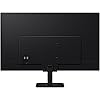
SAMSUNG 32-Inch M5 (M50F) Series FHD Smart Monitor with Streaming TV, Speakers, HDR10, Gaming Hub, Multiple Ports, Workout Tracker, Vision Accessibility Tools, Black, LS32FM502ENXZA

  • Based on 0 reviews
Condition: New
Checking for the best price...
$267.04 Why this price?
Save $2.95 was $269.99

Buy Now, Pay Later


As low as $44.51 / mo
  • – 6-month term
  • – No impact on credit to apply
  • – Instant approval decision
  • – Secure and straightforward checkout

Ready to go? Add this product to your cart and select a plan during checkout.

Payment plans are offered through our trusted finance partners Klarna, Affirm, Afterpay, Apple Pay, and PayTomorrow. No-credit-needed leasing options through Acima may also be available at checkout.

Learn more about financing & leasing here.

Selected Option

Free shipping on this product

FREE 30-day refund/replacement

To qualify for a full refund, items must be returned in their original, unused condition. If an item is returned in a used, damaged, or materially different state, you may be granted a partial refund.

To initiate a return, please visit our Returns Center.

View our full returns policy here.


Availability: In Stock.
Fulfilled by Amazon

Arrives Thursday, Jun 4
Order within 23 hours and 33 minutes
Available payment plans shown during checkout

Protection Plan Protect Your Purchase
Checking for protection plans...

Color: Black


Features

  • Discover all your favorite streaming apps lined up in one place. Browse and watch content directly from your monitor with ease.
  • Tune into various free channels, including Samsung TV Plus channels, to watch news, sports, movies, kids shows and more all on your Smart Monitor. With new content added continuously, theres always more to explore.
  • Access the ultimate gaming realm. In the Samsung Gaming Hub, you can play the biggest games from top streaming partners, with no PC or console needed. Discover new games or replay old favorites all in one place
  • Immerse yourself in the scene with true-to-life audio. Adaptive Sound uses audio scenic intelligence to analyze scenes in real-time and optimize the sound based on content type.
  • Effortlessly stream your content on the big screen. Easily connect and enjoy content from your mobile videos, photos and documents on your Smart Monitor.

Description

Samsung’s Smart Monitor M5 (M50F) is an all-in-one streaming TV and desktop monitor. Stream content directly from the monitor or tune into live TV channels. Maximize your multitasking using a single mouse & keyboard across devices. The Samsung Gaming Hub allows instant gameplay from top streaming partners with no PC or console needed. Workspace gives you faster, easier access to your work tools, and multiple ports including USB-C, eliminates the need for adapters. SmartThings IoT hub is an easy way to manage devices in different rooms, without pausing entertainment. ¹Features, services and app availability may vary by country and region. Samsung TV Plus and Universal Guide may not be available in some regions. Some features may require separate subscriptions. The user interface is subject to change without notice. Smart Monitor does not include a TV tuner, which is not necessary for streaming apps. Internet connection is required. Remote control specifications vary by country and region. Keyboard and mouse control compatibility varies by app. Access to the full range of smart features, such as network-based services, applications (including games and streaming services), and smart home functionality requires a Samsung account. Without logging in, functionality is limited to external devices, e.g. via HDMI. ²Gaming Hub is available in limited countries, with app availability differing by country. UI is subject to change without prior notice. Accessing Gaming Hub is free of charge. Subscription may be required to access content offered by game-stream providers on the Gaming Hub. You may need to download apps depending on the game or service. A separate controller may be required depending on the specific game you are playing on the Gaming Hub. Requires internet connection. ³On-screen content simulated for demonstration purposes. Microsoft 365 requires a Microsoft account. Some features of Microsoft 365 require a subscription.

Brand: Samsung


Screen Size: 32 Inches


Resolution: FHD 1080p


Aspect Ratio: 169


Screen Surface Description: Matte


Standing screen display size: ‎32 Inches


Screen Resolution: ‎1920x1080


Max Screen Resolution: ‎1920 x 1080 Pixels


Number of USB 3.0 Ports: ‎1


Brand: ‎Samsung


Series: ‎M50F


Item model number: ‎LS32FM502ENXZA


Item Weight: ‎10.36 pounds


Product Dimensions: ‎7.87 x 28.16 x 20.7 inches


Item Dimensions LxWxH: ‎7.87 x 28.16 x 20.7 inches


Color: ‎Black


Voltage: ‎240 Volts


Manufacturer: ‎Samsung


Date First Available: ‎August 26, 2025


Frequently asked questions

If you place your order now, the estimated arrival date for this product is: Thursday, Jun 4

Yes, absolutely! You may return this product for a full refund within 30 days of receiving it.

To initiate a return, please visit our Returns Center.

View our full returns policy here.

  • Klarna Financing
  • Affirm Pay in 4
  • Affirm Financing
  • Afterpay Financing
  • PayTomorrow Financing
  • Financing through Apple Pay
Leasing options through Acima may also be available during checkout.

Learn more about financing & leasing here.

Top Amazon Reviews


  • Worth
Color: Black
Worth
Reviewed in the United States on January 14, 2026 by Ian You

  • Crummy remote
Color: Black
TV is fine but the remote sucks.Thats why I only gave it 4 stars
Reviewed in the United States on January 22, 2026 by Kevin Mitchell

  • Waiting for Samsung to contact me...
Color: Black
I am in contact with Samsung Customer Support. They tried to help, but they could not. If they do contact me in 48 hours, I am going to return this M50F to Amazon. It works as a 2-nd monitor for my laptop, but it is bad as a Smart Monitor and it is bad as a Smart TV. 1. The remote does not have usual Samsung buttons, like "Settings", but it has 4 additional buttons: "Netflix", "Samsung TV Plus", "YouTube", "Amazon Prime" . It is pure marketing since I can get all these via applications menu. Attached is a picture of the Remote. I'd rather have regular Samsung remote buttons with the functions I need like: "Sleep", "Exit"... " 2. The "Sleep" function is not available at all, though the menu options pretend it is there. Their solution for "Sleep" is actually "Power on/off". It means that I cannot put it in "Standby" and resume exactly at the place I left. It always returns to "Samsung TV Plus" and I cannot even change the startup default app/screen, though again the menu pretends to allow it. 3. There is no "Pairing" monitor with Remote, so when I use the Remote, my other Samsung devices react. I have several of them: I used to be a Samsung fan until now. 4. The monitor reacts to remote with significant delay in many menus (not all of them though). I just see a black screen for a couple of seconds. It is confusing and creates additional difficulties, because these menus are the only way to achieve some functions since there are no "usual" buttons. Hopefully someone from Samsung will contact me with explanations. If not, I will return this M50F monitor to Amazon. As for the value for money, it would be better to buy regular (not smart) Samsung Monitor and plug $30 Smart TV device in. Sound is OK, Color is OK, Picture is OK. Setup is not easy because of the Remote. Summary: this is a new product, maybe all it requires is a software update, but Samsung support could not help me to achieve the above functions ... show more
Reviewed in the United States on December 30, 2025 by AverageJoe AverageJoe

  • absolutely perfect
Color: Black
ABSOLUTELY PERFECT! GETTING ANOTHER!
Reviewed in the United States on December 20, 2025 by Legacy Nicely Trained Dog

  • Not a good Monitor.
Color: Black
This claims to be a monitor, however it would not scale properly. The entire top row and bottom row were out of sight. Not a good monitor.
Reviewed in the United States on January 1, 2026 by DDK

  • This is not a usable monitor!!
Color: White
Don't buy if you want to use as a monitor. Samsung has completely lost their way. There is nothing smart about this monitor. It is really a TV and barely usable as a monitor because there is no monitor mode to turn off all of the un-needed TV crap to use as a simple monitor. The product manager should be fired! Shame on you for not thinking about how to use this as a monitor first. I bought two "Smart Monitors" to put side by side for work. No instructions came with it. ChatGPT cannot even find instructions to configure this thing. The device configuration menus are now so scare, there is really nothing you can do to use as a simple monitor. I wanted something where when I plug in the USB-C of my connector hub into my laptop, the monitors come on and just work. That is how it has been with every other Samsung monitor I have, which is a lot. Not anymore. You have to manually turn the monitors on. The remote is a joke because it does not control the monitors in-sync. One is always out of sync. Turn one monitor on and then the other, the first one shuts off. It also always turns the Samsung TV in my office on at the same time. Very frustrating! I hope Samsung enjoys getting these back!!! ... show more
Reviewed in the United States on November 20, 2025 by Daniel G.

  • A Big Screen That Makes Work and Relax Time Way Easier....And I am Loving it
Color: Black
I picked up this Samsung 32 inch M5 smart monitor because I wanted a screen that could do a bit of everything without needing to switch around a bunch of gear. After using it for a while, it has become something I use every day. The size feels great on my desk, big enough that I can spread out my windows and still have room for videos or apps on the side. It makes the whole workspace feel more open and easier to manage. Setting it up was simple. I plugged it in, connected it to my WiFi, and the setup steps were quick. The built in apps were already there, so I didnt have to install anything before watching a show. I tried a few streaming apps right away and the picture looked bright and clean. The HDR10 feature adds a bit more depth to the colors, especially in darker scenes. The speakers sound clear enough for everyday use and I didnt feel like I needed extra speakers for casual watching. For work, the monitor has been great. Text looks sharp and easy to read, and the brightness is strong enough that I can still see everything clearly even when sunlight hits my desk. I spend a lot of time reading docs and editing things, and the screen feels comfortable for longer sessions. Switching between my laptop input and the smart apps is fast, and the remote makes it easy to move around the menus. The Gaming Hub was a fun extra. I tried a couple cloud games just to see how it handled them and it ran smoothly for me. I am not a heavy gamer but for casual play it works fine. The ports on the back are easy to reach and I plugged in my laptop, a camera, and a USB drive without any issues. I also tried the workout tracker a few times and it works well for quick routines. It is nice having it on a bigger screen instead of my phone. The vision accessibility tools are easy to find in the menu. I tested the contrast and zoom settings and they respond quickly without affecting the picture in a strange way. The design looks clean on my desk. The black finish blends in with my other gear and the stand feels stable. I moved the monitor around a few times and it never felt wobbly. After using it for work, shows, and a bit of gaming, it feels like a flexible screen that fits into my day without any fuss. I ... show more
Reviewed in the United States on January 27, 2026 by Juango

Can't find a product?

Find it on Amazon first, then paste the link below.
Checking for best price...