Search  for anything...

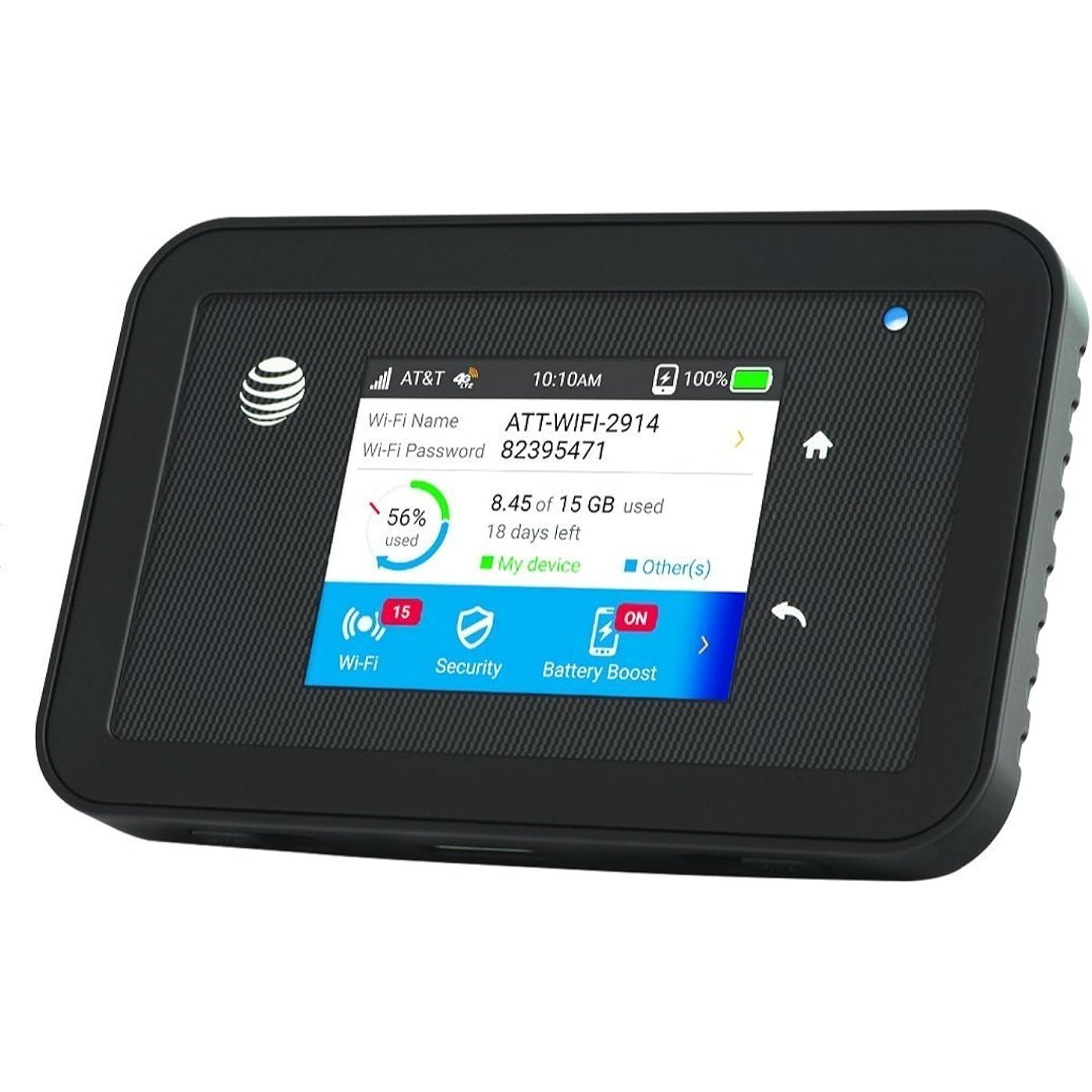
NETGEAR Unite Explore AC815S | Mobile WiFi Hotspot Cat.9 4G LTE | Up to 450Mbps Download Speed | Connect Up to 15 Devices | 18 Hours of Use Per Charge | 2 MIMO TS-9 Antenna connectors | GSM Unlocked
  • Based on 448 reviews
Condition: New
Checking for the best price...
$123.47 Why this price?

Buy Now, Pay Later


As low as $20.58 / mo
  • – 6-month term
  • – No impact on credit to apply
  • – Instant approval decision
  • – Secure and straightforward checkout

Ready to go? Add this product to your cart and select a plan during checkout.

Payment plans are offered through our trusted finance partners Klarna, Affirm, Afterpay, Zip, Apple Pay, and Google Pay. No-credit-needed leasing options through Acima may also be available at checkout.

Learn more about financing & leasing here.

Free shipping on this product

30-day refund/replacement

To qualify for a full refund, items must be returned in their original, unused condition. If an item is returned in a used, damaged, or materially different state, you may be granted a partial refund.

To initiate a return, please visit our Returns Center.

View our full returns policy here.


Availability: In Stock.
Fulfilled by Jetpack Stallion

Arrives Thursday, Aug 27
Order within 17 hours and 45 minutes
Available payment plans shown during checkout

Protection Plan Protect Your Purchase
Checking for protection plans...

Features

  • DOES THIS DEVICE NEED A SIM CARD: Yes this device needs a micro size SIM card, (not-Included though Free from most GSM Networks with activation of an account) There will be a sticker with the Unlock code enclosed on the box Label in case you need to reformat the device or change your Network provider.
  • WHAT NETWORK FREQUENCIES ARE SUPPORTED BY THIS DEVICE: The Phone will support the folowing Technology Bands: 3G 4G HSPA+ UMTS 2100MH. 4G LTE Bands 1 2 3 4 5 7 12 17 29 30 with enhanced backhaul with Global roaming supported. Please contact your Network provider (prior to purchase) and inquer if they support these bands in your area to ensure the device will work Properly.
  • WHAT CAN I EXPECT OUT OF THE BOX: A removable 4,300mAh battery that lasts for 22 hours of continuous streaming (Removable W-9 Battery enclosed), as well as a Battery boost cable The charging port is a USB 3.0 port, which also lets you connect it as a USB modem, or to charge a device with the Battery Boost cable , you can also use a micro USB cable to charge the Hotspot the charger that comes with the device is a 2 PC Micro USB 2.0 (not a 3.0 although the port is 3.0). And a Waterproof back door
  • !!!!!!!!!!!!!!!!!!!!!!!!!!!!!! WILL NOT WORK ON VERIZON OR SPRINT !!!!!!!!!!!!!!!!!!!!!!!!!!!!!!

Description

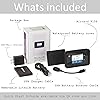
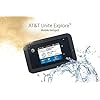
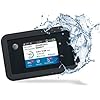
Brave the outdoors and bumps of everyday life with the first rugged mobile hotspot from AT&T and NETGEAR – AT&T Unite Explore. It’s water resistant and protected from drops and shocks – so your WiFi can take life’s unpredictable moments and adventures across town or around the world connecting to 4G LTE where available. With advanced features like content filtering and Guest WiFi with an optional timer, AT&T Unite Explore also goes the distance in keeping families and businesses safe and secure. Package Contents Include: AirCard 815S Mobile Hotspot, Removable W-9 4340 Lithium Ion Battery, Wall/USB Charger, USB Battery Boost Cable, USB Charge Cable, Quick Start Guide.

Brand: NETGEAR


Model Name: Unite Explore


Wireless Communication Standard: 802.11a/b/g/n/ac


Compatible Devices: Personal Computer


Recommended Uses For Product: Business


Included Components: AirCard 815S Mobile Hotspot, Removable W-9 4340 Lithium Ion Battery, Wall/USB Charger, USB Battery Boost Cable, USB Charge Cable, Quick Start Guide See more


Connectivity Technology: 5G, LTE


Color: Blue


Antenna Type: Fixed


Item Weight: 6.24 ounces


Wireless Compability: 802.11a/b/g/n/ac


Compatible Devices: Personal Computer


Antenna Location: Business


Connectivity Technology: 5G, LTE


Antenna Type: Fixed


Operating System: Custom Embedded Operating System


Security Protocol: WPA2


Number of Ports: 3


Control Method: Touch


Data Transfer Rate: 450 Megabits Per Second


LAN Port Bandwidth: 450 megabits per second


Maximum Upstream Data Transfer Rate: 450 Megabits Per Second


Number of Antennas: 2


Wi-Fi Generation: Wi-Fi 6


Has Internet Connectivity: Yes


Router Network Type: Cellular


Is Modem Compatible: Yes


Connectivity Protocol: Cellular (4G LTE, 5G)


Coverage: small to medium homes or apartments, medium to large homes or offices, or large homes or offices


Controller Type: App Control


Is Electric: Yes


Frequency: 5 GHz


Brand: NETGEAR


Model Name: Unite Explore


Built-In Media: AirCard 815S Mobile Hotspot, Removable W-9 4340 Lithium Ion Battery, Wall/USB Charger, USB Battery Boost Cable, USB Charge Cable, Quick Start Guide


Model Number: AC815S


UPC: 606449113396


Manufacturer: Netgear


Mfr Part Number: 815S


Unit Count: 1.0 Count


Warranty Description: 30 days limited warranty


Item Weight: 6.24 ounces


Item Dimensions L x W x H: 4.5"L x 2.8"W x 0.8"H


Color: Blue


Has Security Updates: Yes


Frequently asked questions

If you place your order now, the estimated arrival date for this product is: Thursday, Aug 27

Yes, absolutely! You may return this product for a full refund within 30 days of receiving it.

To initiate a return, please visit our Returns Center.

View our full returns policy here.

  • Klarna Financing
  • Affirm Pay in 4
  • Affirm Financing
  • Afterpay Financing
  • Zip Pay in 4
  • Financing through Apple Pay
  • Financing through Google Pay
Leasing options through Acima may also be available during checkout.

Learn more about financing & leasing here.

Top Amazon Reviews


  • GREAT supplier' Great price, Fabulous UNIT!!
I am NOT a professional IT guy so I'll do my best. First of all supplier was very fast the device came before my sim card ordered from Consumer Cellular 2 days before ++ to Supply Tiger ! Also unlocked device which at first I wondered. I'm old but been online for 30 + years things change FAST!! I'm in a rural area and decided to use Consumer Cellular that subcontracts to ATT carrier. Worried. I think these instructions will work with any big or reliable carrier that uses ATT for radio to be correct. Also I would advise go to ATT or Netgear and download the FULL user manual will help a LOT!! 1. I charged device fully, 2. changed Sim card recognized it but was NOT activated which you HAVE to do with EMEI Number to your carrier MANDITORY! After that in upper left screen shows CC network but no internet. 3. After a long time of thinking and messing with unit shucks won't work..but I'm stubborn. YOU HAVE TO BE ABLE TO CONNECT TO ATTWIFIMANAGER.com to sent up cause no external way to do it. The device rerouted me to that link ( make sure you look in network or white label under battery and get passwords etc. 4. It linked up still didn't get to internet but WAS logged on to unit which was a relief cause I figured I eventually could get it to run, which I did. 5. ON ATT site go home 3 bars and setup.. go to APN... Settings > Mobile Broadband > APN. it will show you the installed APN of ATT. Below that it will show add APN! Before-hand you should have gotten APN, Authentication, IPV4 or 6 or both types and save and bang I was in! Unit works GREAT in rural 4G NOT LTE area so pleased..have standby unit now if my regular goes down. LOVE the unit in one night of use. Need to update software hopefully it will after the 48 hour timer it put on..unit has a Sept. 27,2017 firmware update DO IT. Hopefully this help people. ... show more
Reviewed in the United States on November 7, 2017 by Sam Spade

  • Do NOT buy this product, NO SUPPORT from Manufacturer
The Netgear Unite Explore that I got came unlocked as expected. It worked beautifully for 40 days until one day it stopped working when plugged in to power and would not even charge. I contacted Netgear who confirmed that it was defective and gave me a case number and told me that AT&T handles the RMA process, so after spending an hour on the phone with Netgear I had another number to call with another company. So I called AT&T, I don’t have an account with them so that took the representative some time to figure out, we finally got to the point where they asked for the IMEI, once they got that they hung up on me. This happened 3 times and once with Amazon Tech Support on the line trying to get me some help. They hang up once they get the IMEI. This leads me to believe that the devices have been gained in an illicit manner and you will it get any support if they fail. If you buy this product and it has an issue you will be left with a $200 brick with little to no recourse. ... show more
Reviewed in the United States on May 10, 2019 by Abed H.

  • A Really Really Great Data Hotspot A Really Really Great Data Hotspot
This new Hotspot is a dream come true. It works flawlessly, is 100-percent dependable, and is now my primary data connection device. (I have others on hand as backups)-- but the way this one is performing, I am confident that I will not be needing backups. I cannot praise this device highly enough and I recommend it for anyone needing really dependable data support for wireless operations. Yes, I would most definitely buy it again if needed. I have never had one this good. ... show more
Reviewed in the United States on February 23, 2024 Reviewed in the United States on February 23, 2024 by John

  • Fast
I purchased this 815S as an upgrade from my 781S. It is a lot faster for sure. The only thing I don't like about it is the touch screen. Before I removed the protective plastic cover that it shipped with the touch screen was fine. After I peeled the protective plastic sheet off I noticed the surface has a rubbery feel to it, and is not clear. The touch screen does not work as well as it did. I found that you just need to barely touch the screen to make a selection. It isn't as responsive as it was with the thin plastic shipping protective covering. My 781S does not have that rubbery feel, it has a solid smooth surface and is very responsive. Aside from this issue it was easy to set up and is very fast. Would be nice to have some settings explained, like what IPV4 is vs IPV6 vs IPV4V6. I found out it only works with IPV4, and good 'ole google came through with info about the protocals. ... show more
Reviewed in the United States on July 28, 2023 by HFL

  • Worked a few days. Firmware bug requires ATT service to fix.
Stopped working in about 3 days. After researching, it turns out that there's a firmware bug that prevents the device from assigning DHCP addresses. The only way to get an update is to get AT&T service and SIM. So, even though it is unlocked, you need the ATT Network for updates. Mine was installed professionally in my car in an inaccessible location. Now I need to buy another hotspot and pay to have it installed also. Edit: Seller contacted me and is working on a resolution. I've updated the rating and will continue to keep this review updated as I work towards resolution. UPDATE: I was able to get this to work! Took several tries with an ATT Sim to get the updated firmware (which fixes my issue), but finally it worked. the trick was to factory reset the device each time after checking for software. after 3 or 4 attempts, the update was recognized and now my device works as expected. Customer service was responsive throughout the whole process. ... show more
Reviewed in the United States on May 22, 2018 by Just Review

  • Does its job, but riddled with IMPORTANT caveats and other annoyances
This does work, but there are some things you should know about before finding yourself stuck without some stuff you'll NEED: Firstly, it comes with the wrong USB cable; they provide a micro-B (like the plug on older Android phones), but it actually takes a Superspeed-B (like the kind one would find on an external USB 3.0 3.5" hard drive). Thankfully, I had one in my spare parts collection. Also, I found that it won't charge from either the included charger (which is a really wimpy 0.75A thing, anyway), or my own high-amp (2.0A+) charger—it will not charge unless you plug it into an actual computer (desktop or laptop). Thankfully, where I deployed this, I actually had one at hand. It could really suck if all you had was a bunch of tablets, though. IT WILL BE UNCHARGEABLE OUT OF THE BOX WITHOUT THESE THINGS. BE WARNED! These caveats aside: Yes, it works. I personally put it on T-Mobile with a SIM and activating prepaid on the T-Mobile site. Be sure to turn off the Wi-Fi timeout if you don't want it to suddenly be unavailable when you pull out your device, though. Also set it to extended range if you need it. Oh, and the touch screen SUCKS on this. You'll be tapping this extra a LOT. UPDATE: You probably bought this as at least a temporary substitute for hardline broadband. If so, save yourself a lot of money and heartache, and if you're in the USA, use UnlimitedToGo Blue with this. Darn near everyone else hard-throttles you to an unusable 128kbps in days... This one just deprioritizes you a bit, but keeps on chugging... You'll barely notice unless you're doing serious online gaming. ... show more
Reviewed in the United States on June 11, 2019 by Jack Rowan

  • WOW -- Netgear Does it again‼️ (Learn to use before rating)
I had my concern after reading the reviews. But after getting the device, I realized people who left negative reviews simply lacked knowledge and the initiative to find it. 1. The device has to charge for a while or it won't turn on 2. The device shows "NO BROADBAND CONNECTION" because it is pointing to a default ATT APN. You have to CREATE a new APN. I Didn't even have to fill in many APN settings got at the funnest -- there were only 4 options. A) sign into the device's wifi using the password shown on the device B) a configuration page will pop up ( if it doesn't, then type this address in your browser 192.168.1.1 C) click the three bars on the top left, then navigate to "Broadband >> APN " Select "NEW" (APN) (LOOK up your service provider's default APN Settings), then fill in the details and save. You should have internet immediately after it reboots, assuming you have an active SIM. card properly installed. This device replaced my 5 year old device. And it doesn't disappoint. ... show more
Reviewed in the United States on March 6, 2023 by AMBER

  • Poor Router Design/Poor product support Poor Router Design/Poor product support
This router looks good and it is strong. One of the good aspect of it, is its long battery life. Unlike many rouers, this one lasts at least 12 hours, so you can go and and come back from work and it still has battery power. But however there are some serious design flows and poor support from its manufactuers. The first big problem is the back cover, which is poorlly designed. The attachments of the back cover to the body of router are so weak that it eventually gives way and it can no longer close. I ended up having to tie it up with a plastic to keep the battery and it looks ugly like in the picture. Efforts to get product support or a spare one failed. Then comes the battery, after a few years, the battery just crashes. It simply can no longer charge at all !! . I tried hard to get help from product support and failed. I could not even get simlar item or battery from Amazon or manufacturer website. Look like once the battery life runs out, you have to buy the entire router. This is very sad indeed. ... show more
Reviewed in the United States on March 1, 2025 Reviewed in the United States on March 1, 2025 by B Malende

Can't find a product?

Find it on Amazon first, then paste the link below.
Checking for best price...