Search  for anything...

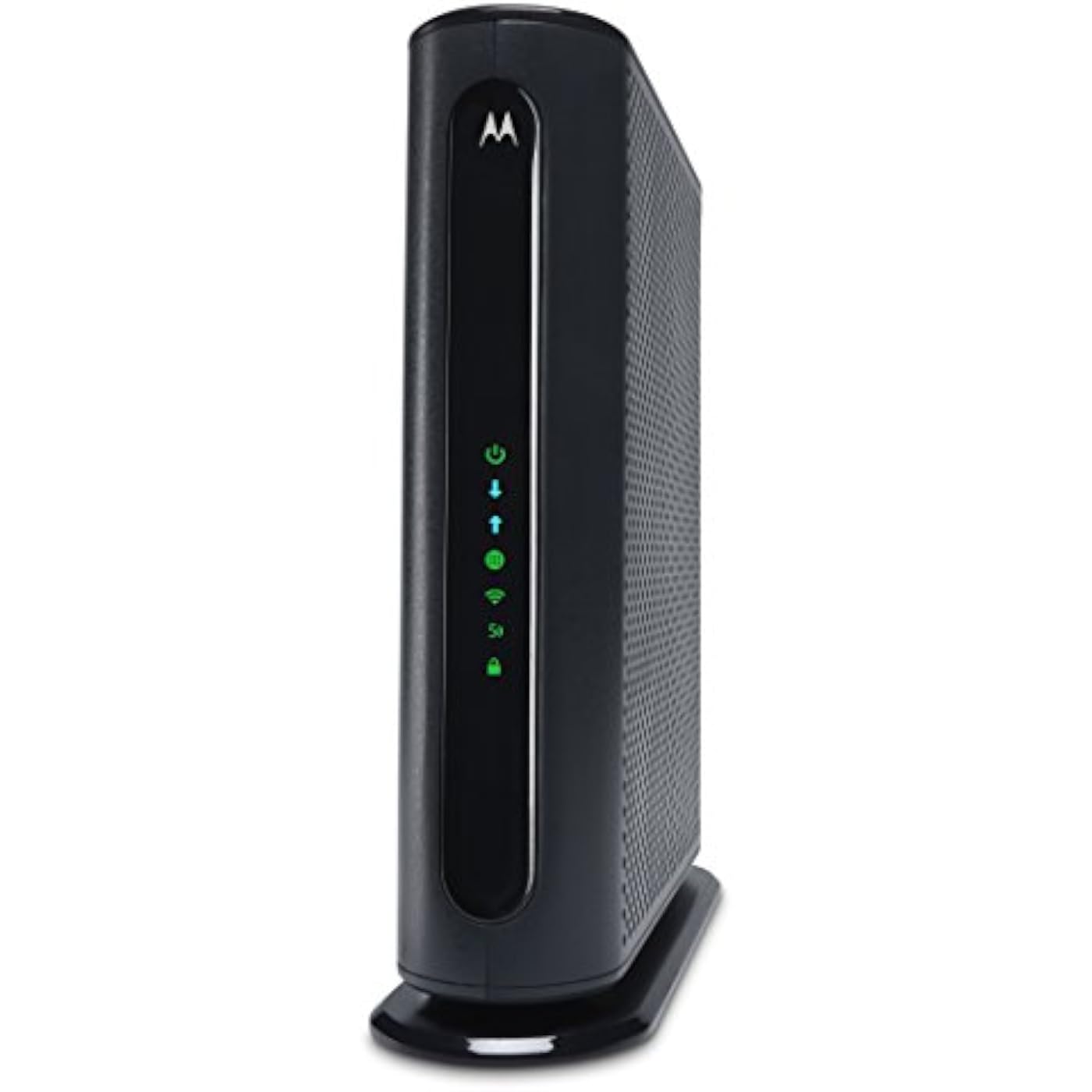
MOTOROLA MG7540 16x4 Cable Modem Plus AC1600 Dual Band Wi-Fi Gigabit Router with DFS, 686 Mbps Maximum DOCSIS 3.0 - Approved by Comcast Xfinity, Cox, Charter Spectrum, More

  • Based on 7,372 reviews
Condition: Used - Like New
Checking for the best price...
$49.99 Why this price?
Holiday Deal · 75% off was $199.99

Buy Now, Pay Later


As low as $8.33 / mo
  • – 6-month term
  • – No impact on credit
  • – Instant approval decision
  • – Secure and straightforward checkout

Ready to go? Add this product to your cart and select a plan during checkout.

Payment plans are offered through our trusted finance partners Klarna, Affirm, Afterpay, Apple Pay, and PayTomorrow. No-credit-needed leasing options through Acima may also be available at checkout.

Learn more about financing & leasing here.

Free shipping on this product

This item is eligible for return within 30 days of receipt

To qualify for a full refund, items must be returned in their original, unused condition. If an item is returned in a used, damaged, or materially different state, you may be granted a partial refund.

To initiate a return, please visit our Returns Center.

View our full returns policy here.


Availability: Only 4 left in stock, order soon!
Fulfilled by Motorola Network

Arrives Dec 17 – Dec 21
Order within 9 hours and 34 minutes
Available payment plans shown during checkout

Protection Plan Protect Your Purchase
Checking for protection plans...

Features

  • 16x4 DOCSIS 3.0 cable modem plus a built-in AC1600 Dual Band (2.4 GHz and 5 GHz) WiFi Gigabit Router with four Gigabit (GigE) Ethernet ports, a firewall, and more. This product is recommended for actual cable Internet service speeds up to 375 Mbps. A Broadcom cable modem chipset provides security from Denial of Service attacks.
  • Requires cable Internet service. Approved by Comcast Xfinity and Xfinity X1, Cox, Charter Spectrum, BrightHouse, WOW., CableOne, RCN, Mediacom and other cable service providers. Eliminate cable modem rental fees up to 168 dollars per year. (Savings are shown for Xfinity and vary by provider). Not compatible with Verizon, AT&T, CenturyLink and other fiber optic, DSL or satellite services. Model MG7540 does not have a phone jack. This model cannot be used for making or receiving telephone calls.
  • The router can work on WiFi DFS frequencies, unlike most routers, so it is much less vulnerable to WiFi interference from neighbors. AnyBeam beamforming at both 2.4 GHz and 5 GHz frequencies focuses the signal on wireless clients to further enhance performance and range.
  • Integrating the cable modem and router creates a reliable connection that reduces unwieldy wiring and power adapter clutter while conserving desk space. The vertical design minimizes shelf space and improves cooling while looking great in any home or office. A 2-year warranty plus rugged lightning and power surge circuits protect your investment.

Brand: Motorola


Model Name: MG7540


Special Feature: Beamforming, Internet Security, Wps


Frequency Band Class: Dual-Band


Wireless Communication Standard: 802.11a/b/g/n


Compatible Devices: Phone, Tablet, WiFi-Enabled Devices, Media Streaming Devices, Computer, PC, Mac, Gaming Consoles


Frequency: 5 GHz


Recommended Uses For Product: Security


Included Components: Cable, Power Adapter, User Manual, Tools, Router


Connectivity Technology: Wi-Fi, Ethernet


Wireless Type: ‎802.11a/b/g/n


Brand: ‎Motorola


Series: ‎MG7540


Item model number: ‎MG7540-10


Operating System: ‎Motorola IOS


Item Weight: ‎2.29 pounds


Product Dimensions: ‎11 x 10.25 x 2.75 inches


Item Dimensions LxWxH: ‎11 x 10.25 x 2.75 inches


Color: ‎Black


Manufacturer: ‎Motorola


Is Discontinued By Manufacturer: ‎No


Date First Available: ‎December 1, 2016


Frequently asked questions

If you place your order now, the estimated arrival date for this product is: Dec 17 – Dec 21

Yes, absolutely! You may return this product for a full refund within 30 days of receiving it.

To initiate a return, please visit our Returns Center.

View our full returns policy here.

  • Klarna Financing
  • Affirm Pay in 4
  • Affirm Financing
  • Afterpay Financing
  • PayTomorrow Financing
  • Financing through Apple Pay
Leasing options through Acima may also be available during checkout.

Learn more about financing & leasing here.

Top Amazon Reviews


  • Fast! 2.4 & 5 GHz wireless capable. Runs cool.
This gateway is well made, runs cool. It stands vertical. Wireless a,g,n &ac capable. It has TWO wireless networks, 2.4 GHz and 5 GHz, (new frequency range). The high band provides a 800 MHz bandwidth channel and handles 802.11n & ac on 5GHz and is about the same range on both networks. The 2.4 GHz handles the older protocols used by devices running 802.11a,g & n but is slower on wireless n because of 200 MHz channel bandwidth. This gateway, which features a DOCSIS 3 modem and wireless access point in one box runs way cooler than other gateways I've had. It has excellent air convection standing vertically as designed. There are NO external antennas but the Gateway needs to be placed clear of objects close to it and up high in the room with at least 12-inches clearance from ceiling. Reception pattern appears omnidirectional when placed this way with good range. Communication through a 2-way splitter to the cable head end is excellent! I recommend this for both older and new devices and if you can use the new 5 GHz band wireless network on your device, this is where you want to log on to, it's really fast! Currently getting 116 Mbps down on 100 Mbps cable service with a 802.11n connection. It has 4- wired RJ45 ports for equipment that does not have a wireless connection. While it has an auto setup screen, I recommend talking to your cable company to give device MAC address to them and have them do a full reset to eliminate that auto setup screen or it will not communicate with the head end properly. These and the default password are on the bottom of the unit and it features an internet based set up screen accessed by your browser and adjustments can be done wirelessly. If you change network name or password you must log back on to the network using the new name or password. The password applies to BOTH networks. The network ID's are separate and should be named differently. Security is WPA-PSK using AES encryption by default. You can change this if necessary by the set up screen. It has WPA with NO PIN and is activated by a button on the back. It also has a power on/off button for resetting without unplugging the unit. It's a reliable with good range connection that should cover your household nicely, even in big places! ... show more
Reviewed in the United States on November 2, 2018 by Allen C Morse III

  • Simple installation and powerful signal
Purchased to increase coverage in our 2000 sq. ft. home. Previous wireless router's signal was barely reaching the other end of our home. It was providing measurable but not useful wi-fi (that is, under 10 Mbps) in the deadest rooms. Installed this modem/router in minutes and activated it via Spectrum in under 10 minutes. After updating our network name (not required) I checked wi-fi speeds in those "dead" areas and measured at worst 71 Mbps and at best 106 Mbps (over several tests). That’s in the most distant parts of our home. Not surprisingly, we have increased speed in all other areas of our home as well, so it _feels_ as if we had an Internet speed upgrade. I should add that speeds near the router measure well over 200 Mbps (up to 212 Mbps) with this new router, so although it's not faster than the Spectrum router we had previously, it does produce a _considerably_ more powerful signal than our previous router. We are very happy we made this purchase. Simple installation, plus excellent performance for a reasonable amount of money equals satisfied consumers! ... show more
Reviewed in the United States on November 12, 2019 by Mr. C

  • Good modem with somewhat weak router.
This router/modem combo worked very well for my mom when I bought it and installed it for her as a birthday gift in her small home of about 900 sq ft a few years ago. She wasn't that far from the router at any point in her house as it was centrally located and all was good. I was using the MB 7550 which is the Motorola unit above this one that has the AC 1900 router on the same modem in my house which is about 1300 sq ft but with the router on one end of the house and the bedrooms on the far end. Due to the 2.4 GHz band flaking out on the 7550 I recently switched over to this MB 7540 as my Mom has since come to live with me. If you're on the fence as to whether the extra 15 or 20 dollars for the MB 7550 over the MB 7540 is worth it then I would tell you from my experience it definitely is. The upgraded router is much stronger on the AC 1900 over the AC 1600 with much improved wifi signal across the house. I've noticed a big difference from a secondary computer with a wireless card to cell phones and two Rokus. Lastly due to dissatisfaction with the performance I'm getting from this MB 7540 and the flakiness of the other unit losing a band, I wouldn't recommend anyone purchase a combo unit unless you just don't have the space for a stand along router next to your modem. I subscribe to Comcast on their 200 mbps plan and the modem gives me consistently more than the bandwidth I pay for. Kudos to Motorola on that. I feel that for the expense of the unit you should be able to expect more than three years service before encountering problems. ... show more
Reviewed in the United States on March 1, 2021 by Amazon Customer

Can't find a product?

Find it on Amazon first, then paste the link below.
Checking for best price...