




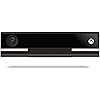
Microsoft Xbox One Kinect Sensor Bar [Xbox One](Renewed)

Buy Now, Pay Later
- – 4-month term
- – No impact on credit to apply
- – Instant approval decision
- – Secure and straightforward checkout
Ready to go? Add this product to your cart and select a plan during checkout.
Payment plans are offered through our trusted finance partners Klarna, Affirm, Afterpay, Zip, Apple Pay, and Google Pay. No-credit-needed leasing options through Acima may also be available at checkout.
Learn more about financing & leasing here.
FREE 90-day refund/replacement
To qualify for a full refund, items must be returned in their original, unused condition. If an item is returned in a used, damaged, or materially different state, you may be granted a partial refund.
To initiate a return, please visit our Returns Center.
View our full returns policy here.
Recently Viewed


Features
- Requires power adapter for Xbox One S and X models (sold separately)
- Put down the controller and play Xbox One games using just your body, voice, and gestures. Command your TV and even make Skype calls in HD.
- Play games where you are the controller, Be recognized and signed-in automatically
- Be recognized and signed-in automatically you can also call friends and family with Skype in HD
- Broadcast gameplay live with picture-in-picture
Description
You are the controller You don't have to have your hands full when you're gaming. With Kinect for Xbox One, you can control games using your just body, voice, and gestures. Forget the remote. Kinect lets you command your TV or even make Skype calls in HD. Be recognized and signed-in automatically, and use your voice to find your favorite entertainment, snap apps, switch instantly, and start recording game clips. You can even broadcast your gameplay live with picture-in-picture. Troubleshooting steps: To verify that your sensor is turned on: 1. Scroll left from the Home screen to open the guide. 2. Select Settings. 3. Select All Settings 4. Select Kinect & devices.. 5. Select Kinect. 6. Verify that Kinect on is selected. If the Kinect has been enabled in the Xbox One Menu, follow these steps to reset the Kinect sensor’s connection: 1. Power off the Xbox One console by pressing the Xbox button on the front of the console for 10 seconds, until it shuts down completely. 2. Unplug the console’s power cable. 3. Unplug the Kinect sensor from the console. 4. Plug the console power cable back in. 5. Press the Xbox button on your console to power up. 6. Scroll left from the Home screen to open the guide. 7. Select Settings. 8. Select All Settings. 9. Select Kinect & devices. 10.Select Kinect. Plug the Kinect sensor into the back of the console and wait 5 seconds for the console to recognize it.
Compatible Devices: Xbox One S, Xbox One X
Connector Type: Proprietary (Xbox One) + USB
Power Plug Type: Type A - 2 pin (North American)
Smart Home Compatibility: Not Smart Home Compatible
Brand: Microsoft
Model Number: XoneKinectSensor_CR
UPC: 712131664760
Manufacturer: Microsoft Software
Mfr Part Number: XoneKinectSensor_CR
Warranty Description: 90 days limited warranty
Item Dimensions: 11.81 x 3.15 x 5.91 inches
Item Weight: 200 Grams
Package Quantity: 1
Unit Count: 1.0 Count
Number of Items: 1
Color: Black
Warranty Type: 90 days limited warranty
Frequently asked questions
To initiate a return, please visit our Returns Center.
View our full returns policy here.
- Klarna Financing
- Affirm Pay in 4
- Affirm Financing
- Afterpay Financing
- Zip Pay in 4
- Financing through Apple Pay
- Financing through Google Pay
Learn more about financing & leasing here.
Similar Products


![Xbox One S 1TB All-Digital Edition Console (Disc-Free Gaming) - [DISCONTINUED]](https://m.media-amazon.com/images/I/51hZaE1qf5L._AC_US500_.jpg)

![Xbox One S 1TB Console [Previous Generation]](https://m.media-amazon.com/images/I/619Bmcg-EIL._AC_US500_.jpg)
![Microsoft Xbox One S 1Tb Console - White [Discontinued]](https://m.media-amazon.com/images/I/81UWvwzMFdL._AC_US500_.jpg)

Call of Duty: Modern Warfare II - Xbox Series X & Xbox One

Microsoft Xbox Series X – 1TB Digital Edition (Renewed)
![Xbox One S 1TB Console - Star Wars Jedi: Fallen Order Bundle [DISCONTINUED]](https://m.media-amazon.com/images/I/61P8eqCIJ-L._AC_US500_.jpg)
![Xbox One X 1Tb Console - Gears 5 Limited Edition Bundle [DISCONTINUED]](https://m.media-amazon.com/images/I/617gtsT+joL._AC_US500_.jpg)
![Xbox One X 1TB Console - Star Wars Jedi: Fallen Order Bundle [DISCONTINUED]](https://m.media-amazon.com/images/I/610BYaKjVDL._AC_US500_.jpg)
![Xbox One 500 GB Console - Black [Discontinued]](https://m.media-amazon.com/images/I/51fCaIO6JsL._AC_US500_.jpg)
![Xbox One X 1TB Console - Gears 5 Bundle [DISCONTINUED]](https://m.media-amazon.com/images/I/61GD4iEFaqL._AC_US500_.jpg)
![Xbox One S 2TB Limited Edition Console - Gears of War 4 Bundle [Discontinued]](https://m.media-amazon.com/images/I/81tU2BHRrAL._AC_US500_.jpg)

Top Amazon Reviews
