




Phomemo M220 Label Maker, New Flagship 3.14 Inch Bluetooth Portable Thermal Label Printer for Barcode, Address, Labeling, Mailing, File Folder, Easy to Use, Support Phone&PC
Condition: New



$66.98
Holiday Deal
· 18% off
was $81.23
Buy Now, Pay Later
As low as
$11.16
/ mo
Learn more
- – 6-month term
- – No impact on credit to apply
- – Instant approval decision
- – Secure and straightforward checkout
Ready to go? Add this product to your cart and select a plan during checkout.
Payment plans are offered through our trusted finance partners Klarna, Affirm, Afterpay, Zip, Apple Pay, and Google Pay. No-credit-needed leasing options through Acima may also be available at checkout.
Learn more about financing & leasing here.
Selected Option
Free shipping on this product
30-day returns
Learn more
FREE 30-day refund/replacement
To qualify for a full refund, items must be returned in their original, unused condition. If an item is returned in a used, damaged, or materially different state, you may be granted a partial refund.
To initiate a return, please visit our Returns Center.
View our full returns policy here.
Availability:
Only 10 left in stock, order soon!
Arrives
Monday, Nov 16




At a glance
- Condition
- New
- Color
- White
- Set
- 1 Printer + 3 Roll Labels
- Model
- M220
- Dimensions
- 3.93"D x 1.37"W x 4.33"H
- Weight
- 16 oz
- Printing Technology
- Thermal
- Works with
- Android & iOS Phone / Tablet (Connection Via Bluetooth on The App Not Phone or Tablet Directly), Chrome OS v3 and above laptop /PC (Connection Via USB Not Bluetooth), Linux laptop/PC (Connection Via USB Not Bluetooth), Windows x86 / Windows 7/8/10/11 and above laptop / PC (Connection Via USB Not Bluetooth), macOS 10.14 and above laptop/PC(Connection Via USB Not Bluetooth)
Features 7
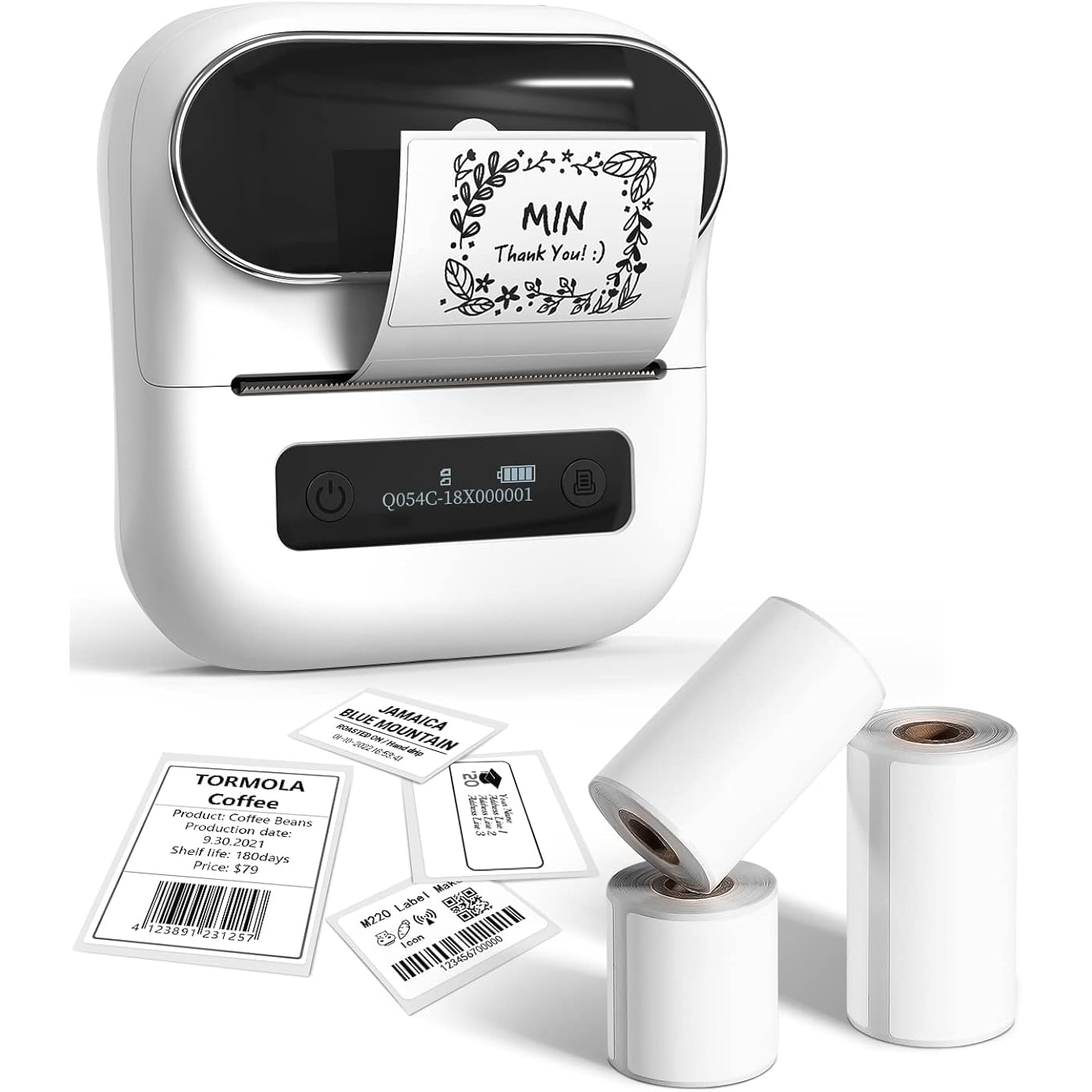
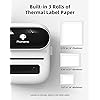
- Thermal Label Printer- Never need the ink, toner, and ribbon again. This barcode label printer prints using thermal technology, meaning you only need to restock on labels, the thermal label maker comes with 3 Rolls of Labels (1 Roll 40x30mm label, 1 Roll 60x40mm label, 1 Roll 70x80mm label). It is recommended to choose other colors, which are more favorable.
- Feature-rich App - Phomemo's R&D team create the Print Master APP for you, with a variety of built-in functions. One-click use: text, pictures, barcodes, QR codes, OCR, Form, hundreds of icons, and many pre-made templates for commercial and home use. Improve your efficiency. It is recommended to choose other colors, which are more favorable
- High Compatibility - Not only Phomemo M220 label maker machine supports IOS, and Android mobile phone by bluetooth connection, but also supports USB connection for MAC and Windows 10. (WARNING: For your better experience, please be sure to watch the software installation tutorial on the page). It is recommended to choose other colors, which are more favorable. Attention: mobile device (phone, tablet) connect via Bluetooth should be on the App "Print master", can't connect with Phone directly.
- Long Battery Life - Phomemo M220 Label Printer Upgrade 2200 mAh battery provides up to 36 rolls of continuous printing, newly added auto-sleep mode, which can reduce power consumption by 25% and extend the use time by 2-3 hours.
- Widespread Use - M220 3.14 Inch Bluetooth label printer has an extensive variety of uses and creative possibilities. and Enjoy Labeling Anything Anywhere like Small businesses: clothing, crafts, retail, jewelry, eBay, etc. Labeling address, barcode, shipping, price, date, ingredients, logos labels for product. Save you a lot of time for handwriting labels, allowing you to focus more on your small businesses
- Phone and Tablet Start Printing - Step 1: Download the App 'Print Master'. Step 2: Turn on the M220 label maker and your phone's or tablet's Bluetooth. Step 3: Click the 'Printer' icon in the App to search for the M220 portable label printer, connect it via Bluetooth in the App, select the label size, and edit the content to start printing
- Laptop/PC Starts Printing - Step 1: Please check your laptop/PC's operating system (OS) and download and install the correct M220 driver and the 'Labelife' app from the Phomemo website. Step 2: Use the USB data cable to connect the M220 label maker to your computer. Step 3: Select the label size, edit the content, and choose M220 from the printer list
Specs 49
| Brand | Phomemo |
|---|---|
| Connectivity Technology | Bluetooth |
| Printing Technology | Thermal |
| Special Feature | Compatible with pc and smart phone, Portable & Easy to use, Wireless & Inkless |
| Color | White |
| Model Name | M220 |
| Printer Output | Monochrome |
| Max Printspeed Monochrome | 60 ppm |
| Item Weight | 16 ounces |
| Product Dimensions | 3.93"D x 1.37"W x 4.33"H |
| Printer Type | Thermal |
| Other Special Features of the Product | Compatible with pc and smart phone, Portable & Easy to use, Wireless & Inkless |
| Printer Output Type | Monochrome |
| Item Dimensions D x W x H | 3.93"D x 1.37"W x 4.33"H |
| Controller Type | iOS |
| Print media | Labels |
| Scanner Type | Portable |
| Maximum Copy Speed Black and White | 60 ppm |
| Warranty Type | limited warranty |
| Maximum Copies Per Run | 36 |
| Additional Printer Functions | Print Only |
| Control Method | App |
| Number of Trays | 1 |
| Processor Count | 1 |
| Display Type | LCD |
| Number of Drivers | 2 |
| Resolution | 203DPI |
| Color Depth | 1 bpp |
| Printer Connectivity Type | Bluetooth |
| Hardware Interface | USB |
| Total USB 2.0 Ports | 1 |
| Total USB 3.0 Ports | 1 |
| Total Usb Ports | 1 |
| Model Number | M220 |
| Built-In Media | 1 Roll 1.57x1.18Labels(230pcs), 1 Roll 2.36x1.57Labels(180pcs), 1 Roll 2.75x3.14Labels(100pcs), M220 Label Printer WHITE, USB cable, Manual |
| Series Number | 220 |
| Model Series | M220 |
| Specific Uses For Product | Small businesses, clothing, crafts, retail, jewelry, eBay, addressing, barcoding, shipping, product labeling |
| Unit Count | 1 Count |
| Manufacturer | Phomemo |
| B&W Pages per Minute | 60 ppm |
| Initial Page Print Time | 1 second |
| Maximum Media Size | 3.14 inches |
| Maximum Sheet Capacity | 36 |
| Paper Size | 0.74-3.14 inches |
| Output sheet capacity | 36 |
| Maximum Print Resolution Black and White | 203DPI |
| Duplex | Simplex |
| Maximum Copy Resolution Black and White | 203DPI |
No specs match.
Frequently asked questions
If you place your order now, the estimated arrival date for this product is:
Monday, Nov 16
Yes, absolutely! You may return this product for a full refund within 30 days of receiving it.
To initiate a return, please visit our Returns Center.
View our full returns policy here.
To initiate a return, please visit our Returns Center.
View our full returns policy here.
- Klarna Financing
- Affirm Pay in 4
- Affirm Financing
- Afterpay Financing
- Zip Pay in 4
- Financing through Apple Pay
- Financing through Google Pay
Learn more about financing & leasing here.
Similar Products






Top Amazon Reviews
This Thing is Awesome
Style: w/ 3 Roll Labels
Color: Orange
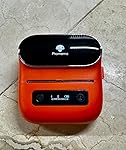
have and love the D30 Phomemo but the M220 is hands above in terms of quality and label variety. i use it to label all my cologne decants instead of carrying around the original bottle. the white, holographic silver, and glittery gold labels are amazing. no smudging or ink runs and there are tons of built in graphics to use. best part is the app is free and so simple to use, you can be printing labels in a few minutes. it's my best purchase in the last six months !
...
show more
Reviewed in the United States on August 15, 2024 by P. McConnell P. McConnell
Quick and convenient
Style: w/ 3 Roll Labels
Color: Orange
I manage a training team and we use these to generate new barcodes for people badges. Their employee badge prints with a barcode on it when they are hired but as the years go on that code starts to wear off. We use these to reprint the barcodes for those employees so they can scan in and out of training classes and to use on their time clocks, or clocking in and out of their work orders. They're really great and convenient little printers. Wish they had a color option but no thermal label printer that I know of has that but they do everything we need them to do and we can do all of it from our phones which is really nice.
...
show more
Reviewed in the United States on July 19, 2024 by Tommy
Ready to use and the most user friendly app!
Style: w/ 1 Roll Label
Color: Green
I love gadgets and tech stuff! I started out with the Phomemo D30 and was hooked. It was hands down better than my Brother P Touch and the labels are much more affordable. I was so hooked I found myself wanting to label everything, but the D30 labels are small. So I bought a device that looks exactly like another model of Phomemo for half the price. I found the app to be lacking the rich icons, variety of frames and fonts and it was a bit clumsy to navigate. Yet again, I found another brand of thermal label printer, this one capable of printing labels up to the inches wide and again half the price. Yet again I fell for it and was disappointed. The bottom line is I'll never stay from Phomemo again. It's app is very easy to navigate and contains the largest variety of images, frames and templates. Each label prints clear with the correct amount of black saturation. The Phomemo brand of labels are also superior to others I've purchased. Yes, I just received my 220M today but the kid in me went to work creating several fun labels for the heck of it. Thank you Phomemo for bringing out my inner geek and delivering a great product with an app to match!
...
show more
Reviewed in the United States on April 30, 2024 by Heather W
Love My Printer But It Stop Feeding The Labels
Style: w/ 3 Roll Labels
Color: Orange
I brought this label printer and I love all the great features and it was very convenient to use and you can create a labels on the spot . However now it don’t feed the label nor do it give me any notifications on what is wrong HELP Please I have invested a lot of money in labels and accessories for this printer now it don’t feed the labels I also like the fact that it came in my favorite color Orange
...
show more
Reviewed in the United States on May 26, 2024 by BKBIZWOMEN
Already in Love
Style: w/ 3 Roll Labels
Color: Pink
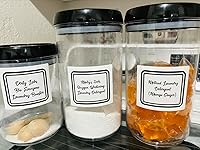
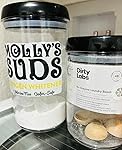
This little printer just arrived today and after a few little hiccups, I am in love. The printing could be a little crisper aka HD but my laundry room and pantry do not need that level of detail. The print quality and choices of borders, font style, label sizes, etc. are good enough for my household organization. Love the reduced price too. Grab one. I did all my label editing on my phone. Fabulous because I can make random labels in my spare time, save and print later. Love it! So easy!
...
show more
Reviewed in the United States on April 15, 2024 by Johnson Johnson
Incredibly Useful in so many ways
Style: w/ 1 Roll Label
Color: Green
I have to say I fell in love with this machine. I do affiliate marketing with my team and events and we now print QR codes to re-order samples on our products. I also help salons have their own QR code printed to take their customers to their skin consultation as they wait. It's super easy to use and I carry it about everywhere. The team at Phomemo are super quick to respond to any questions and their customer service is superb. If you don't have one I would grab one now, you will love finding ways to use it. Sharon Comrie
...
show more
Reviewed in the United States on April 26, 2024 by Imogene
Great printer
Style: w/ 1 Roll Label
Color: Purple
Very nice printer. I like the size. It is very easy to set up and use. Would order again.
Reviewed in the United States on August 27, 2024 by Danielle
Nice little printer, but print quality not as expected.
Style: w/ 1 Roll Label
Color: White
I have had a thermal printer in the past, but decided to try this one this time around. Pros: Good price, compact, portable, easy to use, set up and functioning first try with no problems. Cons: Only con is the print quality. It is not as crisp as my previous printer. Given that the previous printer now costs double what it used to and $50 more than this one, I will keep this one. However, if you want a good, crisp image or print you may want to try a different printer.
...
show more
Reviewed in the United States on April 11, 2024 by Obi-one-Gwynobi