Buy Now, Pay Later
- – 6-month term
- – No impact on credit to apply
- – Instant approval decision
- – Secure and straightforward checkout
Ready to go? Add this product to your cart and select a plan during checkout.
Payment plans are offered through our trusted finance partners Klarna, Affirm, Afterpay, Zip, Apple Pay, and Google Pay. No-credit-needed leasing options through Acima may also be available at checkout.
Learn more about financing & leasing here.
Selected Option
FREE refund/replacement until Jan 31, 2027 Learn more
To qualify for a full refund, items must be returned in their original, unused condition. If an item is returned in a used, damaged, or materially different state, you may be granted a partial refund.
To initiate a return, please visit our Returns Center.
View our full returns policy here.
Recently Viewed



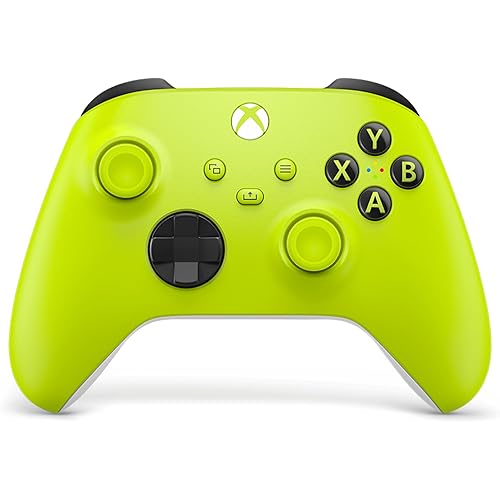
At a glance
- Condition
- New
- Color
- Magic Sound Red
- Dimensions
- 1.97 x 1.57 x 1.97 in
- Controller Type
- Gamepad
- Hardware Platform
- Gaming Console
- Works with
- Xbox Series S
Features 5
- Your Exclusive Quality Build: Built using Elite Series 2 core hardware and fitted with a sleek custom shell in an unofficial customized modification. Each unit undergoes individual testing for responsive outofthebox gameplay
- Customized Accessory Case: Comprises the Magic Sound Red custom controller, a storage bag, and ample accessories (6 thumbsticks, 4 paddles, 2 Dpads, adjustment tool, charging dock, USBC cable) to meet varied demands
- Fashionable & One-of-a-Kind Design: Fitted with a custom shell and red joysticks, supporting key mapping and lighting customization through the accessory app to create an exclusive style
- Custom Profiles: Permits storing 3 custom profiles for quick switching between different game configurations, no need to reset your settings repeatedly while gaming
- PremiumGrade Control: Featuring adjustable joystick tension, all-over rubber grips, and short-stroke trigger locks for precise control and complete command of gameplay
Description
Vibration function not working? Check game vibration settings. Test via Accessories app. Restart/re-pair if no response. Persists? Vibration motor may fail—contact after-sales. Central button won’t light up/controller won’t turn on? Wireless: Replace AA batteries. Rechargeable: Check charging cable/dock connection. Oxidized contacts: Clean with eraser. Hold central button 15s to reset, then reboot. PC won’t recognize controller (wired/wireless)? Wired: Use USB 3.0 port, restart PC. Wireless: Enable Bluetooth, put controller in pairing mode. Install latest driver (official site). Win10/11: Update Bluetooth driver via Device Manager. No sound from controller’s audio jack? Check headset connection, test with another headset. Consoles: Enable "Headset Audio" in Settings → Sound. PC: Set controller as default output. Clean jack to avoid poor contact. What is the product's after-sales service period? The product comes with a 6-month after-sales service. Contact after-sales for non-human-induced faults during the 6-month after-sales service period. Made just for you gaming style. Built for comfort & personal expression—your ideal play partner. Wireless Gaming — Dual‑mode Bluetooth for easy device pairing Plug‑in headsets directly for in‑game audio & chat Anti‑slip, less hand fatigue on long play Smooth control for better gaming experience Compatible with Xbox Series X/S, Xbox One, Windows PC, iOS & Android Red non‑slip thumbsticks for precise gaming control. Tool‑free quick detach for height adjustment.
Specs 10
| Controller Type | Gamepad |
|---|---|
| Connectivity Technology | USB |
| Additional Features | Customizable Button Mapping, Multiple Profiles |
| Hardware Platform | Gaming Console |
| Compatible Video Game Console Models | Microsoft Xbox One, Microsoft Xbox SERIES X |
| Item Dimensions | 1.97 x 1.57 x 1.97 inches |
| Brand Name | LuLuGou |
| Manufacturer | LuLuGou |
| Item Highlight | Magic Sound Red,Compatible with Xbox Series S/X,Xbox One,Custom Soft Touch Feel,with accessory bag |
| Color | Magic Sound Red |
No specs match.
Frequently asked questions
To initiate a return, please visit our Returns Center.
View our full returns policy here.
- Klarna Financing
- Affirm Pay in 4
- Affirm Financing
- Afterpay Financing
- Zip Pay in 4
- Financing through Apple Pay
- Financing through Google Pay
Learn more about financing & leasing here.