Search  for anything...

Lenovo Chromebook Plus i 15"- Professional Laptop - Google Gemini - Intel® 3 N355 CPU - 15.3" WUXGA IPS Display - 8GB RAM - 256GB Storage - Integrated Intel® Graphics - Cosmic Blue

  • Based on 0 reviews
Condition: New
Checking for the best price...
$512.85 Why this price?
Save $67.14 was $579.99

Buy Now, Pay Later


As low as / mo
  • – Up to 36-month term if approved
  • – No impact on credit to apply
  • – Instant approval decision
  • – Secure and straightforward checkout

Ready to go? Add this product to your cart and select a plan during checkout.

Payment plans are offered through our trusted finance partners Klarna, Affirm, Afterpay, Apple Pay, and PayTomorrow. No-credit-needed leasing options through Acima may also be available at checkout.

Learn more about financing & leasing here.

Selected Option

Free shipping on this product

FREE 30-day refund/replacement

To qualify for a full refund, items must be returned in their original, unused condition. If an item is returned in a used, damaged, or materially different state, you may be granted a partial refund.

To initiate a return, please visit our Returns Center.

View our full returns policy here.


Availability: In Stock.
Fulfilled by Amazon

Arrives Wednesday, Jun 24
Order within 21 hours and 20 minutes
Available payment plans shown during checkout

Protection Plan Protect Your Purchase
Checking for protection plans...

Style: 8GB | 256GB


Features

  • LIGHT TO CARRY AND HEAVY ON SMARTS The Lenovo Chromebook Plus i 15" gives you the big-screen advantage without the bulk or weight on a spacious WUXGA display. Multitask smarter, game harder, create faster, and do more with an Intel Core processor and built-in Gemini capabilities.
  • SEE MORE SCROLL LESS The roomy 15.3 16:10 ratio display makes it easier to work and play by letting you see multiple apps simultaneously. Stay comfortable all-day, inside or out with the 400-nit screen that keeps everything crystal-clear.
  • PERFORMANCE TO MATCH YOUR HUSTLE Fuel your ideas with the super-efficient Intel Core processor. Edit Google Docs, photos, and videos smoothly, stream your favorite shows, and experience faster load times and smoother gameplay when its time to kick back and recharge.
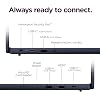
  • STAY CONNECTED Wherever life takes you, the Chromebook Plus i 15" keeps you connected with dual USB-C, dual USB-A, and HDMI for monitors, drives, and accessories. Wi-Fi 6E delivers faster streaming, smoother video calls, and reliable browsing all day.
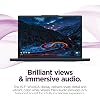
  • BRILLIANT AND IMMERSIVE The vibrant WUXGA 1920x1200p display lets you see, hear, and create your world in thrilling new ways. Audio that's tuned with MaxxAudio delivers rich, balanced sound that pulls you deeper into every scene, playlist, and project.
  • ONE TOUCH TO START YOUR DAY Skip the passwords and sign in with a touch. The fingerprint reader gives you faster, more secure access to your Chromebook Plus i, so you can get back to your day without the hassle.
  • PROTECTED FROM THE INSIDE OUT Modern Chromebooks have never had a virus. Thanks to layers of built-in protection and a Google-designed H1 security chip, your security and privacy are covered. Worry less without any added costs or any hard-to-use anti-virus software.
  • EXPERIENCE THE MAGIC OF GOOGLE GEMINI Enhance how you read, write, and express yourself with Google Gemini. You have the power to do more with double the speed, memory, and storage combined with the magic of Gemini in your favorite features.

Description

Lighten your load with the spacious Lenovo Chromebook Plus i 15" fueled by Google Gemini. Its roomy 15.3” display with a taller 16:10 ratio shows more of your work and entertainment at once. Powered by Intel® Core™ processors, the Chromebook Plus i handles everything from creative projects to gaming in the cloud. Do less to do more with built-in Gemini. Convert handwritten text to digital, simplify jargon-filled content into everyday language, and get your questions answered by Google Gemini. Multitask smarter, create faster, and game better. Take control of your privacy anywhere with the physical shutter on the crisp 5MP webcam. Open it confidently for video calls, or live streams, and close it securely whenever you need complete privacy. Shine on every call with Google-powered AI features. At just 3.44lbs, the Chromebook Plus i 15" is light enough to tote around all day without weighing down your bag. Built to military-grade durability standards, it’s tough enough to handle daily bumps, dust, and life on the go. This is a Chromebook that’s easy to take anywhere and built to last.

Brand: Lenovo


Model Name: Chromebook Plus i 15"


Screen Size: 15.3 Inches


Color: Cosmic Blue


Hard Disk Size: 256 GB


CPU Model: Intel Core 3 N355


Ram Memory Installed Size: 8 GB


Operating System: Chrome OS


Special Feature: Google Gemini, Physical Webcam Shutter


Graphics Card Description: Integrated


Color: Cosmic Blue


Hard-Drive Size: 256 GB


Operating System: Chrome OS


Other Special Features of the Product: Google Gemini, Physical Webcam Shutter


Graphics Description: Integrated


Hard Disk Description: SSD


Item Weight: 1.6 Pounds


Video Processor: Intel


Specific Uses For Product: Entertainment, Student


Webcam Capability: Yes


Form Factor: Chromebook


Voltage: 11.31 Volts


Graphics Ram Type: Shared


Compatible Devices: Monitors, USB drives, mice, keyboards, printers, external storage devices, wireless headphones, and other USB accessories


Item Dimensions L x W x Thickness: 9.52"L x 13.54"W x 0.75"Th


Video Output: HDMI


Screen Size: 15.3 Inches


Resolution: 1920 x 1200


Native Resolution: 1923 x 1200 pixels


Display Type: LCD


Display Technology: IPS


Touch Screen Type: capacitive


Has Color Screen: Yes


Connectivity Technology: Bluetooth, HDMI, USB, Wi-Fi


Wireless Compability: 802.11ax


Bluetooth support?: Yes


Total Usb Ports: 4


Number of Ports: 5


Processor Series: Intel Core 3 N355


Processor Speed: 1.9 GHz


Processor Count: 1


Processor Brand: Intel


CPU Model Number: N355


CPU Model Speed Maximum: 3.9 GHz


Brand: Lenovo


Model Name: Chromebook Plus i 15"


Model Year: 2026


Model Number: 83T10010US


Built-In Media: Laptop, Quick Start Guide, 65W USB C Power Adapter, and Warranty


Manufacturer: Lenovo


UPC: 199274504977


Unit Count: 1.0 Count


Warranty Description: 1 Year Limited Parts and Labor


RAM Memory Installed: 8 GB


RAM Memory Technology: LPDDR5x


Ram Memory Maximum Size: 8 GB


Memory Speed: 4800 MHz


RAM Type: DDR5 RAM


Battery Cell Type: Lithium Polymer


Battery Life: 11 Hours


Lithium-Battery Energy Content: 49.1 Watt Hours


Human-Interface Input: Touch Pad, Touchscreen with Stylus Support


Keyboard Description: Full-size


Frequently asked questions

If you place your order now, the estimated arrival date for this product is: Wednesday, Jun 24

Yes, absolutely! You may return this product for a full refund within 30 days of receiving it.

To initiate a return, please visit our Returns Center.

View our full returns policy here.

  • Klarna Financing
  • Affirm Pay in 4
  • Affirm Financing
  • Afterpay Financing
  • PayTomorrow Financing
  • Financing through Apple Pay
Leasing options through Acima may also be available during checkout.

Learn more about financing & leasing here.

Top Amazon Reviews


  • Great Chromebook
Style: 4GB | 128GB
Great laptop. Love how it converts to a tablet or I can tent it to stream videos. The display is great - high resolution and super thin bezel. Super light and portable. Battery lasts a long time too
Reviewed in the United States on May 11, 2026 by WTM

  • Less can be more. Less can be more.
Style: 4GB | 128GB
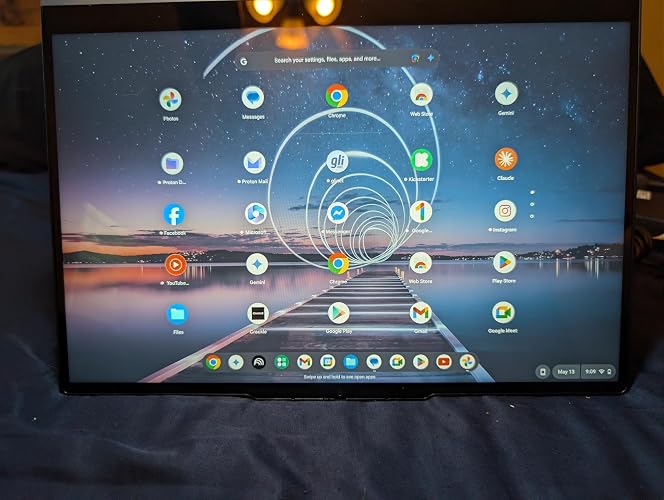
Chromebooks are well known in education, but if you do not have children in K-12, you might have never looked at one. The Lenovo Chromebook that I'm reviewing is best positioned for teens who aren’t demanding more power. College students? No, it's way too limiting. Chromebooks are also a good choice for seniors who have limited use for a computer. A downside for Chromebooks is that they require 24/7 internet service to function. I have gigabyte internet service at home which probably made my experience better. The computer will also tether to my smartphone and to my car’s internet service. I was excited to have an opportunity to review this specific model. I have a powerful desktop and a powerful laptop that are adequate for my “creation” needs. But it's impossible to carry either one out to the deck to watch a movie. Having a touch screen that is convertible and meets the IPS standard was important to me as well as having speakers that do not make me scream. The machine looks great. In a world of silver laptops, its no-nonsense styling is quietly noticeable. There are enough ports for me, and I can add a hub if I need more peripheral connections. A fast external hard drive for media comes to mind. The full-sized HDMI port is great for an external monitor. The “mil-spec” construction was appealing. Those folks with middle schoolers will definitely appreciate this feature. Please note that this feature differs from ruggedized construction such as used by first responders. You could take this machine glamping, but backpack camping might be beyond its toughness. The case is all metal, and with the “mil-spec” construction it should handle the daily nicks and bangs of a computer that is taken to school or on vacation. I bought the Lenovo 13” sleeve for the computer, and it fits snugly. Chromebooks that carry the “Plus” designation approach laptop capacity. This model is not one of them. This Lenovo 2-in-1 convertible Chromebook has a slow CPU, minimal RAM, and a very small SSD. These concessions result in a fairly low price. So far, these power limitations haven’t bothered me and may not bother folks who are consuming content rather than making content. My experiences with this machine have been great. Right off the bat, setup was a non-issue. It read the network information off my Android smartphone and imported all the important data. I was ready to go in minutes. I was disappointed by the absence of a fingerprint reader on the Chromebook. You can use a PIN or your Google credentials to sign in. It took a bit of searching to find out how to power down. There is no documentation with this machine apart from warranty and legal notes. However, there is an immense amount of help online for Chromebooks in general and Lenovo specifically. Adding Bluetooth devices has been straightforward, but I have yet to get the Chromebook to recognize my printer. I haven’t tried very hard yet. I have not attempted to network this machine with my desktop and probably won’t. I did transfer some music/video files using a large, fast flash drive. The transfer rate onto the Chromebook was slow; so far that is the only performance hit that I’ve noticed. I tried playing music videos directly from the flash drive, and they were fine. Good thing, given the small size of the internal SSD. The speakers are OK. I’ve heard worse on much more expensive laptops. There are comments about speakers in my photographs that accompany this review. When you want to do serious listening, you will need headphones. I looked at various movies on YouTube and Netflix. They looked fine, and I didn’t run into any buffering issues. I decided to write this review on the Chromebook. I couldn’t type with the computer flat on the table. I used laptop wedges, which are sold by Amazon. With the slight tilt, typing was fine. I got used to the keys quickly. The keys are spaced okay for my touch-typing. The feel was fine, even though there isn’t much “travel” to the keys. However, I have a habit of resting my thumbs and wrists under the space bar. I accidentally placed my thumbs directly on the touchpad, which jumbled the text. Once I disabled the touchpad, things worked smoothly. I don’t like touchpads, and with a touch screen, they aren’t very necessary. I use a mouse, so when it is detected, the touchpad is disabled. Now, recommendations. It is a new model that has some features unique to a small group of new Lenovo Chromebooks. The price on this model has varied by almost a hundred dollars according to Amazon's price history. At the low point, it is a great choice. At the high point, you might as well spend a few dollars more for a Plus model. Because I don’t want or need a full-featured laptop, this Chromebook has demonstrated that it is a good choice for me. ... show more
Reviewed in the United States on May 12, 2026 Reviewed in the United States on May 12, 2026 by Christian Tucker

  • Great Entry-Level Chromebook with Solid Features (Just Know Its Limits) Great Entry-Level Chromebook with Solid Features (Just Know Its Limits)
Style: 4GB | 128GB
This was my first experience using a Chromebook, and overall I came away impressed. It runs smoothly, starts up quickly, and handles everyday tasks like web browsing and email without any issues. The battery life, in particular, stands out—it easily lasts longer than other laptops my wife and I use. That said, it’s important to understand what this device is designed for. The processor is not meant for heavy workloads. It performs well for basic activities like browsing, streaming, and light productivity, but it’s not intended for demanding applications. Similarly, the 4GB of LPDDR5 RAM is sufficient for light use, but it can fill up quickly, especially if you tend to keep multiple tabs or apps open at once. Since the RAM is soldered, it’s not upgradeable. For the right user, though, this Chromebook is a great fit. It’s ideal for students, kids, or anyone who primarily uses their laptop for simple tasks. The touchscreen and 2-in-1 design are especially useful—being able to switch to tablet mode is a nice bonus for note-taking, browsing, or casual use. The display looks sharp and clear, and the speakers surprised me in a good way. They’re louder and clearer than I expected, without the thin or “tinny” sound you sometimes get with laptops. There’s also a 3.5mm headphone jack for those who prefer wired audio, which is becoming less common and is a nice addition. Port selection is solid, with HDMI, two USB-C ports, two USB-A ports, and the headphone jack. Keep in mind that charging uses USB-C, so one of those ports will typically be occupied. If you need more connectivity, a USB hub can help. Battery life comes close to the advertised 11 hours with typical use, especially if you optimize settings like brightness and Bluetooth usage. Storage is another strong point. With 128GB built-in, it offers more space than many Chromebooks in this category. If you need more, there’s also a microSD card slot for easy expansion. Build quality feels good overall. While the bottom panel is plastic, the rest of the chassis feels sturdy with minimal flex. The hinge is firm and holds the screen in place without wobbling. Final thoughts: This Chromebook delivers strong value as long as you go in with the right expectations. It’s best suited for light, everyday use rather than multitasking-heavy workloads. If you’re shopping for a reliable, easy-to-use device for browsing, schoolwork, or media, this is definitely worth considering. ... show more
Reviewed in the United States on May 13, 2026 Reviewed in the United States on May 13, 2026 by KB

  • This is a great Chromebook! This is a great Chromebook!
Style: 4GB | 128GB
I absolutely love this Lenovo Chromebook! I already own a Lenovo PC that I’ve been very happy with, so I had high expectations for this Chromebook — and it definitely delivered. Setup was incredibly easy, and syncing everything with my Google account took just minutes. The 14-inch screen is vibrant, sharp, and the perfect size for what I mainly use a Chromebook for: browsing the internet, checking email, and watching videos. Performance has been excellent so far. It boots up in seconds, runs very smoothly, and feels fast and responsive, and I really like the touch screen! One thing I really appreciate is that I can do all my web browsing on the Chromebook without cluttering up my main PC with cookies and unnecessary files. Unlike traditional PCs that you have to add antivirus programs to (and they slow it down), I like the added security that comes with ChromeOS. Chromebooks are much less vulnerable to viruses and malware than traditional PCs, especially for people who may click pop-ups or links without thinking. That makes this an excellent option for kids or anyone who wants a safer, simpler computer experience. Also in regard to enhanced security, there's a slide switch at the top of the screen that you can open the camera lens or cover it! The build quality feels solid, and the 2-in-1 design is a great feature. Being able to flip the keyboard around and use it like a tablet is very convenient. Battery life has also been fantastic — it lasts for many hours on a single charge, even during long browsing sessions. Another big plus is access to the Google Play Store, which gives you tons of apps for productivity, entertainment, design, and games. Google Docs and other Google services work seamlessly as well. Overall, this Chromebook feels like a reliable, well-made device that should last for years. If you want a fast, secure, easy-to-use alternative to a traditional PC, this Lenovo Chromebook is an excellent choice. ... show more
Reviewed in the United States on May 18, 2026 Reviewed in the United States on May 18, 2026 by Daine McNare

  • Good basic chromebook, not the fastest speed, fine for watching movies, display colors lack vibrancy
Style: 4GB | 128GB
This is a very useful 2-in-1 Chromebook. The touchscreen folds back 360 degrees so that the back of the screen is able to rest flat against the back of the keyboard, making this look like an ipad (except with a keyboard on the back side). Or, obviously, you can fold it to any angle, the most useful of which would be to form an upside-down V so that the Chromebook can stand up on its own and you can watch movies, etc. The touchscreen works quite well, as does the wifi. The color rendition of the display lacks vibrancy, and everything seems a little flat, even after adjustment. Finally, there are (much) faster processors than the N150 CPU, but the N150 is adequate for basic tasks (word processing, web browsing, etc.) and watching videos. If I needed to run lots of apps simultaneously, this wouldn't be my first choice. The case itself seems very durable, and I feel confident this will last a good while and withstand everyday use, including being in a backpack while commuting or traveling. ... show more
Reviewed in the United States on June 8, 2026 by TC

  • nice option for a student or work from home, would not recommend for hardcore gaming
Style: 4GB | 128GB
very excited to get this computer. This is a chromebook not a windows pc. The lenovo brand is a good one, I have two other laptops of the same brand in various models. the first thing i noticed was that this one is much heavier than my other chromebook even though it is actually just a smidge smaller than the other one i have. this one can convert into a tablet, you can flip the screen all the way backwards, it disables the keyboard and turns it into a large tablet. I really like that feature. There is a touch screen of course. this one is not what i would consider good for gaming but for classes or working from home perhaps it would be great. decent amount of storage space, not the fastest RAM available but works efficiently. comes with a type c charger and power cord as is standard. the screen resolution is really good on this one, much better than the other 2 that i have. perhaps that is because of the tablet feature but watching videos is great on this one. also has a built in camera/webcam that has a slide cover when not in use. the speakers work well also, pretty good sound. overall quality is great and the price is very reasonable given all the features it comes with. very easy to set up especially if you have an android phone, battery seems to last quite a while also and charges fairly quickly. ... show more
Reviewed in the United States on May 14, 2026 by Laura

  • Easy to use and setup. Easy to use and setup.
Style: 4GB | 128GB
Imagine a Chromebook that’s as flexible as your day: thin and lightweight with built-in Google apps and stress-free security. TAKE HITS KEEP MOVING – Sleek, light, and built to last- the Chromebook 2-in-1 is just 0.69” thick and 3.3lbs. Enjoy long-lasting battery life, fast charging, and military-grade durability for nonstop productivity wherever life takes you. PERFORMANCE THAT MATCHES YOUR HUSTLE – Fuel your ideas with an Intel Core processor and 128GB storage. Boot up in under 10 seconds to start the day powerfully efficient. FLEX YOUR CREATIVITY ANYWHERE, ANYTIME – Create, work, or unwind your way with a versatile 2-in-1 design. Flip easily between laptop, tent, and tablet modes with a responsive touchscreen built for flexibility. ... show more
Reviewed in the United States on June 7, 2026 Reviewed in the United States on June 7, 2026 by Darren Sroufe

  • Good Value for Light Use Good Value for Light Use
Style: 4GB | 128GB
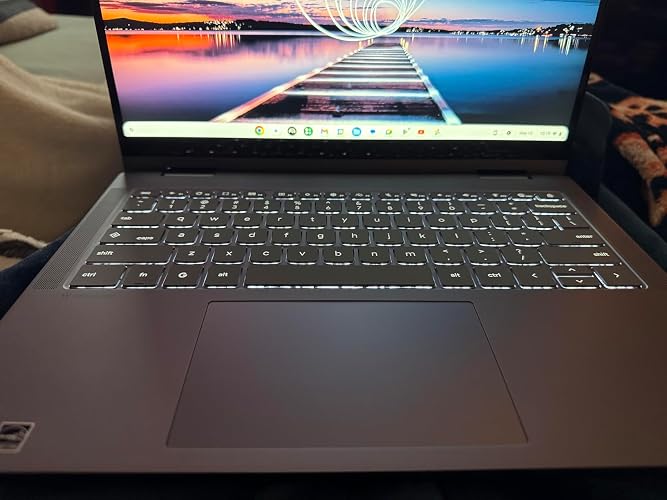
We picked up this Lenovo Chromebook for my in-laws, and overall it has been a good fit for them, even though I still would not recommend it over every similarly priced option. On the outside, Lenovo did a really nice job. The aluminum body feels sturdy, the design is clean, and if you are familiar with Apple hardware, the overall look and feel will seem pretty approachable. The keyboard is also better than expected for the price. It has Chromebook-specific keys, but it still feels familiar, clicky, and satisfying to use. The backlighting is a nice bonus, even if you can see a little light bleed under the taller keycaps from certain angles. The trackpad is more of a mixed bag. It works, but it is very sensitive, and I noticed a lot of accidental movement and clicks while typing. Tap-to-click being enabled by default made that worse, to the point where it could interrupt what I was doing. That is fixable, but it is worth knowing. As a Chromebook, it does what Chromebooks generally do well. If most of your needs are browser-based, video calls, social media, email, streaming, and light app use, it handles that stuff just fine. Since it also supports Android apps through the Play Store, it does not feel as limited as people sometimes assume. The convertible touchscreen design is what really changed my opinion on it. As a basic laptop, it is just fine. As a casual entertainment device you can flip around and use more like a tablet, it actually becomes a really solid value. That made the modest hardware matter a lot less in practice for the people we bought it for. There are still limitations. The 4GB of RAM is not much, and this really feels like a one- or two-task machine. The processor is okay for now, but I would not expect it to age especially gracefully over the next couple of years. I also had some trouble getting it to work with Wi-Fi printers on my network. If your printer shows up in ChromeOS settings, setup is easy. If it does not, it may take extra effort. The screen is bright, the speakers get loud even if they do not have much bass, and the webcam is fine for normal video calls in a decently lit room. Nothing here is exciting, but nothing felt unusable either. For our in-laws, this made sense. We were also considering a MacBook alternative that I think is the better buy more often than not, but a lot of that extra value would probably be lost on them. For casual users who mainly want something simple for browsing, calls, media, and general everyday use, this Chromebook actually fits pretty well. Overall, I would not call this the best value laptop in every case, but for the right person - especially someone with light needs who will benefit from the touchscreen and convertible design - Lenovo did a really good job here. ... show more
Reviewed in the United States on May 31, 2026 Reviewed in the United States on May 31, 2026 by ..jarno

Can't find a product?

Find it on Amazon first, then paste the link below.
Checking for best price...