Search  for anything...

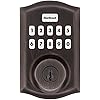
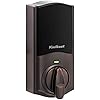
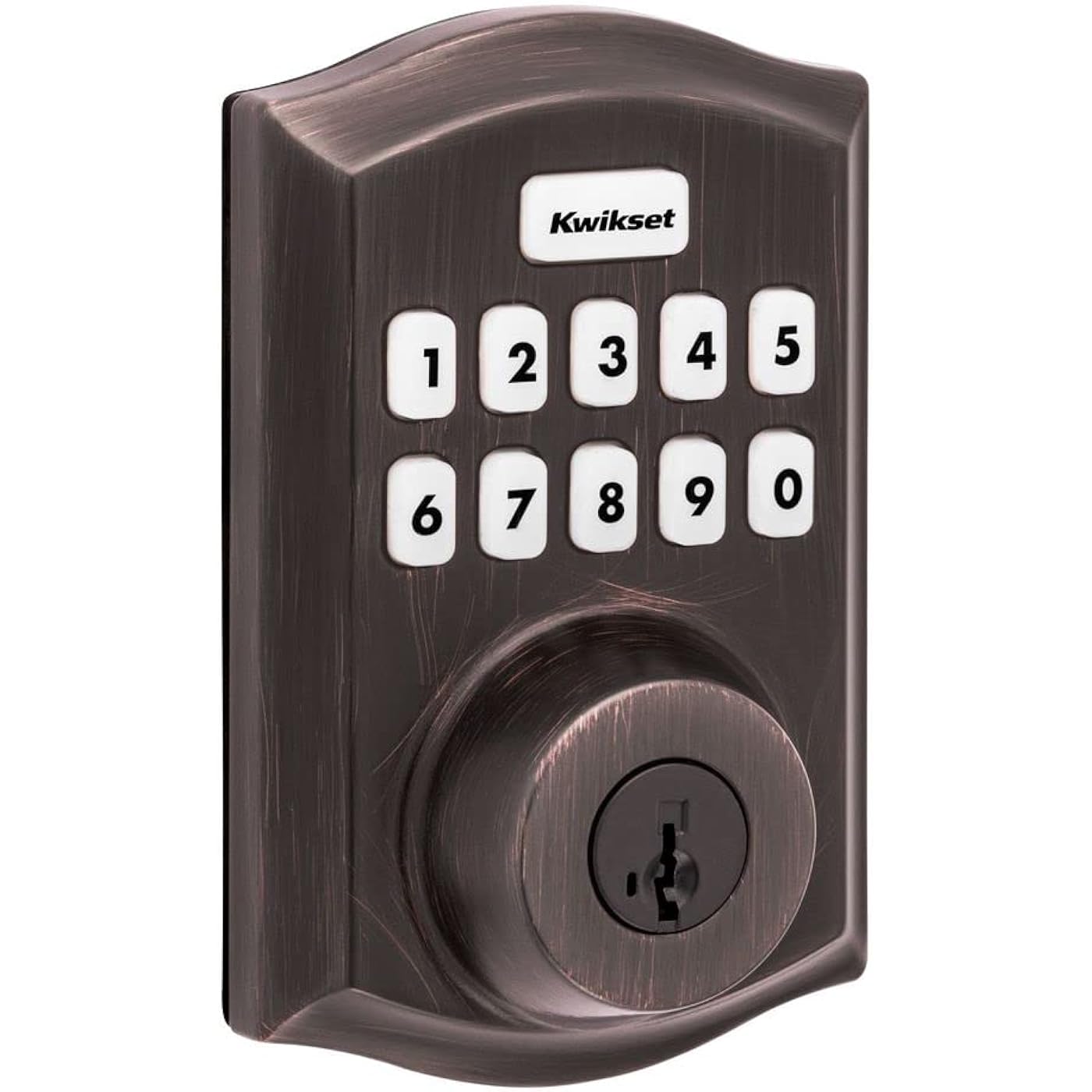
Kwikset Home Connect 620 Smart Lock Deadbolt with Z-Wave Technology, Works with Ring Alarm, Samsung Smartthings and More, Z-Wave Hub Required, Traditional Design in Venetian Bronze
  • Based on 1,366 reviews
Condition: New
Product info up-to-date
$159.99 Why this price?
New Year Deal · 16% off was $189.99

Buy Now, Pay Later


As low as $26.67 / mo
  • – 6-month term
  • – No impact on credit
  • – Instant approval decision
  • – Secure and straightforward checkout

Ready to go? Add this product to your cart and select a plan during checkout.

Payment plans are offered through our trusted finance partners Klarna, Affirm, Afterpay, Apple Pay, and PayTomorrow. No-credit-needed leasing options through Acima may also be available at checkout.

Learn more about financing & leasing here.

Selected Option

Free shipping on this product

30-day refund/replacement

To qualify for a full refund, items must be returned in their original, unused condition. If an item is returned in a used, damaged, or materially different state, you may be granted a partial refund.

To initiate a return, please visit our Returns Center.

View our full returns policy here.


Availability: Only 9 left in stock, order soon!
Fulfilled by House & Home Improvement

Arrives Friday, Feb 20
Order within 14 hours and 49 minutes
Available payment plans shown during checkout

Protection Plan Protect Your Purchase
Checking for protection plans...

Color: Venetian Bronze


Size: Traditional


Pattern Name: Z-Wave


Features

  • SECURE KEYLESS ENTRY: Fast and quiet motorized deadbolt with illuminated keypad provides keyless door entry to your home, and one-touch locking when leaving
  • Z-WAVE HOME CONNECT: Expand your security and home automation, lock communicates wirelessly to security and home automation systems - Z-Wave hub is required
  • RING ALARM COMPATIBLE: Option to control your Kwikset Home Connect 620 directly through the Ring app - Requires a Ring compatible Z-Wave hub
  • AUTO-LOCKING SAFETY: Setup deadbolt to automatically lock after entry or exit, pick from multiple time settings, perfect for getting in and out in a hurry
  • EASY INSTALL: Do it yourself, installs in minutes with just a screwdriver, fits doors between 1-3/8 inch and 1-3/4 inch thick, 4 AA batteries (included) last 12 months or longer
  • SMARTKEY SECURITY: Kwikset's SmartKey security technology protects against advanced break-in techniques and allows you to re-key your lock yourself in seconds

Description

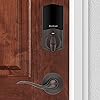
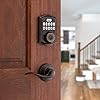
This single cylinder deadbolt can be locked or unlocked by using the keypad or key from the outside as well as the turn button from the inside. The Venetian Bronze finish is hand-rubbed to reveal unique bronze highlights and provides a rich and warm complement to the product's style.

Brand: Kwikset


Special Feature: Auto-Lock, Keyless


Lock Type: Keypad


Item dimensions L x W x H: 2.8 x 1.25 x 4.6 inches


Material: Metal


Brand: ‎Kwikset


Special Feature: ‎Auto-Lock, Keyless


Lock Type: ‎Keypad


Item dimensions L x W x H: ‎2.8 x 1.25 x 4.6 inches


Material: ‎Metal


Recommended Uses For Product: ‎Security, Front Door Lock


Style: ‎Traditional


Color: ‎Venetian Bronze


Number of Pieces: ‎1


Finish Type: ‎Brushed


Included Components: ‎HC-620 Smart Lock; battery pack, latch, strike, mounting plate, 2 keys, (4) AA Alkaline batteries, SmartKey tool, screws


Shape: ‎Rectangular


Item Weight: ‎16 ounces


Control Method: ‎Touch


Connectivity Protocol: ‎Z-Wave


UPC: ‎883351793483


Model Name: ‎Home Connect


Manufacturer: ‎Kwikset


Smart Home Compatibility: ‎Smart Home Compatible


Part Number: ‎98690-002


Item Weight: ‎1 pounds


Product Dimensions: ‎2.8 x 1.25 x 4.6 inches


Item model number: ‎98690-002


Batteries: ‎2 AA batteries required. (included)


Size: ‎Traditional


Finish: ‎Brushed


Pattern: ‎Z-Wave


Item Package Quantity: ‎1


Special Features: ‎Auto-Lock, Keyless


Batteries Included?: ‎Yes


Batteries Required?: ‎Yes


Battery Cell Type: ‎Alkaline


Warranty Description: ‎Lifetime mechanical and finish warranty, 1 year electronics warranty


Date First Available: October 4, 2021


Frequently asked questions

If you place your order now, the estimated arrival date for this product is: Friday, Feb 20

Yes, absolutely! You may return this product for a full refund within 30 days of receiving it.

To initiate a return, please visit our Returns Center.

View our full returns policy here.

  • Klarna Financing
  • Affirm Pay in 4
  • Affirm Financing
  • Afterpay Financing
  • PayTomorrow Financing
  • Financing through Apple Pay
Leasing options through Acima may also be available during checkout.

Learn more about financing & leasing here.

Top Amazon Reviews


  • My first smart lock, easy to install and seems to work fine with SmartThings
Color: Polished Brass Size: Traditional Pattern Name: Z-Wave
Installation was a breeze, the instructions provided were pretty clear, it took me a couple once overs for some of the steps, but overall I had no struggles. I finished the installation within an hour. I pre-drilled some of the holes for the screws instead of relying the the screws themselves to tap the holes; I highly recommend this, especially for the longer screws. Adding it to my SmartThings hub was also a piece of cake, I just initiated adding a device with the SmartThings app on my phone, pressed the "A" button on the lock as shown in the manual, and then it asked me to scan the QR code on the lock itself. That was pretty much it. I can now tell SmartThings to automatically lock the door when it detects that my wife and I have both left the house. The only thing that was a little confusing during installation/setup was the "auto-handing" process that takes place the first time you put in the batteries. The lock will automatically determine if turning the knob clockwise or or counterclockwise is to lock and vice versa. It does this by automatically trying to turn it each way and figure out the results based on, I think, if it comes across resistance while turning. I don't think it succeeded when I initially installed the batteries, but when I tried using the app to lock the door for the first time, it sounded like it automatically attempted it again, and this time, it figured out that turning counterclockwise was to lock my door. In the end it worked out, I just couldn't really understand at what point in the installation/setup process this was meant to happen. Setting codes via the keypad was pretty easy as well, though later I found that you could also do it through the Smartthings app. I haven't had a reason to add more than one code yet, so I haven't actually added a code via the app but it seems possible. It also looks like you can delete codes from the app as well; but I don't think you can delete a code via the keypad without resetting the lock. That said, the process through the app is not very intuitive; in the SmartThings app, you don't add/delete codes through the device settings of the lock itself. There is another section in the "Life" tab of the SmartThings app that handles "Smart Lock Guest Access". This section seems to be automatically added when you add at least one smart lock to SmartThings, it did not exist before I added this lock. There you can add/delete codes for any number of locks you have, not just this specific Kwikset 620 lock. Not the most straight forward UI but the functionality appears to be there. And finally, the physical keyhole can be retooled by the customer to accept any other key that is compatible with Kwikset. You need a special tool from Kiwkset to retool the lock, which was included with the 620. I was lucky that my current front door key was compatible so now I can use my existing physical house key to lock and unlock; I don't use the keys that came with the 620. Overall, I'm very pleased with this lock, it's simple but does its job just fine. I'm curious to find out how long the batteries last. So far it's only been a week, and the battery meter still says 100%, if that means anything :D EDIT: 06-02-2025: It's been about 1 year and 7 months now, and I've had to change the battery once so far. I don't remember exactly when I changed them out, but it was around the 1 year mark. The lock currently says the 2nd set of batteries is at 62%. ... show more
Reviewed in the United States on October 19, 2023 by PDP

  • Quick Install, Easy Rekey, and Seamless Integration with Ring and Alexa
Color: Venetian Bronze Size: Contemporary Pattern Name: Z-Wave Long Range
I’m very happy with the Kwikset HomeConnect 620 smart lock. Installation was fast and simple—took me about 5 to 10 minutes using just basic tools. One of the best features is how easy it was to rekey; it only took me a few seconds to match the key to the rest of the locks in my house using the SmartKey system. Once installed, it paired quickly with my Ring Alarm system and has worked flawlessly ever since. I can manage user codes directly through the Ring app, which makes it incredibly convenient. Integration with Alexa is also smooth, allowing me to check the status and control the lock with voice commands. The keypad is responsive, and the Venetian Bronze finish looks sharp and modern on the door. If you already use Ring or Alexa, this is a great addition that adds both security and convenience. Just keep in mind that a compatible Z-Wave hub is required. ... show more
Reviewed in the United States on July 21, 2025 by Michael Accardi

  • It's almost perfect
Color: Venetian Bronze Size: Traditional Pattern Name: Z-Wave
I have had several versions of Kwikset smart locks and I really like this one. Here are the pros and cons (for me): Pros - The 620 uses Z-Wave, so batteries should last longer than WiFi models. It has been fairly cold (often below freezing) and this has not had much effect on batteries either. - It uses actual buttons and not a touch screen. I prefer actual buttons. - It can be rekeyed since it uses SmartKey Security. This is the main reason I used Kwikset locks. - It easily connected to my Ring alarm base station. - It can be configured via the Ring alarm app (add users, codes, arming the alarm, etc.). - I can arm my Ring alarm when I exit by entering my code and pressing the Kwikset button. This was previously titled the "Lock" button. - Reliable. I've had no issues for the couple months this has been installed. - Low price. Cons - You must have a Z-Wave base station of some kind. I have a Ring alarm that uses Z-Wave. If you have no such thing and don't want to add one, you will need to go with a WiFi model if you want to use "smart" features. I like knowing when doors are unlocked and by what user code. If you only want something that can use a code that you manually input, look for a model without connectivity. - I hate that they replaced "Lock" with "Kwikset" on the lock button. I know this is petty, but it irritates me for some reason. - The beep sound is not as loud as it used to be. I don't know if I will hear someone pressing buttons since it is so quiet. I used to hear the beeps from my old one from almost anywhere in the house. - The lock makes a decent amount of noise when locking or unlocking the door. I guess this helps offset the quiet beep because I may hear someone unlock a door. Though this sound does not bother me, some may find it irritating. Overall this smart lock is a great buy, especially for Ring alarm owners. I have purchased two, and plan on purchasing a couple more. However, I am a bit concerned about the locations since they will be exposed to the elements. I had a different model Kwikset at my previous home and it was exposed to extreme elements, but it did not have wireless connectivity. I can't believe it survived the heat from the sun. It was like being in an oven. ... show more
Reviewed in the United States on February 16, 2024 by Owner

Can't find a product?

Find it on Amazon first, then paste the link below.