




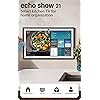
Amazon Echo Show 21 (newest model), Full HD 21" kitchen hub for home organization, with built-in Fire TV, Designed for Alexa+
Condition: New







Buy Now, Pay Later
As low as
/ mo
Learn more
- – Up to 36-month term if approved
- – No impact on credit to apply
- – Instant approval decision
- – Secure and straightforward checkout
Ready to go? Add this product to your cart and select a plan during checkout.
Payment plans are offered through our trusted finance partners Klarna, Affirm, Afterpay, Zip, Apple Pay, and Google Pay. No-credit-needed leasing options through Acima may also be available at checkout.
Learn more about financing & leasing here.
Selected Option
Free shipping on this product
30-day returns
Learn more
FREE 30-day refund/replacement
To qualify for a full refund, items must be returned in their original, unused condition. If an item is returned in a used, damaged, or materially different state, you may be granted a partial refund.
To initiate a return, please visit our Returns Center.
View our full returns policy here.
Availability:
Only 4 left in stock, order soon!
Arrives
Saturday, Oct 3


Size: 21-inch
Features
- OUR LARGEST SMART DISPLAY YET - A stunning 21" Full-HD (1080p) smart display with built-in Fire TV and Alexa that's perfect for your kitchen and built to show you more. Use customizable widgets to keep your day on track, experience your favorite content with powerful vibrant sound and immersive HD streaming, and stay connected with crisp, clear video calling, with 3.3x zoom and wide field of view.
- GO BIG ON PERSONALIZATION - The large 21" display is perfect for turning your home screen into your family's organization hub. So you can keep your top widgets, like calendars, shopping lists, weather, and more in view.
- ALL YOUR FAVORITES, ALL RIGHT HERE - Built-in Fire TV unlocks endless entertainment, so you can enjoy your favorite content from thousands of apps like Prime Video, Netflix, YouTube, Apple TV, and more (subscription may be required). Fire TV remote included. Plus, now you can quickly add a device to play music with Active Media - start playing a song in the kitchen, then add the living room and bedroom on the fly.
- SMART HOME CENTRAL - Control smart devices with your voice or a few taps using the smart home dashboard. Easily turn on all your living room lights at once or check live camera feeds to see what's happening around your home.
- YOUR FAVORITE MEMORIES ON DISPLAY - Brighten your space (and your day) by turning your home screen into a photo slideshow that displays your favorite memories. Auto curate your images and show off your favorite family memories.
- CONNECT LIKE NEVER BEFORE - Video calling with family and friends will feel even more natural with a centered, auto-framing camera, wide field of vision, 3.3x zoom, and noise reduction technology.
- DESIGNED TO PROTECT YOUR PRIVACY - Built with multiple layers of privacy controls, including a mic/camera-off button. Use the built-in shutter to cover the camera.
Frequently asked questions
If you place your order now, the estimated arrival date for this product is:
Saturday, Oct 3
Yes, absolutely! You may return this product for a full refund within 30 days of receiving it.
To initiate a return, please visit our Returns Center.
View our full returns policy here.
To initiate a return, please visit our Returns Center.
View our full returns policy here.
- Klarna Financing
- Affirm Pay in 4
- Affirm Financing
- Afterpay Financing
- Zip Pay in 4
- Financing through Apple Pay
- Financing through Google Pay
Learn more about financing & leasing here.
Similar Products





Top Amazon Reviews
Size: 15-inch
★★★★★ **Perfect Addition to Our Kitchen** We’ve really enjoyed having the Echo Show 15 in our kitchen. The large screen looks great and makes it easy to see calendars, reminders, weather, recipes, and other information at a glance. It has become a convenient hub for keeping things organized around the house. The display is bright and clear, Alexa responds well, and I like that it can handle entertainment in addition to the normal smart-home features. It’s especially useful while cooking because you can set timers, play music, pull up information, or watch something without needing your phone. Overall, it looks great in the kitchen and gets used a lot more than I originally expected. Definitely a five-star purchase for our home.
...
show more
Reviewed in the United States on September 8, 2026 by Joshua
Size: 15-inch
⭐⭐⭐⭐⭐ A Great Addition to Our Home! We absolutely love our Amazon Alexa Show! It has quickly become one of the most useful devices in our house. The screen is bright and clear, the sound quality is much better than I expected, and Alexa responds quickly to voice commands. We use it every day to check the weather, set timers and reminders, listen to music, view recipes while cooking, and keep up with our calendar. It’s also great for making video calls and displaying family photos when it’s not in use. Setup was quick and easy, and the touchscreen is intuitive and responsive. I also love being able to control our compatible smart home devices with just my voice. If you’re thinking about getting an Alexa Show, I highly recommend it. It’s convenient, user-friendly, and has become part of our daily routine. I would definitely buy another one for a different room!
...
show more
Reviewed in the United States on August 3, 2026 by Krystal
Size: 21-inch

I've had so many Echos over the years, beginning with the 1st Gen, can't live without them anymore since so much of our home is Alexa connected. I originally got a refurbished 1st Gen Echo Show 15", not knowing the 2nd gen was coming out. So glad I returned it for the new 21" Echo Show, it's absolutely phenomenal! Streaming video: Easy to set up streaming (which I've done on our 5", 8", and 10" Echos). The best part of the Echo Show is that Fire TV is included. I easily logged into Hulu, Netflix, Amazon, Max, Peacock, Paramount, Disney+, and Apple TV (other Echo shows only allowed me Hulu, Netflix, and Amazon, I believe). The setup and remote is the same as FireTV. Streaming audio: Easy to connect with your Audible account, and Apple Music or Spotify. I can also stream NPR and podcasts. If you are having a problem with Echo playing the right song, try this: "Echo, play Blinding Lights by the Weeknd on Apple Music" instead just saying "Echo, play Blinding Lights." Same "Echo, play Christmas Jazz on Apple Music" instead of "Echo, play Christmas Music." The more specific you are, the better results. Calendar: I tried the Skylight and it is useless. The Echo Show will connect to your Apple Calendars. Our family does shared calendars, and everything shares over to our Echo Show, including announcing events and times to leave. Drop in: It's amazing! The camera will zoom and adjust automatically. Our Echo Show 10 does this, but it's on a swivel and always runs into things. This one is much smarter! You can drop in from another Alexa device, or simple the Alexa app on a smart phone. Photos: We have all of our Echo Shows displaying photos that I have uploaded to Amazon photos and then select which photos to show using the Alexa app. Screen is so clear and large, better than any smart frame I've ever seen. And friends/family can share photos to it. Announcements: Announcements will show on the screen and announce (I also have push notifications to my watch/phone). Echo hears them perfectly and announces them correctly (our Echo 8 has stopped properly listening and announcing). You can also announce from the Alexa app if you are not home, very convenient for parents :) Widgets: Widgets are easy to add and adjust, just be patient and go through the process. Ads: To remove (most) ads, go into settings on the screen and turn everything to off! I barely get any. If you are still getting those annoying "Wicked" ads, it's because you have on the "Theme" setting. Once I turned that off, no more "Wicked" (or other future sponsored theme movies), even though we do like the theme setting (Mario is my favorite!). Pricing: Look for a sale. I got the 21" for $350 on the Black Friday Sale. Would have cost me more than that for a TV, sound bar, and Apple TV for our kitchen (which was our old setup). I LOVE all of our Echo devices. Our Gen 1 is still working amazingly, and glad to add the Echo 21" to our home.
...
show more
Reviewed in the United States on December 16, 2024 by Amazon Customer
Size: 15-inch


I really liked my original echo show 15 and the versatility it provides. When they gave us the fire tv update it made it so much better because then you could use it like a TV. You could download so many streaming apps like Netflix, Fandango (formerly Vudu) Disney plus and so many more. This was an absolute game changer for this device. You can download some useful widgets making it nice to see a calendar, sticky notes, grocery list and be able to see the weather and news. You can also use it to check on pets or family with the much improved camera. I have my Apple TV and Apple Music linked through the Alexa app to so I can use this to access those Apple services (movies, tv shows, music, podcasts) along with Sirius Xm and be able to enjoy them on this Amazon device. I love listening to audible books while making something in the kitchen and the audio is crisp. The possibilities with this device are endless. Once Amazon added fire TV it made this a media device, and took it to another level. The one thing I could not get past with the original echo show was the mediocre sound. With this new second generation of the echo show 15 they have improved the sound and it sounds so much better. Strangely the 15 and 21 have the same audio and are the exact same with the exception of the size. Don’t expect an amazing sound like an expensive sound bar or full size apple Homepod. The screen is also much more snappier and responsive thanks to the new processing chip and WiFi 6E. The camera has also been improved to a 13-megapixel wide angle camera with auto framing, and both this model and the 21 inch one have two 2-inch woofers and two 0.6-inch tweeters for their sound delivery. Amazon has said the Echo Show 15 offers double the bass of the old Echo Show 15 and room adaption technology. Even though the first generation was compatible with matter as a controller, this new echo show can directly connect with Wi-Fi, Thread, and Zigbee devices, making it more compatible with so many more devices. Of course you still get Alexa, but it’s yet to be seen if Amazon will release an update making this compatible with the new version of Alexa called Alexa plus Ai. I opted for the smaller 15 inch model as it is perfect size for my smaller kitchen. I highly recommend checking out this awesome new echo show. Now if they can just make the next generation 4k instead of the old outdated 1080p that would make this almost perfect!!! As far as not being able to resize the widgets as another review pointed out, this is not entirely true. If you hold on the widget it will give you the option to resize if it’s an option for that widget. There is no software bug regarding not being able to use the remote to set up the device. You have to do a few simple set up tasks first on the device itself before you can get to the point where you can pair the remote. Just be patient and attempt it before assuming it’s a bug. Update 2/26/25 Amazon has confirmed this new echo show 21 and 15 inch will be compatible with the new Alexa Plus Ai. It will cost you a monthly or yearly fee to upgrade, or you can get it free if you’re a prime user.
...
show more
Reviewed in the United States on November 23, 2024 by Porfie
Size: 21-inch
This is the best Echo, amazing screen colors and great sound. It also works perfectly when I wake up and have all in one place. The news, my calendar, reminders, etc. Highly recommended.
Reviewed in the United States on September 27, 2026 by Olivo Santiago-Madera
Size: 15-inch
I’ve had this Echo Show 15” for about a month now. My initial impression is: Pros - It’s a nice change from my ‘old school’ Alexa device which was one of the original Alexas. Now I can actually see my shopping list, calendar, reminders, and to-do list. Although I can function fine without this, I can see how this would be a big help in a busy household. At a glance everyone can see (2 or 3) calendar events coming up, the weather forecast and whatever other widget you put on the Home Screen. You can put 4, maybe 5 widgets on the right 2/3’s of the screen. On the left side, taking up about 1/3 of the screen, is a changing scene that shows the time, tips, scenery, etc. I don’t find the ads/content to be a big issue, but it limits how many widgets you can put on your screen and I do have issue with that. The display is very vivid…as in crystal clear color and definition. The sound is really clear, voice and music is good. I’d say it compares to my phone or TV sound. I don’t use mine routinely for playing music or watching TV, but I have used it to bring up a YouTube cooking video, which is really convenient and much easier than using my phone while trying to follow along while cooking. The device itself looks really nice. It is thin, low profile, and the 15” screen is easy to see and use. Not too big, not too small, and fits perfectly on my kitchen counter on a stand. It would look great on any wall, and it comes with the wall mount. Set up was easy, and ‘linking’ it to your Amazon account when you purchase it makes set up fairly simple. I fumbled around getting the calendar on my phone to sync with it, but I asked Grok for help and it gave me step by step instructions. Turns out I was using the default calendar on my Samsung, not Google Calendar, so I had to sync my Samsung calendar with Google Calendar to get the calendar to sync with Alexa. Otherwise, anything I do on the Alexa app (calendar, reminders, list, etc.) is automatically reflected on the Echo. Cons - For the price, you should be able to fully customize your home screen, period. That’s the biggest issue I have with this device, and I came close to returning it because of that. There should be more options for widgets or apps. I can put my weather, to do list, shopping list, and calendar on my home screen, which is nice. But to also put a security camera widget, I’d have to remove one of those widgets. I can tell Alexa to show me the security camera and she will in full screen, but there’s no room for the actual widget because of the Amazon content that is fixed on the left 1/3 of the screen. The calendar widget only shows 2 or 3 upcoming events written out next to a ‘month view’ of the calendar. The actual calendar (in month view, like on your phone) just shows the month with the current day highlighted. Nothing else, such as upcoming events, is highlighted on the calendar. That’s not a deal breaker, but you’d think it would look like your phone calendar that has days highlighted in some way to show that something is going on that day. You can have a photo slideshow (or default Alexa images, such as ‘nature’) that occupies the entire screen, but it will only run for a couple of hours at a time, and it isn’t automatic. You have to tell Alexa to run it. The images/photos do look really good though. The display sleeps after a time (I haven’t paid attention to how long it takes to sleep), and wakes when someone walks by it. You can set it to adjust the display brightness to change according to the room lighting. So, the display is great, but Amazon has no need to occupy a third of the screen with their chosen content. It’s just unnecessary, and I think most people will agree on that point. I hope Amazon will see the error of their ways and correct this with an update. Alexa itself is still dumb as dirt, which is irrelevant to this device but still an issue. The tech that’s available now isn’t reflected in Alexa’s abilities at all. Hopefully Alexa+ will be the needed upgrade. Overall, I like the look and the convenience of being able to see (most of) what’s going on. The device looks really great (Amazon gets 5+ stars for this), and set up was easy enough. If you primarily want a (visual) hub to control your devices, this really isn’t it. Alexa in general is a great hub and connects to and controls many different brands/platforms - It’s just that if you want a display that shows all your smart devices on one screen, this echo show won’t do that. The limited home screen customization with a $300 price tag is a big turn off, and I give Amazon 1 star for this poor decision. If Amazon can’t or won’t correct this (for free) via an update, I’d consider replacing this device in the future with a different brand that can be fully customized - although at the moment Alexa is probably the best hub for controlling the largest variety of smart devices/platforms (zigbee, matter, Bluetooth, Thread, WiFi). I don’t know if I’d stay with Alexa/Echo if they keep this display limitation in place. Aside from that, it’s a nice replacement for the original Echo or small screen versions, but way overpriced for the limited Home Screen display functionality and Alexa’s current limitations. Overall, I do recommend it with the above reservations about the home screen customization.
...
show more
Reviewed in the United States on April 27, 2025 by P.J.
Size: 21-inch


I know that I just got this thing just about an hour or so ago but I'm going to go ahead and start my review, because so far it's amazingly awesome. The ticket is though, I hope for the price this thing cost, it will outlast the original Echo Show 15 that played out on me last month (November 2024). This thing is truly beautiful, and as you guys can see in the photo I included, I had the perfect spot for it. It's very bright, just like I like. Haven't did my sound test on this device yet, as I went right straight to my Bose soundbar that is just below it. These guys are a match made only in heaven. Truly amazing sound as I enjoy my Christmas music pouring from the soundbar as you can see also in the picture. I love the weight of this thing, it tells me that the build quality is every step of the way there which is the most important part at this price range. I'll update this review accordingly. So far, this 21 inch model is most definitely a must have for any home. On top of all of this, Amazon makes it easy as cutting melted butter with monthly payments, so yes anyone can get themselves one of these. For anyone having problems closing the widget screen (like myself earlier), after you have got and installed all your updates, unplug your device for just a few seconds and then plug it back in. Swiping the widget screen to the right should close it all the way out at this point, only leaving the tab for opening it up again. I to didn't have any problems with not having enough and I installed a fair amount of apps on the device, and everything is still working smooth. Finally got a chance to give the speakers a listen, they have been improved.... However I'm still going to be using my Bose soundbar when playing music from the device most of the time for that extra punch and higher quality sound you can only get from Bose. Haven't had any problems with glare as some have reported, and I have mine facing directly towards the front door and still nothing but screen and picture. Maybe one day Amazon will partner up with Bose for the sound system inside of these devices, and take it up a notch on the display by going at least 4K UHD (though I'd love to see one of these with 8K crystal or OLED). "Update" 12-8-2024. The FireTV app on this device will not load, trying to setup my ESPN account info inside the app, all I'm getting is an sweeping "E" along with the provider selection screen in the background. I am starting to lose hope about this device already. I know one thing is very clear, it's most certainty not my internet service nor gear. Something else that I wish badly Amazon would step to the plate in on these devices, and that's. Keeping our recently played music active until we the buyer of these devices delete them from recently played lists. I want to be able to go back to recently played songs and play lists with ease, not hassle. Another thing that I hope that they get right in these devices that are becoming more and more expensive by the day, and that's fixing the bug inside these devices that is clearing some of the thumbs up 👍 on songs that I have thumbed up. This is starting to become extremely annoying and frustrating. I can manage through the thing with Fire TV not working right in the Echo Show 21, but not these issues. Another bug that needs to be addressed is the one that closes the music playing screen when going back a few songs. It closes to the home screen until the next song plays. It's not hard turning something into a 5 star device, and I am positive that Amazon can do this in these devices. They aren't cheap, their quality shouldn't be either, nor should the batteries. I haven't had this device that long, at least I don't feel like I have. I recall when I first bought my Blink camera system, the cameras came with Energizer batteries..... I just can't find it why Amazon would send a premium product out with the cheapest batteries they could find. I wasn't even really using the remote that came with my Echo Show 21 like that and already the remote has stopped responding due to dead batteries already. When I put both batteries on my multimeter tester, one is giving a reading of 1.1175 and the other 1.0930. This tells me that one battery is older than the other, or perhaps have a leak. Both are "Amazon Basics" in which should have never been sent out with a premium product in the first place. I'm not hating on this product, because I'm really trying to love it..... It's a product that is starting to earn its stripes and stay. However, at the same time I must keep this review honest and 💯. One thing is for sure, I most certainly hope that Amazon read the reviews that we the customers leave on here, because we do it so not just other customers can benefit from them, but Amazon as well to build better quality products, and to know what we their customers are looking for in the products that we buy. A product costing over 400 bucks should never ever come with less than premium batteries, and other accessories, this of course includes the parts used to create the products .... The whole nine yards. For me to bash the device it self as a whole would be selfish of me being as though it's still rather new and the updates are to flow. It's been generally getting better, however there is still more to be desired from what is said to be a premium product. As for the batteries that Amazon sent out with the Echo Show 21, I had never plan to use them anyway, as the Duracell power boost has been my go to battery since first discovered, however I was out of the trips at the time this device arrived. On to something else that I recently discovered in this device that is on a more positive note, the picture quality on the Echo Show 21 is remarkably awesome. Watching TV on this device, I was seeing details in people's clothing that I wasn't even seeing on my actual TV, which is a Samsung 4K UHD smart TV. I don't know about anyone else, but to me this was mind blowing to see such detail. Hopefully some day really soon, I'll be able to give the Echo Show 21 its stripes back (5 ⭐️ rating)..... Until then, I'll hold on to that last reminding star to see if Amazon bring the fore mentioned problems to a close with this and other Echo Show devices, not to mention.... Seeing if this one will last longer than the original Echo Show 15 that died on me (I know these things like all things don't last forever, however the life of the original 15 should have still been a lot longer than just over a year). It's not all bad people, but keep in mind while considering this device, it's not all good either. As always, happy shopping. Update 2/22/2025 I don't know what it is nor what is causing it to happen, but the remote control that came with this device for some odd reason tends to drain the batteries very fast. I was using the best Duracell batteries money can buy inside the remote and still it kills them in less than two weeks. I have since replaced the remote control with a Fire TV Remote Pro and is retiring this remote. This is not too much of a problem for me as others might find it as one. I wanted to add the pro remote to my Echo Show 21 anyway, so this has worked out for me. Update: 3-29-2026 This device was doing great until Amazon messed up the album art covers when playing music as seen in the second photo I included. This is also very bad because, not only is the screen just too big and awesome to be showing tiny album art covers when playing music, it also took away the weather and disabled the back button from working. I contacted Amazon customer support and was promised a new update. This was in mid 2025. We are going into mid 2026 soon, If I don't see an update to fix what was broken by an update, I won't ever be buying another Amazon Echo product no matter how nice it is. Promises should be kept not broken and looked over. I had reset my device as a short-term fix for this. When I added my Ring devices to Alexa and all my Echo Show devices, Amazon put the broken update back in. I shouldn't be the one that has to go back and forth with something I paid for. I feel that it is Amazon's duty to see to it that I am happy with my product. At this time, I'm not at all. In fact, on some of the album art covers, they don't even appear. Only display a grey box. Fix my product Amazon and I'll fix this review. In the third picture that I've added, You can clearly see that there's no Album Art cover nor is there and text as to what song is playing and the artist name, Etc. This is most certainly is unacceptable for the money I paid for these devices. All of my Echo Show devices has become this way do to a faulty Amazon update. Like the old saying goes, if it's not broken, please don't try and fix it. This is crazy here. I wish they had left things the way that they were. In fact, I'm dropping yet another star to only one. What got me, I was promised this issue will be fixed, and this was back last year to year before last. No fix yet which means no more of these things for me. Please Amazon, stick to your word and put out an update that will fix all of my Echo Show devices, because this shouldn't be. As y'all can clearly see in pictures one and two as well, not only did everything get way too small, but there's no weather information in sight like it was "Before" the update that broke everything. Again, I'll update my review when you update my devices that "You" have broken Amazon. It's the only way to make things right.
...
show more
Reviewed in the United States on December 1, 2024 by Mr. E One
Size: 21-inch

I have always had Alexa devices in my home . This one is the best ! It’s loud and clear when I want to hear my music . It adds visual interest to the space . It’s also a helpful nightlight in my kitchen . I’m a fan ! Absolutely recommend .
Reviewed in the United States on September 7, 2026 by Amazon Customer