Search  for anything...
HP

HP Smart Tank 7001 Wireless All-in-One Ink Tank Printer, Scanner, Copier with 2 Years of Ink Included, Best-for-Home Office, Cartridge-Free Refillable, AI-Enabled (28B49A)

  • Based on 871 reviews
Condition: New
Checking for the best price...
$429.89 Why this price?
Save $0.10 was $429.99

Buy Now, Pay Later


As low as / mo
  • – Up to 36-month term if approved
  • – No impact on credit to apply
  • – Instant approval decision
  • – Secure and straightforward checkout

Ready to go? Add this product to your cart and select a plan during checkout.

Payment plans are offered through our trusted finance partners Klarna, Affirm, Afterpay, Zip, Apple Pay, and Google Pay. No-credit-needed leasing options through Acima may also be available at checkout.

Learn more about financing & leasing here.

Free shipping on this product

30-day refund/replacement

To qualify for a full refund, items must be returned in their original, unused condition. If an item is returned in a used, damaged, or materially different state, you may be granted a partial refund.

To initiate a return, please visit our Returns Center.

View our full returns policy here.


Availability: In Stock.
Fulfilled by KadenTradingCo

Arrives Wednesday, Aug 5
Order within 5 hours and 43 minutes
Available payment plans shown during checkout

Protection Plan Protect Your Purchase
Checking for protection plans...

Features

  • SET IT UP ONCE AND PRINT WITH CONFIDENCE. No complicated maintenance. Just easy, reliable printing you can count on.
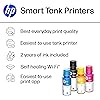
  • INK FOR YEARS. NOT MONTHS. Up to 2 years of ink included. Get thousands of pages of cartridge-free printing. More pages, less hassle
  • KEEPS PRINTING WELL AFTER COMPETITORS HAVE QUIT. No complex maintenance. Sharper text, richer colors.[2] Only with HP Smart Tank
  • INNOVATION YOU CAN TRUST. Cartridge-free printing that keeps you printing longer with fewer interruptions, powered by the trusted HP innovation you rely on today
  • THE LAST PRINTER YOU'LL EVER NEED. Enjoy years of refillable, cartridge-free printing.[
  • MESS-FREE REFILL Replenish ink with HP's easy-access, mess-free refill system. Simply plug the ink bottles into this cartridge-free ink tank and let them drainno squeezing, no spilling
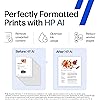
  • PERFECTLY FORMATTED PRINTS WITH HP AI Print web pages and emails with precisionno wasted pages or awkward layouts; HP AI easily removes unwanted content, so your prints are just the way you want
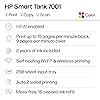
  • KEY FEATURES Print, copy and scan, plus borderless prints, mobile and wireless printing
  • FULLY LOADED WITH SAVINGS Best for low-cost, high-volume printing2 years of Original HP Ink included; get up to 8,000 color pages or 6,000 black pages right out of the box

Description

The HP Smart Tank 7001 is a smart, connected and refillable tank printer that makes printing seamless for the whole family with its high capacity and wireless connectivity. Create everyday color documents at a low cost with 2 years of Original HP Ink included in the box. This cartridge-free Smart Tank printer is an inkjet perfect for high-volume printing. It's also AI-enabled to intuitively adapt to your workflow, with wireless and security features that keep your multifunction printer up to date and secure.

Brand: HP


Connectivity Technology: USB, wireless


Printing Technology: Inkjet


Special Feature: Auto-Duplex, Display Screen, Network-Ready, Refillable Ink Tank


Color: Gray


Model Name: ST 7001 AIO


Printer Output: Color


Maximum Print Speed (Color): 9 ppm


Max Printspeed Monochrome: 15 ppm


Item Weight: 14.1 Pounds


Printer Type: Inkjet


Other Special Features of the Product: Auto-Duplex, Display Screen, Network-Ready, Refillable Ink Tank


Printer Output Type: Color


Item Weight: 14.1 Pounds


Item Dimensions D x W x H: 14.33"D x 16.83"W x 7.82"H


Print media: Card stock, Envelopes, Glossy photo paper, Labels, Paper (plain)


Scanner Type: Flatbed


Maximum Copy Speed Black and White: 13 ppm


Compatible Devices: Laptops, PC, Smartphones, Tablets


Warranty Type: Limited


EU Spare Part Availability Duration: 2 Years


Maximum Copies Per Run: 99


Ink Color: Black, Cyan, Magenta, Yellow


Additional Printer Functions: Copy, Scan


Control Method: App, Touch


Compatible Cartridge: HP 32XL 135-ml Black bottle (~6000 pages), HP 31 70-ml Cyan bottle (~8000 pages), HP 31 70-ml Magenta bottle (~8000 pages), HP 31 70-ml Yellow bottle (~8000 pages)


Number of Trays: 1


Processor Count: 1


Resolution: Black 1200 x 1200 rendered dpi; Color 4800 x 1200 optimized dpi color (When printing from a computer and 1200 input dpi)


Display Type: LCD


Color: Gray


Color Depth: 24 Bits


Maximum print Resolution Color: 4800 x 1200 Dots Per Inch


Maximum Print Resolution Black and White: 1200 x 1200 Dots Per Inch


Wattage: 2 watts


Dual-sided printing: Yes


Duplex: Automatic


Brand: HP


Model Name: ST 7001 AIO


Model Number: Smart Tank 7001


Built-In Media: HP Smart Tank 7001 All-in-One Printer; HP 32XL Black Original Ink Bottle; HP 31 Cyan Original Ink Bottle; HP 31 Magenta Original Ink Bottle; HP 31 Yellow Original Ink Bottle; Ink caution flyer; Setup guide; Reference guide; Regulatory flyer; Power cord


Series Number: 7001


Model Series: Smart Tank 7001


Specific Uses For Product: General-purpose printing, home, office, and educational environments


UPC: 195908302230


Manufacturer: HP, Inc.


Warranty Description: One year limited hardware warranty from the date of purchase; user replaceable parts have separate warranty periods.


Item Type Name: Inkjet Printer


Unit Count: 1.0 Count


Color Pages per Minute: 9 ppm


B&W Pages per Minute: 15 ppm


Initial Page Print Time: 9-14 seconds


Maximum Media Size: 8.5 x 14 inch


Maximum Sheet Capacity: 250


Paper Size: 3 x 5 to 8.5 x 14 Inches


Printer Connectivity Type: USB, wireless


Hardware Interface: USB 2.0


Total USB 2.0 Ports: 1


Total Usb Ports: 1


Maximum Copy Resolution Color: Up to 600 x 600 dpi


Maximum Copy Resolution Black and White: 600 dpi


Frequently asked questions

If you place your order now, the estimated arrival date for this product is: Wednesday, Aug 5

Yes, absolutely! You may return this product for a full refund within 30 days of receiving it.

To initiate a return, please visit our Returns Center.

View our full returns policy here.

  • Klarna Financing
  • Affirm Pay in 4
  • Affirm Financing
  • Afterpay Financing
  • Zip Pay in 4
  • Financing through Apple Pay
  • Financing through Google Pay
Leasing options through Acima may also be available during checkout.

Learn more about financing & leasing here.

Top Amazon Reviews

  • Small Powerhouse of a Printer Small Powerhouse of a Printer
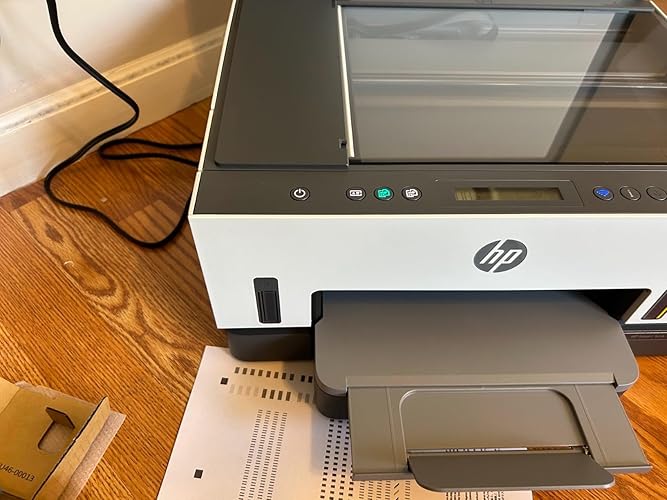
Overall - I am happy with this printer. It packs a lot of power in such a small box. Great stuff - Continues: 1- No ink cartridges, but tanks instead of the colors. I currently have another printer and this is an upgrade when it comes to color utilization and value for money. 2- Filling up the cartridges was a breeze, there was no spillage, and loved the sound it made while filling up. 3- It comes with everything included, like the manual, but I preferred downloading the app and following the prompts on my phone. It even let me send links to my other devices to get the app installed. This was super helpful. 4- The whole set-up process is very well thought out and designed for the best user onboarding experience. The best thing was about the flawless sync between the app and the printer. It guided me through the whole process and kept giving me prompts and the printer was able to successfully sense the completed step and communicated with the app to inform me. 5- I read about issues regarding wi-fi connectivity, which is critical to me and was a make-or-break deal. I was surprised at how quickly it connected with my wifi and the connection through the app was seamless. The improvement areas: 1- For a $400 printer, this is very basic and bare-bones. I can get a competitor product with more bells and whistles. 2- The LCD screen is such a turndown. They could've done better by adding a color LCD with the ability to do many tasks. In summary, it is still a very nice printer and can print a lot of pages for you, but if you are looking for a high-tech product with a UI, this is not for you. I will be using this for my car dealership and there, I need speed and cost-effectiveness, and this printer hits a bullseye there. ... show more
Reviewed in the United States on May 19, 2024 Reviewed in the United States on May 19, 2024 by rahul sharma

  • HP Printer is nice!
I love how simply it was to set the printer up and the tank process instead of the ink cartridges is a plus as well. The value for the new technology is amazing. The color printing is faster, and reliability of this printer is pretty good as well.
Reviewed in the United States on May 28, 2026 by Dell

  • Bad experience with this printer
WARNING: this review is honest but it is not favorable. If you skip to its end, you'll find the good point(s?) I bring up. Before I discuss the printer, here is the background. I've been a professional computer geek (sys admin, as well as serious coder and architect) for over 30 years and happily used HP printers for almost all of that. Over the years I have actually spent my own, non-tax-deductible$$$ to buy and use either 5 or 6 HP Printers (my first was an LJ 4 back in 1993 and it ran beautifully until it finally died in 2015 .. and a usable lifespan of anywhere near 22 for years like a device like that is unusually good. In those 22 years I printed just under 100,000 pages and I was so satisfied that I immediately bought an HP 501DNe to replace it). I've also bought and used 5 different HP inkjet printers in that same time span, and the only problems I had with all but one of them had to do with the scandalous price of ink cartridges. (the other one was a lemon, and I have reviewed elsewhere on Amazon). So I really like HP printers and after the first LJ4, I have bought them without hesitation. And I have had problems only with the last one (a 9018e which I suspect got dropped in shipping before I ever got its - and I won' let its behavior influence my feelings ont he subjects). So it was no surprise that I received an HP Smart Tank 7001 to replace the last inkjet (before consigning it to the scrap heap.) It WAS a major surprise when the printer arrived: my wife had been looking at the printers I was considering and bought it for me as a "surprise" present. (I only wish she'd told me ... or at least not used my card). [more on that later...] Fortunately for me, a friend bought the same printer a few days before I did, and as I am the person which most of my friends believe can make *any* computer product or peripheral work flawlessly (they're wrong, but they still think that). So when my friend, call him "Dave" called me and asked if I could come over to see why he couldn't get his printer to work - and offered pizza as a reward - I went over on a Saturday morning to see what was the problem. Luckily I took my toolbox and a small multiple "gadgets" with me, and when I got to Dave's house, he even met me in the driveway in case I needed help getting everything inside his house. I will leave out the lurid details, but he had two problems. FIrst his phone had a horrible time connecting with the printer (first warning) second while we were doing the setup the Wi-Fi connection dropped over and over (hmmm.) That was suspicious since hs phone can talk to his computer (on the second floor of Dave's house where his computer equipment lives) without dropping (distance about 40 feet through floors and walls). However even though the 7001 was only about 6 feet from his computer, it dropped many times (I lost count at 23) while I trying to hjelp him ((second warning). We finally got it working and changed over to a USB interface. Sadly since the wi-fi in this printer is unreliable, he won't be able to share the printer with his wife and daughters, and he was not a happy camper about that (I know that long USB cables are available, but they wanted to us Wi-Fi so that they could be anywhere int he house and print. While I was working on Dave's printer installation I had time to inspect the printer physically and I was VERY disappointed in what HP had done. I think someone else reviewed the printer and mentioned the problems with the paper tray. HP went from a good design (which might reasonably cost about a dollar per unit over what the cheaper and less reliable tray they opted for. Also Dave had often used the built-ocr conversion his previous HP inkjet printer. That's because one of his daughters is "visually challenged" or as she likes to put it, "... as the proverbial bat." Overall this printer simply feels "cheaper" and less sturdy than any of the HP printers I have owned, and that is a sad situation. I suppose the real problem is the bean-counters got rid of the engineers and the new guys just couldn't match up to the standards which their predecessors had used to make HP the most reliable printers that I've ever used. As I said this printer is a lightweight - and doing away with a direct ethernet conneciton ruined it for me as well. (Over the yjears I've used PC's, Sun and HP workstations, and first Unix (SVR4) and noe Linux computers with my HP printers, and they were always quite agnostic about what OSes were connect to them. I don't know whjether these new models will still do that and I had no way to find out. I also WILL not have a way to find out any time in the foreseeable future. After spending almost 18 hours with that printer (over 2 days), and after feeling how flimsey and "cheap" the printer felt (and hearing one set of strange noises the first two times (only the first two) the printer was turned on and went through its "boot up sequence" I returned it without ever opening it. I will buy another printer from Amazon in the near future (my friend got his at a large chain-store and saved about 40 cents somehow) and it may well be another HP. HOWEVER before I buy it I will find a friend who had that particular model and go see how he/she likes or dislikes it, and I will get to see how well it performs ... all before I lay down my own cash (OK, credit card) to buy it for my self. Based on my expeience with Dave's 7001, I cannot recommend this printer to anyone who wants a reliable and easy-to-set-up printer. The advantage of being cartridge-free notwithstanding (even at a discount cartridge prices are obscene IMHO) , what good is a cheaply made, unreliable, finicky printer to the end user. If HP is planning to build the the future of their "small home office" line of printers on something like this, it is a sad state of affairs. They cannot count on users' brand loyalty to keep a line of reduced-feature printers which also have reduced ability to communicate in first place when those users have to replace their older (but probably still working very well) printers. And FWIW I hate this review. The only good thing I have to say about this printer is that: a) tank-type ink-jet printers (or all-in-one's) are cheaper to operate than their cartridge-type "relatives." and b) The printer's USB interface seems to work very well. ... show more
Reviewed in the United States on September 21, 2023 by Airedad

  • Great So Far
So far so good. Bough this for my wife's business since she needs to print a lot. Wi-Fi Connectivity: Seems pretty stable. Much better than the Canon it is replacing. Had to restart it a couple times because it timed out, but definitely better than the competitor. Tanks: So far, I'm loving the lower cost of printing! You can measure ink left through visual windows. Only one color has shown significant reduction because of one job (200 pages) of a yellow themed print job. Clarity: Print quality is very good. Good enough for professional documents. Crisp and clear. Setup: A little tricky. But the HP Tools are very useful. Once setup, hard part's over. And I think most people should be able to set it up with the instructions just fine. I have high hopes for tank technology. Hopefully it will eventually replace the obnoxiously high cost of cartridges. Oh, ink replacement is easy and mess-free. ... show more
Reviewed in the United States on February 10, 2026 by Grizzit

  • Good quality. Good quality.
Working great for me. Excellent quality print, even on heat transfer paper for clothes. The previous paper tray really helps me optimize my desk space.
Reviewed in the United States on June 28, 2026 Reviewed in the United States on June 28, 2026 by Katherine R.

  • I’m really pleased with the ease of
I love HP. I downloaded the app and it Was so easy to set my new smart tank up with my iPhone. It was quick and easy. I was quickly printing with it. It was a good value for the money. Print speed is an A+. It prints double sided. I’m very pleased. I previously bought a Brother tank printer. I wouldn’t set up with my phone. ... show more
Reviewed in the United States on May 23, 2026 by Karen Hartman

  • Work tank
I am really happy with this printer. I got a fantastic amazon buy on it last November and finally set it up a few weeks ago. Set up was not too bad. Just really pay close attention to the instructions. I had very little problem and am really happy with the print quality. I usually buy hp because every epson or canon that I have ever bought broke prematurely. My Hp printers last 7 to 8 years. I use them mostly every day.. Same with my hp pro notebook and desktop computers. ... show more
Reviewed in the United States on May 9, 2026 by Lillybird

  • This printer is an underwhelming value. There could be better options.
First let's begin with the cost of this device. I was a willing participant in this experiment. The device certainly is aesthetically pleasing to the eye. I will give HP credit there. However when you start looking at the value offered by this device you may want to start looking at different options. The price point for this printer, after taxes, exceeds $400. I was willing to pay amount that for a reliable and well designed, tank-based printer. Here are some of the things that caused me to return this for a refund: 1) The scanner: The entire scanner led light source continuously blinks 24 hours a day, once per second. I thought this was a broken printer. The HP agent on the phone also thought it was a failed printer. It turns out someone at HP thought it was a BRILLIANT idea to have the scanner blink in perpetuity in order for it to detect when the platen was lifted so it could illuminate 3 to 4 buttons. The platen has a tiny, white 1/4 inch block, attached to it that the scanner uses to determine if the platen is up or down. In my mind it is one of the dumbest design decisions I have encountered. I may use the scanner once every 3 months. I would have to watch that silly scanner blink millions of times for absolutely no reason. From my seated position, I can see the scanner blinking even with the platen down through a gap in the front, especially with the room lights turned off. It's a waste of scanner LED longevity and energy. A properly designed device would use a hall effect switch, a physical switch or a dedicated sensor for this function. HP decided it was a great idea to save a few pennies on a dedicated sensor for one of their more expensive home based printers. 2) The paper tray: I really wanted a paper tray with my printer. I did not want to deal with rear feeding "ski-slope" type paper sources. The tray is there but is clunky at best. There is no rear guide for the paper to rest against. It seems like paper can slide back & forth. There is clearly a line delineating the 8.5x11 position but there is no adjustable guide or block to ensure the paper cannot move. The tray does have proper side-guides though. I thought the tray was missing components. IT IS NOT. This is their design. 3) The control panel: It is minimalistic at best. For me it was not a deal breaker. I can live without the big fancy color touch screens but in retrospect when I see a printer at the $150 price point range with full duplex ADF's and color screens it makes we wonder where my $400+ went. Let's face it folks. There is no "new" mind bending technology here. It is the same old ink-jet technology we have been using for years with large bottles for an ink source. 4) The support: It takes a while to set the printer up on the network. It has no ethernet jack and it certainly has no control panel to enter WiFi credentials and such. You must jump through hoops connecting it via USB, creating a printer, connecting to the printer and setting up WiFi credentials, deleting the original printer and adding the newly discovered WiFi device. Once it is setup the rest is easy squeezy. However when I called HP about the blinking scanner issue the first thing they have you do is completely initialize the printer, losing all the work you have done setting up the printer the first time. I told the rep I just took the device out of the box and it was blinking all the time. After I initialized it and the problem persisted, the rep wanted me to send the unit to them so they could ship me a refurbished unit. I don't know about most but if my printer is less than a day old I don't want a refurbished unit taking its place. To make matters worse the HP agent did not really know the equipment. They just follow a talk track. At this price point I do not want this level of service. I had to do my own research and testing to find out why the scanner blinks. HP sending a refurbished unit would only leave me with the exact same problem and no way to return it for a refund. No one at HP.com would acknowledge or deny what was occurring with the scanner. The scanner did work as expected when commanded though. After the scan job was complete it would resume the "blinky" routine. So that this does not appear to be an attempted assassination of this printer, here are some of the things I did like: 1) The tank system was easy to fill 2) The print heads were replaceable...good for keeping the printer in top working condition over the years 3) The simplistic look and color scheme of the printer. It looked very modern and blended well with my surroundings. 4) The print quality seemed good for the short time I had it and it had good print speed. 5) The driver and PC interface. I did not use the phone based installer because it required me to set up some cloud account which I was never going to use. I downloaded the actual PC-based enterprise installer and deployed it this way. The driver is well designed and the internal web interface of the printer makes a number of options available that would otherwise be impossible to display on the tiny black and white LCD screen. ... show more
Reviewed in the United States on November 7, 2021 by Daniel Perez

Can't find a product?

Find it on Amazon first, then paste the link below.
Checking for best price...