Search  for anything...

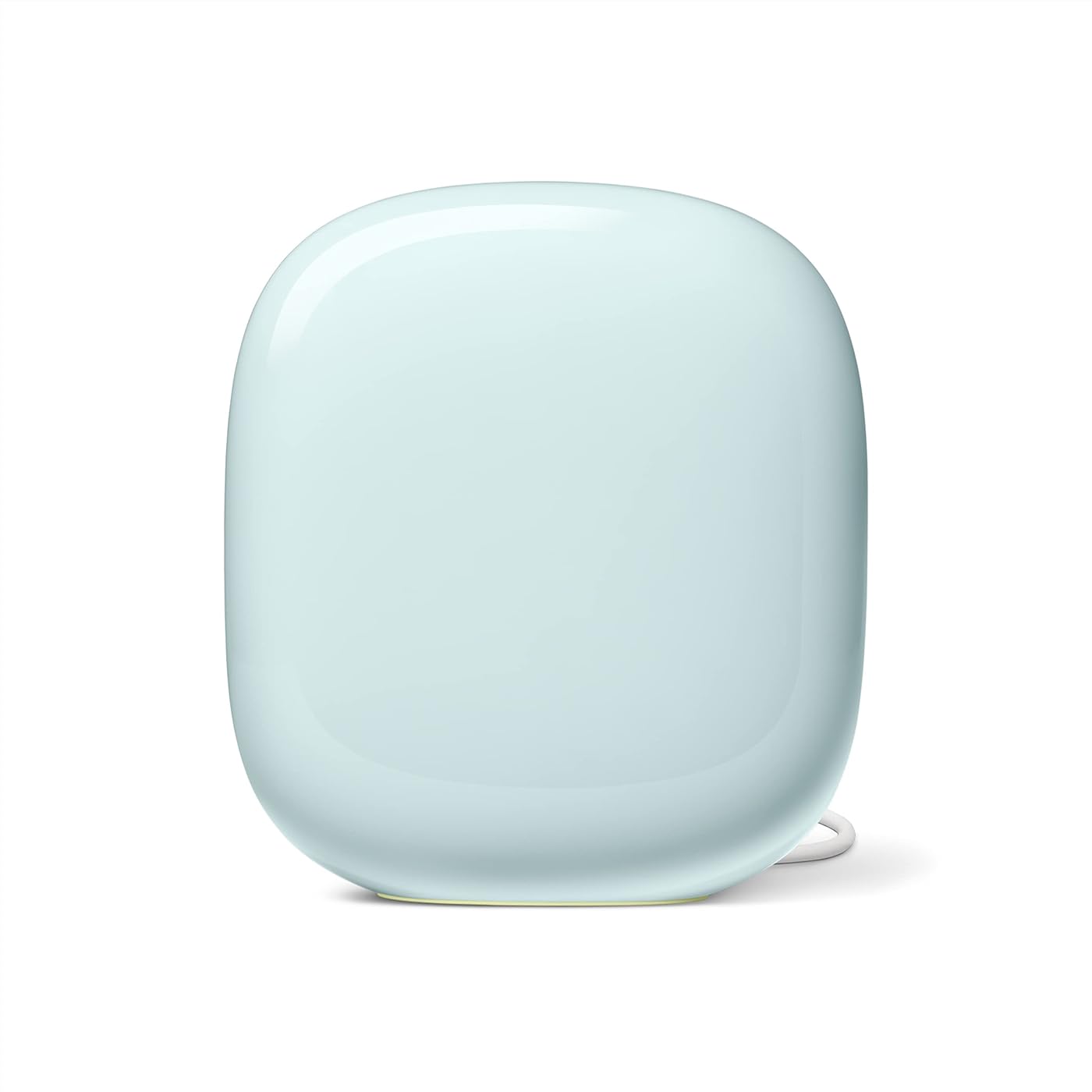
Google Nest WiFi Pro - Wi-Fi 6E - Reliable Home Wi-Fi System with Fast Speed and Whole Home Coverage - WPS - Mesh Wi-Fi Router - Fog

  • Based on 1,368 reviews
Condition: New
Checking for the best price...
$149.99 Why this price?
Save $50.00 was $199.99

Buy Now, Pay Later


As low as $25.00 / mo
  • – 6-month term
  • – No impact on credit to apply
  • – Instant approval decision
  • – Secure and straightforward checkout

Ready to go? Add this product to your cart and select a plan during checkout.

Payment plans are offered through our trusted finance partners Klarna, Affirm, Afterpay, Apple Pay, and PayTomorrow. No-credit-needed leasing options through Acima may also be available at checkout.

Learn more about financing & leasing here.

Selected Option

Free shipping on this product

FREE 30-day refund/replacement

To qualify for a full refund, items must be returned in their original, unused condition. If an item is returned in a used, damaged, or materially different state, you may be granted a partial refund.

To initiate a return, please visit our Returns Center.

View our full returns policy here.


Availability: 17 left in stock
Fulfilled by Amazon

Arrives Monday, Jul 20
Order within 13 hours and 10 minutes
Available payment plans shown during checkout

Protection Plan Protect Your Purchase
Checking for protection plans...

Size: 1 Pack


Color: Fog


Features

  • Nest Wifi Pro is up to 2x faster than Wi-Fi 6, so you get super fast speeds and a reliable connection for your entire home[1]
  • One WiFi router provides up to 2200 square feet of fast, reliable Wi-Fi[2]; and you can customize your setup to create a mesh WiFi system for the coverage you need
  • Nest Wifi Pro uses the latest, most advanced Wi-Fi 6E technology[3], so it isnt compatible with previous generations of Google Wifi or Nest Wifi
  • Nest Wifi Pro automatically adjusts your Wi-Fi networks performance and activity; it prioritizes video calls and helps websites load quickly
  • It has built-in technology to make sure your connection is strong and consistent, even at the edge of your Wi-Fi networks coverage[2]
  • Nest Wifi Pro monitors itself, diagnoses network issues, and can even fix some common issues on its own
  • It gives you super fast and reliable speeds with three bands: 2.4 GHz, 5 GHz, and the new 6 GHz band[3]
  • Secure booting and software updates help protect Nest Wifi Pro from running unauthorized software and router hacks
  • Nest Wifi Pro shows all the devices connected to your Wi-Fi network; easily pause access for unknown devices that you dont want connecting to your Wi-Fi, and create a guest network that uses a different password, so you dont have to share yours
  • Please refer to the product description section below for all applicable legal disclaimers denoted by the bracketed numbers in the preceding bullet points (e.g., [1], [2], etc.)

Description

Google Nest Wifi Pro gives you super fast, reliable WiFi 6E coverage for your entire home.[1] One WiFi router provides up to 2200 square feet of fast, reliable WiFi[2], and you can customize your setup to create a mesh WiFi system for the coverage you need. It automatically adjusts your WiFi network’s performance to keep things running smoothly. It’s so smart it can monitor and diagnose common issues on its own. And it has privacy and security features to help keep you and your family safe. LEGAL [1]Up to 2x faster as compared to a Wi-Fi 6 router that supports 80 MHz channels. Wi-Fi 6E specifications are based on use of a Wi-Fi 6 or later generation client device that supports 160 MHz channels. Actual speeds depend on your internet service provider, network conditions, connected device, local regulations and environmental factors. [2]Router placement and home size, materials and layout can affect how Wi-Fi signal travels. Poor placement and larger homes or homes with thicker walls or long, narrow layouts may need extra Wifi routers for full coverage. Strength and speed of signal will also depend on your internet provider. More than 5 routers in a network may result in degraded performance and is not recommended. [3]A Wi-Fi 6E client device is needed to directly access the 6 GHz band, which is limited to indoor use only. [4]Actual speeds depend on your internet service provider, network conditions, connected device, local regulations and environmental factors. [5]Based on product weight. [6]Check go.co/nest/matternow for availability of Matter’s functionality on Nest Wifi Pro. [7]Nest Wifi Pro should only be used indoors. [8]Nest Doorbell and Chromecast with Google TV sold separately.

Brand: Google


Model Name: Nest Wifi Pro


Special Feature: WPS


Frequency Band Class: Tri-Band


Wireless Communication Standard: 802.11ax


Compatible Devices: Laptops, smartphones, tablets, and other devices that support Wi-Fi 6 6E


Recommended Uses For Product: Home


Included Components: Wifi router/extender


Connectivity Technology: Wi-Fi


Color: Fog


Other Special Features of the Product: WPS


Frequency Band Class: Tri-Band


Wireless Compability: 802.11ax


Compatible Devices: Laptops, smartphones, tablets, and other devices that support Wi-Fi 6 6E


Antenna Location: Home


Connectivity Technology: Wi-Fi


Antenna Type: Internal


Operating System: Proprietary Operating System


Security Protocol: WPA2


Number of Ports: 1


Control Method: App


Data Transfer Rate: 5.4 Gigabits Per Second


LAN Port Bandwidth: 1000 Mbps


Maximum Upstream Data Transfer Rate: 5400 Megabits Per Second


Number of Antennas: 3


Smart Home Compatibility: Smart Home Compatible


Wi-Fi Generation: Wi-Fi 6E


Has Internet Connectivity: Yes


Router Network Type: mesh


Connectivity Range: 2200 Square Feet


Is Modem Compatible: Yes


Connectivity Protocol: Wi-Fi 6E


Coverage: Whole home


Controller Type: App Control


Frequency: 6 GHz


Brand: Google


Model Name: Nest Wifi Pro


Built-In Media: Wifi router/extender


Model Number: G6ZUC


UPC: 193575032818


Manufacturer: Google


Mfr Part Number: G6ZUC


Warranty Description: 1 year manufacturer


Item Weight: 2.29 Pounds


Item Dimensions L x W x H: 5.16"L x 4.65"W x 3.35"H


Color: Fog


Has Security Updates: Yes


Frequently asked questions

If you place your order now, the estimated arrival date for this product is: Monday, Jul 20

Yes, absolutely! You may return this product for a full refund within 30 days of receiving it.

To initiate a return, please visit our Returns Center.

View our full returns policy here.

  • Klarna Financing
  • Affirm Pay in 4
  • Affirm Financing
  • Afterpay Financing
  • PayTomorrow Financing
  • Financing through Apple Pay
Leasing options through Acima may also be available during checkout.

Learn more about financing & leasing here.

Top Amazon Reviews


  • Upgrading from Google Wifi, Nest Wifi to Nest Wifi Pro Upgrading from Google Wifi, Nest Wifi to Nest Wifi Pro
Size: 3 Pack Color: Snow
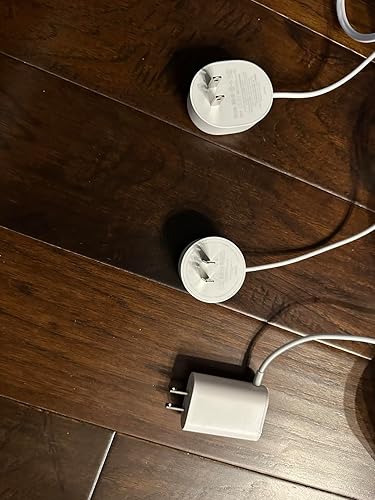
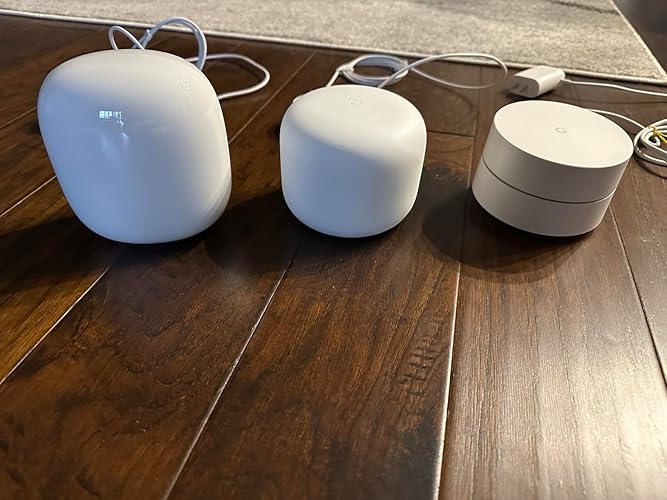
The only reason why I am upgrading is because my IPS gave me deal for 1 GBs. I had 200 MBs and that was more than enough for me. I had Google Wifi (gen1) for about 5 years. No problems except I had to buy extra pod to strengthen the signal (i live in condo and i have brick walls). So the signal from my balcony room (storage with concrete walls) was poor to my office. I bought nest wifi and everything was working good (connection was great / good) between nest wifi (router gen2) to 2 google wifi (gen1). I notice that after I got 1 GBs from ISP my speed was still the same 100 MBs on wifi. When I disconnected gen 1s (routers) my speed next to router (testing on iphone 14pro) was 560 MBs. If I would probably just switch my old 2 google wifi (gen 1) to Nest Wifi (gen2) I would be just fine. But since I live in condo I was like let me try that new 6Ghz. So I bought Nest Wifi Pro 3pk. Signal between 3 of them is great. If I would just use 2 it would be “Good signal”. I live in 1500 sqft apt, but my main router is basically in concrete storage (maybe I will drill a whole and put that router inside apt and give update). Speed next to Nest Wifi pro (gen3) router seems to be the same as Nest Wifi (gen2) what I am trying to say is I wouldn’t upgrade if all my previous pods were Nest Wifi (gen2). I wouldn’t expect more than 600 MBs on this routers based on my research online. What I like about google is steady speed, and they are upgrading software for this Nest Wifi Pro (so in future it will get better) Wifi speeds: Shed 500-600 MBs download / 22 MBs upload wifi speed Workout Room about 300 MBs Office 150-300 MBs Overall I don’t play a lot of games. Tried for CS 2 and ping was good, no lags in game. Streaming videos for 6hrs no buffering problems. Overall: If are upgrading from Google Wifi yea thats upgrade. I would not suggest upgrading Nest Wifi (only if you experience network problems or want to see if wifi will be stronger but I don’t see this wifi hitting more than 600 Mbs). Who needs more than 1 GBs internet. Design: I don’t really care about it but looks like nice stone (gen3). If its goes about power connector I am not a fan of it. Gen 1 had better in my opinion because if you connect to multiple plug connector it easy. Missing: Nest WiFi pro use 1 GBs Ethernet/WAN speed (that wire entry) while competition use 2.5 GBs Ethernet/WAN speed. On the other hand who use Ethernet anymore? Gaming desktops and maybe playstation. But going forward I believe it will be all Wifi at some point. Signal: Seems to be better than Google WiFi (gen 1 and gen 2) Software: I had recently update on this which means google is working on this router. Maybe It will get better in future. Installation: Very easy on Google Home app. If you use the same wifi password and name, all your devices will connect automatically. However 3rd took me about 5 tries but finally was added. Price: Very Good compare to others. If you need 4pk see costco. Update from 14 January 2024: I found that moving modem and router from my storage/heating closet to open (without obstruction of concrete/brick walls) inside apartment made increased speed of 400-600 Mbps per second. The farther away pod goes 400+ Mbps. (On 1gb internet for comcast) I don’t see any issues with this system. I changed my 4 starts to 5 stars. ... show more
Reviewed in the United States on January 9, 2024 Reviewed in the United States on January 9, 2024 by Waldemar G.

  • Horrible…..then works great once I solved the issue
Size: 3 Pack Color: Multi-Color
Bought this when it first became available. Just received this afternoon 11/4. Tried setting up but both access points would not connect. Spent 1 hour on the phone with support and they finally said to me ‘they’ll kick this up to a senior engineer but, if I can I should return it to Amazon as it appears defective’. So I’m returning it after spending 2+ hours trying to setup and on the phone with support. Just to give background I am very familiar with google products as I have the original google wifi. Worked flawlessly till they passed a firmware upgrade on this past summer. Since then have had to restart all the routers once a week. The next one I order better work. Will update once I get and successfully setup. Update 11/26 - got the system to work by hooking each wifi point up to the router with internet first. That allowed each wifi point to load whatever updated software it needed as well as connect to the system. I was then able to disconnect each point from the routers internet via Ethernet cord move it to where I wanted it and then it reconnected to the main router. The system now works perfectly and is super fast! Love it!!! But, can’t say the same for google support. They should know how to make the system work and be able to troubleshoot it if someone calls, like me, and the fact that they weren’t able to is not goog sneed for me or anyone in the future if something happens. Now that this works I can recommend it and say it’s fairly simple to setup. Just connect each point to the router when initially setting up so they can each get setup. Hope this helps everyone! ... show more
Reviewed in the United States on November 4, 2022 by Jenn M

  • The worst Smart Home device I have had - Wasted MANY Hours of time trying to get it up and running
Size: 3 Pack Color: Snow
The set up process is by far the most finicky (I have spent several hours setting this up – Orbi took me 5 minutes in the past) The configuration software is by far the worst – Every thing visible seems good and then it fails on the last step like over 30 times with different error messages (WIFI point out of range or something went wrong etc) The operating software is by far the most fragile and least adaptable (if you are able to set it up) The nodes want to talk to each other through an unknown band meaning they fail to talk to each other over WIFI or wired backhaul that is at full strength and then fail due to an inability to talk over some other band that doesnt seem to be working It seems to have been tested in a small apartment setting and doesn’t seem suitable to larger free standing houses with mixed materials and multiple floors - the routers fail to talk to each other over a thin wall that has WIFI blasting through at 5 bars The QR code is Black on a dark grey backround (hard for the camera to read) The text is indentation on a dark grey background (grey on grey) - VERY hard to read once the bad QR code reader fails (maye Google should have gone with OpenCV or Lens instead of whatever QR code recognizer is failing for them). Make sure you have any reading aid you have on hand It seems like extra effort was spent to make things worse that they can be even when compared to bad software written often by other hardware companies The software is set up to be fragile so you keep going to your smart phone (maybe so they can be ads on the app in the future - doesn't seem designed for set up once and forget it like others) I must congratulate this team by exceeding the possibilities of software fragility and set up pain IF it was not for sunk cost fallacy I would already have another brand by now - I am going to give it another day or so and if not off to Costco for Orbi IMO this does feel like one of the manufacturer's side Gig where they didnt take the effort to make the UX seamless even if the hardware is potentially top notch. This also gets me worried about future support even if I figure our how to set this up UPDATE - Went to Costco and was looking around. Had a bunch of people come and tell me how bad their experience with Google WIFI was - both this and the past generation sold at Costco - Got TP Link up and running in 5 minutes. Setting up Satellites is automatic - ANY router can be Primary if one of them has issues. Wired backhaul works perfectly. Set up was a breeze... Google needs to up its software game. The changes needs seems VERY simple - why Google refuses to do better on its software for WIFI devices is interesting to me ... show more
Reviewed in the United States on January 13, 2023 by GB1

  • Super easy, huge coverage
Size: 3 Pack Color: Snow
In 2020 had our household number of devices skyrocket due to laptops, pads, smart tvs, and got a TPLINK high end, multi-band (3) wifi system...and had routine troubles with wifi crapping out, not reaching around the house, rolling restarts of every device, just a general pain. Finally the WIFI just stopped altogether after 2.5 yrs, and it was time for something else. This system is AMAZING - lots of dinged reviews are for compatibility with older systems, hodge-podge setups - maybe that's a problem, but for us it was perfect. I LOVE the REDUNDANCY built into the system: Got the three pack, one for each floor. If any of the units bites the dust, I can physically connect ANY of the three to the ISP line and it becomes the main node, and my house can survive on two (probably even one). Bought three as it was much cheaper per unit (130/each vs 180 each alone). I was worried during the setup that it said that they should not be placed more than "2 rooms" apart, but had no problems putting one per floor, opposite ends of the house. My worst node is "good" vs "great". Setup took a little while to find the internet, just let my phone do it's thing for 5minutes and it was done. Each unit took another 5 or so, so in <20 minutes, the whole house was covered! The WIFI is AMAZING - even though I had a "high end" system from 2.5 yrs ago, they've improved the signal, so now we get WiFi6 throughout not just our whole house....but our entire property as well. No more cutting out in the driveway or garden! Got to take down our extender, which caused problems because of the different network name - now just one name EVERYWHERE. Folks have complained that there weren't multiple Ethernet jacks per unit (lists two, but one is in, one is out), but if you can get cheap ethernet splitters to go off of that if needed. So for us, absolutely perfect! Only ding would be the price ...an unexpected $400 to keep the house going, but could have probably made it work with fewer units, and I'm cheap, so anything would have been too much. ... show more
Reviewed in the United States on September 12, 2023 by CH

  • Great Mesh Router, Poor Network Configuration Instructions and Troubleshooting
Size: 3 Pack Color: Snow
I am giving this Nest Wifi Pro 6e router 4 stars due to installation issues, lack of clear installation or configuration instructions in the Google Home app, and inadequate trouble shooting support from Google. First is my review of the Nest Wifi Pro 6e router, and then I provide a brief explanation as to my installation/configuration issues. Review: I live in a three story house, and I have 500mbps down and 500mbps up service from my ISP. Upon succesful installation/configuration, I am getting almost in the mid 400mbps on the mesh wireless network. When connecting an ethernet cable as a backhaul, I was getting close to 500mbps on the top floor of my house. Pros: - Tri-band router - Unlike the 2nd gen nest wifi router, each node in the nest wifi pro 6e allows for ethernet connection - Better square footage coverage per node thus requiring less nodes - May use 6ghz band for backhaul to free up 2.4ghz and 5ghz bands Cons: - Nodes no longer have google assistant speaker Installation/Configuration Issues: I recently upgraded to this Google Nest Wifi Pro 6e from the dual band 2nd generation Nest WiFi mesh network , as after 5+ years, it was showing its age. My internet speeds and connection were starting to suffer. Note that I have added many devices to my home network over the past 5 years, which is a contributing factor. I was considering a WiFi 7 router but given the cost and how few devices currently can take advantage of wifi 7, I decided to give the Nest Wifi Pro6e a try. The first two weeks after successfully installing the Pro 6e mesh network, I experienced intermittent drop in internet coverage and my google apps including google home, youtube, nest, etc... were consistently erroring when loading. I use Verizon as my ISP and I have had the same configuration for the past 5+ years, so it was baffling why all of the sudden I was having these internet issues. Upon several unsuccessful chats with Google support, I finally figured out the issue. My Verizon cable modem/router is an internet & TV combo modem/router. Originally my internet service was connected directly to the Verizon modem/router combo and it was set in bridge mode, and my 2nd gen nest wifi was connected to the Verizon modem/router downstream. Strangely enough, after 5+ years of having this configuration, it was apparently the cause of my issues. Therefore, I tried connecting my internet service directly to my new Nest Wifi Pro 6E and then connected the Verizon cable modem/router downstream. This worked, my internet problems were finally resolved. I would have rated this product 4.5 stars or even 5 stars, but I am only giving it 4 stars as Google does not provide clear installation or network configuration instructions in either the Google Home app or on their website, based on the ISP or ISP equipment involved in setting up a home network. ... show more
Reviewed in the United States on February 15, 2025 by Bill B.

  • Blazing Fast, Reliable, and Effortlessly Smart! Blazing Fast, Reliable, and Effortlessly Smart!
Size: 3 Pack Color: Multi-Color
I upgraded my home network to the Google Nest WiFi Pro (6E mesh system), and it has completely transformed my daily internet experience. If you are looking to eliminate dead zones, future-proof your home with the latest Wi-Fi 6E technology, and manage everything with zero hassle, this system is a must-have. Operating on the newly unlocked, uncrowded 6GHz band, this router delivers incredibly fast and consistent speeds. Streaming 4K videos, downloading massive files, and online gaming happen simultaneously without a single hiccup. ... show more
Reviewed in the United States on June 11, 2026 Reviewed in the United States on June 11, 2026 by Harlan Ray

  • Delivers more than it costs to purchase
Size: 3 Pack Color: Snow
So far (about a week in) the experience is being great, and above my expectations. This system is minimalistic, but is focused on delivering reliable and fast internet and making its coverage reach very good . Zero issues so far, super-fast Netflix/Prime Video and other streaming services' load time and performance. Netflix loads instantly in 4K. Speed tests are stellar too. My multiple outdoor Ring cameras work flawlessly and show good live stream and fast. Ping time is not the greatest I've ever seen (10-20ms typically), but can't observe any adverse effects of it. I do not do online gaming. These guys know how to squeeze maximum performance out of modest hardware. They do it through well-designed, optimized and constantly perfected software. The units themselves are small, nice-looking, but unobtrusive. ... show more
Reviewed in the United States on April 24, 2025 by Placeholder

  • Not bad but over priced
Size: 2 Pack Color: Snow
Our 5 year old Netgear Orbi started acting up so I gave this Google WiFi router a try. I had read reviews about it before but was never a fan due to the limited ethernet ports and non existent USB port. I also thought it was over priced. Over the last year I've added a few Google Nest cameras and figured now was the time to round out the Google ecosystem.. While set up was super easy with the Google Home app (I had already been using it for a while), the internet speeds were not as fast as with our previous routers. (I had also briefly used Verizon's Fios router and extender but set up was difficult and their app horrible). I did enjoy using the app and was able to easily do a lot like set up parent controls, run speed tests, test the network, and see what devices were active. After several days of working fine, the router started randomly dropping the signal. Devices would lose connection but then reconnect within a few minutes. This went on several times over the course of 2 days. I reset it a few times and checked with our ISP, who indicated there were no outages. I ran to of all places...Google...and found several threads of people having the same issue. The common theme was Google was aware of the issue but refused to provide a fix. We recently increased our speed to a Gigabit and have a lot of wired and wireless devices. However, each router (we had the 2 pack) is supposed to be able to support up to 100 devices. My guess is the router was either faulty or couldn't actually handle all the traffic. I'm not ruling out grabbing an updated version some day if and when our Netgear finally craps out (I got it back up and running). However, I didn't want to take a chance on this fairly expensive router after it exhibited problems barely a week into using it. ... show more
Reviewed in the United States on February 28, 2024 by Michelle

Can't find a product?

Find it on Amazon first, then paste the link below.
Checking for best price...