Search  for anything...

Creality K1 Max 3D Printer, 600mm/s Max High-Speed 3D Printer with Auto Leveling, Heated Bed, Dual Cooling, Smart AI Function and Out-of-The-Box, Large Printing Size 11.81x11.81x11.81in

  • Based on 352 reviews
Condition: New
Checking for the best price...
$549.00 Why this price?
Save $100.00 was $649.00

Buy Now, Pay Later


As low as / mo
  • – Up to 36-month term if approved
  • – No impact on credit to apply
  • – Instant approval decision
  • – Secure and straightforward checkout

Ready to go? Add this product to your cart and select a plan during checkout.

Payment plans are offered through our trusted finance partners Klarna, Affirm, Afterpay, Apple Pay, and PayTomorrow. No-credit-needed leasing options through Acima may also be available at checkout.

Learn more about financing & leasing here.

Selected Option

Free shipping on this product

FREE 30-day refund/replacement

To qualify for a full refund, items must be returned in their original, unused condition. If an item is returned in a used, damaged, or materially different state, you may be granted a partial refund.

To initiate a return, please visit our Returns Center.

View our full returns policy here.


Availability: In Stock.
Fulfilled by Amazon

Arrives Jul 14 – Jul 15
Order within 9 hours and 13 minutes
Available payment plans shown during checkout

Protection Plan Protect Your Purchase
Checking for protection plans...

Set name: K1 Max


Features

  • 600 mm/s Ultra-High-Speed Printing: The Creality K1 Max 3D printer is built for maximum efficiency, featuring blazing-fast print speeds up to 600 mm/s and 20,000 mm/s2 accelerationup to 12 faster than traditional FDM 3D printers. Whether youre creating rapid prototypes, cosplay props, engineering parts, or daily hobby prints, the K1 Max delivers fast, precise, and stable performance for professionals, makers, educators, and beginners alike.
  • Large 300 300 300 mm Build Volume: With an expansive 11.81 11.81 11.81 inch print area, the K1 Max allows you to print large models or multiple smaller parts simultaneously to maximize productivity. Its impressive 25.5% build-volume-to-printer-size ratio offers more usable space than many printers in its class, making it ideal for studios, workshops, classrooms, and home creators with ambitious projects.
  • Smart AI LiDAR & AI Camera Monitoring: The 1 m-resolution LiDAR automatically scans the first layer and pauses printing if issues are detected, helping reduce failed prints and wasted filament. An integrated AI camera monitors for spaghetti failures, foreign objects, and debris while supporting real-time remote monitoring and time-lapse video creation. In addition, strain sensors in the heated bed generate an accurate leveling mesh for intelligent auto compensation and reliable first-layer adhesion.
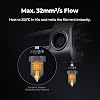
  • 32 mm3/s High Flow Extrusion & Dual Cooling: A powerful ceramic heater rapidly melts filament, while the dual-gear direct-drive extruder and titanium alloy heatbreak provide a strong 32 mm3/s flow rate at temperatures up to 300 C. Dual cooling fansone on the printhead and another inside the build chamberquickly solidify each layer to minimize stringing and warping, ensuring smooth, detailed results with PLA, PETG, ABS, TPU, and other advanced materials.
  • Reliable Creality Performance & Dedicated Support: Designed for creators who demand both speed and reliability, the Creality K1 Max combines intelligent automation with user-friendly operation for a seamless printing experience. Perfect for hobbyists, designers, engineers, schools, and small businesses, it is backed by a 1-year limited warranty, 24/7 customer support, and assistance from more than 20 professional engineers for dependable long-term use.

Brand: Creality


Material: Metal


Color: Black


Product Dimensions: 20"D x 20"W x 24"H


Compatible Devices: Smartphone


Product Dimensions: 20 x 20 x 24 inches


Item Weight: 46.9 pounds


Item model number: K1_Max_1002110137_US3


Date First Available: January 14, 2026


Manufacturer: Creality


Frequently asked questions

If you place your order now, the estimated arrival date for this product is: Jul 14 – Jul 15

Yes, absolutely! You may return this product for a full refund within 30 days of receiving it.

To initiate a return, please visit our Returns Center.

View our full returns policy here.

  • Klarna Financing
  • Affirm Pay in 4
  • Affirm Financing
  • Afterpay Financing
  • PayTomorrow Financing
  • Financing through Apple Pay
Leasing options through Acima may also be available during checkout.

Learn more about financing & leasing here.

Top Amazon Reviews


  • Great upgrade from Ender3 v2 - prints very well - much less fuss - some things not as expected
Set name: K2 SE
First off: Prints great right out of the box. Prints fast. Great for the price. So far we are very glad we chose this printer to supplement our Ender 3. Manufacturer responds very well to product questions. Creality slicer has a lot of tunable settings and has a good set of built in calibration tests with tutorial. We have been using this printer for about 3 weeks. Things to know: The magnetically attached build plate has a wiper pad and alignment notches. Both great features, however this may limit your build plate options. Creality support can help if you have questions in regards to this. You pretty much HAVE TO USE GLUE STICK (this requirement is plainly printed on the build plate and.... they give you a glue stick). What they do not tell you is that you need glue as a "release" agent. Without glue, if you decide to cancel a print early and there are just a few layers on the bed, you will not be able to remove it from the build plate any easy way that we have found. Glue hint: If you need a nice surface on the bottom of the print, clean bed and use fresh glue application, and then clean the glue residue off of the bottom of the print. Otherwise you will see patterns from previous prints on the bottom surface. When you send a print, you have the option to bypass calibration. Do not bypass calibration, especially for the first print any time after the printer has been powered off. The control panel in this printer only provides essential functions. The Creality slicer is where all of the stuff is. Amazon site product descriptions for our exact item were not entirely accurate: Sadly... the really cool segmented articulated cable guide shown in one of the slides is not a real thing. Also there is text in one of the slides that indicates easy nozzle change. The manufacturer has an official video where the model is like the one we received. Search for: "Service Tutorial K1 SE Replacement Nozzle" which covers both of the above so you will know more about what to expect. Part of the greatness of our Creality Ender 3 is its almost primitive diy approach with custom firmware and a really complicated control panel and custom firmware and tons of upgrade options and knob tweaking and the fun of messing with stuff. You could totally take it apart and put it back together an not be nervous about it. In comparison: The K1 SE seems like something best meant to be used "as is", with Creality slicer and firmware. You can still mess with stuff, but that would be mostly through the Creality slicer. I think it is still "open source" as advertised, but you would have to be careful as this is a much more complex machine than something like the Ender 3. ... show more
Reviewed in the United States on July 20, 2025 by hobbyist

  • Fast, reliable, and fun — great for beginners and kids
Set name: K2 SE
I got this Creality K2 SE 3D printer for myself and my 6-year-old son, and we love it. We’ve been printing almost 24/7 since the day we got it (it’s been a few months now) and we’ve had zero issues. It’s incredibly fast, surprisingly quiet for the speed, and feels solid and well built. The initial setup threw me off because the printer wouldn’t power on. Turns out, there’s a switch on the side that toggles between US and EU power standards, and mine came set to EU by default. Once I flipped it to US, it powered right on and worked perfectly. So if yours doesn’t start at first check that switch! As beginners, we also learned pretty quickly that most prints need supports, and successful prints often require a bit of trial and error. My biggest tip for new users: remember that many models require supports, and high-angle or overhang prints won’t succeed without them. Once we figured out the basics, we haven’t stopped printing. If you want a fast, dependable printer that works great for both hobby use and learning 3D printing with kids, this is a fantastic choice. Highly recommended. ... show more
Reviewed in the United States on January 8, 2026 by Aaron

  • Failed Printer Failed Printer
Set name: K2 SE
It just got delivered. we set it up. It powered on. The touchscreen was blank. We tried everything in terms of troubleshooting and it still did not work. We waited for this. It was supposed to come for Christmas for my son and now we have to return it. Thanks for the disappointment.
Reviewed in the United States on December 30, 2025 Reviewed in the United States on December 30, 2025 by Latannia Gayle

  • GET IT
Set name: K2 SE
We started our 3D printing journey with an Ender 3 V2, thinking it was the go-to beginner printer. But after a few frustrating weeks, we returned it and took a chance on the Creality K1 SE—and wow, we haven’t looked back since. From the moment we unboxed it, the K1 SE felt like a premium experience. Setup was intuitive, the interface is clean and responsive, and the build quality is leagues ahead of what we expected at this price point. It’s fast, quiet, and shockingly reliable. We did run into one hiccup early on—the Unicorn nozzle was stuck and wouldn’t budge. Turns out, it just needed a bit of grease. Once that was sorted, it’s been smooth sailing ever since. Print Quality & Reliability - Filament adhesion is flawless. The bed grips like a champ—no warping, no lifting. - We’ve run 30+ prints since that first one, and not a single failure. That’s unheard of in the hobby. - The motion system is buttery smooth, and the auto-le- veling is spot-on every time. Beginner-Friendly, Yet Powerful If you’re new to 3D printing, skip the trial-by-fire with super budget models. Spend a little more for a lot better experience. The K1 SE gives you a quality experience right out of the gate. It’s forgiving, fast, and doesn’t require constant tinkering to get good results. The 600 mm/s print speed is efficient, precise, and awesome. Creality really nailed it with this one. Whether you’re printing functional parts, toys, or artistic models, the K1 SE delivers consistent, high-quality results with minimal fuss. It’s not just a printer—it’s a confidence booster. ... show more
Reviewed in the United States on September 10, 2025 by S. Sabo

  • Great printer, great for beginners Great printer, great for beginners
Set name: K2 SE
The gift that keeps on giving. Worth the money. Got this for our 12 year old son for christmas. I was intimidated by it at first but honestly set up waa really easy. Just make sure you remove all the foam, some of the foam pieces blend into the printer. The foam under the plate doesn’t get removed until after powering on after the plate lifts. It’s a learning process. But easy when you get the hang of it. After setup, download the creality cloud app for it. There’s a ton of pre-made prints on there. Self leveling is a blessing if you’re a beginner like we are. Apply glue to the plate before printing. I’ve been using liquid elmers school glue, but i read the purple elmers glue sticks are better. Haven’t had any issues with printing simple things. Learning how to add supports and resize things as i go. Super easy to use from your phone via bluetooth. Functions as it should. Haven’t had any clogging. Quieter than I expected. ... show more
Reviewed in the United States on January 11, 2026 Reviewed in the United States on January 11, 2026 by Stephanie E. Lumley

  • Best first-printer that exists in 2025, imo.
Set name: K2 SE
Okay, I've owned this guy for a few months now, and I'm ready to review. This might be the best value FDM printer available in 2025. - Print quality? Super high. - Print speed? Very fast. - Wifi? Yep. - Prints basically any material you throw at it? Sure thing. Basically, this is the printer you should buy if you're getting a first printer. CoreXY printers like this one are SO much easier to get good prints out of than bed-throwers, it's just not even funny. Creality as a company isn't necessarily known for great QC and durability, but I've put this guy through his paces, printing dozens of centerpieces for a wedding, as well gifts for kids, home products, organization systems, you name it. Above all else, I love the extensibility of this printer. Start here, print 1 color. You want to print more materials and colors at once? You don't need a new printer - just get the addon system for this one. Need an enclosed printer so you can use toxic materials? Okay, get the add-on fan and print yourself the walls for this printer. Honestly, I've probably sold 5 of these to friends since buying mine, it's just such a great, easy to use printer. The auto-leveling is great, the Cure Slicer software interfaces super well and has all the modern features you want... The only person I wouldn't recommend this exact printer to as a first printer to get into the hobby would be someone who wants to print gaming minis, and that's just because no FDM printer will reach the quality of a resin printer... but unless that's you, if you want to buy a 3d printer, this is the one. ... show more
Reviewed in the United States on August 16, 2025 by Derek M.

  • Really great
Set name: K2 SE
Very kid friendly to operate and understand. The app works perfect with it prints awesome. It can be a little picky about what filament is in. Do not use supercheap filament.
Reviewed in the United States on June 4, 2026 by Torri feeman

  • Solid Printer with a Rocky Start
Set name: K2 SE
Initial Purchase: We purchased this printer as a fun project to create toys with our daughter. Upon arrival, the box was visibly damaged, though the printer initially appeared functional. However, after printing a few items, the machine abruptly shut off and would no longer power on. Following customer service instructions and completing troubleshooting steps, I discovered internal damage (likely from the drop sustained during transit). While the printer was able to operate temporarily, vibrations caused a loose component to disengage, rendering the unit inoperable. The manufacturer stated they would follow up with next steps, but we did not receive further communication. Replacement Experience: Due to the lack of follow-up, we returned the original unit to Amazon and requested a replacement. Upon receiving the new printer, it became clear that the original device had not only been previously used but was missing several key components, including filament, tools, glue, and a thumb drive preloaded with the software for easy setup. The original printer also contained a short piece of yellow filament in the print head, which we initially assumed was part of a factory quality check. Final Impressions: The replacement printer was new, complete, and easy to set up. It functions well and offers great value for beginners. Had our first experience matched the quality of the replacement, we would have confidently given it five stars. We're thankful Amazon resolved the issue promptly and expedited the replacement. ... show more
Reviewed in the United States on July 10, 2025 by Rachel Kurilko

Can't find a product?

Find it on Amazon first, then paste the link below.
Checking for best price...