Search  for anything...

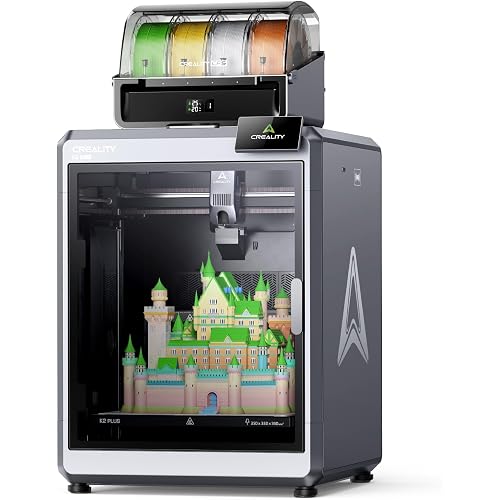
Creality Ender-3 V3 KE 3D Printer, 500 mm/s High-Speed Printing with Auto-Leveling, Sprite Direct Extruder Supports 300℃ Printing, Ultra-Smooth and Stable, 220×220×250 mm Print Volume

  • Based on 0 reviews
Condition: New
Checking for the best price...
$259.00 Why this price?
Save $65.00 was $324.00

Buy Now, Pay Later


As low as $43.17 / mo
  • – 6-month term
  • – No impact on credit to apply
  • – Instant approval decision
  • – Secure and straightforward checkout

Ready to go? Add this product to your cart and select a plan during checkout.

Payment plans are offered through our trusted finance partners Klarna, Affirm, Afterpay, Apple Pay, and PayTomorrow. No-credit-needed leasing options through Acima may also be available at checkout.

Learn more about financing & leasing here.

Selected Option

Free shipping on this product

FREE 30-day refund/replacement

To qualify for a full refund, items must be returned in their original, unused condition. If an item is returned in a used, damaged, or materially different state, you may be granted a partial refund.

To initiate a return, please visit our Returns Center.

View our full returns policy here.


Availability: In Stock.
Fulfilled by Amazon

Arrives Wednesday, Apr 22
Order within 23 hours and 12 minutes
Available payment plans shown during checkout

Protection Plan Protect Your Purchase
Checking for protection plans...

Set name: Ender 3 V3 KE


Features

  • Enhanced Faster & Smarter: Creality Ender 3 V3 KE 3d printer can print at up to 500mm/s speed with 8000mm/s2 acceleration, lessening your waiting time. The intuitive touch UI screen and real-time model preview make your printing process smoother
  • Reliability & Versatile Printing: High configuration Sprite Direct Extruder, 60W ceramic heater, Bi-metal heatbreak, and copper nozzle enable 300C printing and smooth feeding of various filaments. Supports PLA, PETG, ABS, TPU(95A) and ASA filaments
  • Ultra-Smooth & Stable Motion: Ender-3 V3 KE robust structure and precision-engineered components guarantee smooth and steady movements. Upgraded the X-axis has a carriage slide containing ball bearings, yielding high-quality prints every time
  • Smarter leveling Experience: Equipped with a CR Touch Sensor for automatic calibration. It detects multiple points across the platform for precise measurement, ensuring a flawless initial layer. Save your time for hassle-free leveling
  • Precision-focused Design: With smart algorithms function, it mitigates the printer's vibrations for minimal ringing or ghosting. Precise 0.1 mm Printing Accuracy. Also has dual fans for fast model cooling, making your prints always in good shape
  • Effortless and User-Friendly: Upgraded all-in-one design ensures a swift 10-minute installation. Add featuring filament detection and power outage recovery. The perfect 3D printer gift for homes, beginners, and kids
  • Creality Support: Creality provides 12-month & 24 hours after-sales service. If you have any further problem about our product or service, kindly contact us at any time

Brand: Creality


Material: Aluminum


Color: Black


Product Dimensions: 17.04"D x 14.41"W x 19.29"H


Compatible Devices: Personal Computer


Product Dimensions: 17.04 x 14.41 x 19.29 inches


Item Weight: 21.6 pounds


Item model number: Creality Ender 3 V3 KE


Date First Available: November 23, 2023


Manufacturer: Creality


Frequently asked questions

If you place your order now, the estimated arrival date for this product is: Wednesday, Apr 22

Yes, absolutely! You may return this product for a full refund within 30 days of receiving it.

To initiate a return, please visit our Returns Center.

View our full returns policy here.

  • Klarna Financing
  • Affirm Pay in 4
  • Affirm Financing
  • Afterpay Financing
  • PayTomorrow Financing
  • Financing through Apple Pay
Leasing options through Acima may also be available during checkout.

Learn more about financing & leasing here.

Top Amazon Reviews


  • WORTH EVERY PENNY!!!
Set name: Ender 3 V3 KE
This is my very first 3D printer. I have no experience whatsoever with 3D printing. This is perfect for beginner's. It has been working perfectly straight out of the box. Set up was really really easy. I definitely recommend this for any beginner. The only calibration I have done on this machine has been the initial setup calibrations and it's been perfect ever since. I will be doing the other calibrations as well as adjusting the speeds. This is a fast printer so i should set it up to do what its built for. Looking forward to playing with the settings! It has auto leveling and i would say durability is fine (had one issue where it sounded like it collided with a train. Turns out the roll of filament was wound really bad from the maker, it literally would not let the extruder move. Keep an eye on them rolls!) It is kinda loud at times but...i live in a studio apartment so...yea. I have been using OrcaSlicer and have not payed any attention to the Creality cloud or whatever it is they offer with the printer. I can access it through the network, start prints and upload directly from the PC/Laptop instead of just the USB method. I love this thing! Its been printing constantly and i already have burned through SO MUCH filaments. Worth every penny! Definitely recommended for everybody and their grandma. ... show more
Reviewed in the United States on January 9, 2026 by Robert Z Gatewood

  • What a great printer
Set name: Ender 5 Pro
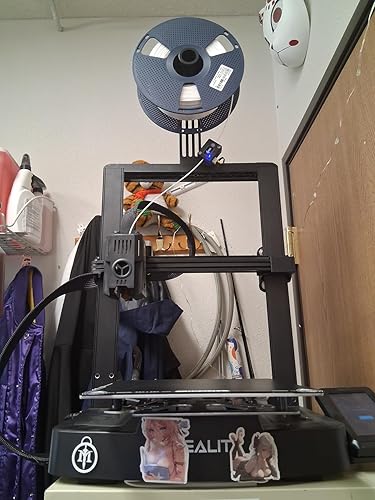
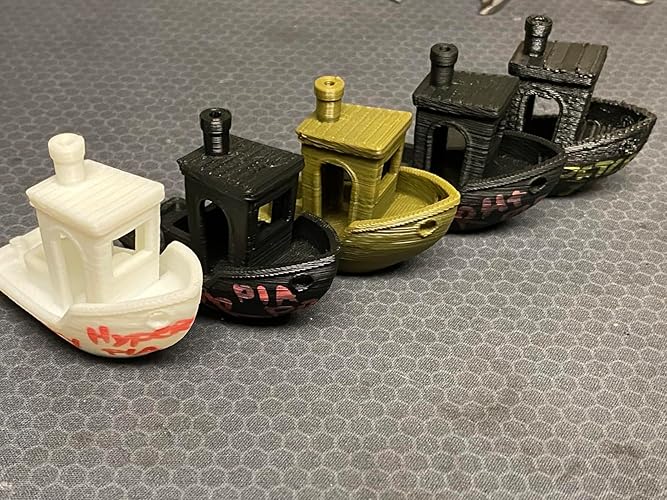
The is my first 3D printer so I have no object of comparison, but I've been pretty happy with it with some minor niggling. The only two materials I have printed is PLA and NylonX which have turned out really quality prints when everything is done correctly. Here are my thoughts on making this printer so much better than it already is and for first time 3D printer owners. Assembly: WARNING - the power supply is flipped to something like 235V out of the box. If your house is running 110V, you need to flip the switch on the back of the power supply FIRST! The printed assembly instructions were fine and easy to follow. In a couple of cases, it was easier to have another set of hands though, but overall, it's just screwing things into place and getting the wiring correct. All of the wires are labeled so you just need to pay attention. Don't be too concerned about the nest of wires hanging everywhere when assembled but do pay attention to how you routed them. If done incorrectly, you can have one of the wires yanked out while the nozzle or the bed moves. Also, the spool holder is shown in the instructions to be assembled on the right side of back right post, extending the foot print of the printer sideways. You can rotate the spool holder to the inside of the back right post (see my picture) making the width of the printer no wider than where the LCD screen is mounted. First steps: Watch some videos on how to level the bed. I've been using the 'paper method' with an index card and it's worked out great. Get familiar with some terminology so you can easily research what problems you may run into correcting your prints. Some terms off the top of my head: STL, gcode, slicer, extrusion, (x,y,z) axis, PLA, ABS. Upgrades: The two upgrades that I would recommend maybe even before your first print is a glass bed and stiffer bed springs. If you're going to use glue or hairspray for better adhesion, the glass bed is easy to clean and the stiffer springs means less bed leveling between prints. I tried for an entire day to get the BLTouch to work and decided to just keep it disconnected. The instructions from Creality mentions a Z OffSet setting that's missing from their firmware and I went down a rabbit hole of recompiling new firmware that still didn't resolve my problem, so I would skip this unless you have a compelling reason to use it. Additional thoughts: just use Cura as your Slicer and skip the Creality one which is just an older version, reskinned version of Cura. Look up "Upgrades for Ender 5" for some ideas of what you can add to your printer (like the tool holders and LCD panel cover in my picture). Join /r/FixMyPrint, /r/3Dprinting, and /r/ender5 on Reddit for helpful resources and tips. The firmware that came with the printer is fine so don't worry about flashing it with anything new. The microSD card has a few STLs on there you should print first with the filament that came with the printer or look for benchy on Thingiverse. ... show more
Reviewed in the United States on February 2, 2021 by RDUKen

  • Worked great for less than two months
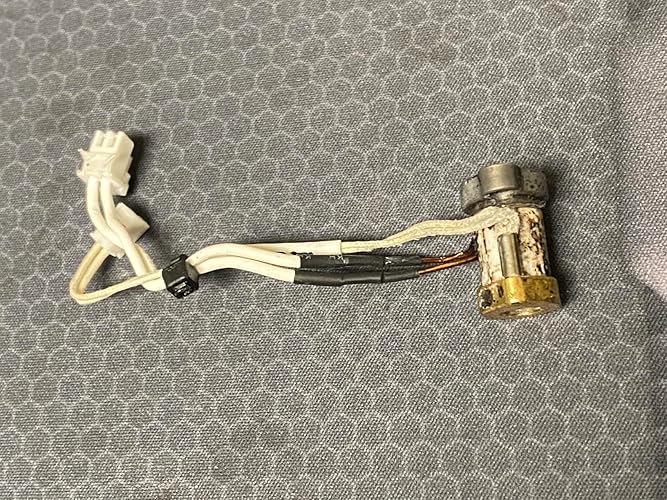
This printer was great for less than two months. Very quiet, easy to use, amazing prints. Then for reasons I have yet to figure out it came apart. Nozzle temperature fluctuates 7 to 8 degrees during printing (possibly messed up thermistor on a new printer), no longer able to level either manually or automatically, when pushing the "Z" button to raise the hot end, it instead tracks on the X axis till is runs into the right gantry support and keeps wanting to move making a loud grinding sound. Even after doing a Pronterface diagnostic and making the changes, nothing improved. As it sits, I now have a $500 door stop. ... show more
Reviewed in the United States on August 7, 2022 by GK

  • Great entry level or hobby 3D printer!!!
Set name: Ender 3 V3 KE
I have been amazingly impressed with this printer. It was very easy to put together. From unboxing to running the test print was roughly 45 minutes. It pairs well with the creality app for printing models. Being able to re-run prints using my phone has been great. This arrived quickly and was packaged very well in the box. If I ever have the need for a 2nd printer I would not hesitate to buy this. The features of this printer takes alot of the guess work out. The display screen is easy to use. It does not take up alot of space. ... show more
Reviewed in the United States on December 31, 2025 by william a heatherly

Can't find a product?

Find it on Amazon first, then paste the link below.
Checking for best price...