







Buy Now, Pay Later
- – 6-month term
- – No impact on credit to apply
- – Instant approval decision
- – Secure and straightforward checkout
Ready to go? Add this product to your cart and select a plan during checkout.
Payment plans are offered through our trusted finance partners Klarna, Affirm, Afterpay, Zip, Apple Pay, and Google Pay. No-credit-needed leasing options through Acima may also be available at checkout.
Learn more about financing & leasing here.
Selected Option
FREE refund/replacement until Jan 31, 2027 Learn more
To qualify for a full refund, items must be returned in their original, unused condition. If an item is returned in a used, damaged, or materially different state, you may be granted a partial refund.
To initiate a return, please visit our Returns Center.
View our full returns policy here.


At a glance
- Condition
- New
- Color
- Orange
- Model
- P1
- Dimensions
- 3.66"L x 4.92"W x 6.61"H
- Weight
- 1.31 kg
- Display resolution
- 1280 x 720
- Display Type
- LED
- Warranty
- 1 Year Manufacture
- Works with
- Gaming Console, Smartphone, Speaker, Tablet, Television
Features 6
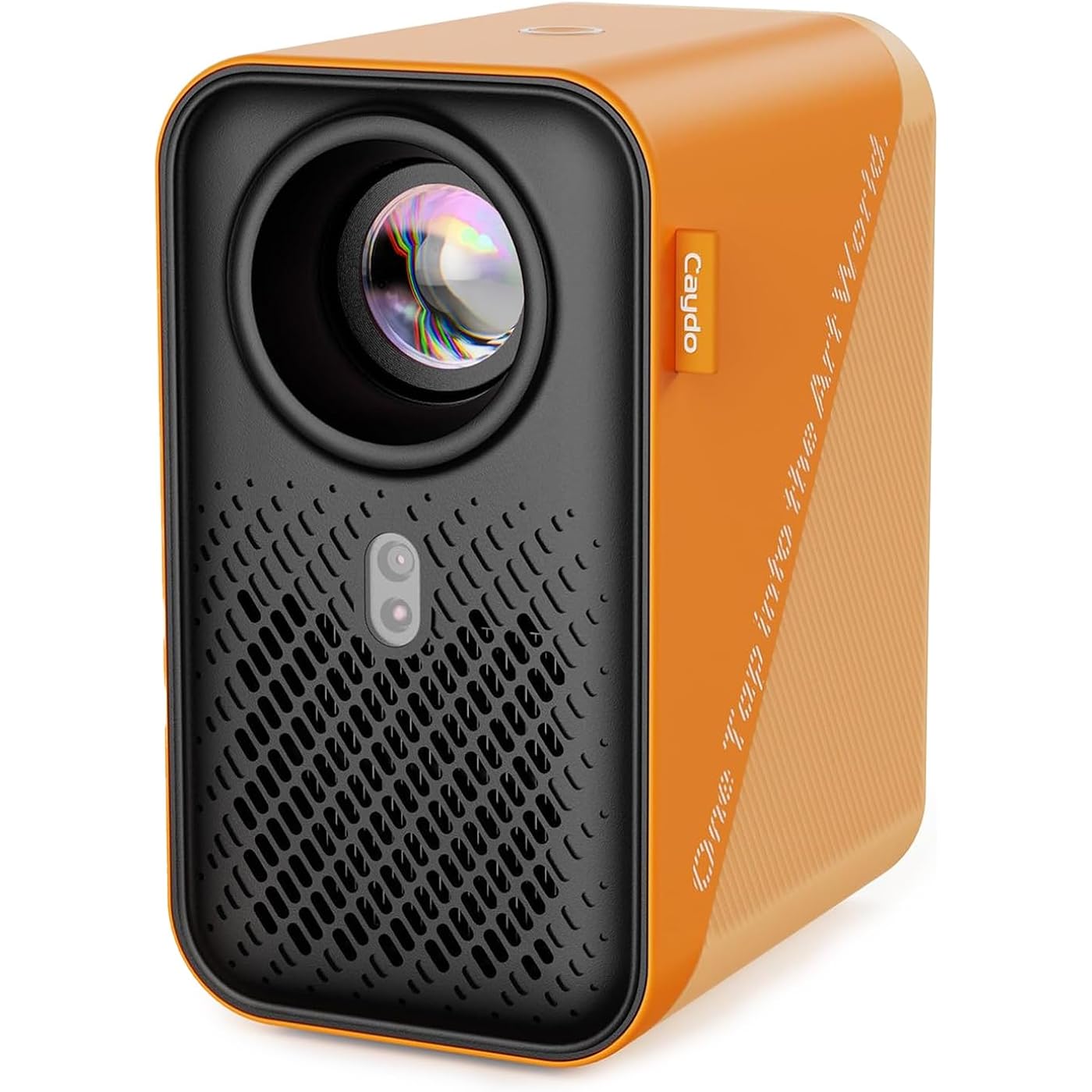
- ART PROJECTOR FOR DRAWING: Effortlessly project images, designs, and photos onto various surfaces, including walls, easels, blackboards, and whiteboards. Suitable for tracing, sketching, and artistic creation, this art projector caters to the needs of painting enthusiasts, professionals, designers, and artists alike. Take off the lens cover before using
- EXCLUSIVE DRAWING ASSISTANT: The built-in art software features tools like zooming, 360 rotation, and 3x3 grids. Our drawing app is designed to make your artistic process smoother and more intuitive. Select from 3 background colors and 4 unique artistic modes (Gridify, Sketchify, Comicize, and Monochromize) to adapt the drawing projector to your style and workflow
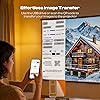
- EFFORTLESS IMAGE TRANSFER: Simply scan the QR code within the app or use a USB drive to easily transfer your images to the projector. This allows you to start your creative work immediately without worrying that a poor internet connection might disrupt your artistic process. You can also enjoy movie entertainment through multiple screen mirroring options, including EShare, AirPlay, and Miracast. Note: Copyrighted content from Hulu, Netflix, and similar services cannot be mirrored or cast via wireless transmission or HDMI cable
- AUTO FOCUS & KEYSTONE CORRECTION: Experience precise image scaling with our automatic screen-fit feature, which utilizes advanced algorithms, auto-focus, and keystone correction. The projection distance ranges from 3.1ft to 10.5 ft. This portable projector supports 4K video playback and boasts a lamp life of up to 10,000 hours for long-lasting performance
- ULTRA FAST DUAL BAND WIFI AND BLUETOOTH: The P1 projector provides 5G/2.4G dual band WiFi connection, which is faster, has larger data transmission capacity, and lower latency compared to 2.4G networks. It supports two-way Bluetooth 5.0 audio transmission, allowing connection to mobile devices as a standalone stereo speaker or pairing with external Bluetooth speakers, headphones, and soundbars to enhance audio effects for home projectors anytime and anywhere. Please note: Bluetooth function supports audio transmission only, not video
- COMPACT & POWERFUL DESIGN: Use it as a drawing projector for artwork or an HD video projector for home entertainment. A standard 1/4"-20 tripod thread on the base fits any camera tripod, so you can set it at the height and angle you need. The fully sealed optical core prevents dust entry, reducing screen black spots and image degradation for long-lasting, high-quality performance. Note: The remote control requires 2 AAA batteries (not included)
Description
How do I upgrade the drawing app on the projector? Do I need to pay for the new version? App upgrades are pushed automatically—just agree when notified. You can also check manually in Settings > System > Upgrade. All new features remain free. No download or payment is needed. What are the 4 drawing modes in the drawing app for? The 4 drawing modes are designed to intelligently process your original image by removing any irrelevant elements and transforming it into various styles. Each mode offers unique effects to help you achieve your artwork. Is a PC required to transfer images? No, now you can quickly transfer images from your phone to the projector by simply scanning the screen-on code within the drawing app. How to transfer images without internet? If you're in a location with no internet, simply save your images to a USB drive in advance, plug it into the projector, and you can access them directly from the built-in drawing app. Can I trace without using the app? Yes, if you don't need image processing features, you can use screen mirroring to project images onto your surface for quick tracing. P1 Art Projector S2 Art Projector S1 Art Projector P2 Art Projector P3 Art Projector M1C Art Projector For Tracing, Sketching, and Artistic Creation Auto-Saved Design Library, 10''-100'' Flexible Projection on Table & Wall Optical Projector for Physical Artwork, Low Noise & Portable Design 150° Rotatable Base, Auto Focus & Keystone, 250ANSI lumen, 40''-100'' Projection Size 360° Rotatable Base, Auto Focus & Keystone, 400ANSI lumen, 40''-120'' Projection Size Auto Focus & Keystone, Auto Screen-fit, Enclosed Optical Engine, 30''-100'' Projection Size Palm-Size Design, 8000mAh Rechargeable Li-Battery, Art Projector for Tracing on Table & Wall At Caydo, we believe in the power of creativity and the magic of art. Whether you're a seasoned painter, a budding illustrator, or someone who simply loves to sketch, our projector transforms your creative process, offering precision, flexibility, and inspiration. With Caydo, every wall becomes a canvas, and every idea, a masterpiece. Join us in redefining the art of drawing, and let your creativity shine like never before. Caydo began with a vision to empower artists by bridging imagination and reality. We aimed to create a tool that enhances creativity and transforms the artistic process. Unlike any other projector, it features a bespoke drawing app with unique tools tailored to the intricate needs of the artistic community, offering precision, flexibility, and inspiration. We're here to ensure smooth sailing with prompt assistance, addressing any questions or concerns within 24 hours.
Specs 36
| Brand | Caydo |
|---|---|
| Recommended Uses For Product | Business, Education, Gaming, Home Cinema |
| Special Feature | The built-in art drawing software features tools like 0-200% zoom, 360° rotation, 3x3 grids and more |
| Connectivity Technology | 3.5mm Jack, Bluetooth, HDMI, USB, Wi-Fi |
| Display resolution | 1280 x 720 |
| Additional Features | The built-in art drawing software features tools like 0-200% zoom, 360° rotation, 3x3 grids and more |
| Native Resolution | 1280 x 720 |
| Display Resolution Maximum | 3840 x 2160 pixels |
| Display Type | LED |
| Form Factor | Portable |
| Mounting Type | Tripod Mount |
| Color | Orange |
| Controller Type | Remote Control |
| Contrast Ratio | 1500:1 |
| Maximum Throw Distance | 10.53 feet |
| Light Source Operating Life | 10000 hours |
| Maximum Image Size | 100 inches |
| Hardware Connectivity | 3.5mm Audio, HDMI, USB |
| Control Method | Remote |
| Minimum Throw Distance | 3.16 feet |
| Minimum Image Size | 30 inches |
| Video Encoding | H.264 or H.265 (HEVC) |
| Projector Maximum White Brightness | 165 ANSI lumens |
| Antenna Location | Business, Education, Gaming, Home Cinema |
| Built-In Media | 1x Art Projector, 1x Power Adaptor, 1x Remote (Batteries not included), 1x User Manual |
| Model Name | P1 |
| Model Number | P1 |
| Number of Items | 1 |
| Manufacturer | Caydo |
| Number of Packs | 1 |
| Item Highlight | Auto Focus & Keystone, Auto Screen-Fit, 30''-100’’ Projection Size, Sealed Optical Engine, Dual-band WiFi & Bluetooth 5.0 |
| Unit Count | 1 Count |
| Mfr Part Number | P-004W |
| Item Dimensions L x W x H | 3.66"L x 4.92"W x 6.61"H |
| Item Weight | 1.31 kg |
| Software Update Supported to Date | unknown |
No specs match.
Frequently asked questions
To initiate a return, please visit our Returns Center.
View our full returns policy here.
- Klarna Financing
- Affirm Pay in 4
- Affirm Financing
- Afterpay Financing
- Zip Pay in 4
- Financing through Apple Pay
- Financing through Google Pay
Learn more about financing & leasing here.
Similar Products


Top Amazon Reviews

