Search  for anything...

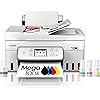
Canon Megatank G4280 All-in-One Wireless Supertank [Megatank] Printer | Print, Copy, Scan | Mobile Printing |2.7" LCD Color Touchscreen | Auto Document Feeder and Auto Duplex

  • Based on 98 reviews
Condition: New
Checking for the best price...
$334.19 Why this price?
Holiday Deal · 65% off was $949.95

Buy Now, Pay Later


As low as / mo
  • – Up to 36-month term if approved
  • – No impact on credit
  • – Instant approval decision
  • – Secure and straightforward checkout

Ready to go? Add this product to your cart and select a plan during checkout.

Payment plans are offered through our trusted finance partners Klarna, Affirm, Afterpay, Apple Pay, and PayTomorrow. No-credit-needed leasing options through Acima may also be available at checkout.

Learn more about financing & leasing here.

Selected Option

Free shipping on this product

30-day refund/replacement

To qualify for a full refund, items must be returned in their original, unused condition. If an item is returned in a used, damaged, or materially different state, you may be granted a partial refund.

To initiate a return, please visit our Returns Center.

View our full returns policy here.


Availability: Only 4 left in stock, order soon!
Fulfilled by Triplenet Pricing INC

Arrives Sunday, Dec 21
Order within 18 hours and 28 minutes
Available payment plans shown during checkout

Protection Plan Protect Your Purchase
Checking for protection plans...

Color: White


Style: Canon PIXMA G4280 White


Features

  • Wireless Print/Copy/Scan (2)
  • Up to 2 years of ink included (3)
  • Print up to 6,000 black & white / 7,700 color pages using a single set of inks! (1)
  • Save up to $1,000 on ink (1)
  • 2.7 LCD Color Touchscreen
  • Auto 2-sided printing
  • ADF 35 sheet Auto Document Feeder
  • See below for disclaimers

Description

Designed for home and home offices, the Canon PIXMA G4280 MegaTank All-in-One inkjet printer delivers high-quality, low-cost printing, and outstanding wireless connectivity in a compact size. Get serious print productivity with a high page yield of up to 6,000 Black / 7,700 Color pages per full ink bottle set and a low cost per print - MegaTank means Mega Savings. The PIXMA G4280 comes with a full set of ink, so you can print with confidence. The PIXMA G4280 is easy to set up and maintain and offers great media versatility to print on a variety of media types and sizes, including photo paper, envelopes, banners and more. Use Poster Artist Online to create professional-posters, banners and signage. Print both documents and photos on a variety of paper types using a hybrid ink system with pigment black for sharp black text and dye-based colors for vivid borderless photos up to 8.5” x 11”. Produce crisp, colorful documents quickly and cost-effectively with fast print speeds and a high quality 4-color pigment-based ink system. Keep printing with a plain paper capacity of up to 100 sheets or 20 photo sheets (4”x6”). Easily connect and print through high-speed USB or wirelessly from computers or mobile devices. This comes with a 1-year limited warranty and is backed by Canon's Service and Support network.

Brand: Canon


Connectivity Technology: USB, Wi-Fi


Printing Technology: Inkjet


Special Feature: Auto Document Feeder


Color: White


Model Name: PIXMA G4280 WH


Printer Output: Color


Maximum Print Speed (Color): 6 ppm


Max Printspeed Monochrome: 11 ppm


Product Dimensions: 14.3"D x 16.4"W x 8.4"H


Maximum Media Size: 8.5 x 14 inch


Included Components: Ink Bottles


Print media: Envelopes, Glossy photo paper, High-resolution paper, Labels, Paper (plain)


Scanner Type: Sheetfed


Max Input Sheet Capacity: 100


Max Copy Speed (Black & White): 11 ppm


Compatible Devices: Smartphones


Sheet Size: 3.5” x 3.5” (Square), 4” x 6”, 5” x 5” (Square), 5” x 7”, 7” x 10”, 8” x 10”, Letter (8.5” x 11”), A4, A5, A6, B5, Legal (8.5” x 14”), U.S. #10 Envelopes, Card Size (3.6" x 2.2"), Custom size (width 2.1–8.5 in, length 3.5–47.2 in) Inches


Maximum Black and White Print Resolution: 4800 x 1200 dpi


Dual-sided printing: Yes


Max copy resolution black-white: 11 dpi or higher


Duplex: Automatic


Hardware Interface: USB


Additional Printer functions: All In One


Control Method: Touch


Output sheet capacity: 100


Number of Trays: 1


Processor Count: 1


Series Number: 4280


Total USB Ports: 1


Model Series: PIXMA


UPC: 013803377989


Memory Storage Capacity: 64 MB


Product Dimensions: 14.3 x 16.4 x 8.4 inches


Item Weight: 24.1 pounds


Item model number: 6704C022


Date First Available: September 10, 2024


Manufacturer: Canon USA


Frequently asked questions

If you place your order now, the estimated arrival date for this product is: Sunday, Dec 21

Yes, absolutely! You may return this product for a full refund within 30 days of receiving it.

To initiate a return, please visit our Returns Center.

View our full returns policy here.

  • Klarna Financing
  • Affirm Pay in 4
  • Affirm Financing
  • Afterpay Financing
  • PayTomorrow Financing
  • Financing through Apple Pay
Leasing options through Acima may also be available during checkout.

Learn more about financing & leasing here.

Top Amazon Reviews


  • amazing quality printing
Color: White Style: Canon PIXMA G4280 White
If you need a high quality printer for a good price....GET THIS ONE! I am so happy with it. Easy to set up and prints great right away. If you play around with the settings your can get even better quality. I would get the G4280 again FOR SURE!!!
Reviewed in the United States on December 1, 2024 by Revolution of Christ Journals

  • Easy to assemble but software another issue.
Color: White Style: Canon PIXMA G4280 White
This is a very nice printer and the quality I expect from being a Canon user for years. Here are a few notes on assembly and setup. Excellent print quality for both text and schematic documents to start. 1.) The unit has a touch screen display. This is very easy to read and adjustable for your desired viewing angel. 2.) There is some adhesive tape strips applied in several areas, I think about 3 strips. Make sure to remove them, as they are not mentioned anywhere. 3.) All your hardware setup will be done using the LED display, which is OK, but pay attention to detail. There is NO PAPER setup instructions. 4.) I like the way they do the new ink cartridges, Unscrew the cap, put it on the input and let it flow and no Mess. Pay attention the refill cartridges P/N's. On this unit the, Prima G4280, the NUMBER is 21. 5.) The software was not as easy as my previous printer. Some items are in the setup, others you have to download like the scanner operation. 6.) The Maintenance software is in the operating system, not downloadable. This isn't clear on how to locate, and I had to call Canon tech support after about 1.5 hours looking for downloads etc online. 7.) If you are looking for the location for the MAINTENANCE, see below. Windows: Settings/Bluetooth/Printers and Scanners/Canon G4080 Series/Printer Properties. The MAINTENANCE tab is top far right. Again. it is a nice printer for the price. I will only give 4 stars to the rating due to software issues ... show more
Reviewed in the United States on April 28, 2025 by Jimdh_99

  • Love the large capacity ink system
Color: White Style: Canon PIXMA G4280 White
Don't have to deal with monthly ink program like my old printer sucked me into. I like the large capacity ink system and the fact we at pressured into a pay per page ink replacement monthly plan makes me happier than ever with this printer. I print beautiful photos and clear copies. easy to make scans and print documents. ... show more
Reviewed in the United States on April 5, 2025 by Amazon Customer

  • So far so good!
Color: White Style: Canon PIXMA G4280 White
Easy setup and easy to connect to WiFi. Touch screen is nice everything is easy to see and understand. Prints well as far as text haven’t printed any photos yet. The app is pretty easy to use to print from phone. It connected to my laptop easily. Hopefully will last as long as my last Canon printer.
Reviewed in the United States on November 20, 2024 by Swifty

  • Ink savings is great, everything else is not.
Color: White Style: Canon PIXMA G4280 White
This G4280 Canon printer paid for itself in the ink savings. But that's all I like about this printer. The ink is very susceptible to UV fading, even when not in direct sunlight. In direct sunlight the pictures are completely faded in a day. The smallest margin is 0.27", so technically, it doesn't print a full 8x10 picture. Except for the UV fading, the print quality and color reproduction is acceptable to good. Epson is still better. This printer works well via WiFi, but it won't print from Google Docs (My Epson X7100 has no problem with Google Docs). When printing on double sided glossy paper, there isn't an option to even manually print double sided. And sometimes right in the middle of printing it stops and does some kind of maintenance thing for several minutes. And I hate that it won't do a double sided scan. WHY NOT? It does double sided printing, but there is no option for double sided scanning. I can't recommend this printer and I will be looking for a replacement after using it for less than a year. ... show more
Reviewed in the United States on July 20, 2025 by Dennis

  • Saving lots of money for ink
Color: White Style: Canon PIXMA G4280 White
Bought this printer 10 months ago and still using original ink that came with the printer. I used to use new cartridges for approx $100 in that same period with my old printer. Fantastic savings.
Reviewed in the United States on August 20, 2025 by Jerry

  • Loving this printer so far.
Color: White Style: Canon PIXMA G4280 White
So far, so good. Bought this printer because I wanted the mega tank, tired of expensive ink cartridges. I have used mostly epson printers for the last thirty years. Most recently bought a refurbished ecotank. Had nothing but problems when trying to print two sided copies, and the print quality was not great. I previously bought a Canon Pixma that can print on larger paper for crafting and the print quality is great. I decided to return the ecotank and bought this Canon Mega tank. It has been a great printer. No paper jams when printing two-sided, print quality is good and set up was easy. ... show more
Reviewed in the United States on June 17, 2025 by Rodeomom4

  • Easy Set up!
Color: White Style: Canon PIXMA G4280 White
Printer was easy to setup & get started. I am adjusting to subtle differences between this & my previous printer. This is the first model I've used with refillable ink tanks, so 🤞Print Speed is as expected.
Reviewed in the United States on March 6, 2025 by Omi Sews

Can't find a product?

Find it on Amazon first, then paste the link below.
Checking for best price...